
1. Introduzzjoni
The Lenovo ThinkPad T470 is a 14-inch business laptop designed for productivity and reliability. It features a 6th generation Intel Core i5-6200U processor, 8GB DDR4 RAM, and a 256GB PCIe SSD, providing efficient performance for various tasks. This laptop includes an HD webcam, dual array microphones, and a fingerprint reader for enhanced security and communication.
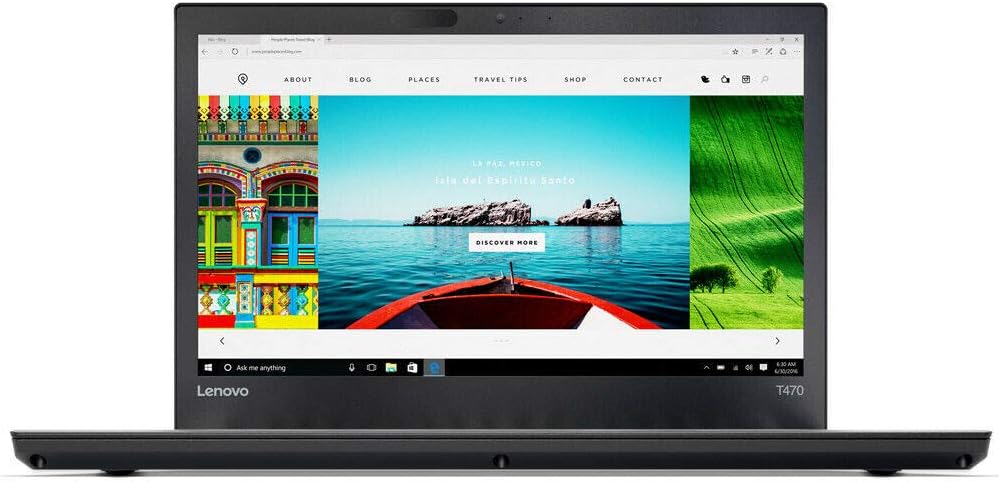
Figura 1.1: Quddiem view of the Lenovo ThinkPad T470 laptop.
2. Setup
2.1 Qawwa Inizjali
- Unpack your ThinkPad T470 and the included AC adapter.
- Qabbad l-adapter tal-AC mal-port tal-enerġija tal-laptop u mbagħad ma' sokit tal-enerġija.
- Iftaħ l-għatu tal-laptop u agħfas il-buttuna tal-qawwa, li tipikament tinsab 'il fuq mit-tastiera jew fuq il-ġenb.
- Follow the on-screen instructions to complete the initial setup of Windows 10 Professional. This includes setting up your user account, network connection, and basic preferences.
2.2 Konnessjoni tal-Periferali
The ThinkPad T470 offers various ports for connecting external devices:
- Portijiet USB 3.0: Connect USB devices such as external hard drives, mice, or keyboards.
- Thunderbolt 3 (USB Type-C) Port: For high-speed data transfer, video output, and charging compatible devices.
- Port HDMI: Qabbad ma' displays jew projetturi esterni.
- RJ45 Gigabit LAN Port: Għal konnessjonijiet tan-netwerk bil-fili.
- Jack tal-Awdjo Kombinat ta' 3.5 mm: Għal headphones jew headsets b'mikrofonu.
- Media Card Reader (SD 3.0, UHS-I): Daħħal karti SD għat-trasferiment tad-dejta.

Figura 2.1: In-naħa tal-lemin view of the ThinkPad T470 with ports.
3. Joperaw
3.1 Tastiera u Apparati li Jippontaw
The ThinkPad T470 features an ergonomic keyboard, a TrackPad, and a TrackPoint for navigation.
- Tastiera: Utilize the full-sized keyboard for typing. Function keys (F1-F12) provide quick access to system controls when pressed with the Fn key.
- TrackPad: The multi-touch TrackPad allows for precise cursor control and gestures.
- TrackPoint: The red TrackPoint located in the center of the keyboard provides an alternative method for cursor control, often preferred for its precision.

Figura 3.1: Tastiera u apparati li jindikaw.
3.2 Webkamera u awdjo
The T470 is equipped with a 720p HD camera and dual array microphones for video conferencing and communication. Dolby Advanced Audio and stereo speakers provide clear sound output.
3.3 Qarrej tal-Marki tas-Swaba'
For enhanced security, the ThinkPad T470 includes a fingerprint reader. Set up your fingerprint in Windows Hello settings to log in securely and quickly.
3.4 Konnettività bla fili
The laptop supports Intel Dual Band Wireless AC (2x2) for Wi-Fi connectivity and Bluetooth 4.1 for connecting wireless peripherals. LTE-A (4G) connectivity may also be available depending on the specific model configuration, allowing internet access without Wi-Fi.
4. Manutenzjoni
4.1 Kura Ġenerali
- Keep the laptop clean by gently wiping surfaces with a soft, dry cloth.
- Avoid exposing the laptop to extreme temperatures, direct sunlight, or liquids.
- Żgura ventilazzjoni xierqa billi ma timblokkax il-ventijiet tal-arja.
4.2 Ġestjoni tal-batterija
The T470 uses a 3-cell lithium-ion battery. To maximize battery life:
- Adjust power settings in Windows to optimize for battery life.
- Evita li tiċċarġja l-batterija kompletament ta' spiss.
- Aħżen il-laptop f'post frisk u niexef jekk ma tużahx għal perjodi twal.
4.3 Solid-State Drive (SSD)
The 256GB PCIe SSD in your ThinkPad T470 offers faster performance and increased durability compared to traditional hard drives. As it has no moving parts, it is more resistant to physical shock, quieter, and contributes to faster boot times and application loading.
5 Issolvi l-problemi
Din it-taqsima tindirizza kwistjonijiet komuni li tista' tiltaqa' magħhom bit-ThinkPad T470 tiegħek.
5.1 Kwistjonijiet tal-Enerġija
- Il-laptop mhux qed jixgħel: Kun żgur li l-adapter tal-AC huwa konness sew kemm mal-laptop kif ukoll ma' sokit tal-enerġija li jaħdem. Iċċekkja jekk id-dawl tal-indikatur tal-enerġija hux mixgħul.
- Il-batterija mhix qed tiċċarġja: Iċċekkja li l-adapter tal-AC qed jaħdem sew. Ipprova sokit tal-enerġija differenti.
5.2 Problemi tal-Wiri
- L-ebda immaġni fuq l-iskrin: Connect an external monitor via the HDMI port to check if the issue is with the laptop's display or the graphics output.
- Dim or flickering screen: Adjust brightness settings using the function keys (Fn + F5/F6). Update display drivers if necessary.
5.3 Kwistjonijiet ta' Konnettività
- Il-Wi-Fi mhux qed jikkonnettja: Ensure Wi-Fi is enabled (Fn + F8). Check network settings in Windows. Restart your router and laptop.
- Apparat Bluetooth mhux qed jitqabbad: Ensure Bluetooth is enabled. Check that the device is in pairing mode and within range.
5.4 Prestazzjoni tas-Sistema
- Prestazzjoni bil-mod: Close unnecessary applications. Check for background processes consuming high resources in Task Manager. Ensure Windows and drivers are up to date.
- Is-sistema tiffriża: Perform a hard shutdown by holding the power button for several seconds. Restart the laptop. If persistent, consider running system diagnostics.
6. Speċifikazzjonijiet
Below are the technical specifications for the Lenovo ThinkPad T470:
| Karatteristika | Speċifikazzjoni |
|---|---|
| Proċessur | Intel Core i5-6200U (2.3GHz up to 2.8GHz, 3MB Cache) |
| Sistema Operattiva | Windows 10 Professjonali |
| Wiri | 14-inch HD (1366 x 768) Anti-glare Display |
| Grafika | Grafika Intel UHD 520 (Integrata) |
| RAM | 8GB DDR4 2133 MHz |
| Ħażna | 256GB PCIe SSD |
| Wireless | Intel Dual Band Wireless AC (2x2), Bluetooth 4.1 |
| Portijiet | 3x USB 3.0, 1x Thunderbolt 3 (USB Type-C), 1x HDMI, 1x RJ45 Gigabit LAN, 3.5mm Combo Audio Jack, Media Card Reader |
| Webcam | 720p HD Camera with microphone |
| Awdjo | Dolby Advanced Audio, Stereo Speakers |
| Sigurtà | Qarrej tal-marki tas-swaba' |
| Batterija | 3-cell Lithium-Ion |
| Dimensjonijiet (LxWxH) | 13.8 x 8.9 x 0.82 pulzieri |
| Piż | 4.5 lbs |

Figura 6.1: Proġett tal-ġenbfile of the ThinkPad T470.
7. Garanzija u Appoġġ
Għal informazzjoni dettaljata dwar il-garanzija u appoġġ tekniku, jekk jogħġbok irreferi għad-dokumentazzjoni inkluża mal-prodott tiegħek jew żur is-sit uffiċjali tal-appoġġ ta' Lenovo. websit. It-termini u l-kundizzjonijiet tal-garanzija jistgħu jvarjaw skont ir-reġjun u l-post tax-xiri.
Appoġġ Lenovo Websit: https://support.lenovo.com/