
1. Introduzzjoni
This manual provides essential information for the safe and efficient operation of your Prixton Goya P20 Mini Portable Projector. Please read it thoroughly before using the device and retain it for future reference.
2. Informazzjoni dwar is-Sigurtà
- Tħarisx direttament fil-lenti tal-proġettazzjoni meta tkun qed taħdem.amp mixgħul. Id-dawl intens jista’ jikkawża ħsara lill-għajnejn.
- Aċċerta ruħek li jkun hemm ventilazzjoni xierqa madwar il-proġettazzjoni. Timblokkax il-fetħiet tal-ventilazzjoni.
- Żomm il-proġettur 'il bogħod mill-ilma, l-umdità, u temperaturi estremi.
- Uża biss l-adapter tal-enerġija li jiġi mal-proġettur.
- Tippruvax tiżżarma jew issewwi l-proġettur int stess. Ikkuntattja persunal tas-servizz kwalifikat.
- Poġġi l-proġettur fuq wiċċ stabbli u livellat biex tevita li jaqa'.
3. Kontenut tal-Pakkett
Ivverifika li l-oġġetti kollha huma preżenti fil-pakkett:
- Prixton Goya P20 Mini Portable Projector
- Kontroll mill-bogħod
- Adapter tal-Enerġija
- Manwal għall-Utent (dan id-dokument)

Image: The Prixton Goya P20 projector shown alongside its included remote control.
4. Prodott Aktarview
4.1. Quddiem View

Immaġni: Quddiem view of the projector, highlighting the projection lens.
4.2. Wara u Ġenb Views (Portijiet)

Image: Rear panel of the projector, showing the VGA input and IR receiver.
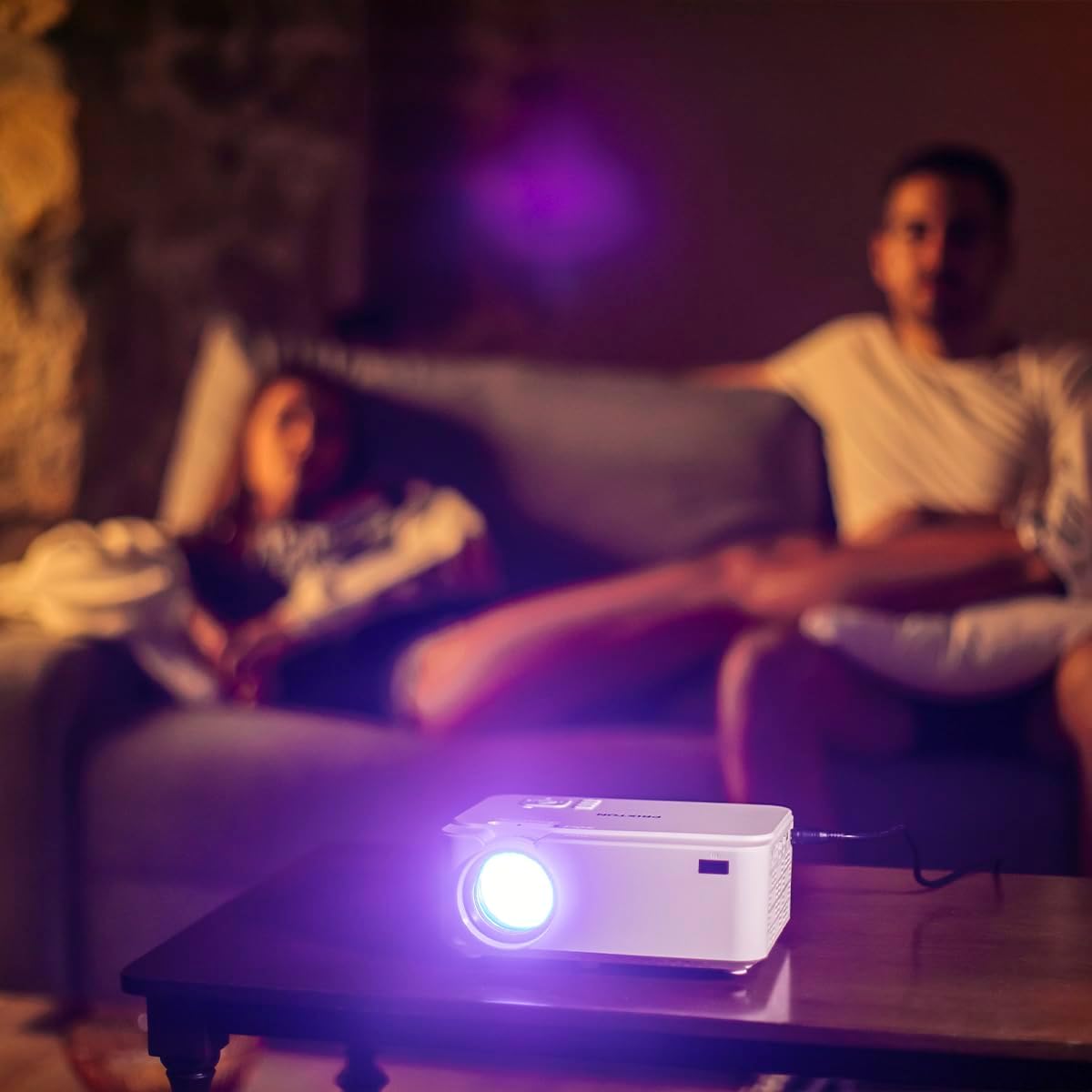
Image: Side panel of the projector, displaying the AV, MicroSD, HDMI (x2), and USB (x2) ports.
4.3. Top Panel Controls

Image: Top panel of the projector, illustrating the control buttons for navigation and power.
The projector features various input ports for connectivity and intuitive controls on the top panel, in addition to the remote control.
5. Setup
5.1 Tqegħid
Poġġi l-proġettur fuq wiċċ ċatt u stabbli. Għal użu ottimali viewing, position the projector between 1 to 5 meters from the projection surface. This distance allows for a screen size ranging from 30 to 150 inches.

Image: A visual representation of recommended projection distances (1 to 5 meters) and corresponding screen sizes (30 to 150 inches).
5.2. Konnessjoni tal-Enerġija
- Qabbad l-adapter tal-enerġija mal-port tad-dħul tal-enerġija tal-proġettazzjoni.
- Ipplaggja l-adapter tal-enerġija fi żbokk tal-elettriku adattat.
5.3. Mezzi ta 'Konnessjoni
Il-proġekter jappoġġja sorsi ta' input multipli:
- HDMI: Connect Blu-ray players, laptops, game consoles, or media players using an HDMI cable.
- USB: Insert a USB flash drive for direct media playback.
- VGA: Qabbad kompjuters jew laptops eqdem permezz ta' kejbil VGA.
- MicroSD: Insert a MicroSD card for direct media playback.
- TA’: Use the AV port for connecting devices with composite video and stereo audio outputs.

Image: A hand connecting a USB drive to the projector's USB port.
5.4. Aġġustament tal-Fokus u l-Keystone
Use the focus ring near the lens to sharpen the image. If the image appears trapezoidal, adjust the keystone correction to achieve a rectangular projection.
6. Istruzzjonijiet Operattivi
6.1. Tixgħil / Mitfi
Agħfas il-buttuna tal-qawwa fuq il-proġettazzjoni jew il-kontroll remot biex tixgħel jew titfi l-apparat.
6.2. Għażla tas-Sors
After powering on, use the 'Source' button on the remote or projector to select the desired input source (HDMI1, HDMI2, USB, VGA, AV, MicroSD).
6.3. Daqq tal-Midja
When a USB drive or MicroSD card is inserted, the projector's interface will allow you to browse and play video, audio, photo, and text files direttament.
6.4. Konnettività Bluetooth
The projector supports Bluetooth for audio output. Navigate to the Bluetooth settings in the projector's menu to pair with compatible Bluetooth speakers or headphones.

Image: The projector in operation, casting an image onto a wall in a dimly lit room, demonstrating its home cinema capability.
7. Manutenzjoni
7.1. Tindif
- Uża drapp artab u niexef biex tnaddaf il-barra tal-proġettazzjoni.
- Għal-lenti, uża drapp u soluzzjoni speċjalizzati għat-tindif tal-lentijiet biex tevita l-grif.
- Regularly clear dust from the ventilation openings using a soft brush or compressed air.
7.2. Lamp Ħajja
The LED light source in your projector has an estimated lifespan of up to 50,000 hours, providing long-term use without frequent lamp sostituzzjoni.
8 Issolvi l-problemi
| Problema | Kawża Possibbli | Soluzzjoni |
|---|---|---|
| Ebda immaġini murija | Power not connected, incorrect input source, device not connected properly. | Check power cable, select correct input source, ensure source device is on and connected securely. |
| L-immaġni hija mċajpra | Focus not adjusted, projection distance too far/close. | Adjust the focus ring. Ensure projector is within the recommended 1-5 meter projection distance. |
| L-ebda ħoss | Volume too low, external audio device not connected, incorrect audio settings. | Increase projector volume. Check if external speakers are connected and functioning. Verify audio output settings. |
| Il-kontroll mill-bogħod ma jaħdimx | Batteries depleted, obstruction between remote and projector. | Replace batteries. Ensure no objects are blocking the IR sensor on the projector. |
| L-istorbju tal-fann huwa qawwi | Normal operation, restricted airflow. | Some fan noise is normal for projectors. Ensure ventilation ports are clear and not obstructed. |
9. Speċifikazzjonijiet
| Karatteristika | Dettall |
|---|---|
| Brand | Prixton |
| Numru tal-Mudell | Goya P20 |
| Teknoloġija tal-Wiri | LED |
| Riżoluzzjoni Nattiva | 800 x 480 |
| Riżoluzzjoni Massima tal-Wiri | 1920 x 1080 (Full HD compatible) |
| Luminożità | Up to 2800 lumens (40 LED lumens) |
| Proporzjon ta' Kuntrast | 500:1 |
| Ħajja Sors tad-Dawl | 50,000 sigħat |
| Teknoloġija tal-Konnettività | Bluetooth, HDMI (x2), USB (x2), VGA, MicroSD, AV |
| Karatteristiċi Speċjali | Integrated speaker, Portable, Remote control included |
| Użu Rakkomandat | Home Cinema |
| Apparati Kompatibbli | Game console, Blu-ray player, Media player, Laptop, Smartphone |
| Fattur tal-Formola | Portabbli |
| Tip ta 'Immuntar | Tabella Mount |
10. Garanzija u Appoġġ
For warranty information and technical support, please refer to the documentation provided at the time of purchase or contact Prixton customer service. Information regarding spare parts availability and software updates is not available in this manual.