
1. Introduzzjoni
Thank you for choosing the Dioche Smart Bulb Security Camera. This device integrates a full HD 1080P Wi-Fi IP camera into a standard light bulb form factor, offering 360-degree panoramic surveillance for indoor and outdoor use. It features night vision, motion detection, and two-way audio, making it suitable for monitoring babies, pets, or general home security. Please read this manual carefully before installation and operation to ensure proper use and optimal performance.
2. Informazzjoni dwar is-Sigurtà
- Ensure the power supply is disconnected before installing or removing the camera.
- Install the camera in a standard E27 light bulb socket.
- Tesponix il-kamera għal temperaturi estremi, umdità, jew ambjenti korrużivi.
- Avoid direct exposure to water unless the installation area is specifically rated for such conditions (IP67 waterproof rating applies to the camera itself, but ensure the socket is protected).
- Żomm l-apparat fejn ma jintlaħaqx mit-tfal.
- Use only the power adapter and accessories specified by the manufacturer.
3. Kontenut tal-Pakkett
Ivverifika li l-oġġetti kollha huma preżenti fil-pakkett tiegħek:
- Dioche Smart Bulb Security Camera
- E27 Bulb Socket Adapter
- Viti tal-Immuntar u Plugs tal-Ħajt
- Reset Pin / L-shaped Tool
- Manwal għall-Utent (dan id-dokument)

Image: The Dioche Smart Bulb Security Camera shown with its included E27 bulb socket adapter, mounting screws, and an L-shaped tool.
4. Prodott Aktarview
The Dioche Smart Bulb Security Camera offers comprehensive surveillance features in a discreet design.
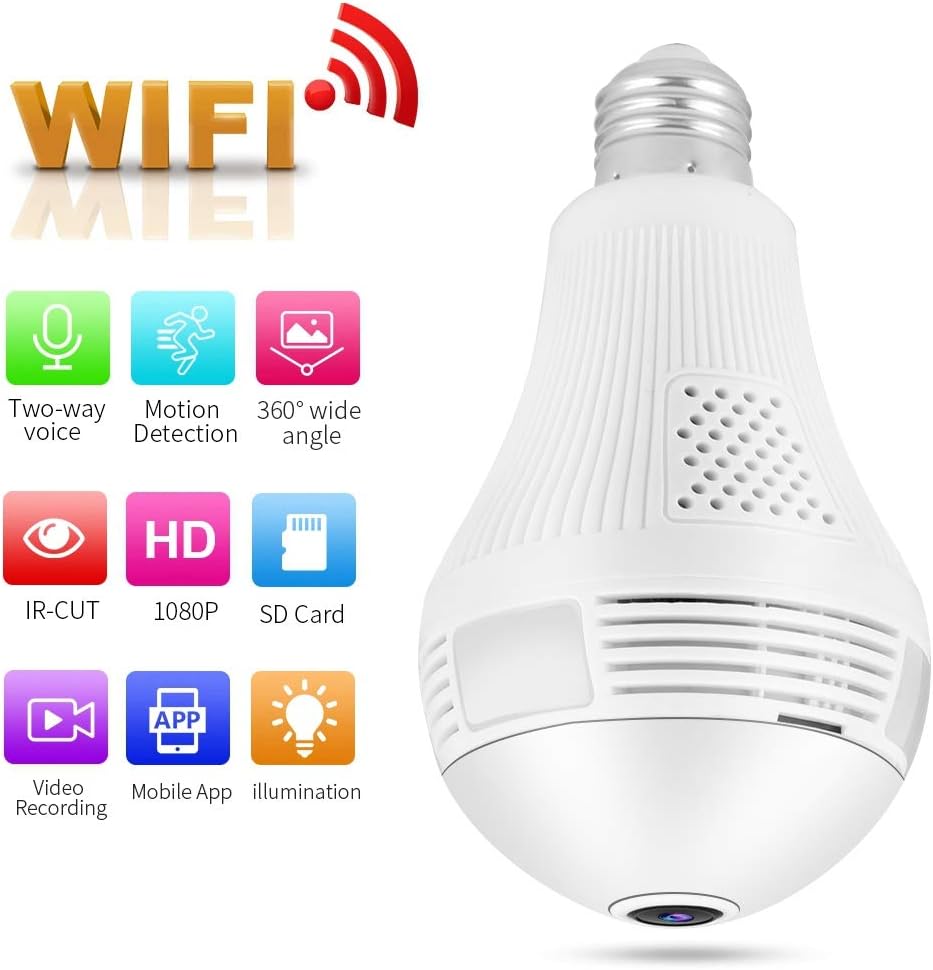
Image: The Dioche Smart Bulb Security Camera highlighting its key features: Two-way voice, Motion Detection, 360-degree wide angle, IR-CUT, HD 1080P, SD Card support, Video Recording, Mobile App control, and Illumination.
Karatteristiċi ewlenin:
- Riżoluzzjoni Full HD 1080P: Jipprovdi vidjow ċartage.
- 360-Grad Panoramika View: Eliminates blind spots for comprehensive coverage.
- Konnettività Wi-Fi: Easy wireless connection to your home network.
- Viżjoni bil-lejl: Built-in IR-CUT dual filter for clear monitoring in low light conditions up to 10 meters.
- Sejbien tal-Moviment: Automatically detects movement and sends alerts to your mobile device.
- Awdjo f'żewġ direzzjonijiet: Jippermetti komunikazzjoni f'ħin reali permezz tal-kamera.
- Ħażna Lokali: Supports Micro SD card up to 128GB for video recording.
- Kontroll tal-App mobbli: Remote viewing and control via a dedicated smartphone application.

Image: The Dioche Smart Bulb Security Camera installed in a room, illustrating its 360-degree wide viewing capability with no blind areas.
5. Istruzzjonijiet ta' Setup
5.1. Installazzjoni Fiżika
- Itfi: Ensure the power to the light socket is turned off at the circuit breaker before installation.
- Installa Kamera: Screw the Dioche Smart Bulb Security Camera into a standard E27 light bulb socket. Ensure it is securely tightened. If using the included adapter, first install the adapter, then screw in the camera.
- Qawwa Mixgħul: Irrestawra l-enerġija fis-sokit tad-dawl. Il-kamera tixgħel u tibda s-sekwenza tal-istartjar tagħha.
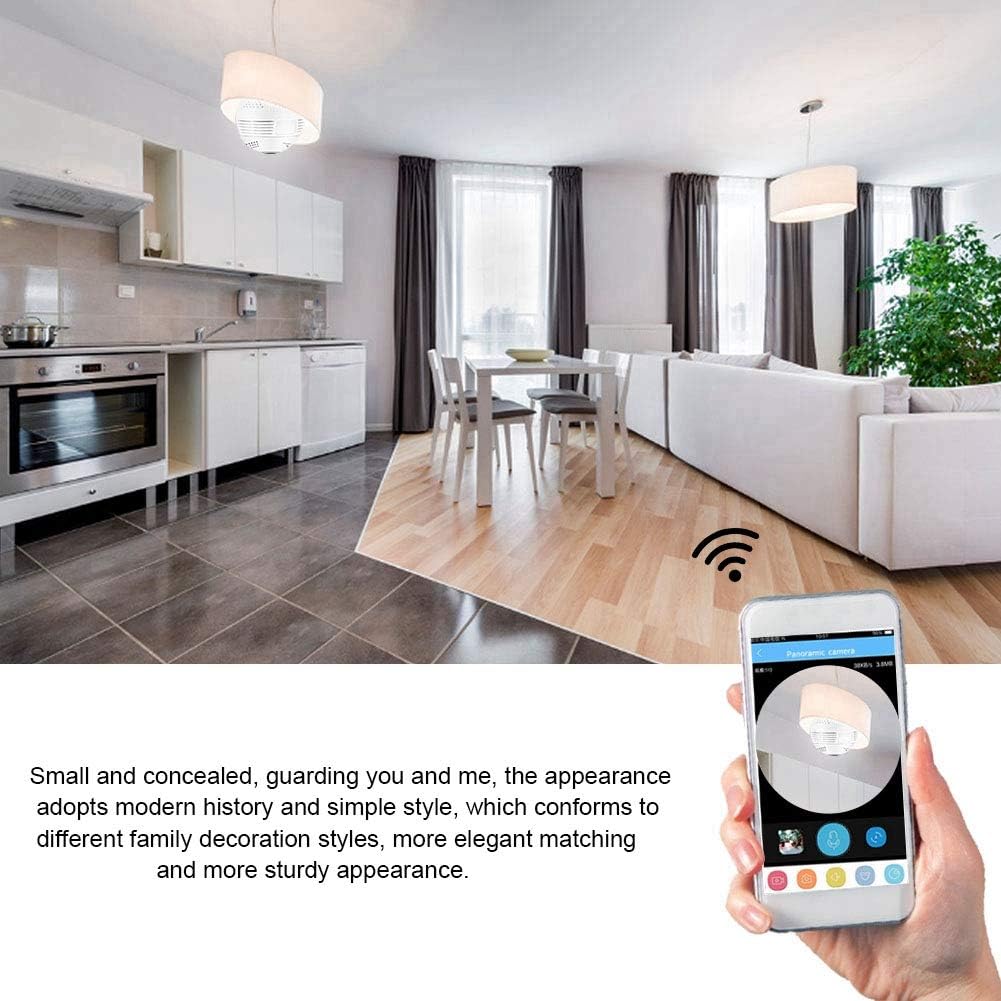
Image: The Dioche Smart Bulb Security Camera discreetly installed in a ceiling fixture, demonstrating its concealed appearance and remote monitoring via a smartphone application.
5.2. Tniżżil tal-App u Ħolqien ta' Kont
- Niżżel l-App: Fittex għal the recommended camera application (e.g., "V380 Pro" or similar, check packaging for exact app name) in your smartphone's app store (Google Play Store for Android, Apple App Store for iOS).
- Installa l-App: Niżżel u installa l-applikazzjoni.
- Irreġistra Kont: Open the app and follow the on-screen instructions to register a new account using your email or phone number.
5.3. Camera Pairing (Wi-Fi Connection)
- Irrisettja l-Kamera: If this is the first time setting up or if you encounter issues, use the provided reset pin to press and hold the 'Reset' button on the camera for approximately 5-10 seconds until you hear a voice prompt indicating a reset.
- Żid Apparat: In the app, tap the "+" icon or "Add Device" to begin the pairing process.
- Agħżel it-Tip ta' Apparat: Choose the appropriate device type, usually "Smart Camera" or "Wi-Fi Camera."
- Konfigurazzjoni Wi-Fi: Follow the app's instructions to connect the camera to your 2.4GHz Wi-Fi network. You may need to scan a QR code displayed on your phone with the camera, or enter your Wi-Fi password directly.
- Tlestija: Once connected, the camera will announce "Wi-Fi connected" or similar. You can then name your camera and begin live viewing.
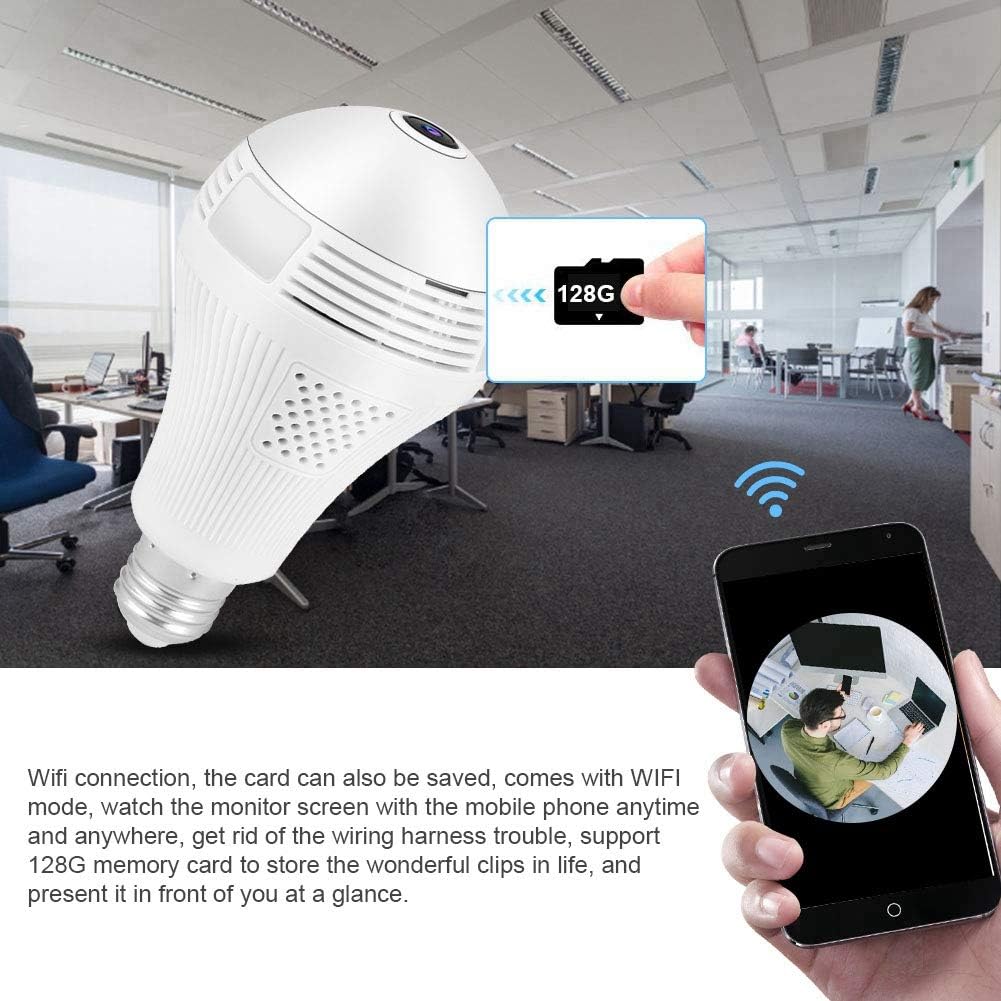
Image: The Dioche Smart Bulb Security Camera demonstrating its Wi-Fi connectivity, allowing users to view the monitor screen on their mobile phone anytime and anywhere. The image also shows the camera's support for a 128GB memory card for local storage.
6. Istruzzjonijiet Operattivi
6.1. Ħaj View
Open the app and select your camera from the device list to access the live video feed. You can pan and tilt the view by swiping on the screen for a full 360-degree panoramic experience.
6.2. Awdjo b'żewġ direzzjonijiet
Tap the microphone icon in the app to enable two-way audio. You can speak through your phone, and your voice will be transmitted through the camera's speaker. Similarly, you can hear audio from the camera's environment through your phone.

Image: A person interacting with the Dioche Smart Bulb Security Camera using its two-way audio feature, demonstrating clear communication with noise filtering algorithms.
6.3. Sejbien tal-Mozzjoni u Twissijiet
Enable motion detection in the app settings. When motion is detected, the camera will automatically capture images or record video and send an alert notification to your smartphone.

Image: The Dioche Smart Bulb Security Camera's motion detection feature in action, showing a detected intruder and an alert message pushed to a mobile device.
6.4. Reġistrazzjoni u Daqq tal-Vidjo
Insert a Micro SD card (up to 128GB, not included) into the camera's slot for continuous or motion-triggered recording. Access recorded footage permezz tal-karatteristika tal-plejbek tal-app.
6.5. Viżjoni bil-lejl
The camera automatically switches to night vision mode in low light conditions, providing clear black and white (or color night vision if supported by specific models) video up to 10 meters.

Immaġni: Qasma view demonstrating the Dioche Smart Bulb Security Camera's infrared night vision capability, showing a clear view in low light compared to a well-lit scene.
7. Manutenzjoni
- Tindif: Imsaħ il-lenti u l-qafas tal-kamera bil-mod b'ċarruta ratba u niexfa. Tużax kimiċi ħarxa jew prodotti tat-tindif li joborxu.
- Aġġornamenti tal-Firmware: Iċċekkja l-app regolarment għal aġġornamenti tal-firmware disponibbli biex tiżgura prestazzjoni u sigurtà ottimali.
- Ħażna: Jekk se taħżen il-kamera għal perjodu estiż, skonnettjaha mill-elettriku u aħżenha f'post frisk u niexef.
8 Issolvi l-problemi
| Problema | Kawża Possibbli | Soluzzjoni |
|---|---|---|
| Il-kamera ma tirnexxilhiex tikkonnettja mal-Wi-Fi | Incorrect Wi-Fi password; Camera too far from router; Only 5GHz Wi-Fi network available; Router firewall settings. | Verify Wi-Fi password; Move camera closer to router; Ensure you are connecting to a 2.4GHz Wi-Fi network; Check router settings or temporarily disable firewall. |
| L-ebda immaġni jew skrin iswed fil-live view | Camera offline; Poor network connection; Power issue. | Check camera's power supply; Verify Wi-Fi connection; Restart camera and app; Check internet stability. |
| Il-karta SD mhux qed tirrekordja | SD card full or corrupted; Incorrect recording settings; SD card not inserted correctly. | Format SD card via app (this will erase data); Check recording schedule/motion detection settings; Reinsert SD card; Try a different SD card. |
| Twissijiet ta' skoperta ta' moviment mhux riċevuti | Motion detection disabled; App notifications blocked; Poor network connection. | Enable motion detection in app settings; Allow notifications for the app in your phone settings; Ensure stable internet connection. |
9. Speċifikazzjonijiet
| Karatteristika | Speċifikazzjoni |
|---|---|
| Mudell | B07XB64GYZ |
| Riżoluzzjoni | 1080P (Full HD), 720P |
| Riżoluzzjoni tas-Sensor tar-Ritratti | 2 MP |
| Frame Rata | 15 fps |
| Konnettività | Wi-Fi (2.4GHz biss) |
| Qasam ta View | 360-grad Panoramika |
| Distanza tal-Viżjoni bil-lejl | Sa 10 metri |
| Ħażna | Mikro SD Card (sa 128GB) |
| Awdjo Two-Way | Appoġġjati |
| Sejbien tal-Moviment | Supported (Motion Only alerts) |
| Użu fuq ġewwa/barra | Ġewwa, Barra |
| Klassifikazzjoni li ma jgħaddix ilma minnha | IP67 |
| Sors tal-Enerġija | AC/DC |
| Wattage | 1 Watt |
| Temperatura operattiva | Sa 50 Grad Celsius |
| Apparati Kompatibbli | Smartphone, Tablet (Android, iOS) |
| Tip Muntaġġ | Wall Mount (via E27 socket) |
10. Garanzija u Appoġġ
Dioche products come with a standard manufacturer's warranty. For specific warranty details, please refer to the warranty card included with your purchase or contact Dioche customer support. If you encounter any issues or have questions regarding your Smart Bulb Security Camera, please contact our support team through the contact information provided on the product packaging or our official websit.