
Introduzzjoni
Thank you for choosing the Conceptronic REGAS01B Optical Desktop Mouse. This manual provides essential information for setting up, operating, and maintaining your new mouse. Please read these instructions carefully before use to ensure proper functionality and longevity of your device.
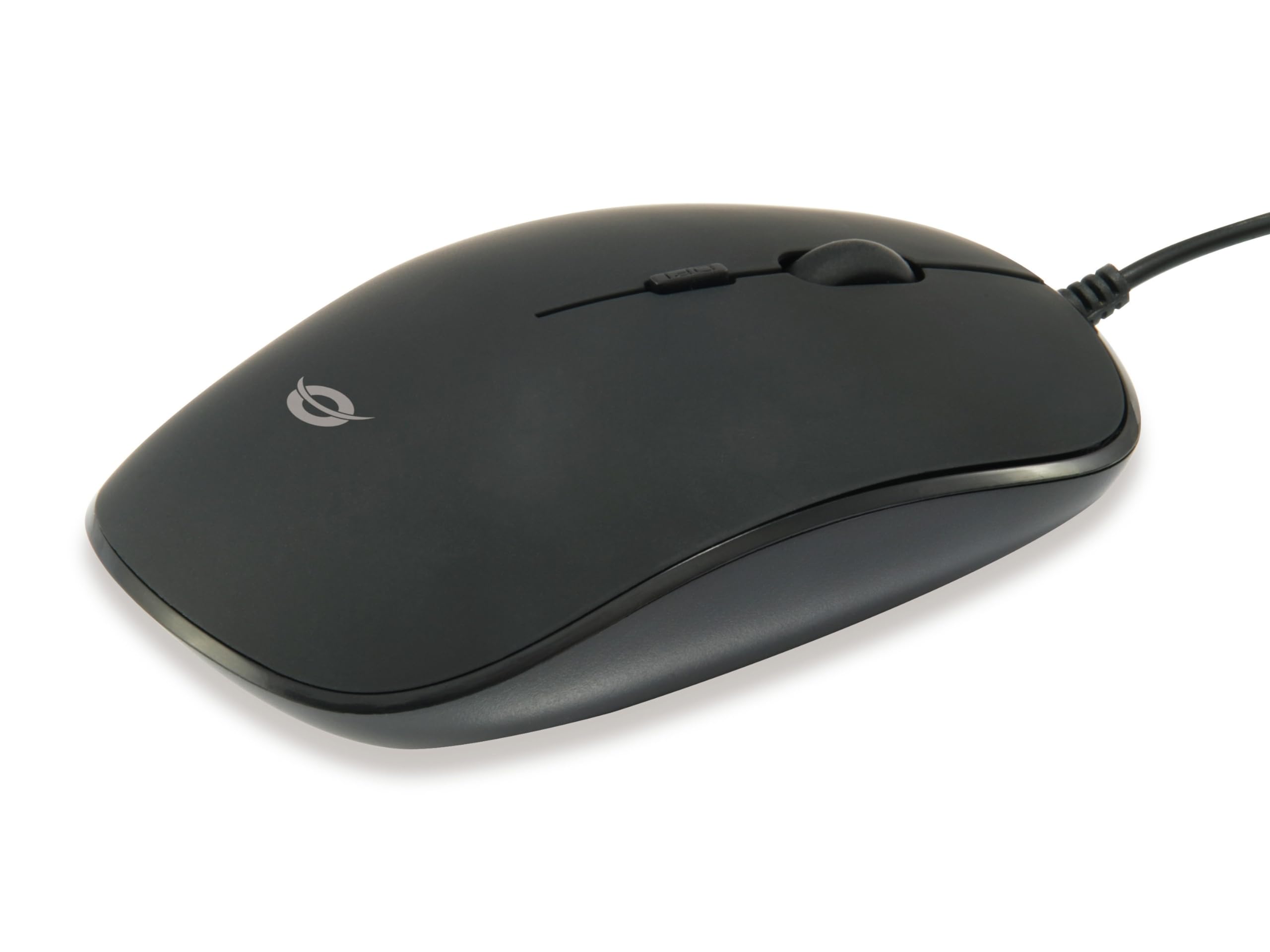
Immaġni: Fuq view of the Conceptronic REGAS01B Optical Desktop Mouse, showcasing its ergonomic black design.
Kontenut tal-Pakkett
Kun żgur li l-oġġetti kollha huma preżenti fil-pakkett:
- Conceptronic REGAS01B Optical Desktop Mouse
- Manwal għall-Utent (dan id-dokument)
- Note: This is a wired USB mouse and does not require external batteries for operation, despite some generic product data indicating otherwise.
Karatteristiċi
- Swiċċ DPI: Adjustable sensitivity (800/1000/1200 DPI) for precise control.
- Plug and Play: Easy installation without the need for additional drivers.
- Disinn Ambidestru: Comfortable for both left and right-handed users.
- Wiċċ tal-gomma: Provides enhanced grip and comfort during extended use.
- Traċċar Ottiku: Reliable and accurate cursor movement.
- Konnettività USB: Standard wired connection for stable performance.
Setup
- Qabbad il-Maws: Locate an available USB port on your computer. Insert the USB connector of the Conceptronic REGAS01B mouse into the USB port.
- Installazzjoni Awtomatika: Your operating system (Windows, Linux, etc.) will automatically detect and install the necessary drivers. This process typically takes a few seconds.
- Lest għall-Użu: Once the installation is complete, the mouse is ready for immediate use. No additional software is required.

Immaġni: Close-up view of the mouse's scroll wheel and the DPI switch button, located behind the scroll wheel.
Istruzzjonijiet Operattivi
Funzjonijiet Bażiċi
- Ikklikkja Xellug: Press the left button to select items, open files, jew jattiva l-funzjonijiet.
- Ikklikkja bil-lemin: Agħfas il-buttuna tal-lemin biex tiftaħ menus tal-kuntest jew taċċessa għażliet addizzjonali.
- Scroll Wheel: Dawwar ir-rota tal-iscroll 'il fuq jew 'l isfel biex tinnaviga fid-dokumenti u web pages. The scroll wheel can also be pressed for a middle-click function, depending on software configuration.
Aġġustament tas-Sensittività tad-DPI
The Conceptronic REGAS01B mouse features a DPI switch to adjust cursor sensitivity on the fly. This allows you to quickly change between different tracking speeds for various tasks, such as precise editing or fast-paced gaming.
- Buttuna tas-Swiċċ tad-DPI: Located behind the scroll wheel.
- Livelli ta' Sensittività: Press the DPI switch button to cycle through 800, 1000, and 1200 DPI settings.
- Għażla: Each press will change the sensitivity, allowing you to find the optimal speed for your current activity.
Manutenzjoni
- Tindif: Use a soft, dry cloth to clean the mouse surface. For stubborn dirt, slightly dampLaħlaħ id-drapp bl-ilma jew b'soluzzjoni ħafifa tat-tindif. Evita kimiċi ħarxa jew materjali li joborxu.
- Sensor Ottiku: Żomm is-senser ottiku fuq in-naħa ta' taħt tal-maws nadif u ħieles mit-trab jew mill-fdalijiet biex tiżgura traċċar preċiż.
- Ħażna: When not in use, store the mouse in a clean, dry environment.
- Evita Likwidi: Do not expose the mouse to excessive moisture or immerse it in liquids.
Issolvi l-problemi
Il-maws ma jirrispondix
- Iċċekkja l-Konnessjoni tal-USB: Kun żgur li l-kejbil tal-USB huwa mdaħħal sew f'port USB li jaħdem fuq il-kompjuter tiegħek. Ipprova port USB ieħor.
- Ibda mill-ġdid il-Kompjuter: Xi kultant, sempliċi bidu mill-ġdid tal-kompjuter jista' jsolvi l-problemi ta' konnettività.
- Test fuq Kompjuter Ieħor: If possible, test the mouse on another computer to determine if the issue is with the mouse or your computer's setup.
Inaccurate Cursor Movement
- Sensor Ottiku Nadif: Kun żgur li s-senser ottiku fil-qiegħ tal-maws huwa nadif u ħieles mit-trab jew mill-fdalijiet.
- Mouse Pad/Surface: Uża l-maws fuq wiċċ nadif, mhux riflettiv, u uniformi. Evita uċuħ li jirriflettu ħafna jew trasparenti.
- Adjust DPI: Experiment with the DPI switch to find a sensitivity setting that provides accurate tracking for your needs.
Speċifikazzjonijiet
| Karatteristika | Dettall |
|---|---|
| Brand | Kunċettroniku |
| Isem tal-Mudell | REGAS01B |
| Kulur | Iswed |
| Teknoloġija tal-Konnettività | USB (fili) |
| Teknoloġija ta 'Sejbien tal-Moviment | Ottiċi |
| Settings DPI | 800 / 1000 / 1200 DPI (Aġġustabbli) |
| Kwantità tal-Buttuni | 3 (Left, Right, Scroll Wheel/Middle Click) + DPI Switch |
| Orjentazzjoni tal-Idejn | Ambidestru |
| Apparati Kompatibbli | Kompjuter Personali |
| Kompatibilità tas-Sistema Operattiva | Linux, Windows 7, Windows XP (and newer versions) |
| Piż tal-oġġett | 61 Gramm |
| Karatteristiċi Speċjali | Ergonomic Design, Rubberized Surface, Plug & Play |
| Numru tal-Parti tal-Manifattur | REGAS01B |
| GTIN (UPC) | 04015867208526 |
Garanzija u Appoġġ
For warranty information and technical support, please refer to the official Conceptronic webis-sit jew ikkuntattja lill-bejjiegħ lokali tiegħek. Żomm il-prova tax-xiri tiegħek għal talbiet ta' garanzija.
- Appoġġ onlajn: Żur www.conceptronic.net (Nota: Dan huwa detentur tal-post URL, please replace with the actual support URL jekk disponibbli.)
- Kuntatt: Refer to the contact information provided on the product packaging or the Conceptronic websit għas-servizz tal-konsumatur.