
1. Introduzzjoni
The ThermoPro TP200B is a digital indoor/outdoor thermometer designed to monitor temperature and humidity levels in your environment. This manual provides detailed instructions for setting up, operating, and maintaining your device to ensure accurate readings and optimal performance.
2. Kontenut tal-Pakkett
- 1 x ThermoPro TP200B Main Unit (Indoor Display)
- 1 x Outdoor Temperature Sensor (Wireless)
- 5 x Batteriji AAA (inklużi)
- 1 x Manwal għall-Utent
3. Karatteristiċi ewlenin
- Large Backlit Display with Large Digits: Features a 3.3-inch LCD display with large digits for easy readability, even in low light conditions.
- Rekords Max/Min: Stores and displays maximum and minimum temperature and humidity records for the past 24 hours.
- Color Air Comfort Indicator: A visual indicator with an arrow shows current air conditions (Dry/Comfort/Wet), allowing for environmental adjustments.
- Qari Preċiż ħafna: Equipped with a premium sensor for precise temperature and humidity measurements, accurate to ±2°F and ±2-3%RH.
- Disinn faċli għall-utent: Easily adjust settings with three front-facing buttons.
- Għażliet Multipli ta' Tqegħid: Can be wall-mounted, placed on a tabletop, or attached via magnetic back.
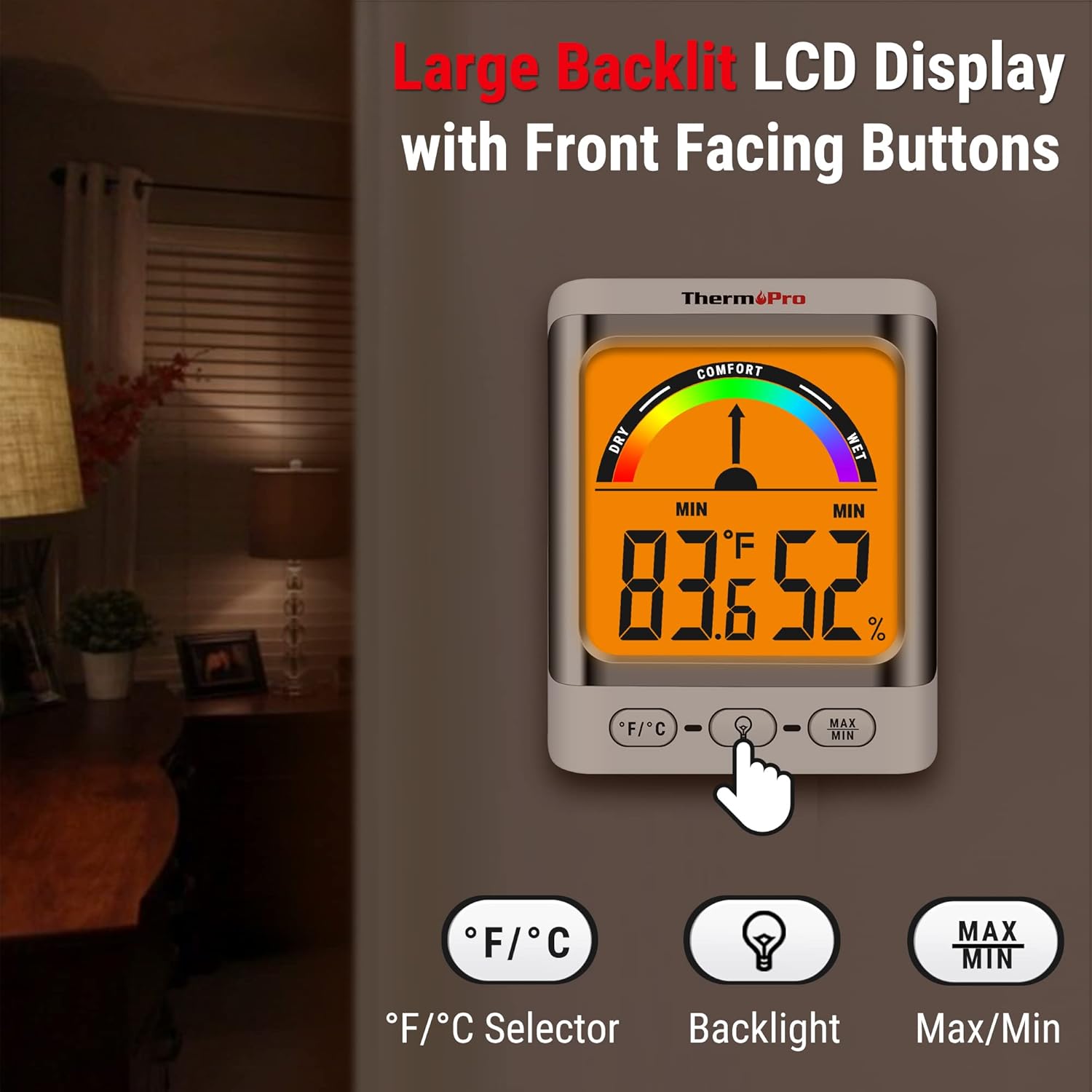
Image: The ThermoPro TP200B main unit display, highlighting the large digits, comfort indicator, and the three control buttons: °F/°C selector, Backlight, and Max/Min.
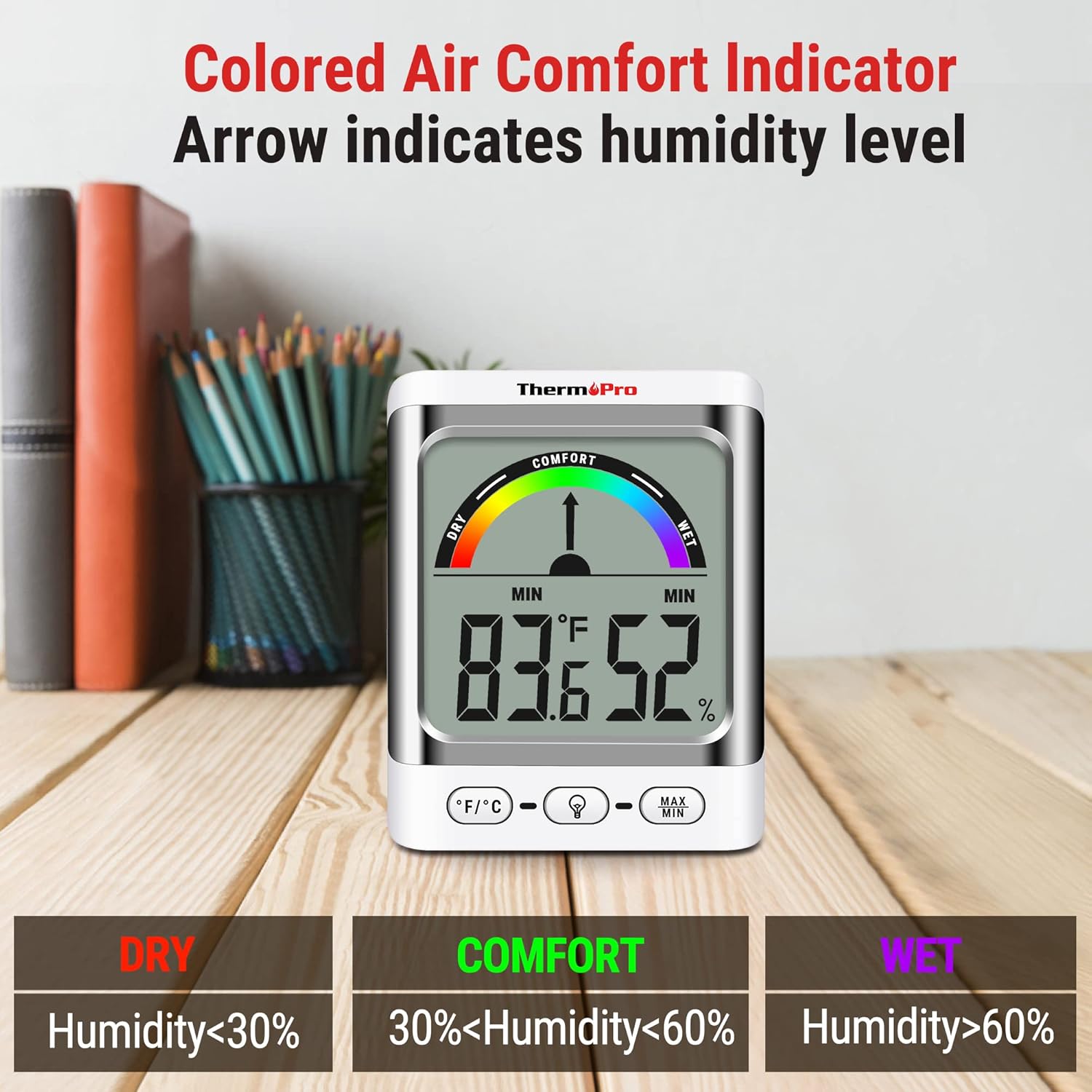
Image: A close-up of the ThermoPro TP200B display, illustrating the colored comfort indicator that visually represents dry (humidity <30%), comfort (30% < humidity < 60%), and wet (humidity >60%) conditions.
4. Setup
- Installazzjoni tal-batterija:
- Iftaħ il-kompartiment tal-batterija fuq wara kemm tal-unità prinċipali kif ukoll tas-senser ta' barra.
- Insert the provided AAA batteries, ensuring correct polarity (+/-).
- Agħlaq il-kompartimenti tal-batterija sew.
- Tqegħid tas-Sensor:
- Place the outdoor sensor in a location that is protected from direct sunlight and precipitation for accurate readings.
- Ensure the sensor is within the 500ft wireless range of the main unit.
- Tqegħid tal-Unità Prinċipali:
- The main unit can be placed on a tabletop using its integrated stand, mounted on a wall, or attached to a metallic surface via its magnetic back.
- Position the main unit in a central location indoors for optimal signal reception from the outdoor sensor.

Immaġni: Eżamples of flexible placement options for the ThermoPro TP200B, including wall mounting, magnetic attachment to a refrigerator, and freestanding on a countertop.
5. Istruzzjonijiet Operattivi
5.1 Display Overview
The large LCD display shows indoor temperature, humidity, and the comfort level indicator. The outdoor temperature is displayed from the wireless sensor.
5.2 Funzjonijiet tal-buttuni
- Buttuna ° F / ° C: Press to switch between Fahrenheit and Celsius temperature units.
- Buttuna Backlight: Press to activate the backlight for 15 seconds, improving visibility in dim conditions.
- Buttuna MAX/MIN: Agħfas biex view the maximum and minimum temperature and humidity recorded over the past 24 hours. Press again to cycle through current, MAX, and MIN readings. Hold to reset MAX/MIN records.

Image: The ThermoPro TP200B displaying maximum and minimum temperature and humidity values, accompanied by a conceptual graph showing how these values fluctuate over a 24-hour period.
6. Manutenzjoni
- Tindif: Imsaħ l-unità u s-sensor b'ċarruta ratba uamp drapp. Tużax cleaners li joborxu jew tgħaddas fl-ilma.
- Sostituzzjoni tal-batterija: Replace batteries when the low battery indicator appears on the display. Ensure to use fresh AAA batteries.
- Ħażna: Jekk taħżen l-apparat għal perjodu estiż, neħħi l-batteriji biex tevita t-tnixxija.
7 Issolvi l-problemi
- No Display/Low Battery Indicator: Replace all batteries in both the main unit and the outdoor sensor.
- Qari mhux eżatt:
- Kun żgur li s-senser ta' barra ma jkunx fid-dawl tax-xemx dirett jew espost għal kundizzjonijiet estremi tat-temp.
- Verify the main unit and sensor are within effective range and not obstructed by thick walls or electronic interference.
- Allow both units to stabilize for 30 minutes after initial setup or battery replacement.
- No Signal from Outdoor Sensor:
- Relocate the main unit or sensor closer to each other.
- Check batteries in both units.
- Reset the connection by removing batteries from both units, waiting a few minutes, then reinserting them.
8. Speċifikazzjonijiet
| Karatteristika | Dettall |
|---|---|
| Isem tal-Mudell | TP200B |
| Brand | ThermoPro |
| Karatteristika Speċjali | Preċiżjoni Għolja |
| Kulur | Abjad |
| Tip ta 'Wiri | Diġitali |
| Sors tal-Enerġija | Li jaħdem bil-batterija (5 batteriji AAA inklużi) |
| Preċiżjoni tat-Temperatura | ± 2 ° F (± 1.1 ° C) |
| Eżattezza Umdità | ±2% from 30% to 80% RH; ±3% outside this range |
| Ħin ta' Rispons | 0.5 sekonda |
| Piż tal-oġġett | 4.2 uqija |
| Tul tal-Oġġett | 3.9 Pulzier |

Image: Multiple ThermoPro TP200B units demonstrating consistent temperature and humidity readings, highlighting the specified accuracy tolerances of ±2°F (±1.1°C) for temperature and ±2% RH (30-80% range) for humidity.

Image: A visual comparison showcasing the large, compact display of the ThermoPro TP200B (3.3 inches) next to a smaller, generic thermometer (1.7 inches), emphasizing its enhanced readability.
9. Garanzija u Appoġġ
ThermoPro provides a warranty for this product against defects in materials and workmanship. For detailed warranty information, product registration, or technical support, please visit the official ThermoPro webis-sit jew ikkuntattja s-servizz tal-konsumatur tagħhom. Żomm l-irċevuta tax-xiri tiegħek bħala prova tax-xiri.
Official ThermoPro Websit: www.thermopro.com