
SKROSS 1.400130
Manwal tal-Utent tal-Bank tal-Enerġija SKROSS Reload 10
Mudell: 1.400130
1. Introduzzjoni
The SKROSS Reload 10 is a compact and powerful 10,000 mAh power bank designed for convenient charging of your mobile devices on the go. Its sleek design and practical size make it an ideal travel companion, ensuring your devices stay charged even when no power outlet is available.
This manual provides essential information on how to safely and effectively use your SKROSS Reload 10 Power Bank.
2. Informazzjoni dwar is-Sigurtà
Jekk jogħġbok aqra l-istruzzjonijiet kollha tas-sigurtà bir-reqqa qabel ma tuża l-prodott. Jekk ma ssegwix dawn l-istruzzjonijiet, dan jista' jirriżulta f'xokk elettriku, nar, jew korriment serju.
- Do not expose the power bank to water, rain, or high humidity.
- Avoid exposing the power bank to extreme temperatures (above 45°C or below 0°C) or direct sunlight.
- Do not disassemble, open, or attempt to repair the power bank yourself. Refer all servicing to qualified service personnel.
- Keep the power bank away from heat sources, such as radiators, heat registers, stoves, or other apparatus (including amplifiers) li jipproduċu sħana.
- Do not drop, puncture, or apply strong impact to the power bank.
- Use only the provided or certified compatible charging cables.
- Dispose of the product responsibly according to local regulations for electronic waste. Do not dispose of in household waste.
3. Kontenut tal-Pakkett
Ivverifika li l-oġġetti kollha huma preżenti fil-pakkett:
- SKROSS Reload 10 Power Bank
- Mikro USB Iċċarġjar Cable

Image: SKROSS Reload 10 Power Bank in its retail packaging, showing the product and included cable.
4. Prodott Aktarview
Familiarize yourself with the different parts of your SKROSS Reload 10 Power Bank:
- Buttuna tal-Qawwa: Jattiva l-power bank u jiċċekkja l-istat tal-batterija.
- Indikaturi LED: Erba' dwal LED li jindikaw il-kapaċità li fadal tal-batterija.
- Port tad-Dħul Mikro USB: Used to charge the power bank itself.
- USB Output Ports (USB1 & USB2): Used to charge your mobile devices.

Immaġni: Quddiem view of the SKROSS Reload 10 Power Bank, highlighting its compact design and the 'Reload 10' branding.

Immaġni: Fuq view of the SKROSS Reload 10 Power Bank, clearly showing the two USB output ports and the Micro USB input port.
5. Setup
Before using your SKROSS Reload 10 Power Bank for the first time, it is recommended to fully charge it.
- Connect the small end of the supplied Micro USB charging cable to the Micro USB Input Port on the power bank.
- Connect the standard USB-A end of the cable to a USB power adapter (not included) or a USB port on a computer.
- The LED indicators on the power bank will light up and blink to show the charging progress. When all four LEDs are solid, the power bank is fully charged.
- Skonnettja l-kejbil ladarba l-iċċarġjar ikun lest.
6. Joperaw
6.1. Charging Your Mobile Device
- Connect your mobile device's charging cable (e.g., USB-C, Lightning, or Micro USB) to one of the USB Output Ports (USB1 or USB2) on the SKROSS Reload 10 Power Bank.
- Qabbad it-tarf l-ieħor tal-kejbil mat-tagħmir mobbli tiegħek.
- The power bank will automatically begin charging your device. If charging does not start, briefly press the Power Button once.
- L-indikaturi LED juru l-livell li jifdal tal-batterija tal-power bank waqt l-iċċarġjar.
- Skonnettja t-tagħmir tiegħek ladarba jkun iċċarġjat kompletament jew meta ma jkollokx aktar bżonn tiċċarġjah.

Image: A user charging a smartphone using the SKROSS Reload 10 Power Bank, demonstrating its portability.
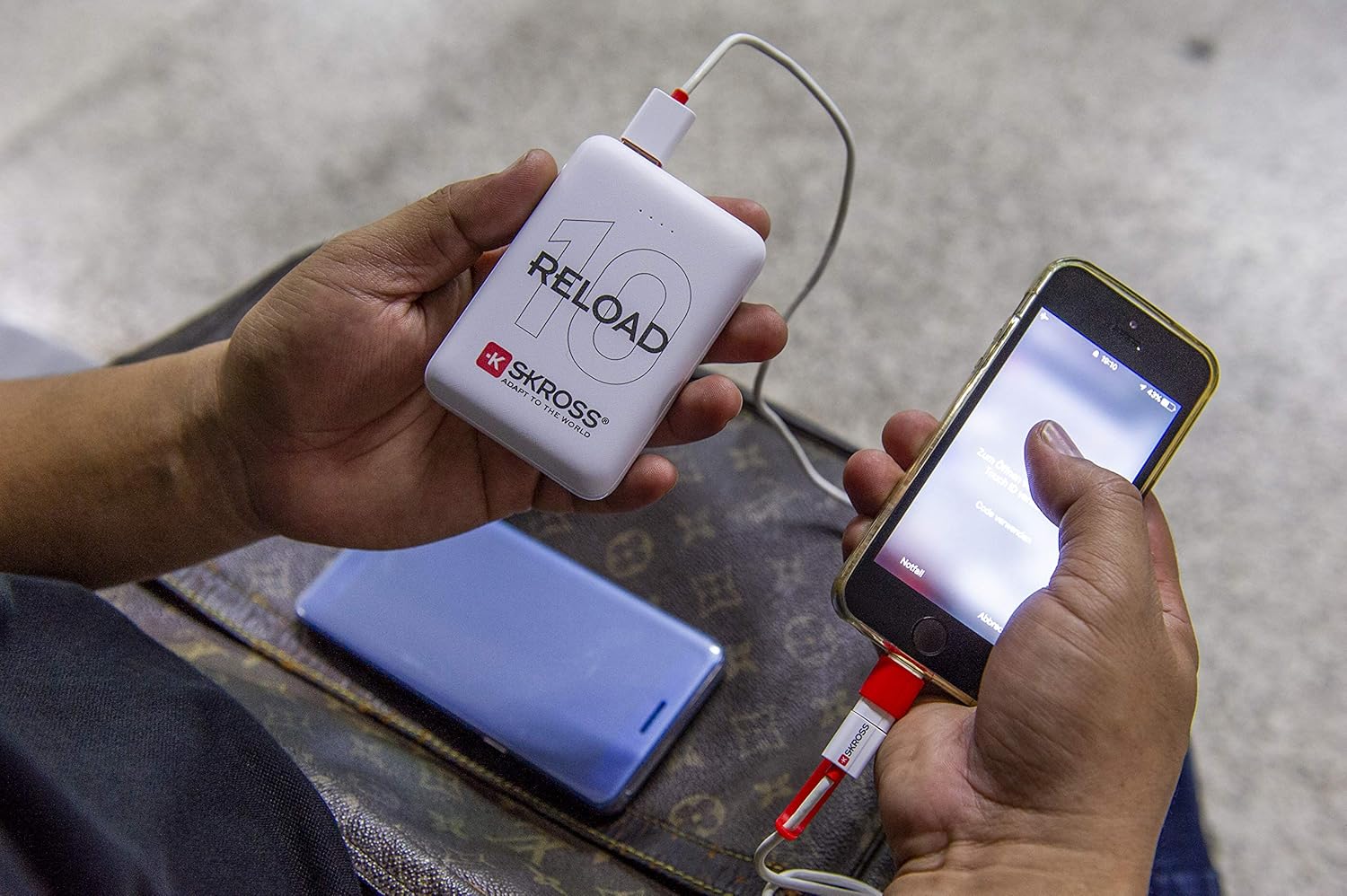
Image: Another perspective of a user charging a smartphone with the SKROSS Reload 10 Power Bank, highlighting its ease of use.
6.2. Iċċekkjar tal-Livell tal-Batterija
To check the remaining battery capacity of the power bank, briefly press the Power Button. The LED indicators will light up:
- 4 LEDs solid: 75% - 100% iċċarġjat
- 3 LEDs solid: 50% - 75% iċċarġjat
- 2 LEDs solid: 25% - 50% iċċarġjat
- 1 LED solid: 0% - 25% iċċarġjat (erġa' ċċarġja dalwaqt)
7. Manutenzjoni
Manutenzjoni xierqa tiżgura l-lonġevità u l-prestazzjoni ottimali tal-power bank tiegħek.
- Tindif: Use a soft, dry cloth to clean the surface of the power bank. Do not use liquid cleaners, aerosols, or abrasive materials.
- Ħażna: Aħżen il-power bank f'post frisk u niexef 'il bogħod mix-xemx diretta u minn temperaturi estremi.
- Kura tal-batterija: If the power bank is not used for an extended period, it is recommended to fully charge it at least once every three months to maintain battery health.
8 Issolvi l-problemi
If you encounter issues with your SKROSS Reload 10 Power Bank, refer to the following common problems and solutions:
| Problema | Kawża / Soluzzjoni Possibbli |
|---|---|
| Power bank is not charging my device. |
|
| Power bank is not charging. |
|
| L-indikaturi LED mhumiex jixegħlu. |
|
9. Speċifikazzjonijiet
Detailed technical specifications for the SKROSS Reload 10 Power Bank:
| Karatteristika | Speċifikazzjoni |
|---|---|
| Isem tal-Mudell | 1.400130 |
| Kapaċità tal-batterija | 10,000mAh / 37.0Wh |
| Tip ta 'batterija | 3.7V Lithium Class A |
| Input (Mikro USB) | 5V / 2A max. |
| Output 1 (USB) | 5V / 2A max. |
| Output 2 (USB) | 5V / 2A max. |
| Max. Output | 5V / 2.4A max. |
| Number of Charge Cycles | min. 500 |
| Ħin tal-Iċċarġjar | Madwar sagħtejn (minn meta jkun vojt) |
| Rata ta 'Awto-kwittanza | < 1% per month (in standby) |
| Klassi ta' Protezzjoni | IP20 |
| Indikatur tal-Istat tal-Enerġija | LED |
| Kulur | Abjad |
10. Garanzija u Appoġġ
SKROSS products are manufactured with high-quality standards and are designed for reliability. For detailed warranty information, terms, and conditions, please refer to the warranty card included with your product or visit the official SKROSS websit.
For technical support, troubleshooting assistance, or any inquiries regarding your SKROSS Reload 10 Power Bank, please contact SKROSS customer service or your local distributor. Keep your proof of purchase for any warranty claims.
Official SKROSS Websit: www.skross.com
Ask a question about this manual
Ask about setup, troubleshooting, compatibility, parts, safety, or missing instructions. Manuals+ will review the question and use this page’s manual context to help answer it.