
Coredy R750
Manwal tal-Utent tar-Robot Vacuum Cleaner Coredy R750
Mudell: R750
Introduzzjoni
Thank you for choosing the Coredy R750 Robot Vacuum Cleaner. This manual provides essential information for the safe operation, maintenance, and troubleshooting of your device. Please read it thoroughly before use and keep it for future reference.

Figure 1: Coredy R750 Robot Vacuum Cleaner, showing the main unit, a smartphone displaying the control app, and the detachable mopping water tank with a cloth.
Kontenut tal-Pakkett
Kun żgur li l-oġġetti kollha huma preżenti fil-pakkett:
- 1x R750 Robotic Vacuum Cleaner
- 1x Water Tank (with included mop cloth)
- 2x Xkupilji tal-Ġenb
- 1x Filtru HEPA
- 1x Kontroll mill-bogħod
- 1x Baċir tal-Iċċarġjar
- 1x Adapter tal-Enerġija AC
- 1x Għodda tat-Tindif
Setup
1. Żpakkjar u Tqegħid
Remove all packaging materials and protective films from the robot and its accessories. Place the charging dock against a wall on a hard, level surface, ensuring there are no obstacles within 3 feet (1 meter) to the front and 1.5 feet (0.5 meters) to the sides.
2. Iċċarġjar tar-Robot
Connect the AC power adapter to the charging dock and plug it into a wall outlet. Place the R750 onto the charging dock, ensuring the charging pins align. The indicator light on the robot will show charging status. Fully charge the robot before first use (approximately 5-6 hours).

Figure 2: The Coredy R750 robot vacuum automatically returning to its charging dock when power is low or after completing a cleaning cycle.
3. Installazzjoni ta' Xkupilji tal-Ġenb
Waħħal il-pniezel tal-ġenb mal-arbli korrispondenti fil-qiegħ tar-robot sakemm jidħlu f'posthom b'mod ikklikkjar.
4. Konnessjoni tal-App (Mhux obbligatorja)
Download the Coredy app from your smartphone's app store. Follow the in-app instructions to connect your R750 to your home Wi-Fi network. This enables advanced control and scheduling features.
Istruzzjonijiet Operattivi
1. Starting/Pausing Cleaning
Press the power button on the robot or use the remote control/app to start a cleaning cycle. Press again to pause.
2. Modi ta 'tindif
The R750 offers various cleaning modes:
- Modalità Awtomatika: The robot intelligently navigates and cleans your home.
- Tindif tal-Post: Jiffoka fuq żona maħmuġa speċifika.
- Tindif tax-Xfer: Tnaddaf tul il-ħitan u t-truf tal-għamara.
- Modalità tat-Tqaxxir: Attaches the water tank for wet cleaning.

Figure 3: The Coredy R750 robot vacuum in mopping mode, illustrating the intelligent mopping system with adjustable water levels (Low, Medium, High) and corresponding runtimes (150, 120, 90 minutes).

Figure 4: Illustration of the Coredy R750's 3-Point Cleaning System, featuring 2200 Pa suction, 3-level suction adjustment, and bilateral side brushes for comprehensive cleaning.
3. Boost-Intellect Technology
The R750 automatically increases suction power when it detects carpet, ensuring a deeper clean. Suction returns to normal on hard surfaces.

Figure 5: The Coredy R750 robot vacuum demonstrating Boost-Intellect Technology, automatically increasing suction when moving from a hard floor to a carpeted area.
4. Virtual Boundary (Sold Separately)
Use virtual boundary strips to create off-limit areas for the robot, preventing it from entering specific rooms or disturbing delicate items.

Figure 6: The Coredy R750 robot vacuum adhering to a virtual boundary, which prevents it from entering designated areas. Boundary strips are sold separately.
5. Voice and App Control
Control your R750 using voice commands via Amazon Alexa or Google Assistant, or manage it remotely through the Coredy smartphone app. The app allows for real-time monitoring, scheduling, and mode customization.
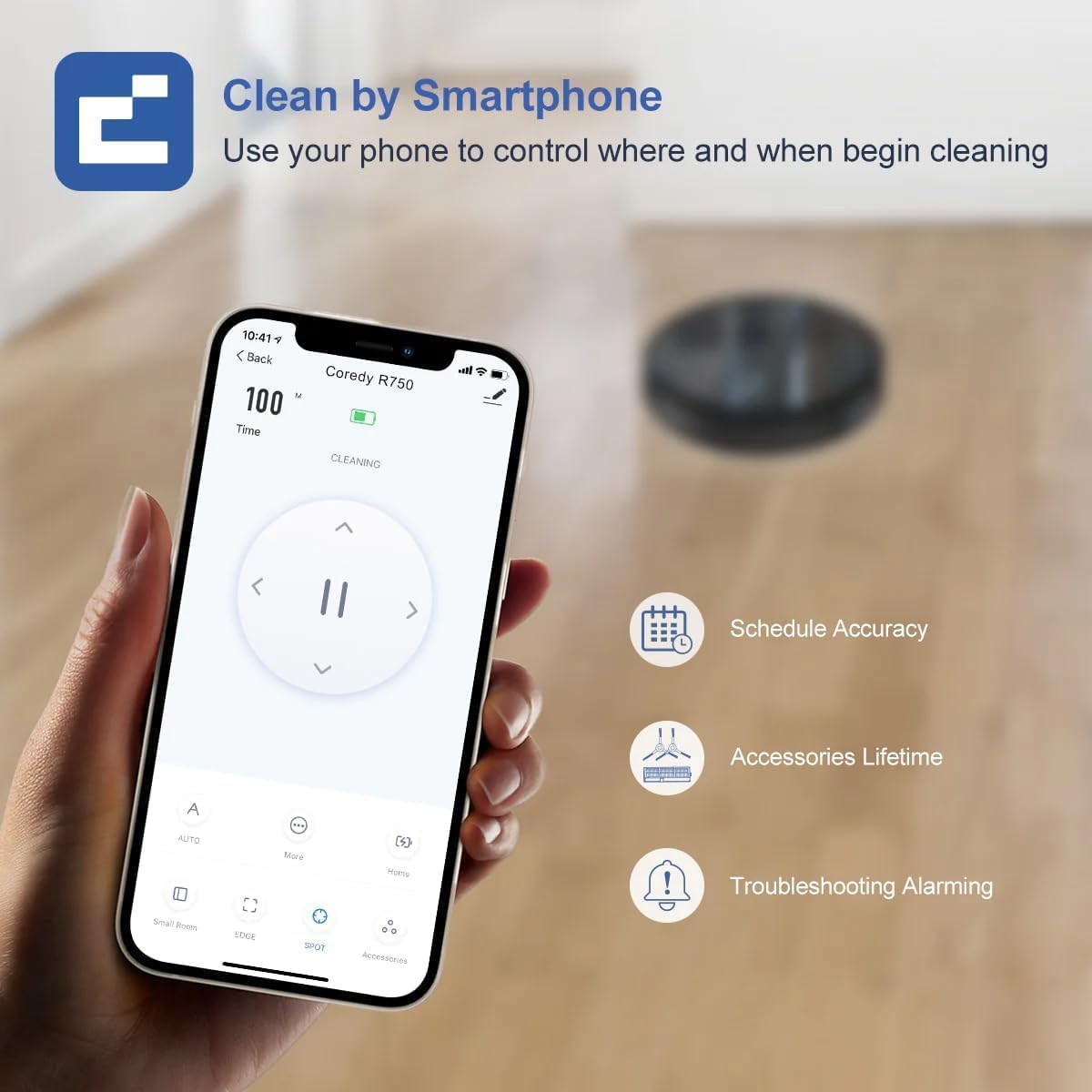
Figure 7: A smartphone screen showing the Coredy R750 control app interface, which allows users to start/stop cleaning, set schedules, and monitor the robot's status.

Figure 8: The Coredy R750 robot vacuum being controlled via voice command through a smart speaker, demonstrating compatibility with Amazon Alexa and Google Assistant for hands-free operation.
Manutenzjoni
Regular maintenance ensures optimal performance of your Coredy R750.
1. Tbattil tal-Kontenitur tat-Trab
Empty the 500ml dust bin after each cleaning cycle or when full. Press the release button to remove the bin, open it, and discard debris.

Figure 9: The Coredy R750 robot vacuum, highlighting its 500ml dust bin capacity, which allows for extended cleaning sessions up to 120 minutes before needing to be emptied.
2. Tindif tal-Pinzell Prinċipali u l-Pinzell tal-Ġenb
Regularly remove hair and debris from the main brush and side brushes using the provided cleaning tool. This prevents tangles and maintains cleaning efficiency.
3. Tindif tal-Filtru HEPA
Tap the HEPA filter to remove dust. Do not wash the HEPA filter with water. Replace the filter every 2-3 months, depending on usage.
4. Maintaining the Water Tank (for Mopping)
After mopping, empty any remaining water from the tank and clean the mop cloth. The mop cloth can be hand-washed or machine-washed.
Issolvi l-problemi
If your Coredy R750 encounters an issue, refer to the following common solutions:
- Ir-robot mhux qed jiċċarġja: Kun żgur li l-istazzjon tal-iċċarġjar ikun mixgħul u li l-kuntatti tal-iċċarġjar tar-robot ikunu nodfa u allinjati sew mal-istazzjon.
- Ir-robot jeħel spiss: Clear obstacles from the cleaning path. Ensure virtual boundary strips are correctly placed if used. The robot features comprehensive protection technology to navigate around obstacles and avoid falls.
- Prestazzjoni fqira tat-tindif: Empty the dust bin, clean the main brush, side brushes, and HEPA filter. Check if the suction mode is set appropriately for the floor type.
- It-tindif bil-mopp mhux effettiv: Ensure the water tank is filled and the mop cloth is properly attached. Check the water flow setting in the app (Low, Medium, High).
- Problemi ta' konnettività tal-app: Kun żgur li n-netwerk Wi-Fi tiegħek huwa stabbli u li r-robot jinsab fil-medda tiegħu. Erġa' ibda r-robot u r-router tiegħek jekk meħtieġ.
Għal aktar dettalji dwar is-soluzzjoni tal-problemi, jekk jogħġbok irreferi għall-uffiċjal Gwida għas-Soluzzjoni tal-Problemi (PDF).
Speċifikazzjonijiet
| Brand | Coredy |
| Isem tal-Mudell | Coredy R750 Robotic Vacuum Cleaner |
| Karatteristika Speċjali | 2200pa Strong Suction Power, Virtual Boundary Capability, Wi-Fi Compatible, Works with Alexa |
| Kulur | R750 |
| Dimensjonijiet tal-Prodott | 12.8"T x 12.7"W x 2.72"Għ |
| Tip ta 'filtru | Ultra High Efficiency Filters |
| Ħajja tal-batterija | minuti 120 |
| Voltage | 240 Volts |
| Kapaċità (Bin tat-Trab) | 500 Millilitru |
| Sors tal-Enerġija | Mħaddma bil-batterija |
| Metodu ta' Kontroll | App, Remote Control, Voice |
| Apparati Kompatibbli | Smartphones, Amazon Alexa, Google Assistant |
| Piż tal-oġġett | 10.06 liri |
| Manifattur | Coredy |
| Numru tal-mudell tal-oġġett | R750 |
| Batteriji Meħtieġa | 1 batteriji tal-jone tal-litju (inklużi) |

Figure 10: Detailed dimensions of the Coredy R750 robot vacuum cleaner, showing its diameter of 12.8 inches and height of 2.72 inches.
Garanzija u Appoġġ
The Coredy R750 Robot Vacuum Cleaner comes with a Garanzija ta' 1 snin mill-manifattur.
For product support, technical assistance, or warranty claims, please visit the official Coredy webis-sit jew irreferi għall-informazzjoni ta' kuntatt ipprovduta fl-imballaġġ tal-prodott tiegħek.
Riżorsi addizzjonali:
Ask a question about this manual
Ask about setup, troubleshooting, compatibility, parts, safety, or missing instructions. Manuals+ will review the question and use this page’s manual context to help answer it.