
1. Introduzzjoni
The ASUS TUF Gaming FX505 is a Windows 10 gaming laptop designed for performance and durability. It features an IPS-type panel with narrow bezels and an Anti-Dust Cooling (ADC) system for extended lifespan. Equipped with NVIDIA GeForce GTX graphics and an AMD Ryzen 7 processor, the FX505 handles modern games and multitasking efficiently. It includes Intel Wave 2 Wi-Fi 5 (802.11ac) for high data transfer rates and a red-backlit gaming keyboard rated for 20-million keystroke durability.
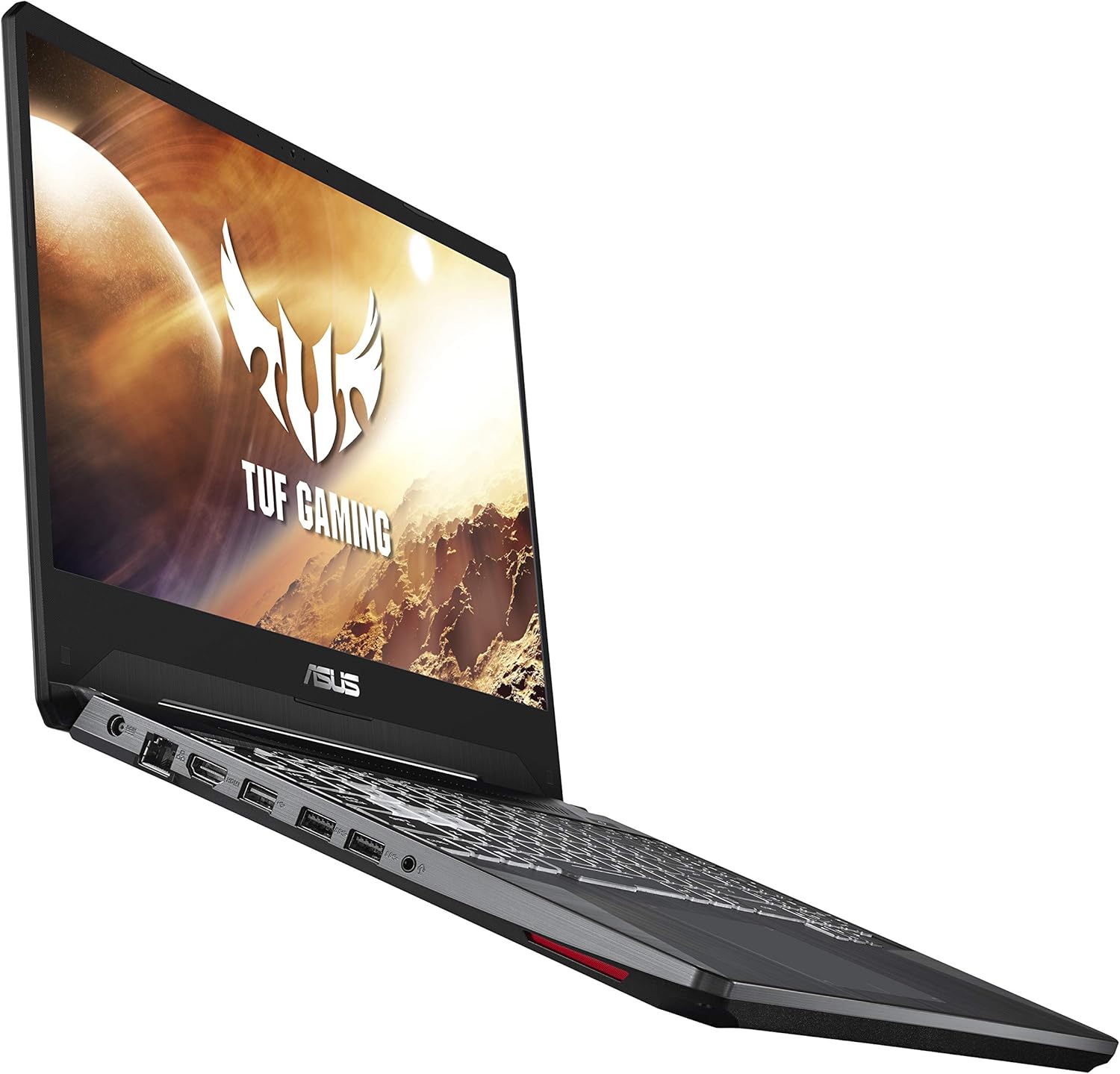
Figura 1.1: Quddiem view of the ASUS TUF Gaming Laptop FX505DT-EB73.
2. Setup Inizjali
2.1 Tneħħija tal-kaxxa u l-Kontenut
Neħħi l-laptop u l-aċċessorji kollha mill-imballaġġ bir-reqqa. Kun żgur li l-oġġetti li ġejjin huma preżenti:
- ASUS TUF Gaming Laptop FX505DT-EB73
- Adapter tal-Enerġija & Kurdun
- Gwida għall-Utent
- Karta ta' Garanzija
2.2 Konnessjoni tal-Enerġija
Connect the power adapter to the laptop's power input port and then plug the power cord into a wall outlet. It is recommended to fully charge the laptop before initial use.
2.3 L-Ewwel Boot u s-Setup tal-Windows
Press the power button to turn on the laptop. Follow the on-screen instructions to complete the Windows 10 Home setup process. This includes selecting your region, language, creating a user account, and connecting to a Wi-Fi network.
2.4 Aġġornamenti tas-Sewwieqa
After completing the initial Windows setup, it is crucial to ensure all drivers are up to date for optimal performance. You can use the pre-installed MyASUS application for driver management or manually download the latest drivers from the official ASUS support website. Regularly checking for updates helps maintain system stability and performance.
3. Istruzzjonijiet Operattivi
3.1 Karatteristiċi tat-Tastiera
The laptop features a desktop-inspired RGB-backlit keyboard with highlighted WASD key group for gaming. The keyboard is rated for 20-million keystroke durability. You can customize the RGB lighting effects using the ASUS Aura Core software.

Figure 3.1: Hyperstrike Keyboard with RGB backlighting.
3.2 Wiri
The 15.6-inch Full HD (1920x1080) IPS-Type display offers a 120Hz refresh rate for smooth visuals, particularly beneficial in fast-paced gaming. The NanoEdge design features narrow bezels for an immersive viewing esperjenza.
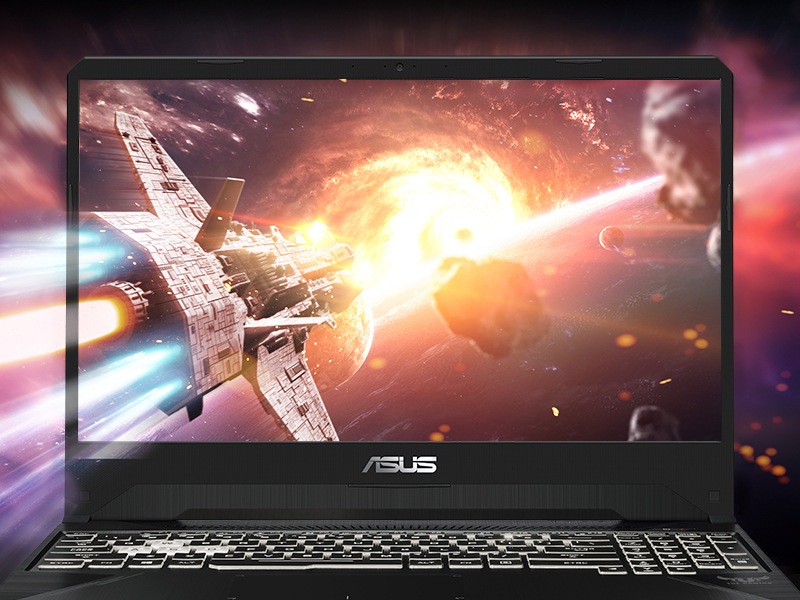
Figure 3.2: IPS-Type NanoEdge Display for immersive visuals.
3.3 Awdjo
Experience immersive 7.1-channel virtual surround sound through DTS Headphone:X technology, enhancing audio clarity and positional awareness in games and multimedia.

Figure 3.3: Immersive Audio with DTS Headphone:X.
3.4 Sistema tat-tkessiħ
The laptop incorporates HyperCool Technology for improved durability and an Anti-Dust Cooling (ADC) system to extend system longevity and reliability by preventing dust buildup. The HyperFan feature automatically adjusts fan speeds based on CPU and GPU temperatures, offering modes like Silent, Balanced, and Turbo.

Figure 3.4: Rear cooling vents for efficient heat dissipation.
3.5 Konnettività
The FX505DT-EB73 supports Gigabit Wave 2 Wi-Fi 5 (802.11ac) for fast wireless internet. It includes multiple USB ports for connecting peripherals: one USB 2.0 port and two USB 3.0 ports.

Figure 3.5: Available ports for connectivity.
4. Manutenzjoni
4.1 Tindif
- Skrin: Uża drapp ratba u mingħajr ħelu ftit dampLaħlaħ bl-ilma jew b'tindif tal-iskrin. Evita kimiċi ħarxa.
- Tastiera: Use compressed air to remove dust and debris from between keys. Wipe keycaps with a soft, damp drapp.
- Ventijiet: Regularly clean the cooling vents with compressed air to prevent dust buildup, which can impede airflow and lead to overheating.
4.2 Kura tal-Batterija
To prolong battery life, avoid consistently discharging the battery completely or keeping it at 100% charge for extended periods. Periodically allow the battery to discharge to around 20-30% before recharging.
4.3 Ġestjoni tal-Ħażna
The laptop comes with a 512GB NVMe SSD. Regularly manage your storage by deleting unnecessary files and uninstalling unused applications to maintain optimal performance. Consider external storage or an additional internal SSD for expanded capacity if needed.
4.4 RAM Upgrade
The laptop is equipped with 8GB DDR4 RAM. For enhanced multitasking and gaming performance, consider upgrading the RAM to 16GB or more. Consult the official ASUS support resources or a qualified technician for proper upgrade procedures.

Figure 4.1: Internal components showing RAM and SSD.
5 Issolvi l-problemi
5.1 Kwistjonijiet Komuni u Soluzzjonijiet
- System Slowdown or Freezes:
Soluzzjoni: Ensure all drivers are updated. Check for background applications consuming excessive resources. Consider adding more RAM if frequently running demanding applications. A clean reinstallation of Windows can resolve persistent OS-related issues. - Problemi ta' Konnettività Wi-Fi:
Soluzzjoni: Restart your router and modem. Update your Wi-Fi adapter drivers. If issues persist, try reinstalling the Wi-Fi card drivers or checking for hardware faults. - Ħoss tal-fann jew tisħin żejjed:
Soluzzjoni: Clean the cooling vents to remove dust. Ensure the laptop is on a hard, flat surface to allow proper airflow. Adjust HyperFan settings to 'Balanced' or 'Turbo' mode for increased cooling during intensive tasks. - Teptip tal-iskrin:
Soluzzjoni: Update graphics drivers. If flickering occurs only at certain brightness levels on battery, ensure power settings are optimized or contact support if it persists. - Trackpad Unresponsive or Inaccurate:
Soluzzjoni: Ensure trackpad drivers are updated. Clean the trackpad surface. If issues persist, an external mouse can be used as an alternative. - Keyboard Backlight Issues:
Soluzzjoni: Ensure ASUS Aura Core software is installed and updated. Check keyboard settings within the software for customization and troubleshooting.
6. Speċifikazzjonijiet
| Karatteristika | Dettall |
|---|---|
| Isem tal-Mudell | TUF Gaming FX505DT-EB73 |
| Proċessur | AMD Ryzen 7 3750H (4 GHz) |
| Koproċessur tal-Grafika | NVIDIA GeForce GTX 1650 4GB |
| RAM | 8 GB DDR4 (2666 MHz) |
| Ħażna | 512 GB NVMe SSD |
| Wiri | 15.6 Inches, Full HD (1920x1080), 120Hz IPS-Type |
| Sistema Operattiva | Windows 10 Home |
| Konnettività bla fili | Gigabit Wave 2 Wi-Fi 5 (802.11ac), Bluetooth |
| Portijiet USB | 1x USB 2.0, 2x USB 3.0 |
| Piż tal-oġġett | 4.85 liri |
| Dimensjonijiet tal-Prodott | 14.2 x 10.3 x 1 pulzieri |
| Kulur | Iswed |
7. Informazzjoni dwar Garanzija
Your ASUS TUF Gaming Laptop FX505DT-EB73 comes with a limited warranty. Please refer to the included Warranty Card for detailed terms, conditions, and duration of coverage. Keep your proof of purchase for warranty claims.
8. Appoġġ għall-Klijent
For further assistance, technical support, or service inquiries, please refer to the included User Guide for contact information or visit the official ASUS support website. You can also find updated drivers, FAQs, and troubleshooting guides online.
Vidjo 8.1: Il-prodott uffiċjali spiċċaview of the ASUS TUF Gaming FX505 laptop, highlighting key features and design.