
1. Introduzzjoni
This manual provides detailed instructions for the installation, operation, and maintenance of your Time2 Oscar 2 Twin Pack Outdoor Security Cameras. The Oscar 2 cameras are designed for outdoor surveillance, offering 1080p Full HD video, night vision, motion and sound detection, and two-way audio communication. Please read this manual thoroughly before using the product to ensure proper setup and functionality.
2. X'hemm fil-Kaxxa
Meta tiftaħ il-pakkett, jekk jogħġbok ivverifika li l-oġġetti kollha li ġejjin huma inklużi:
- 2 x Time2 Oscar WiFi Camera
- 2 x Adapter tal-Enerġija
- 2 x Wall Mounting Kit (screws and wall plugs)
- 1 x Gwida Quick Start

Image: The Time2 Oscar 2 camera shown with its retail packaging, indicating the contents of the box.
3. Karatteristiċi tal-prodott
The Time2 Oscar 2 cameras are equipped with advanced features for comprehensive outdoor security:
- Vidjow Full HD 1080p: Jaqbad ikel ċar u dettaljattagLejl u nhar.
- Viżjoni bil-lejl Superjuri: Automatic infrared night vision with IR cut for clear images in low light or darkness.
- 100° Qasam ta View: Provides a wide coverage area for monitoring your property.
- Motion and Audio Detection: Advanced sensors detect unusual movement or sounds, sending instant alerts.
- Awdjo f'żewġ direzzjonijiet: Mikrofonu u kelliem integrati jippermettu komunikazzjoni f'ħin reali.
- Ħażna Lokali u fuq il-Cloud: Supports local storage via MicroSD card (up to 128GB, not included) and optional cloud storage via CLAN CLOUD subscription.
- Disinn reżistenti għat-temp: IP65 rated for outdoor use, resistant to rain and dust.
- Mejn li jaħdem: Ensures continuous operation without battery recharging.
- Żoni ta' Attività: Customize detection areas to reduce false alerts.
- Integrazzjoni Alexa: Kompatibbli ma' Amazon Alexa għall-kontroll tal-vuċi.
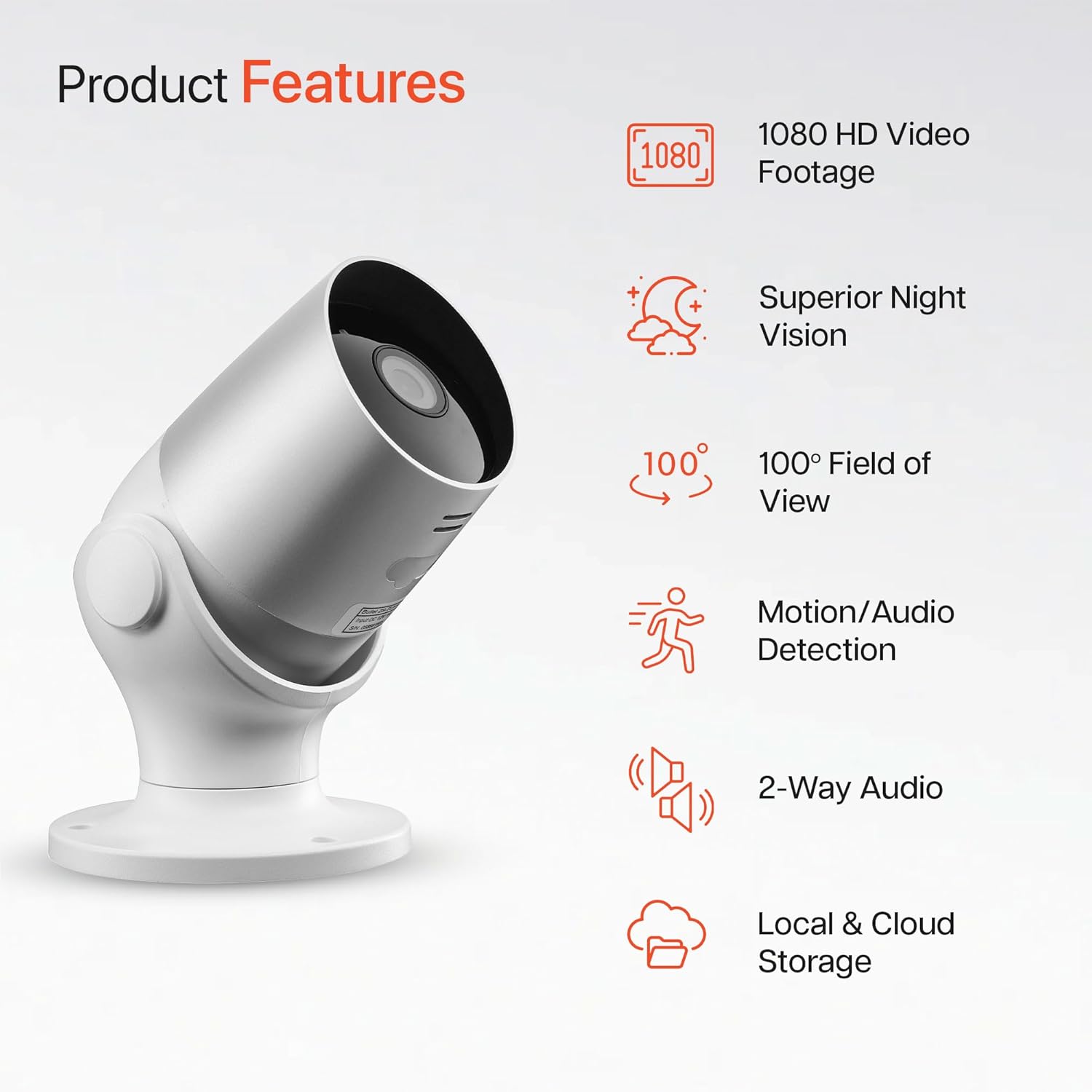
Image: An illustration highlighting the main features of the Oscar 2 camera, including 1080p HD video, night vision, 100° field of view, motion/audio detection, two-way audio, and storage options.
4. Setup
4.1 Tniżżil tal-App u Ħolqien ta' Kont
- Download the "CLAN" app from your smartphone's app store (iOS or Android).
- Iftaħ l-app u segwi l-istruzzjonijiet fuq l-iskrin biex toħloq kont ġdid jew idħol jekk diġà għandek wieħed.
4.2 MicroSD Card Installation (Optional)
For local video storage, you can install a MicroSD card (up to 128GB, not included) into the camera.
- Locate the MicroSD card slot on the camera (refer to the Quick Start Guide for exact location).
- Daħħal il-kard tal-MicroSD fl-islott bir-reqqa sakemm tikklikkja f'postha.
- Ensure the camera is powered off before inserting or removing the MicroSD card.
4.3 Camera Installation and Power Connection
The Oscar 2 cameras are designed for wall mounting and require a mains power connection.
- Agħżel Post: Agħżel post fil-beraħ li jipprovdi l-aspett mixtieq viewing angle and is within reach of a power outlet. Consider the 100° field of view.
- Immonta l-Kamera: Use the provided wall mounting kit (screws and wall plugs) to securely attach the camera to a wall or suitable surface. The camera housing allows for rotation to adjust the lens angle.
- Qabbad l-Enerġija: Plug the power adapter into the camera and then into a mains power outlet. The camera will power on automatically.
4.4 Pairing with the CLAN App
- Kun żgur li l-ismartphone tiegħek huwa konness ma' netwerk Wi-Fi ta' 2.4GHz (netwerks ta' 5GHz mhumiex appoġġjati).
- Open the CLAN app and tap the "+" icon to add a new device.
- Select "Oscar 2" from the list of devices.
- Follow the in-app instructions, which typically involve scanning a QR code displayed on your phone with the camera lens or listening for a sound prompt.
- Once paired, you can name your camera and begin configuring settings.
5. Operating Your Oscar 2 Camera
5.1 Ħaj View u Monitoraġġ
From the CLAN app home screen, tap on your camera's name to access the live video feed. You can view multiple cameras simultaneously if you have more than one Oscar 2 device.

Image: A smartphone displaying the CLAN app interface, showing a live view from the Oscar 2 camera and various control options.
5.2 Sejbien tal-Mozzjoni u l-Ħoss
The Oscar 2 camera can detect movement and sound, sending instant alerts to your smartphone or tablet.
- Ippermetti Twissijiet: Navigate to the camera settings in the CLAN app and enable motion and sound detection alerts.
- Aġġusta s-Sensittività: You can adjust the sensitivity level of both motion and sound detection to minimize false alarms.
- Set Activity Zones: Define specific areas within the camera's field of view where you want motion detection to be active. This helps focus on critical areas and ignore irrelevant movements.
5.3 Awdjo b'żewġ direzzjonijiet
Utilize the built-in microphone and speaker for two-way communication.
- Waqt li tkun ħaj view, tektek l-ikona tal-mikrofonu fl-app biex titkellem permezz tal-ispiker tal-kamera.
- Tektek l-ikona tal-ispiker biex tisma' l-awdjo mill-mikrofonu tal-kamera.
- This feature is useful for interacting with visitors or deterring intruders.
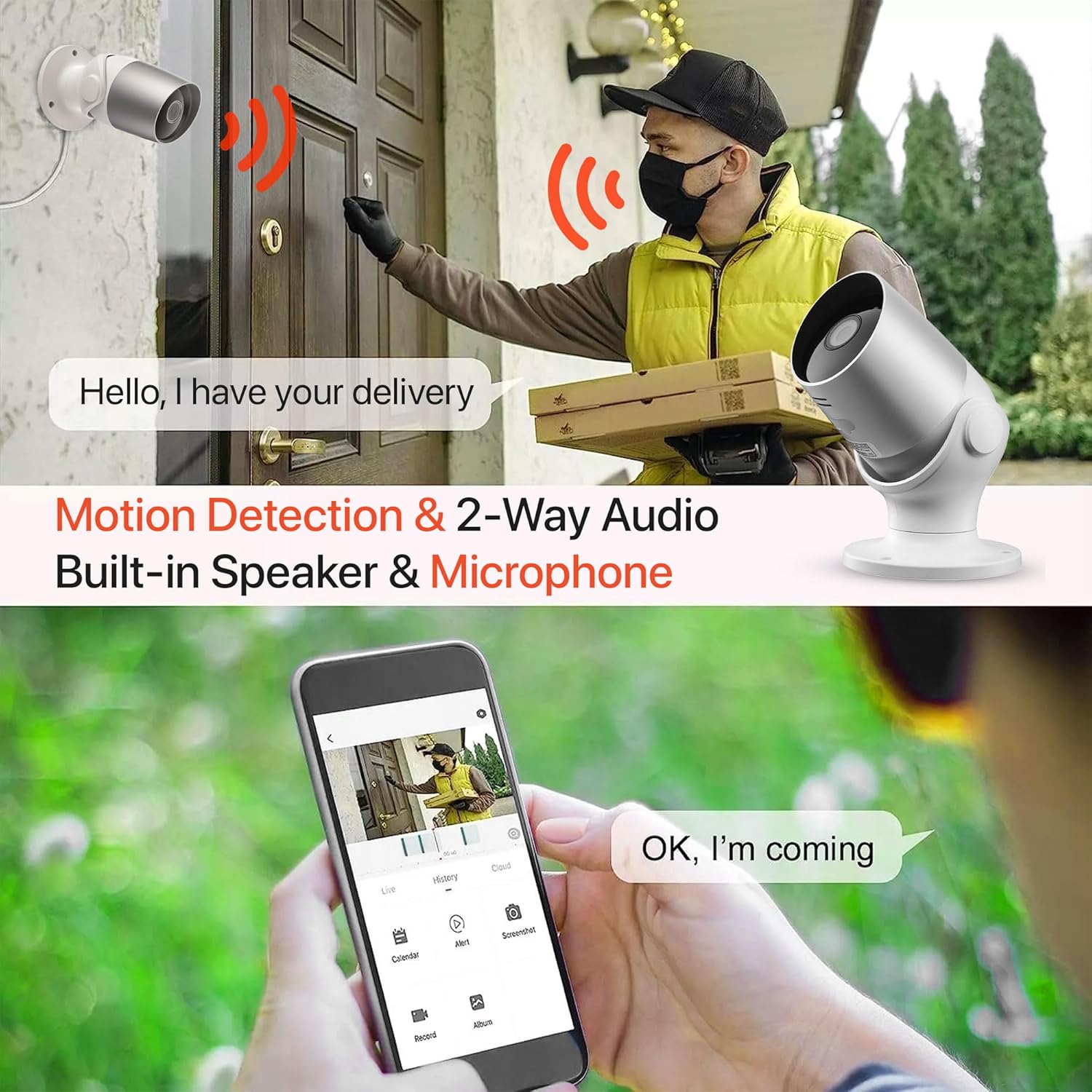
Image: An illustration demonstrating the two-way audio feature, showing a user communicating with a delivery person via the Oscar 2 camera and smartphone app.
5.4 Reġistrazzjoni u Daqq
The Oscar 2 cameras offer flexible recording options:
- Reġistrazzjoni Kontinwa: If a MicroSD card is installed, the camera can record continuously for up to 21 days (with a 128GB card).
- Reġistrazzjoni Attivata bil-Mozzjoni: The camera can be set to record only when motion or sound is detected. Recordings include 5 seconds of pre-event footage.
- Local Storage (MicroSD): Aċċess irreġistrat footage directly from the MicroSD card via the CLAN app.
- Cloud Storage (CLAN CLOUD): Subscribe to CLAN CLOUD for secure off-site storage of your recordings, accessible from anywhere.
- Daqq: Use the playback feature in the CLAN app to review avvenimenti rreġistrati.
5.5 Viżjoni bil-lejl
The camera automatically switches to infrared night vision in low-light conditions, providing clear black and white images. The integrated IR cut filter ensures accurate color representation during the day.

Image: A visual representation of the camera's 24/7 monitoring capability, showing how the view changes from morning (color) to afternoon (color) to night (infrared night vision).
5.6 Integrazzjoni ta' Alexa
The Oscar 2 cameras are compatible with Amazon Alexa. To enable this feature, link your CLAN account within the Alexa app. You can then use voice commands to view il-feed tal-kamera tiegħek fuq apparati kompatibbli li jaħdmu bl-Alexa.
6. Manutenzjoni
- Tindif: Naddaf il-lenti tal-kamera perjodikament b'drapp artab u dryer.amp cloth to ensure optimal image clarity. Do not use harsh chemicals or abrasive materials.
- Aġġornamenti tal-Firmware: Ensure your camera's firmware is up to date. The CLAN app will typically notify you of available updates. Follow the in-app instructions to perform updates, which can improve performance and add new features.
- Ċiklu tal-Enerġija: If the camera experiences issues, try power cycling it by unplugging it from the power source for a few seconds and then plugging it back in.
7 Issolvi l-problemi
- Kamera ma tikkonnettjax mal-Wi-Fi:
- Kun żgur li n-netwerk Wi-Fi tiegħek huwa 2.4GHz. Il-kamera ma tappoġġjax netwerks ta' 5GHz.
- Iċċekkja li l-kamera tinsab fil-firxa tar-router Wi-Fi tiegħek.
- Iċċekkja li l-password tal-Wi-Fi tiegħek iddaħħlet b'mod korrett fl-app.
- Erġa' ibda r-router u l-kamera tiegħek.
- Frequent Motion Detection Alerts:
- Adjust the motion detection sensitivity settings in the CLAN app to a lower level.
- Define specific activity zones to exclude areas with frequent irrelevant movement (e.g., trees swaying, busy roads).
- Environmental factors like heavy rain or snow can sometimes trigger alerts; consider adjusting sensitivity during adverse weather.
- Kwalità Fqira tal-Immaġni:
- Naddaf il-lenti tal-kamera biex tneħħi kwalunkwe ħmieġ jew tbajja’.
- Kun żgur li m'hemm l-ebda ostaklu fil-kamp ta' azzjoni tal-kamera. view.
- Check your internet connection speed; a slow connection can affect live stream quality.
- Kwistjonijiet tal-Awdjo f'żewġ direzzjonijiet:
- Kun żgur li l-volum tat-telefon tiegħek huwa għoli u li l-app għandha permessi tal-mikrofonu.
- Check the camera's speaker and microphone settings in the app.
- Imminimizza l-istorbju fl-isfond għal komunikazzjoni aktar ċara.
- Recordings Not Saving:
- If using a MicroSD card, ensure it is correctly inserted and formatted within the app. Check if the card is full.
- If using cloud storage, verify your CLAN CLOUD subscription is active.
8. Speċifikazzjonijiet
| Karatteristika | Dettall |
|---|---|
| Isem tal-Mudell | Oscar 2 |
| Dimensjonijiet tal-Prodott | 8.9 x 17.8 x 19.1 ċm |
| Piż | 720 gramma |
| Manifattur | Ħin2 |
| Teknoloġija tal-Konnettività | Wireless (Wi-Fi) |
| Karatteristika Speċjali | Motion and Sound Alerts |
| Użu fuq ġewwa/barra | Barra |
| Apparati Kompatibbli | Kompjuter, Smartphone, Pillola |
| Sors tal-Enerġija | Electric Cable (Mains Powered) |
| Tip ta' Kontrollur | Amazon Alexa |
| Tip ta 'Immuntar | Mount Wall |
| Kulur | Abjad |
| Fattur tal-Formola | Bullet |
| Livell ta 'Reżistenza għall-Ilma | Li ma jgħaddix ilma minnu (IP65) |
| Voltage | 12 Volts |
| Wattage | 5 Watts |
| Format tal-Qbid tal-Vidjo | MP4 |
| Riżoluzzjoni tal-Vidjo Effettiva | 1080 Pixels (1080p) |
| ViewIng Angolu | 100 Grad |
| Numru ta' Oġġetti | 2 (Pakkett Doppju) |
| UPC | 045912296356 |
9. Garanzija u Appoġġ
9.1 Informazzjoni dwar Garanzija
Your Time2 Oscar 2 cameras come with a manufacturer's warranty. Please refer to the warranty card included in your product packaging or visit the official Time2 websit għal termini u kundizzjonijiet dettaljati tal-garanzija.
9.2 Appoġġ għall-Klijent
If you encounter any issues or have questions not covered in this manual, please contact Time2 customer support. Contact details can typically be found on the Time2 webis-sit jew fil-Gwida ta' Bidu Mgħaġġel ipprovduta mal-prodott tiegħek.
For the latest information, FAQs, and support resources, please visit the official Time2 websit.