
1. Introduzzjoni
The TP-Link Archer T2U Plus is an AC600 High Gain Wireless Dual Band USB Adapter designed to provide high-speed Wi-Fi connectivity for desktop PCs and laptops. It supports both 2.4 GHz and 5 GHz bands, offering flexible connectivity options and enhanced range with its 5dBi high-gain antenna. This manual provides instructions for setting up, operating, and maintaining your adapter.

Image: The TP-Link Archer T2U Plus AC600 High Gain Wireless Dual Band USB Adapter.
2. Kontenut tal-Pakkett
Ivverifika li l-pakkett tiegħek fih l-oġġetti li ġejjin:
- AC600 High Gain Wireless Dual Band USB Adapter (Archer T2U Plus)
- Gwida ta 'Installazzjoni Mgħaġġla
- CD tar-Riżorsi (għad-drajvers u l-utilità)

Image: The retail packaging for the Archer T2U Plus, showing the adapter and its key features.
3. Rekwiżiti tas-Sistema
Qabel l-installazzjoni, kun żgur li s-sistema tiegħek tissodisfa r-rekwiżiti li ġejjin:
- An available USB port (USB 2.0 or higher recommended).
- Operating System: Windows 11/10/8.1/8/7/XP or Mac OS 10.15 and earlier.
- CD-ROM drive (for driver installation from Resource CD) or internet access (for driver download).

Image: Icons representing compatible operating systems: Windows 10, Windows 8.1, Windows 8, Windows 7, Windows XP, and Mac OS.
4. Konfigurazzjoni u Installazzjoni tas-Sewwieq
4.1 Installazzjoni tal-Ħardwer
- Daħħal l-Adapter: Plug the Archer T2U Plus USB adapter into an available USB port on your computer. Ensure it is securely seated.
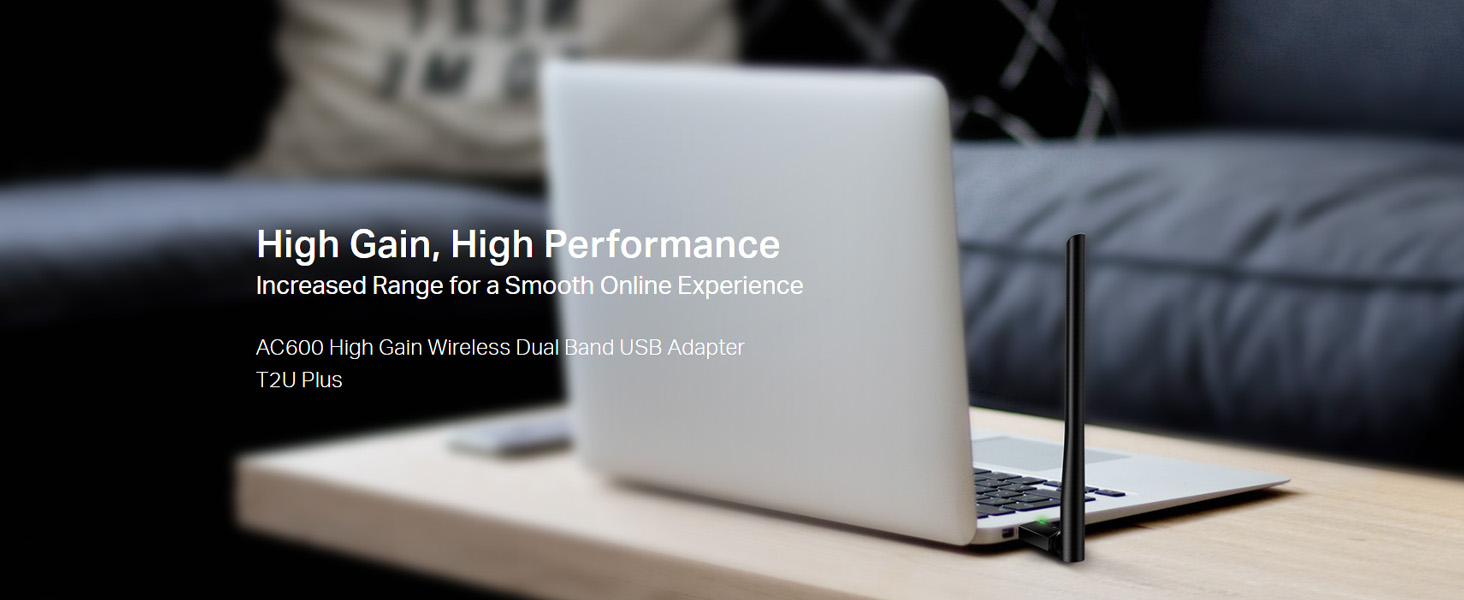
Image: The Archer T2U Plus adapter connected to a laptop's USB port, demonstrating its compact form factor.
4.2 Installazzjoni tas-sewwieq
The adapter requires a driver to function correctly. You can install it using the provided Resource CD or by downloading it from the TP-Link websit.
Option A: Using the Resource CD
- Daħħal is-CD tar-Riżorsi fid-drajv tas-CD-ROM tal-kompjuter tiegħek.
- Follow the on-screen instructions to run the setup wizard.
- Select the Archer T2U Plus model and proceed with the driver installation.
- Ibda mill-ġdid il-kompjuter tiegħek jekk tintalab.
Option B: Downloading Drivers Online
- Żur l-appoġġ uffiċjali ta' TP-Link websit (www.tp-link.com/support/download/).
- Fittex għal "Archer T2U Plus" and download the latest driver compatible with your operating system.
- Oħroġ it-tniżżil file (if compressed) and run the setup executable.
- Follow the installation wizard and restart your computer if required.
5. Istruzzjonijiet Operattivi
5.1 Konnessjoni ma' Netwerk Wi-Fi
- After successful driver installation, the adapter will be detected by your operating system.
- Click the Wi-Fi icon in your system tray (Windows) or menu bar (Mac OS).
- Select your desired Wi-Fi network (SSID) from the list of available networks.
- Enter the network password (security key) if prompted and click Qabbad.
- The adapter will establish a connection to the Wi-Fi network.
5.2 Dual Band Functionality
The Archer T2U Plus supports both 2.4 GHz and 5 GHz Wi-Fi bands. The 5 GHz band offers faster speeds and less interference, ideal for streaming and gaming, while the 2.4 GHz band provides wider coverage.
- Banda ta' 2.4 GHz: Up to 200 Mbps data rate, suitable for general web browsing u email.
- Banda ta' 5 GHz: Up to 433 Mbps data rate, ideal for HD video streaming and online gaming.
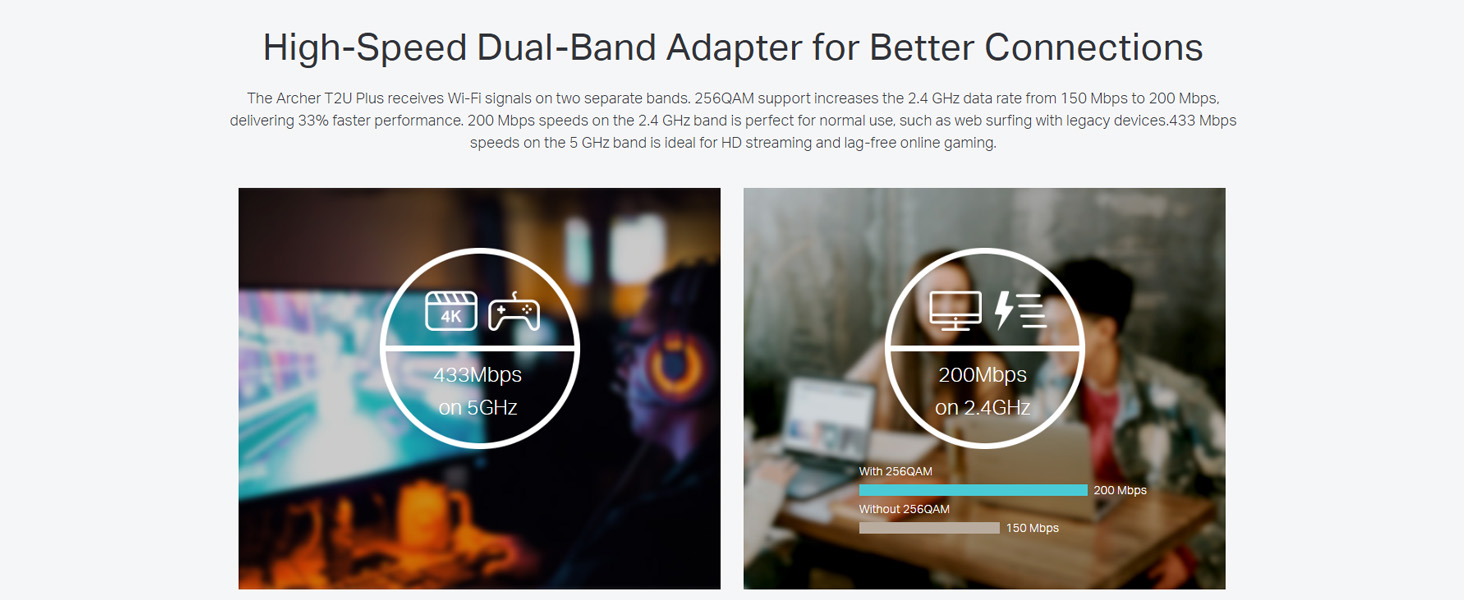
Image: A visual representation comparing the data rates and typical uses for the 2.4 GHz (200 Mbps) and 5 GHz (433 Mbps) bands.
5.3 Aġġustament tal-Antenna
The adapter features an adjustable, multi-directional 5dBi high-gain antenna to optimize signal reception and transmission.
- Rotate and adjust the antenna in various directions to find the optimal position for signal strength and performance in your environment.
- Experiment with different angles to achieve the best possible Wi-Fi range and stability.

Image: The Archer T2U Plus adapter illustrating its adjustable antenna, capable of rotating up to 180 degrees and tilting 90 degrees for optimal signal.
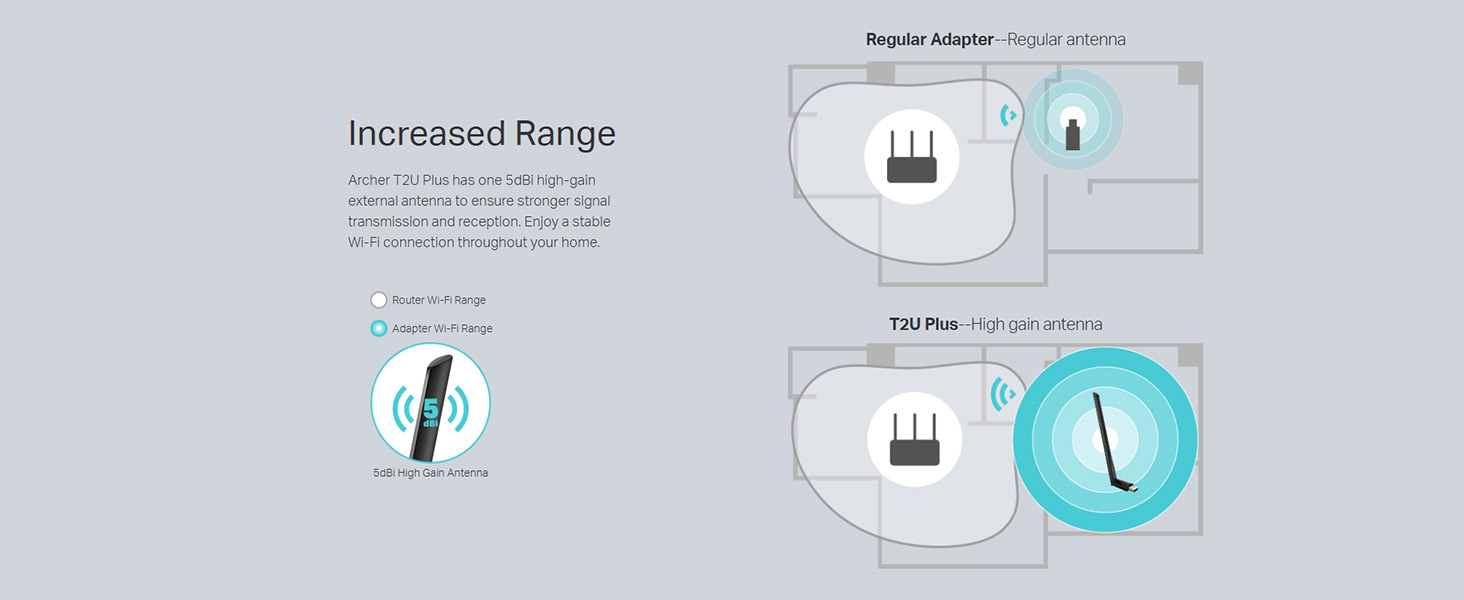
Image: A diagram comparing the Wi-Fi coverage area of a regular adapter with a standard antenna versus the extended range provided by the Archer T2U Plus's high-gain antenna.
6. Manutenzjoni
6.1 Aġġornamenti tas-Sewwieqa
Iċċekkja regolarment l-appoġġ tat-TP-Link website for updated drivers. Keeping your drivers current ensures optimal performance, compatibility, and security.
6.2 Tindif
To maintain the adapter's performance, keep it clean and free from dust. Use a soft, dry cloth to wipe the device. Avoid using liquid cleaners or solvents.
7 Issolvi l-problemi
If you encounter issues with your Archer T2U Plus adapter, refer to the following common troubleshooting steps:
- Ebda Konnessjoni Wi-Fi:
- Kun żgur li l-adapter huwa mdaħħal sew fil-port USB.
- Ivverifika li d-drajvers huma installati b'mod korrett. Erġa' installahom jekk meħtieġ.
- Iċċekkja jekk ir-router tiegħek huwiex mixgħul u qed ixandar sinjal tal-Wi-Fi.
- Ipprova qabbad ma 'port USB differenti.
- Veloċità baxxa tal-Wi-Fi:
- Ensure you are connected to the 5 GHz band if your router supports it, for faster speeds.
- Aġġusta l-pożizzjoni tal-antenna għal riċezzjoni aħjar tas-sinjal.
- Naqqas l-interferenza billi tmexxi l-adapter 'il bogħod minn apparati elettroniċi oħra.
- Aġġorna d-drajvers tal-adapter tiegħek għall-aħħar verżjoni.
- Adapter Mhux Rilevat:
- Try plugging the adapter into another USB port.
- Ibda mill-ġdid il-kompjuter tiegħek.
- Manually install the drivers from the Resource CD or TP-Link websit.
8. Speċifikazzjonijiet
| Brand | TP-Link |
| Mudell | Archer T2U Plus |
| Interface tal-Ħardwer | USB, USB 2.0 |
| Rata ta' Trasferiment tad-Data | 600 Megabits Per Second (200 Mbps on 2.4 GHz, 433 Mbps on 5 GHz) |
| Tip ta' Antenna | 5dBi High-Gain External Antenna |
| Sistemi Operattivi Kompatibbli | Windows 11/10/8.1/8/7/XP, Mac OS 10.15 and earlier |
| Dimensjonijiet tal-Prodott (L x W x H) | 5.8T x 1.8W x 17.3H Ċentimetri |
| Piż tal-oġġett | 12 Gramm |
| Kulur | Iswed |
9. Garanzija u Appoġġ
9.1 Informazzjoni dwar Garanzija
Dan il-prodott jiġi ma 'a garanzija ta 'sena mid-data tax-xiri. Jekk jogħġbok żomm il-prova tax-xiri tiegħek għal talbiet taħt garanzija. Il-garanzija tkopri difetti fil-manifattura u malfunzjonamenti taħt kundizzjonijiet ta' użu normali.
9.2 Appoġġ Tekniku
For technical assistance, driver downloads, or further inquiries, please contact TP-Link support:
- Appoġġ bla ħlas: 1800-209-4168
- Appoġġ bl-Email: support.in@tp-link.com
- Websit: www.tp-link.com/in/support/