
Introduzzjoni
This manual provides essential instructions for the proper installation, operation, and maintenance of your Compulocks 299PSENW Security Tablet Stand. This product is designed to securely hold 12.9-inch tablets in a wall-mounted configuration, offering protection and accessibility. Please read this manual thoroughly before installation and use.
Informazzjoni dwar is-Sigurtà
- Ensure the mounting surface is structurally sound and capable of supporting the weight of the stand and the tablet.
- Use appropriate tools and hardware for installation. If unsure, consult a professional installer.
- Keep all keys in a safe and accessible location, away from unauthorized access.
- Do not overtighten screws during assembly, as this may damage the product or mounting surface.
- Żomm partijiet żgħar 'il bogħod mit-tfal biex tevita perikli ta' fgar.
Kontenut tal-Pakkett
Jekk jogħġbok ivverifika li l-komponenti kollha huma preżenti qabel ma tipproċedi bl-installazzjoni:
- 1 x Compulocks 299PSENW Security Tablet Stand (White)
- Ħardwer tal-Immuntar (viti, ankri, eċċ.)
- Set of Keys for the security lock
Setup
1. Immuntar tal-Istand
- Agħżel Post: Choose a suitable wall location that is structurally sound and at an appropriate viewing għoli.
- Immarka l-Punti tat-Tħaffir: Hold the stand against the wall at the desired position and mark the drilling points for the mounting screws.
- Drill toqob: Drill pilot holes at the marked points using an appropriate drill bit for your wall type. Insert wall anchors if necessary.
- Stand Sikur: Align the stand with the drilled holes and secure it to the wall using the provided mounting screws. Ensure it is firmly attached and level.
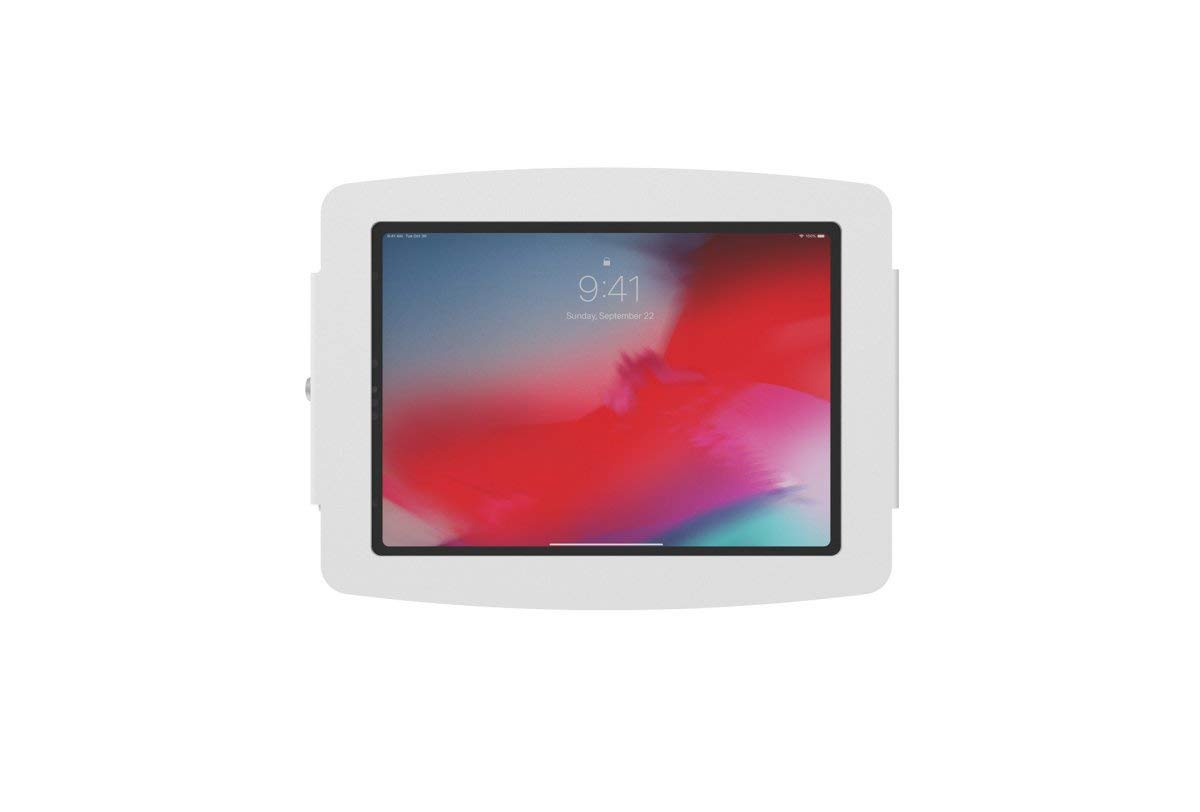
Image: The Compulocks 299PSENW Security Tablet Stand, white in color, securely mounted to a wall. A tablet is visible within the enclosure, displaying a lock screen. A keyhole is visible on the side of the enclosure.
2. Inserting the Tablet
- Unlock Enclosure: Use the provided key to unlock the security enclosure. The front panel or side mechanism will release.
- Place Tablet: Carefully place your 12.9-inch tablet into the enclosure, ensuring it sits flush and is properly aligned with any internal supports or charging ports.
- Mehmużin mill-Qrib: Close the enclosure, ensuring all edges are properly seated.
- Lock Enclosure: Insert the key and turn it to lock the enclosure, securing the tablet in place. Remove the key and store it safely.
Operazzjoni
The Compulocks 299PSENW stand is designed for simple operation once installed.
- Accessing the Tablet: To remove or access the tablet for maintenance or updates, use the key to unlock the enclosure as described in the 'Inserting the Tablet' section.
- Securing the Tablet: Always ensure the enclosure is locked with the key after placing the tablet inside to maintain security.
Manutenzjoni
- Tindif: Imsaħ l-istand b'ċarruta ratba, damp drapp. Evita li tuża prodotti tat-tindif jew solventi li joborxu, għax dawn jistgħu jagħmlu ħsara lill-finitura.
- Spezzjoni: Iċċekkja perjodikament il-viti u l-konnessjonijiet kollha tal-immuntar biex tiżgura li jibqgħu ssikkati u siguri.
- Kura tas-Serratura: Jekk il-mekkaniżmu tas-serratura jsir iebes, jista' jiġi applikat ammont żgħir ta' lubrikant tal-grafita fit-toqba taċ-ċavetta.
Issolvi l-problemi
- Tablet does not fit: Ensure your tablet is a 12.9-inch model. This stand is specifically designed for that size.
- Stand feels loose on the wall: Re-tighten the mounting screws. If the issue persists, the wall anchors may need to be replaced or a more secure mounting location chosen.
- Lock mechanism is stuck: Do not force the key. Try applying a small amount of lubricant. If the problem continues, contact customer support.
Speċifikazzjonijiet
| Brand | Kompulocks |
| Numru tal-Mudell | 299PSENW |
| Kulur | Abjad |
| Fattur tal-Formola | Mount Wall |
| Apparati Kompatibbli | Tablets (specifically 12.9-inch models) |
| Tip ta 'Immuntar | Mount Wall |
| Materjal | Aluminju |
| Karatteristika Speċjali | Designed to accommodate devices with fast charging capabilities |
| Dimensjonijiet tal-oġġett (L x W x H) | 60 x 60 x 85 ċentimetru |
| Tul aġġustabbli | Iva |
| UPC | 819472022256 |
Informazzjoni dwar Garanzija
The Compulocks 299PSENW Security Tablet Stand comes with a Garanzija ta' 2 snin mill-manifattur. This warranty covers defects in materials and workmanship under normal use. Please retain your proof of purchase for warranty claims. The warranty does not cover damage caused by improper installation, misuse, accidents, or unauthorized modifications.
Appoġġ għall-Klijent
For technical assistance, warranty claims, or any questions regarding your Compulocks 299PSENW Security Tablet Stand, please contact your retailer or the manufacturer directly. Refer to the product packaging or the manufacturer's official websit għad-dettalji tal-kuntatt.