
Introduzzjoni
The TOZO T12 Wireless Earbuds offer a high-quality audio experience with advanced features designed for convenience and durability. This manual provides essential information for setting up, operating, and maintaining your earbuds to ensure optimal performance.
X'hemm fil-Kaxxa
- TOZO Wireless Earbuds
- Kawża tal-Iċċarġjar bla Fili
- Eartips (5 pairs in various sizes)
- Cable tal-Iċċarġjar tal-USB-C
- Manwal għall-Utent
Prodott Overview
The TOZO T12 earbuds feature a 10mm dynamic driver system for premium sound, Bluetooth 5.3 for stable connectivity, and IPX8 waterproofing. The charging case includes an LED digital display for battery status.
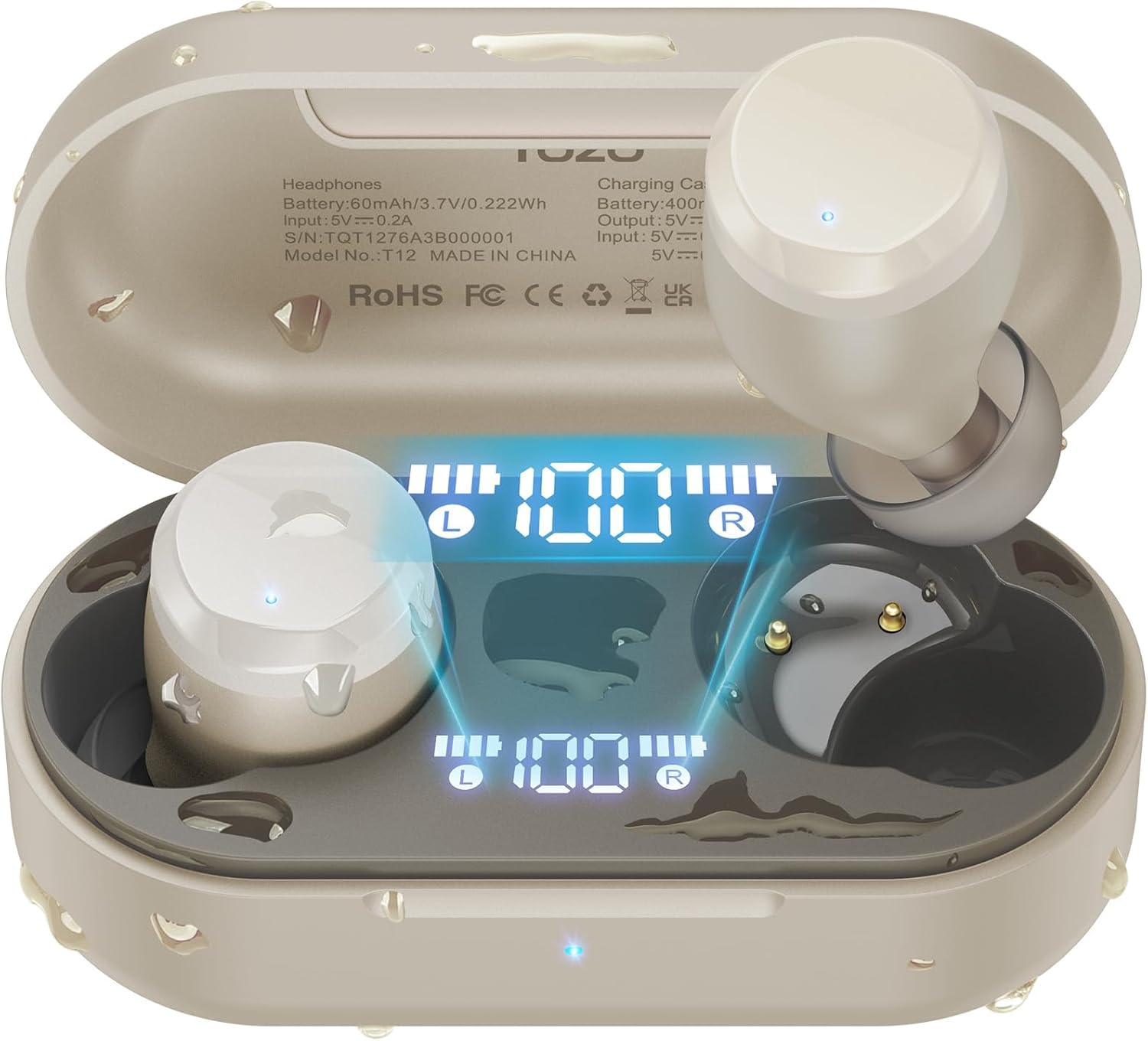
Figure 1: TOZO T12 Wireless Earbuds and Charging Case in Champkulur agne.
Display Diġitali LED
The charging case is equipped with a built-in LED digital display that provides real-time information on the battery status of both the charging case and the individual earbuds.

Figure 2: The LED digital display on the charging case shows battery levels for the case and each earbud.
Kwalità tal-Ħoss Mtejba
The T12 earbuds feature newly upgraded 10mm dynamic drivers, offering a 56.3% increase in vibration area compared to standard drivers. This design aims to deliver powerful bass and detailed sound reproduction.

Figure 3: Illustration of the 10mm dynamic driver with an enlarged diaphragm for improved sound.
Disinn li ma jgħaddix ilma minnu
With advanced IPX8 waterproofing, the TOZO T12 earbuds are protected against sweat and rain, making them suitable for various activities including outdoor exercise and swimming.

Figure 4: The earbuds are shown in water, highlighting their IPX8 waterproof rating.
Official Product Video: TOZO T12 Features
Vidjo 1: Dan il-vidjo jipprovdi aktar minnview of the TOZO T12 Wireless Earbuds, showcasing their design and key features such as sound quality and comfort.
Setup
Initial Pairing and Auto Reconnection
- Iftaħ il-kaxxa tal-iċċarġjar. Il-earbuds jidħlu awtomatikament fil-modalità ta' tqabbil.
- On your device (smartphone, tablet, etc.), go to Bluetooth settings and select "TOZO T12" from the list of available devices.
- Once paired, the earbuds will automatically reconnect to your device when the case is opened for subsequent uses.

Figura 5: Eżample of one-step pairing with a smartphone, showing the earbuds connected.
TOZO App Customization
Enhance your audio experience by downloading the official TOZO App. The app allows you to:
- Explore 16 preset EQ modes to match your music style.
- Customize the EQ settings to your personal preferences.
- Access white noise options for relaxation.

Figure 6: The TOZO App interface displaying various EQ settings and white noise tracks.
Istruzzjonijiet Operattivi
Touch Kontrolli
The TOZO T12 earbuds feature touch-sensitive controls for managing playback, calls, and voice assistants. Refer to the quick start guide included in the packaging for specific tap functions.
Iċċarġjar tal-Earbuds u l-Każ
The charging case provides up to 55 hours of total playtime with multiple charges, while the earbuds offer 15 hours on a single charge.
- Iċċarġjar USB-C: Qabbad il-kejbil USB-C provdut mal-port tal-iċċarġjar fuq il-kaxxa u ma' sors tal-enerġija.
- Iċċarġjar bla fili: Poġġi l-kaxxa tal-iċċarġjar fuq pad tal-iċċarġjar mingħajr fili kompatibbli (mhux inkluż).
Figure 7: The charging case supports both wireless and USB-C cable charging.
Official Product Video: TOZO T12 Unboxing and Features
Video 2: This video provides an unboxing experience and highlights various features of the TOZO T12 earbuds, including their design and functionality.
Manutenzjoni
Tindif
Regularly clean the earbuds and charging case to maintain optimal performance and hygiene. Use a soft, dry cloth to wipe surfaces. For the eartips, remove them and clean with a mild soap solution, then rinse and dry thoroughly before reattaching.
Reżistenza għall-Ilma
The IPX8 rating means the earbuds can withstand submersion in water up to 1 meter for 30 minutes. However, it is recommended to dry the earbuds completely before placing them back in the charging case to prevent damage to the charging contacts.
Issolvi l-problemi
- Il-earbuds mhux qed jitqabbdu: Ensure both earbuds are in the charging case, then open the lid. Check your device's Bluetooth settings to ensure "TOZO T12" is selected. If issues persist, try resetting the earbuds (refer to the quick start guide for specific reset instructions).
- Earbud wieħed mhux qed jaħdem: Poġġi ż-żewġ earbuds lura fil-kaxxa tal-iċċarġjar, agħlaq l-għatu, u mbagħad iftaħ mill-ġdid. Dan spiss jerġa' jissinkronizzahom.
- Kwistjonijiet tal-iċċarġjar: Ensure the USB-C cable is securely connected or the wireless charging pad is properly aligned. Clean the charging contacts on both the earbuds and the case.
- Kwalità tal-ħoss fqira: Ensure the eartips provide a good seal in your ear canal. Try different sized eartips for a better fit. Clean any debris from the earbud speakers.
Official Product Video: TOZO T12 Ergonomic Edition Overview
Vidjo 3: Dan il-vidjo jipprovdi aktar minnview of the TOZO T12 Ergonomic Edition, detailing its features and benefits for users.
Speċifikazzjonijiet
| Karatteristika | Speċifikazzjoni |
|---|---|
| Brand | TOZO |
| Numru tal-Mudell | T12 |
| Kulur | Champagne |
| Tqegħid tal-widnejn | Fil-widnejn |
| Teknoloġija tal-Konnettività | Wireless (Bluetooth) |
| Verżjoni Bluetooth | 5.3 |
| Medda Bluetooth | 10 Meters |
| Livell ta 'Reżistenza għall-Ilma | IPX8 Waterproof |
| Ħajja Medja tal-Batterija (Earbuds) | 15 Sigħat (ċarġ wieħed) |
| Battery Average Life (with Case) | 55 Sigħat |
| Ħin tal-Ħarġ tal-Batterija | 1.5 Sigħat |
| Kontroll tal-Ħoss | Call ENC Noise Cancelling Mic |
| Tip ta' Sewwieq Awdjo | Sewwieq Dinamika |
| Daqs tas-Sewwieq tal-Awdjo | 10 Millimetru |
| Metodu ta' Kontroll | App, Touch Control |
| Piż tal-Oġġett (Earbud) | 4.6 Grammi (kull wieħed) |
| Piż tal-Każ tal-Ġarr | 37 Gramm |
Garanzija u Appoġġ
TOZO products are covered by a manufacturer's warranty. For detailed warranty information, product support, or to contact customer service, please visit the official TOZO webis-sit jew irreferi għall-karta tal-garanzija inkluża fl-imballaġġ tal-prodott tiegħek.
Official TOZO Websit: www.tozostore.com


