
1. Introduzzjoni
Thank you for choosing the ILIFE V7s Plus Hybrid Robot Vacuum Cleaner. This manual provides essential information for the safe operation, maintenance, and troubleshooting of your device. Please read it thoroughly before using the robot and keep it for future reference.
The ILIFE V7s Plus is designed to provide efficient cleaning for various floor types, offering both vacuuming and mopping functionalities to keep your home spotless.
2. Istruzzjonijiet tas-Sigurtà
Biex tnaqqas ir-riskju ta' korriment jew ħsara, jekk jogħġbok osserva l-prekawzjonijiet ta' sigurtà li ġejjin:
- Read all instructions before operating the robot.
- Tħallix lit-tfal jilagħbu bir-robot. Issorvelja lit-tfal u l-annimali domestiċi meta r-robot ikun qed jaħdem.
- Use only the original power adapter and charging dock provided by ILIFE.
- Do not operate the robot in wet environments or near flammable materials.
- Kun żgur li r-robot ikun mitfi u skonnettjat qabel ma tagħmel xi manutenzjoni.
- Avoid using the robot on high-pile carpets or uneven surfaces.
- Żomm ix-xagħar, il-ħwejjeġ maħlula, is-swaba’, u l-partijiet kollha tal-ġisem 'il bogħod mill-fetħiet u mill-partijiet li jiċċaqilqu.
3. Prodott Aktarview
The ILIFE V7s Plus is equipped with advanced features for comprehensive cleaning.
3.1 Karatteristiċi ewlenin
- i-Dropping Technology: The water tank sprinkles water only when the V7s Plus is moving, minimizing water consumption for thorough wet cleaning. It stops dispensing water when the robot stops, preventing floor damage and mechanical overload.
- Smart Dustbin Detector: This technology alerts you if the dustbin is not installed correctly, preventing the robot from sucking dirt in and causing mechanical damage.
- Żewġ Modi ta' Tindif: The V7s Plus offers both vacuuming and mopping. Dirt and dust are extracted by a combination of brush and suction into the dustbin, while stains are removed by the microfiber mop cloth.
- Sensuri Intelliġenti: Equipped with intelligent sensors and a slim profile, the V7s Plus can clean under most furniture and effectively prevent falls from stairs or ledges.
- RoadRover Wheels: Designed to easily climb a 15-degree slope and navigate over most obstacles.
3.2 Komponenti

Stampa 3.2.1: The ILIFE V7s Plus robot vacuum, demonstrating its i-Dropping Technology with the water tank and microfiber mop cloth.

Stampa 3.2.2: A hand inserting the dustbin into the ILIFE V7s Plus, highlighting the smart dustbin detector feature.
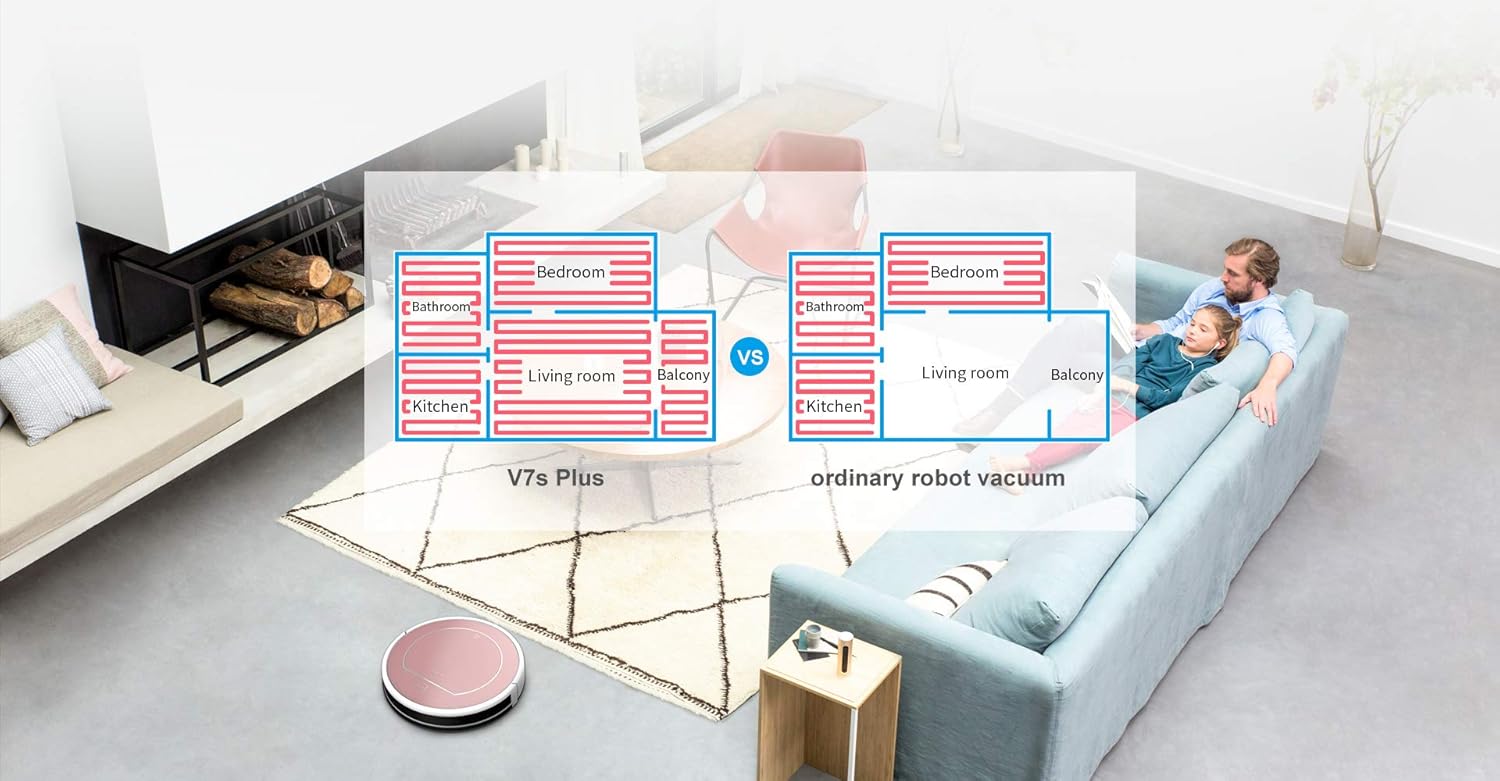
Stampa 3.2.3: The underside of the ILIFE V7s Plus, illustrating its two cleaning modes with the main brush, side brushes, dustbin, and water tank.

Stampa 3.2.4: The ILIFE V7s Plus navigating around furniture and avoiding stairs, showcasing its smart sensor capabilities.

Stampa 3.2.5: A dettaljata view of the ILIFE V7s Plus underside, highlighting the RoadRover wheels and the microfiber mop cloth for enhanced performance.
4. Setup
4.1 Disimballaġġ
- Neħħi bir-reqqa l-komponenti kollha mill-imballaġġ.
- Neħħi kwalunkwe film jew stiker protettiv mir-robot u mid-dock tal-iċċarġjar.
- Ensure all accessories are present: robot, charging dock, power adapter, remote control, cleaning tool, side brushes, dustbin, water tank, mop cloth.
4.2 Iċċarġjar tar-Robot
- Poġġi l-istazzjon tal-iċċarġjar ma' ħajt f'żona miftuħa, u kun żgur li ma jkun hemm l-ebda ostaklu f'distanza ta' metru mal-ġnub u metru u nofs minn quddiemek.
- Qabbad l-adapter tal-enerġija mad-dock tal-iċċarġjar u pplaggjah f'sokit tal-enerġija. Id-dawl indikatur fuq id-dock se jixgħel.
- Place the robot onto the charging dock, ensuring the charging contacts align. The robot will emit a sound, and the indicator light on the robot will flash, indicating it is charging.
- Fully charge the robot for at least 5-6 hours before first use.
4.3 Installazzjoni ta' Xkupilji tal-Ġenb
Agħfas il-pniezel tal-ġenb fuq il-pilastri fil-qiegħ tar-robot sakemm jidħlu f'posthom.
4.4 Tħejjija għat-Tindif
- Għall-vakwu: Ensure the dustbin is properly installed.
- For Mopping: Fill the water tank with clean water. Attach the mop cloth to the water tank. Insert the water tank assembly into the robot.
5. Istruzzjonijiet Operattivi
5.1 Tibda/Twaqqaf it-Tindif
- Tibda: Press the 'CLEAN' button on the robot or the remote control. The robot will begin cleaning in Auto mode.
- Biex Tieqaf: Press the 'CLEAN' button again or the 'Pause' button on the remote control.
- Biex Tieqaf: Press the 'CLEAN' button for 3 seconds or the 'Power' button on the remote control.
5.2 Modi tat-Tindif
The V7s Plus offers multiple cleaning modes:
- Modalità Awtomatika: The robot automatically cleans the area, adjusting its path based on obstacles and dirt levels.
- Modalità Spot: The robot cleans a specific area in a spiral pattern, ideal for concentrated dirt.
- Modalità Xifer: Ir-robot inaddaf tul il-ħitan u t-truf tal-għamara.
- Modalità tat-Tqaxxir: When the water tank is installed, the robot performs wet mopping.
5.3 Skedar
The robot can be scheduled to clean at a specific time each day. Refer to the remote control instructions for setting the current time and scheduling cleaning tasks.
5.4 Kontroll mill-Bogħod
Use the remote control to start/stop cleaning, select cleaning modes, direct the robot manually, and set schedules.
6. Manutenzjoni
Regular maintenance ensures optimal performance and extends the lifespan of your ILIFE V7s Plus.
6.1 Tbattil tal-landa taż-żibel
Empty the dustbin after each use. Press the release button to remove the dustbin, open its lid, and discard the collected debris.
6.2 Tindif tal-Filtri
Remove the primary filter and high-efficiency filter from the dustbin. Tap them gently to remove dust. Rinse the primary filter with water if necessary, but ensure it is completely dry before reinstallation. Do not wash the high-efficiency filter.
6.3 Tindif tat-Tank tal-Ilma u d-Drapp tal-Mopp
After mopping, remove the water tank. Empty any remaining water. Detach the mop cloth and wash it by hand or machine. Allow the mop cloth and water tank to air dry completely before reassembling.
6.4 Pniezel tat-tindif
- Xkupilji tal-ġenb: Periodically remove and clean hair and debris wrapped around the side brushes. Replace them if they are worn or damaged.
- Pinzell Prinċipali: Remove the main brush cover and then the main brush. Use the cleaning tool to cut and remove hair and debris.
6.5 Tindif tas-Sensuri
Wipe the anti-drop sensors (located on the bottom of the robot) and the bumper sensors (on the front bumper) with a clean, dry cloth to ensure proper function.
7 Issolvi l-problemi
If your ILIFE V7s Plus encounters an issue, refer to the following common problems and solutions:
- Ir-robot ma jixgħelx: Ensure the battery is charged. Check if the power switch is in the 'ON' position.
- Ir-robot ma jiċċarġjax: Verify the charging dock is powered on and the robot's charging contacts are aligned with the dock's contacts. Clean contacts if dirty.
- Ir-robot jeħel spiss: Clear obstacles from the cleaning path. Ensure the wheels are free of debris.
- Prestazzjoni fqira tat-tindif: Empty the dustbin, clean filters, main brush, and side brushes. Ensure the water tank is filled for mopping.
- Ir-robot jaqa’ mit-taraġ: Naddaf is-sensuri kontra l-waqgħa fuq il-qiegħ tar-robot.
- Storbju mhux tas-soltu: Check if the main brush or side brushes are entangled with hair or debris.
Jekk il-problema tippersisti, ikkuntattja l-appoġġ tal-klijent.
8. Speċifikazzjonijiet
Below are the technical specifications for the ILIFE V7s Plus:
| Brand | ILIFE |
| Mudell | V7s Plus |
| Rakkomandazzjoni tal-wiċċ | Hard floor, Carpet (thin) |
| Karatteristiċi Speċjali | Awtomatiku, Ħfief |
| Kulur | Deheb Rose |
| Tip ta' Kontrollur | Kontroll mill-bogħod |
| Iċċarġjar waħdu | Iva |
| Skedar | Iva |
| Anti-dropping off & Collision | Iva |
| Mopping imxarrab | Iva |
| Modi tat-Tindif | 4 modi |
| Dustbin Detection Technology | Iva |
| i-Dropping Technology | Iva |
| Ħin tax-Xogħol | 110-120 minuta |
| Floors Priority | Hardwood > Tile > Thin Carpet |
| Using Orientation | Vacuuming u Mopping |

Stampa 8.1: Feature comparison between ILIFE V7s and V7s Plus models.
9. Garanzija u Appoġġ
For warranty information, please refer to the warranty card included in your product packaging or consult the retailer from whom you purchased the ILIFE V7s Plus. For technical support or service inquiries, please contact ILIFE customer service through their official webis-sit jew l-informazzjoni ta' kuntatt ipprovduta fid-dokumentazzjoni tal-prodott tiegħek.


