
1. Introduzzjoni
This manual provides essential information for the proper setup, operation, and maintenance of your FEITIAN bR301-C45 BLE Bluetooth Smart Card Reader. This device is designed for secure ID authentication, e-payment, and access control applications, supporting various smart card types.
2. Informazzjoni dwar is-Sigurtà
- Tesponix l-apparat għal temperaturi estremi, umdità, jew dawl tax-xemx dirett.
- Evita li twaqqa’ jew tissuġġetta l-apparat għal impatti qawwija.
- Tippruvax tiżżarma jew timmodifika l-apparat. Dan jannulla l-garanzija.
- Uża biss il-kejbil tal-iċċarġjar ipprovdut jew rakkomandat.
- Żomm fejn ma jintlaħaqx mit-tfal.
3. Kontenut tal-Pakkett
Ivverifika li l-oġġetti kollha huma preżenti fil-pakkett tiegħek:
- FEITIAN bR301-C45 BLE Bluetooth Smart Card Reader
- USB Type-C to USB-A Charging/Data Cable
- Gwida ta' Bidu Mgħaġġel (mhux inkluża f'dan il-manwal)

Figura 3.1: Package contents including the bR301-C45 reader and USB cable.
4. Prodott Aktarview
Familiarize yourself with the components of your smart card reader.

Figura 4.1: Quddiem view of the bR301-C45 reader, showing the card insertion slot and FEITIAN logo.

Figura 4.2: Lura view of the bR301-C45 reader, displaying regulatory compliance marks (RoHS, CE, FC) and Bluetooth logo.
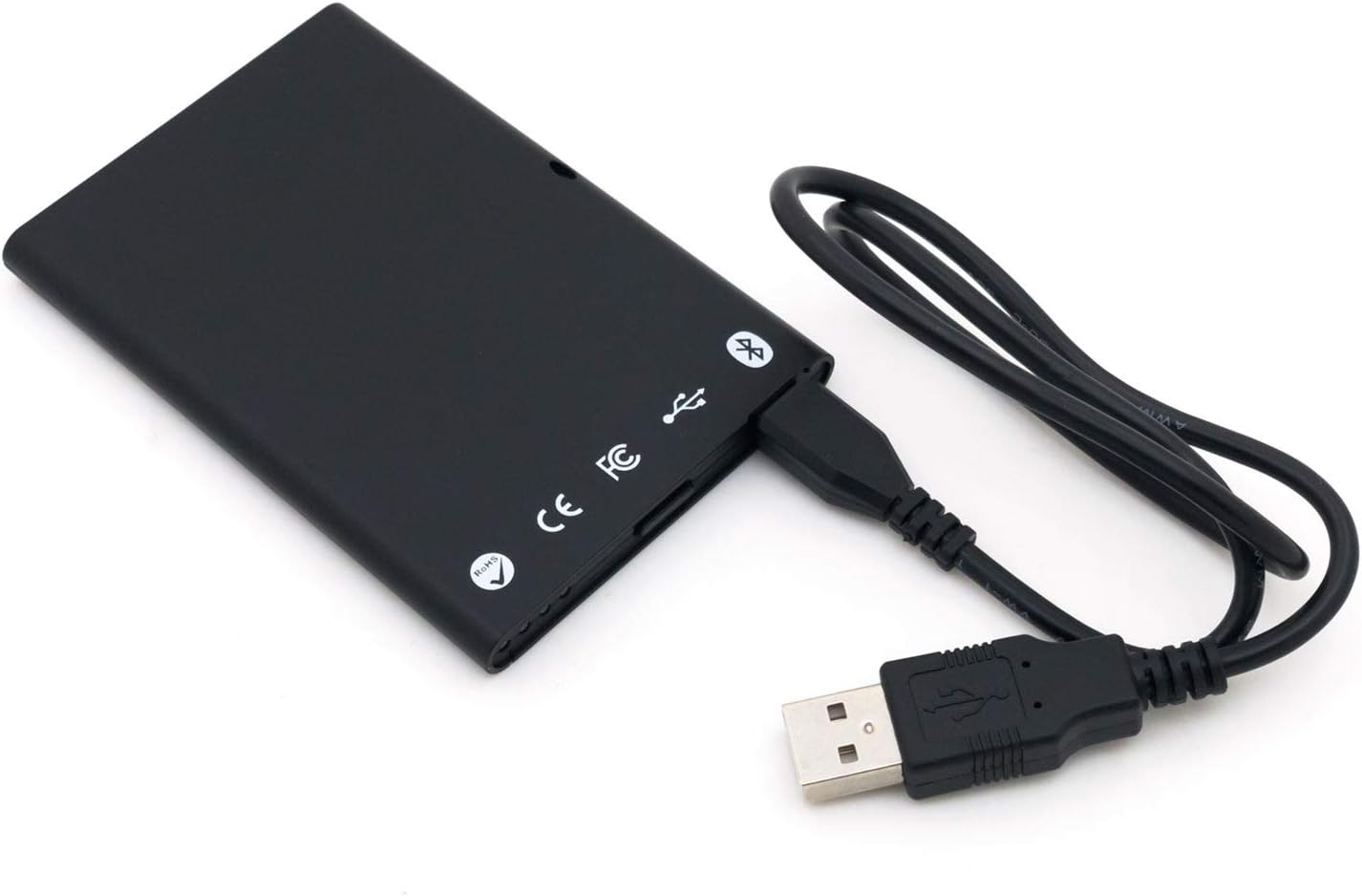
Figura 4.3: The bR301-C45 reader connected to a USB cable, illustrating the USB-C port location.
5. Setup
5.1 Iċċarġjar tal-Apparat
The bR301-C45 reader includes a 350mAh Li-Ion battery. Before initial use, or if the battery is low, charge the device using the provided USB cable.
- Connect the USB Type-C end of the cable to the reader's port.
- Connect the USB-A end of the cable to a powered USB port on a computer or a USB wall adapter.
- The device will indicate charging status (e.g., an LED indicator, refer to specific product documentation for LED behavior).
5.2 USB Connection (Plug and Play)
For direct connection to a computer, the bR301-C45 supports plug-and-play functionality, requiring no additional drivers for basic operation.
- Ensure the reader is charged or connected to a power source.
- Connect the USB Type-C end of the cable to the reader.
- Qabbad it-tarf USB-A tal-kejbil ma' port USB disponibbli fuq il-kompjuter tiegħek.
- Your operating system should automatically detect and configure the device.
5.3 Bluetooth (BLE) Connection
The bR301-C45 can connect wirelessly via Bluetooth Low Energy (BLE) to compatible devices.
- Ensure the reader is sufficiently charged.
- Activate Bluetooth on your host device (e.g., smartphone, tablet, computer).
- Put the bR301-C45 into pairing mode (refer to specific product documentation for button presses or indicators).
- Fittex għal available Bluetooth devices on your host device.
- Select "FEITIAN bR301-C45" or a similar identifier from the list and complete the pairing process.
Nota: For certain applications, especially those involving government CAC or PIV cards, specific software or utilities (e.g., "Smart Card Utility") may be required on your host device. These applications may involve additional licensing or configuration steps not covered in this general manual. Consult the software provider's documentation for details.
6. It-tħaddim tal-Apparat
6.1 Daħħal Smart Card
- Identify the correct orientation for your smart card. Typically, the chip on the card faces upwards and is inserted into the reader.
- Gently slide the smart card into the card slot until it is fully seated. Do not force the card.
- The reader or associated software will indicate successful card detection.
6.2 Removing a Smart Card
To remove a smart card, gently pull it out from the slot. Ensure no active operations are being performed with the card before removal to prevent data corruption.
6.3 L-użu ma' applikazzjonijiet
Once connected and a smart card is inserted, the bR301-C45 reader facilitates secure communication between the smart card and your application. This includes:
- Secure ID Authentication: For logging into systems or verifying identity.
- E-Payment: For secure transactions.
- Kontroll tal-Aċċess: For gaining access to restricted areas or digital resources.
The specific steps for using the reader will depend on the application you are using. Refer to the documentation for your specific software or service.
7. Manutenzjoni
7.1 Tindif
To clean the device, use a soft, dry, lint-free cloth. Do not use liquid cleaners, aerosols, or solvents, as these can damage the device.
7.2 Kura tal-Batterija
- Evita li tiċċarġja l-batterija kompletament ta' spiss.
- Aħżen l-apparat f'post frisk u niexef meta ma jkunx qed jintuża għal perjodi twal.
- Charge the device periodically if stored for a long time to maintain battery health.
8 Issolvi l-problemi
- Device not recognized via USB:
- Ipprova port USB differenti.
- Kun żgur li l-kejbil tal-USB huwa konness sew miż-żewġt itruf.
- Ibda mill-ġdid il-kompjuter tiegħek.
- Problemi ta' tqabbil bil-Bluetooth:
- Ensure the reader is in pairing mode.
- Check that Bluetooth is enabled on your host device.
- Move the reader closer to the host device.
- Remove previous pairings and try again.
- Smart card not detected:
- Ensure the smart card is inserted correctly and fully seated.
- Check if the smart card is damaged or dirty.
- Verify that the necessary software/drivers are installed and configured on your computer for the specific smart card type.
- Il-batterija mhix qed tiċċarġja:
- Ensure the USB cable is functional and properly connected.
- Ipprova sors ta' enerġija USB differenti.
- Jekk il-problema tippersisti, ikkuntattja l-appoġġ.
9. Speċifikazzjonijiet
| Karatteristika | Dettall |
|---|---|
| Numru tal-Mudell | bR301 C45 |
| Konnettività | USB Type C, Bluetooth Low Energy (BLE) |
| Tipi ta 'Kard Appoġġjati | 1.8V, 3V, and 5V smart cards |
| Batterija | 350mAh Li-Ion (inkluża) |
| Kompatibilità tas-Sistema Operattiva | All operating systems (Plug & Play for USB) |
| Dimensjonijiet (LxWxH) | 3.66 x 2.09 x 0.31 pulzieri |
| Piż | 1.27 uqija |
| Kulur | Iswed |
10. Informazzjoni dwar Garanzija
FEITIAN products typically come with a limited warranty. For specific warranty terms and conditions, please refer to the warranty card included with your product or visit the official FEITIAN websit. Żomm il-prova tax-xiri tiegħek għal talbiet ta' garanzija.
11. Appoġġ
For further assistance, technical support, or to download the latest drivers and software, please visit the official FEITIAN websit:
You may also contact FEITIAN customer service through the contact information provided on their websit.