
Introduzzjoni
This manual provides detailed instructions for the installation, operation, and maintenance of your NEC SL2100 IP7WW-12TXH-B1 12-Button Display Speaker Telephone. Please read this manual thoroughly before using the telephone to ensure proper functionality and to prevent damage.
Informazzjoni dwar is-Sigurtà
Dejjem segwi l-prekawzjonijiet bażiċi ta' sigurtà meta tuża dan il-prodott biex tnaqqas ir-riskju ta' nar, xokk elettriku, u korriment lil persuni.
- Tużax dan il-prodott ħdejn l-ilma, pereżempjuample, ħdejn bathtub, wash bowl, sink tal-kċina, jew tub tal-londri, f'kantina mxarrba, jew ħdejn pixxina.
- Avoid using the telephone during an electrical storm. There may be a remote risk of electric shock from lightning.
- Tużax it-telefon biex tirrapporta tnixxija tal-gass fil-viċinanza tat-tnixxija.
- Use only the power source specified in this manual or marked on the product. This telephone is powered by the phone system.
- Spluggja dan il-prodott mill-iżbokk tal-ħajt qabel it-tindif. Tużax tindif likwidu jew tindif aerosol. Uża adamp drapp għat-tindif.
Kontenut tal-Pakkett
Ivverifika li l-oġġetti kollha huma preżenti fil-pakkett:
- NEC SL2100 IP7WW-12TXH-B1 12-Button Display Speaker Telephone (Black)
- Handset
- Korda tal-idejn
- Base Stand (for desk or wall mounting)
- Ethernet Cable (if applicable for IP connection)
Prodott Overview
The NEC SL2100 IP7WW-12TXH-B1 is a corded 12-button display speaker telephone designed for use with NEC SL2100 systems. It features a clear display for call information and menu navigation, a built-in speakerphone for hands-free communication, and 12 programmable function keys.
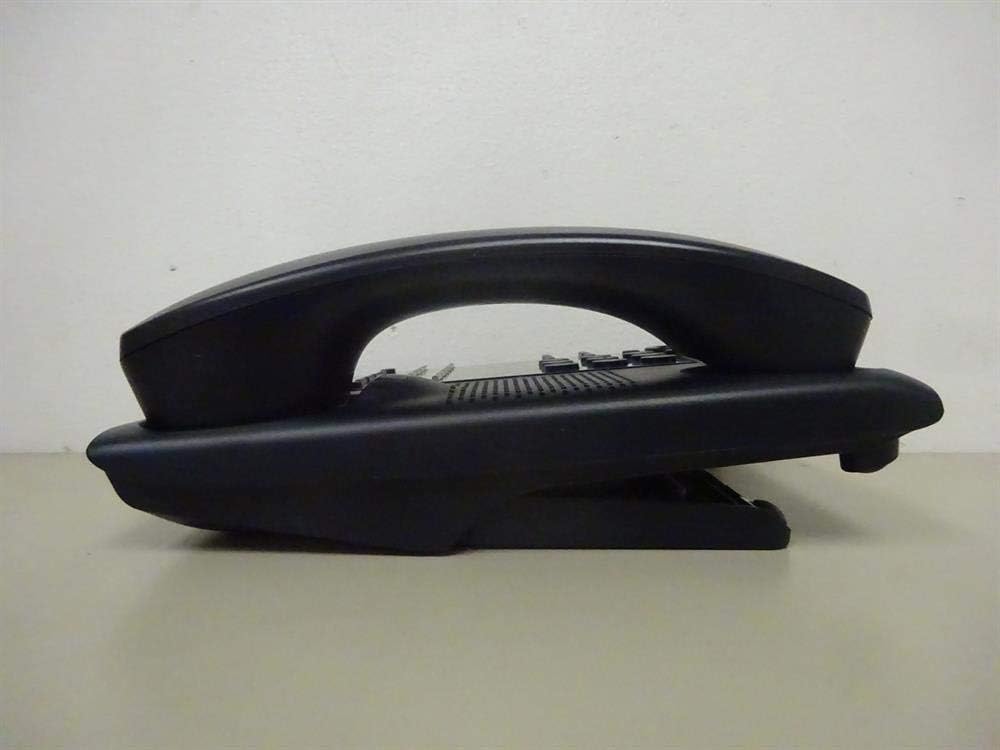
Figura 1: Ġenb view of the NEC SL2100 IP7WW-12TXH-B1 telephone, showing the ergonomic design of the handset and base unit.

Figura 2: Wara view of the telephone, illustrating the various connection ports for the handset and network, as well as the integrated wall-mounting slots.
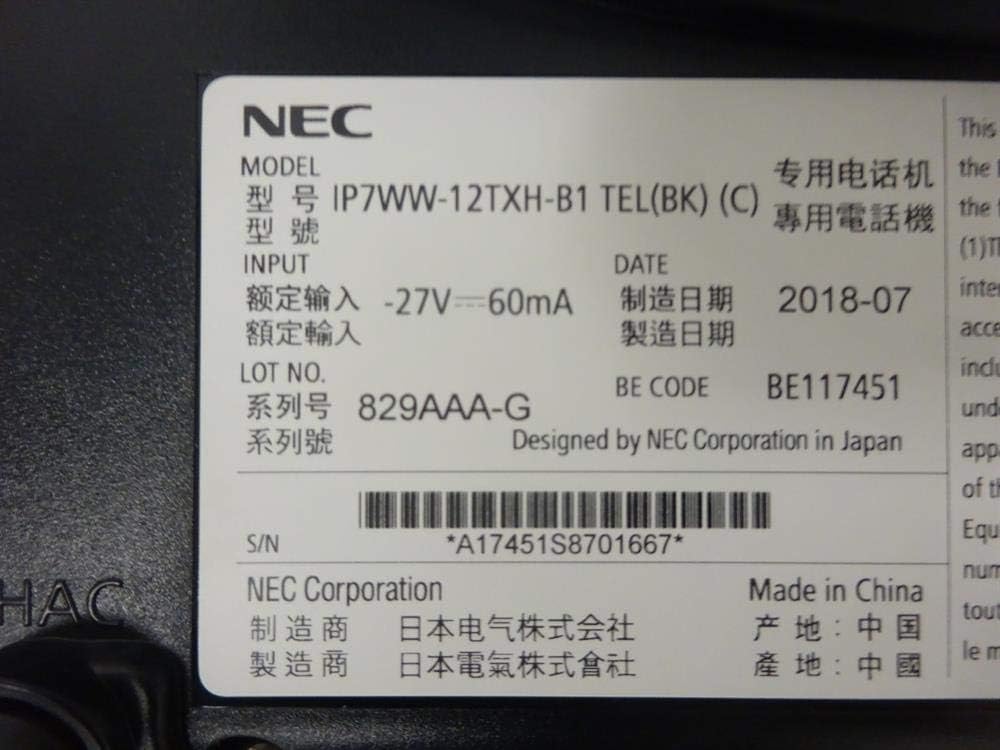
Figura 3: Close-up of the product label, displaying model number IP7WW-12TXH-B1, input specifications, and manufacturer details.
Setup
1. Assembling the Telephone
- Waħħal l-Istand tal-Bażi: Align the base stand with the slots on the bottom of the telephone. Slide it into place until it clicks securely. The stand can be adjusted for different viewing angles or reversed for wall mounting.
- Qabbad il-Handset: Plug one end of the coiled handset cord into the handset and the other end into the designated port on the side of the telephone base.
2. Konnessjoni mas-Sistema
This telephone is designed to connect to an NEC SL2100 system. Ensure your SL2100 system is properly installed and configured.
- Qabbad il-Kejbil tan-Netwerk: Plug one end of an Ethernet cable into the LAN port on the back of the telephone. Plug the other end into an available port on your NEC SL2100 system or a network switch connected to the system.
- Qawwa Mixgħul: The telephone receives power directly from the NEC SL2100 system (Power over Ethernet - PoE) or via a separate power adapter (not included, if PoE is not available). Once connected, the telephone should power on automatically.
- Konfigurazzjoni Inizjali: The telephone will typically register with the SL2100 system automatically. If prompted, follow the on-screen instructions or consult your system administrator for specific extension number assignment or network settings.
Istruzzjonijiet Operattivi
Nagħmlu Sejħiet
- Erfa' l-idejn: Erfa' l-idejn u isma' għal ton ta' dial.
- Ċempel Numru: Ċempel in-numru tat-telefon mixtieq billi tuża t-tastiera.
- Speakerphone: Agħfas il- Kelliem button to activate the speakerphone, then dial the number.
Jirċievu Sejħiet
- Erfa' l-idejn: When the telephone rings, lift the handset to answer.
- Speakerphone: Agħfas il- Kelliem button to answer the call hands-free.
Uża l-Display
The display shows call information, menu options, and system status. Use the navigation buttons (usually arrow keys) to scroll through menus and the DĦUL or AGĦŻEL buttuna biex tikkonferma l-għażliet.
Programmable Function Keys (12 Buttons)
The 12 buttons on the telephone can be programmed for various functions such as speed dial, line access, feature activation, or direct station selection. Consult your system administrator for the specific programming of these keys.
Sejħiet ta' Konferenza
The telephone supports 3-way conference calls. To initiate a conference call:
- Stabbilixxi telefonata mal-ewwel parti.
- Agħfas il- KONF (Conference) button or the designated programmable key. The first party will be put on hold.
- Ċempel in-numru tat-tieni persuna.
- Once connected to the second party, press the KONF button again to join all three parties.
ID ta' min iċempel
When an incoming call is received, the caller's information (name and number, if available) will be displayed on the screen.
Operazzjoni b'ħafna linji
This telephone supports multi-line operation, allowing you to manage multiple calls simultaneously. Use the designated line keys or programmable keys to switch between active lines or place calls on hold.
Manutenzjoni
Tindif
To clean the telephone, unplug it from the network connection. Use a soft, slightly damp cloth. Do not use harsh chemicals, abrasive cleaners, or excessive moisture. Avoid spraying cleaners directly onto the telephone.
Ħażna
If storing the telephone for an extended period, ensure it is clean and dry. Store it in a cool, dry place away from direct sunlight and extreme temperatures.
Issolvi l-problemi
- Ebda Ton tal-Dial:
- Check all cable connections, especially the network cable to the SL2100 system.
- Ensure the SL2100 system is powered on and functioning correctly.
- If using a separate power adapter (not PoE), ensure it is properly connected and receiving power.
- Wiri Mhux Taħdem:
- Verify the telephone is receiving power.
- Try disconnecting and reconnecting the network cable.
- Ma nistax nagħmel/nirċievi telefonati:
- Iċċekkja għat-ton tal-arloġġ.
- Ensure the telephone is properly registered with the SL2100 system.
- Contact your system administrator to verify line assignments and system status.
- Kwalità tal-Awdjo Fqira:
- Iċċekkja l-konnessjonijiet tal-kejbil tat-telefon u tan-netwerk.
- Kun żgur li ma jkun hemm l-ebda interferenza minn apparati elettroniċi oħra.
- Test with another telephone if possible to isolate the issue.
Speċifikazzjonijiet
| Karatteristika | Speċifikazzjoni |
|---|---|
| Brand | NEC |
| Numru tal-Mudell | IP7WW-12TXH-B1 (Mfr Part Number: BE117451) |
| Kulur | Iswed |
| Tip tat-Telefon | Corded |
| Materjal | Plastik |
| Sors tal-Enerġija | Phone System (PoE compatible) |
| Tip ta' Dialer | Tastiera Unika |
| Dimensjonijiet tal-oġġett (L x W x H) | 15 x 12 x 6 pulzieri |
| Tip ta' Sistema ta' Tweġiba | Digital (System Dependent) |
| Apparati Kompatibbli | NEC SL2100 Systems, NEC SL2100 IP7WW-082U-B1 8 Port Digital Station Card |
| Kapaċità ta' Sejħa ta' Konferenza | 3-mod |
| Operazzjoni b'ħafna linji | Iva |
| ID ta' min iċempel | Iva |
Garanzija u Appoġġ
For warranty information, please refer to the documentation provided with your NEC SL2100 system or contact your NEC authorized dealer. For technical support, please contact your system administrator or NEC customer service.
Korporazzjoni NEC
For further assistance, please visit the official NEC website or contact your local support representative.