
1. Prodott Aktarview
The Elecom M-FBL01DBXSBK is a 5-button wireless mouse designed for comfortable and quiet operation. It features a Blue LED sensor for versatile surface compatibility and a compact USB receiver.

Image 1.1: Elecom M-FBL01DBXSBK Wireless Mouse with its compact USB receiver.
2. Kontenut tal-Pakkett
- Elecom M-FBL01DBXSBK Wireless Mouse
- Riċevitur Wireless USB
- AA Alkaline Battery (for operation confirmation)
- Manwal għall-Utent (dan id-dokument)
3. Istruzzjonijiet ta' Setup
3.1. Installazzjoni tal-batterija
- Sib l-għatu tal-kompartiment tal-batterija fuq in-naħa ta’ taħt tal-maws.
- Żerżaq jew erfa' l-għatu biex tiftaħ il-kompartiment.
- Insert one AA alkaline battery, ensuring the positive (+) and negative (-) terminals align correctly with the markings inside the compartment.
- Agħlaq l-għatu tal-kompartiment tal-batterija sew.

Image 3.1: The underside of the mouse, indicating the battery compartment and power switch.
3.2. Konnessjoni tar-Riċevitur USB
- Remove the compact USB receiver from its storage slot on the underside of the mouse.
- Ipplaggja r-riċevitur USB f'port USB-A disponibbli fuq il-kompjuter tiegħek.
- Il-kompjuter tiegħek għandu jiskopri u jinstalla awtomatikament id-drajvers meħtieġa. Dan jista' jieħu ftit mumenti.
3.3. Tixgħel il-Maws
After installing the battery and connecting the receiver, locate the power switch on the underside of the mouse and slide it to the 'ON' position. The mouse is now ready for use.
3.4. OS Compatibility
The Elecom M-FBL01DBXSBK Wireless Mouse is compatible with:
- Windows 11, Windows 10, Windows RT8.1, Windows 8.1, Windows 7, Windows Vista
- macOS High Sierra 10.13 u wara
Ensure your operating system is updated to the latest version and any service packs are installed for optimal performance.
4. It-Tħaddim tal-Maws
4.1. Funzjonijiet Bażiċi
The mouse features five buttons and a scroll wheel:
- Buttuna tax-Xellug: Funzjoni tal-ikklikkja primarja.
- Buttuna tal-lemin: Secondary click function (context menu).
- Scroll Wheel: Skrollja dokumenti u web pages vertically. Can also be pressed for a middle-click function.
- Buttuna 'l quddiem: Jinnaviga 'l quddiem ġewwa web browsers jew file esploraturi.
- Buttuna Lura: Jinnaviga lura ġewwa web browsers jew file esploraturi.

Image 4.1: The five buttons of the Elecom M-FBL01DBXSBK mouse, including the scroll wheel.
4.2. Quiet Click Feature
All five buttons incorporate a silent switch mechanism, significantly reducing clicking noise. This allows for quiet operation in various environments.

Image 4.2: The silent switch design minimizes operational noise.
4.3. Blue LED Sensor
The mouse is equipped with a Blue LED optical sensor, which provides accurate tracking on a variety of surfaces, including those with slight unevenness or dust. This enhances usability in diverse settings.

Image 4.3: The Blue LED sensor allows for comfortable use on various surfaces.
4.4. Konnettività bla fili
The mouse utilizes a 2.4 GHz wireless band for stable communication. The effective radio distance is approximately 3 meters (9.8 feet) on magnetic surfaces (e.g., steel desks) and up to 10 meters (32.8 feet) on non-magnetic surfaces (e.g., wooden desks).
4.5. Indikatur tal-batterija
An integrated battery indicator light notifies you when the battery level is low, signaling that a replacement is needed.
4.6. Elecom Mouse Assistant Software
Button functions can be customized using the free downloadable Elecom Mouse Assistant software. This allows users to reassign functions to the mouse buttons for improved workflow efficiency.
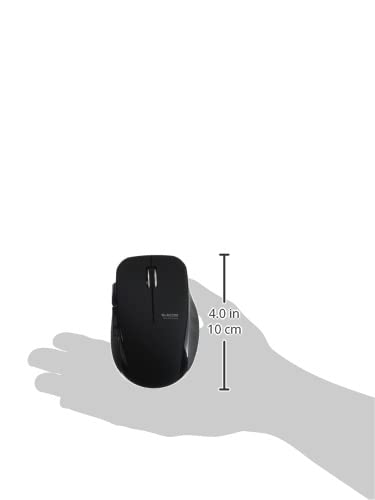
Image 4.4: The Elecom Mouse Assistant software enables button customization.
5. Manutenzjoni
5.1. Sostituzzjoni tal-batterija
When the battery indicator signals low power, replace the AA battery with a new AA alkaline, manganese, or NiMH battery. Follow the battery installation steps outlined in Section 3.1.
5.2. Tindif
To clean the mouse, gently wipe its surface with a soft, dry cloth. Avoid using harsh chemicals or abrasive materials, as these can damage the finish. Ensure no liquid enters the mouse.
5.3. Receiver Storage
The USB receiver can be stored inside the mouse body when not in use or during transport. This helps prevent loss of the receiver.
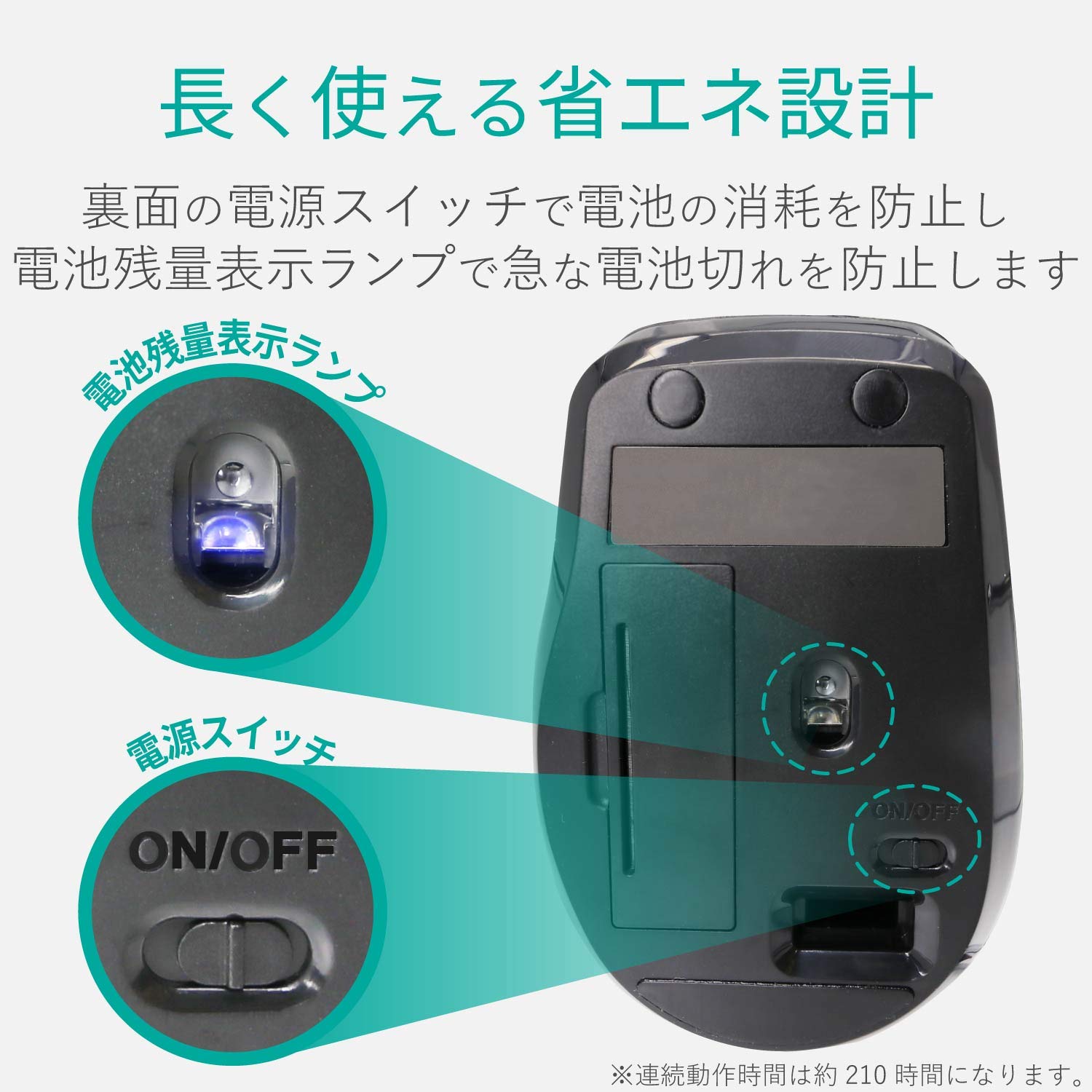
Image 5.1: The compact receiver can be stored within the mouse for convenience.
6 Issolvi l-problemi
- Il-maws ma jirrispondix:
- Check if the mouse is powered on (power switch on the underside).
- Kun żgur li l-batterija hija installata sew u mhux eżawrita. Ibdel jekk meħtieġ.
- Iċċekkja li r-riċevitur tal-USB huwa mdaħħal sew f'port USB li jaħdem fuq il-kompjuter tiegħek. Ipprova port USB ieħor.
- Ibda mill-ġdid il-kompjuter tiegħek.
- Moviment erratiku tal-cursor:
- Clean the optical sensor area on the underside of the mouse.
- Kun żgur li qed tuża l-maws fuq wiċċ adattat. Evita uċuħ li jirriflettu ħafna jew trasparenti.
- Check for interference from other wireless devices. Move the mouse closer to the receiver.
- Il-buttuni ma jaħdmux sew:
- If using Elecom Mouse Assistant, ensure button assignments are correct.
- Reinstall the Elecom Mouse Assistant software if issues persist.
7. Speċifikazzjonijiet
| Interface | USB |
| Forma tal-Konnettur | USB-A Male |
| OS kompatibbli | Windows 11, 10, RT8.1, 8.1, 7, Vista; macOS High Sierra 10.13+ |
| Riżoluzzjoni | 1600 għadd |
| Metodu ta' Komunikazzjoni | Metodu GFSK |
| Frekwenza tar-Radju | Faxxa ta '2.4GHz |
| Radio Distance | Magnetic objects: 3m (9.8 ft); Non-magnetic objects: 10m (32.8 ft) |
| Metodu tal-Qari | Sistema tas-sensorju ottiku (LED Blu) |
| Numru ta' Buttuni | 5 (including wheel button) |
| Numru ta 'Roti | 1 |
| Ħażna tar-Riċevitur | Iva |
| Ħin ta' Operazzjoni Kontinwu | Appross. 210 sigħat |
| Ħin ta' Standby | Appross. 1666 ijiem |
| Estimated Battery Usage Time | Appross. 478 ijiem |
| Provvista tal-Enerġija (Unità Prinċipali) | 1 AA alkaline, manganese, or NiMH battery |
| Vol ikklassifikattage (Body) | 1.5V |
| Kulur | Iswed |
| Weight (Mouse) | Appross. 62g (mingħajr batterija) |
| Dimensjonijiet Esterni (Riċevitur) | 14.5 x 18.0 x 6.3 mm |
| Piż (Riċevitur) | Appross. 2g |
8. Garanzija u Appoġġ
8.1. Perjodu ta 'Garanzija
Dan il-prodott jiġi b'garanzija ta' 6-il xahar mid-data tax-xiri.
8.2. Product Inquiries
For product inquiries or technical support, please contact the Elecom General Information Center:
- TEL: 0570-084-465
- FAX: 0570-050-012
- Ħin tar-Riċeviment: 10:00 - 19:00 (24/7)