
1. Introduzzjoni
This manual provides detailed instructions for the assembly, operation, and maintenance of your FLEXISPOT Electric Sit Stand Desk Base. Designed for a DIY desktop workstation, this adjustable desk frame offers flexibility and ergonomic benefits for both home and office environments. It includes an integrated power strip and a cable management tray to enhance your workspace efficiency and organization.

This image displays the assembled FLEXISPOT standing desk frame within a modern office environment, showcasing its sleek design and how it fits into a professional workspace.
2. Informazzjoni Importanti dwar is-Sigurtà
Please read and understand all safety instructions before assembly and operation to prevent injury or damage to the product.
- Dejjem segwi l-istruzzjonijiet tal-assemblaġġ ipprovduti.
- Żomm l-iskrivanija 'l bogħod mill-ilma u mis-sorsi tas-sħana.
- Do not use the desk if the cord is damaged.
- Always use the desk within its weight limit.
- Keep the desk away from children and pets when in use.
3. Kontenut tal-Pakkett
Ivverifika li l-komponenti kollha huma preżenti qabel tibda l-assemblaġġ. Jekk xi partijiet huma neqsin jew bil-ħsara, jekk jogħġbok ikkuntattja l-appoġġ għall-klijenti ta' FLEXISPOT.

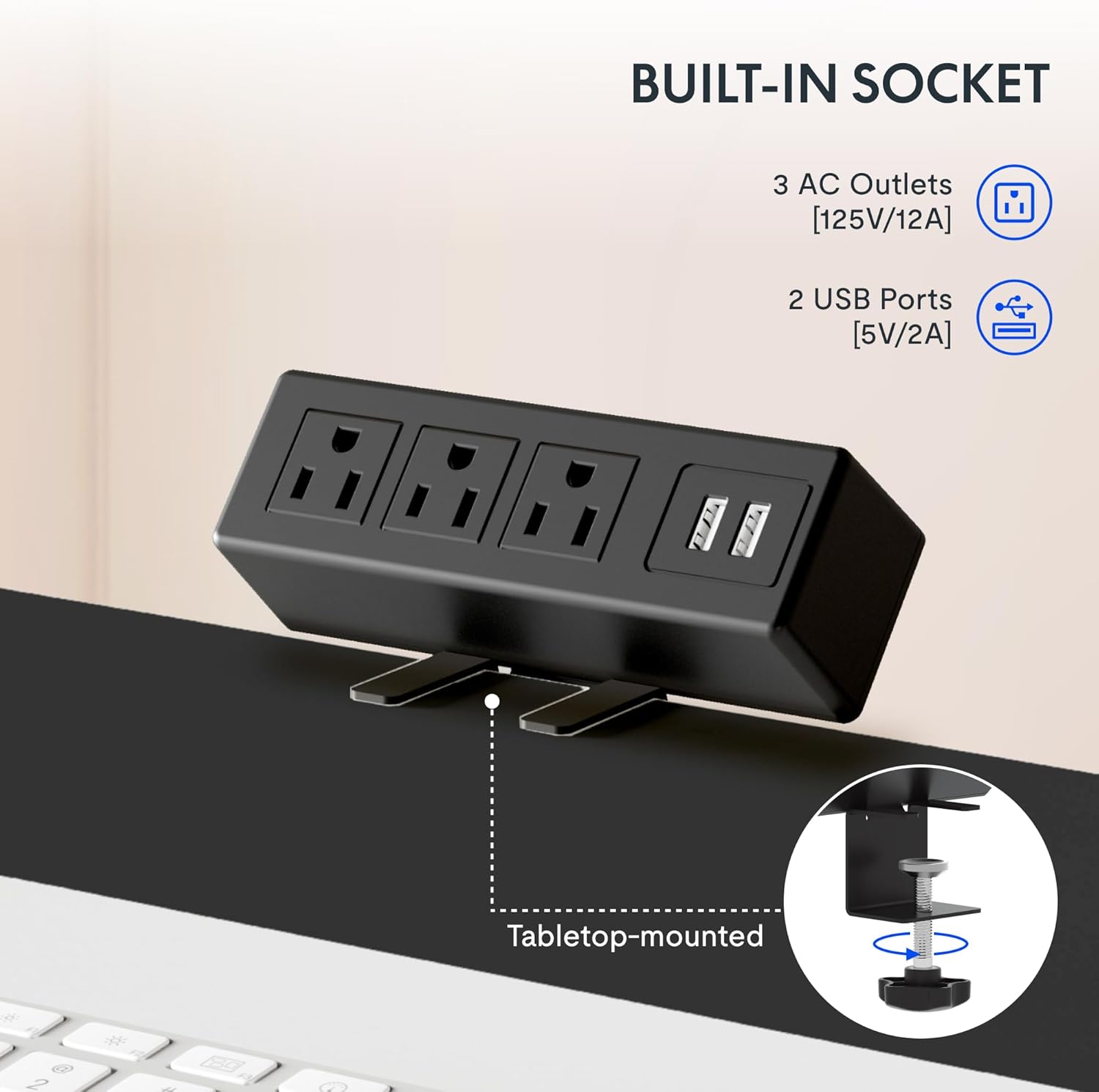
Din l-immaġni tipprovdi close-up view tal-clamp-on power strip, highlighting its three AC outlets and two USB ports, designed for convenient tabletop mounting.
Lista ta' Komponenti:
- Adjustable Desk Legs (2)
- Crossbar/Frame Support
- Control Panel with Memory Functions
- Clamp Power Strip (3 AC outlets, 2 USB ports)
- Trej tal-Immaniġġjar tal-Kejbils
- Mounting Hardware and Tools (as provided)
- Cable Clips/Ties
4. Setup u Assemblea
Assembly of the FLEXISPOT desk frame is designed to be straightforward and typically takes less than 30 minutes. Follow these steps carefully.
4.1 Prepare Your Workspace
Clear an area large enough to assemble the desk frame. Ensure you have all components and the provided tools readily available.
4.2 Arma l-Qafas
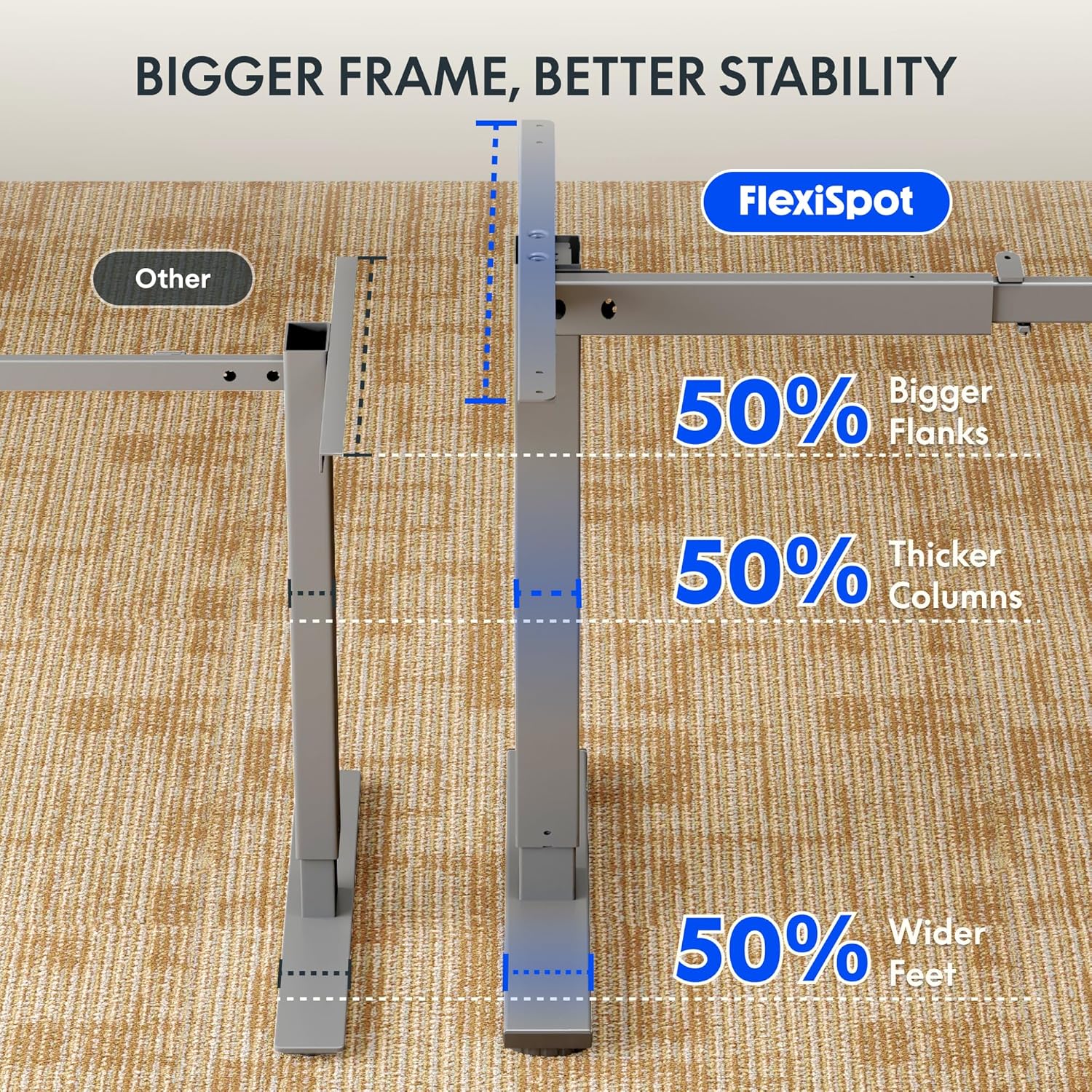
Attach the adjustable desk legs to the crossbar according to the detailed instructions in the included assembly guide. Ensure all screws are tightened securely.
4.3 Attach Your Desktop
The frame is compatible with various desktop sizes. Recommended desktop sizes are a width of 39.3" to 63" and a depth of 19.7" to 31.5". Secure your chosen desktop to the assembled frame using appropriate screws (may not be included with frame only purchase).

This diagram illustrates the recommended dimensions for a desktop panel to be used with the FLEXISPOT desk frame, ensuring proper fit and stability.
4.4 Install Power Strip and Cable Management
Waħħal il-clamp power strip to the edge of your desktop for easy access to power outlets. Install the cable management tray and use the provided cable clips to organize and conceal your cords, maintaining a clean and clutter-free workspace.

Din l-immaġni tipprovdi close-up view tal-clamp-on power strip, highlighting its three AC outlets and two USB ports, designed for convenient tabletop mounting.
This side-by-side comparison demonstrates the significant improvement in desk organization achieved by utilizing the integrated cable management tray, transforming a cluttered setup into a tidy workspace.
5. Istruzzjonijiet Operattivi
Your FLEXISPOT desk frame features an electric height adjustment system with a memory controller for personalized comfort.
5.1 Aġġustament tal-Għoli
Use the up (▲) and down (▼) arrow buttons on the control panel to smoothly raise or lower the desk to your desired height. The adjustable height range is 28.1'' to 45.7''.

This visual demonstrates the extensive height adjustment capabilities of the desk, showing its minimum height of 28.1 inches and maximum height of 45.7 inches, allowing for versatile use.
5.2 L-Użu tal-Presets tal-Memorja
The control panel allows you to save up to four preferred height settings. To save a height, adjust the desk to the desired level, then press and hold one of the numbered memory buttons (1, 2, 3, or 4) until the display confirms the setting is saved. To recall a saved height, simply press the corresponding numbered button.
This detailed image highlights the desk's control panel, featuring a digital display, up/down adjustment buttons, and four memory preset buttons for convenient height recall.
5.3 Prodott Fuqview Video
Għal viżwali fuqview of the FLEXISPOT desk and its features, please watch the official product video below.
Dan il-filmat jipprovdi ħarsa ġenerali lejnview of FlexiSpot products, showcasing the ergonomic benefits and various uses of their adjustable desks in different settings. It demonstrates the smooth height adjustment and integrated features.
6. Manutenzjoni
To ensure the longevity and optimal performance of your FLEXISPOT Standing Desk Frame, follow these simple maintenance guidelines:
- Tindif: Wipe down the frame and control panel with a soft, damp drapp. Evita li tuża kimiċi ħarxa jew prodotti tat-tindif li joborxu li jistgħu jagħmlu ħsara lill-finitura.
- Ġestjoni tal-Kejbil: Periodically check and re-organize cables to prevent tangles and ensure smooth operation of the desk's height adjustment mechanism.
- Kura tal-Mutur: The motor is designed for maintenance-free operation. Avoid obstructing the movement of the legs during adjustment.
- Spezzjoni regolari: Occasionally check all screws and connections to ensure they remain tight. Re-tighten if necessary.
7 Issolvi l-problemi
If you encounter any issues with your FLEXISPOT Standing Desk Frame, refer to the following common troubleshooting tips:
| Problema | Kawża Possibbli | Soluzzjoni |
|---|---|---|
| L-iskrivanija ma tiċċaqlaqx jew ma tirrispondix għall-kontrolli. | Power cable disconnected; overload protection activated; motor error. | Check power connections. Unplug and re-plug the desk. Reduce weight on the desk. Refer to the specific error codes in your detailed manual if available. |
| L-iskrivanija tiċċaqlaq b'mod irregolari jew tagħmel ħsejjes mhux tas-soltu. | Konnessjonijiet laxki; distribuzzjoni irregolari tal-piż; ostruzzjoni. | Ensure all assembly screws are tight. Distribute weight evenly on the desktop. Check for any obstructions under or around the desk. |
| Il-presets tal-memorja mhux qed jaħdmu. | Proċedura ta' salvataġġ mhux korretta. | Ensure you press and hold the memory button until the setting is confirmed. Re-save your desired heights. |
Jekk il-problema tippersisti wara li tipprova dawn is-soluzzjonijiet, jekk jogħġbok ikkuntattja l-appoġġ għall-klijenti ta' FLEXISPOT għal aktar assistenza.
8. Speċifikazzjonijiet
Key technical specifications for the FLEXISPOT Standing Desk Frame (Model E1):
| Karatteristika | Dettall |
|---|---|
| Brand | FLEXISPOT |
| Numru tal-Mudell | E1 |
| Dimensjonijiet tal-Prodott (P x W x H) | 19.7"D x 63"W x 45.7"H (frame only, max extension) |
| Medda ta' Għoli Aġġustabbli | 28.1" (Min) - 45.7" (Max) |
| Wisa' Rakkomandata tad-Desktop | 39.3" sa 63" |
| Fond Rakkomandat tad-Desktop | 19.7" sa 31.5" |
| Materjal Bażi | Azzar Liga |
| Kulur | Griż |
| Rakkomandazzjoni tal-Piż Massimu | 70 Kilogrammi (madwar 154 lbs) |
| Karatteristiċi tal-Panew tal-Kontroll | Digital Display, Up/Down Adjustment, 4 Memory Presets |
| Faxxa tal-Qawwa | 3 Sokits tal-AC (125V/12A), 2 Portijiet USB (5V/2A) |
| Assemblea Meħtieġa | Iva |
| UPC | 855427008913 |
9. Garanzija u Appoġġ
FLEXISPOT stands behind the quality of its products. Your Standing Desk Frame is covered by the following warranty:
- Garanzija ta' sena: Covers the frame, motor, and other mechanisms.
- Garanzija ta' sena: Covers the controller, switch, and electronics.
For warranty claims, technical assistance, or any questions regarding your product, please visit the official FLEXISPOT website or contact their customer support directly. Please have your model number (E1) and proof of purchase ready when contacting support.