
1. Introduzzjoni
This user manual provides detailed instructions for the installation, configuration, and operation of the Tenda TEG1124P-24-250W Unmanaged Gigabit PoE Ethernet Switch. Please read this manual thoroughly before using the device to ensure proper setup and optimal performance. Keep this manual for future reference.
2. Prodott Aktarview
2.1 Karatteristiċi ewlenin
- 24 Gigabit Ethernet Ports (10/100/1000 Mbps)
- Power over Ethernet (PoE) support on all 24 ports
- Unmanaged switch for plug-and-play simplicity
- Total PoE power budget of 250 Watts
- Ċ tal-metall durabbliasing for robust performance
- Compatible with various PoE-powered devices such as IP cameras
2.2 Kontenut tal-Pakkett
- Tenda TEG1124P-24-250W Unmanaged Gigabit PoE Ethernet Switch
- Kit għall-Immuntar fuq ix-Xtillieri
- 4 Pads tas-saqajn
- Korda tal-Enerġija
- Gwida ta 'Installazzjoni Mgħaġġla
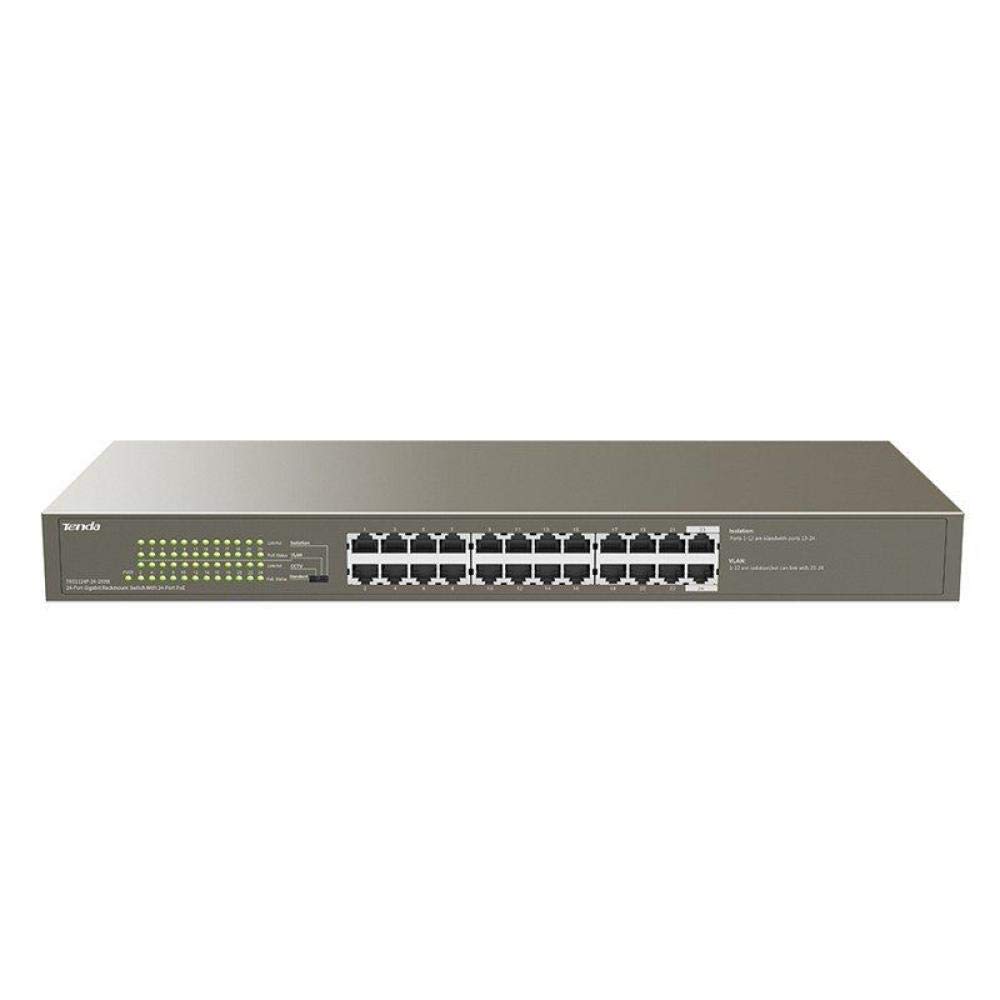
Figura 1: Quddiem view of the Tenda TEG1124P-24-250W Unmanaged Gigabit PoE Ethernet Switch, showing 24 RJ45 ports and LED indicators.
3. Setup
3.1 Installazzjoni Fiżika
The Tenda TEG1124P-24-250W switch can be installed on a desktop or mounted in a standard 19-inch equipment rack.
- Poġġiment fuq id-Desktop: Attach the included rubber foot pads to the bottom of the switch. Place the switch on a flat, stable surface with adequate ventilation.
- Immuntar fuq l-ixtilliera: Use the provided rack mount brackets and screws to secure the switch into a standard 19-inch equipment rack. Ensure proper airflow around the device.

Figure 2: Diagram illustrating the dimensions of the Tenda TEG1124P-24-250W switch: approximately 24.64 cm length, 16.51 cm width, and 2.79 cm height.
3.2 Apparat li jgħaqqad
- Konnessjoni tal-Enerġija: Connect the provided power cord to the power inlet on the rear panel of the switch and then to a suitable power outlet.
- Apparati tan-Netwerk: Connect your network devices (e.g., computers, servers, NVRs) to any of the 24 RJ45 ports using standard Ethernet cables.
- Apparat PoE: For Power over Ethernet (PoE) compatible devices (e.g., IP cameras, VoIP phones, wireless access points), connect them to any of the 24 RJ45 ports. The switch will automatically detect and provide power to these devices if they are PoE compliant and within the switch's power budget.
4. Istruzzjonijiet Operattivi
4.1 Tixgħel
After connecting the power cord, the switch will automatically power on. The Power LED indicator on the front panel should illuminate, indicating that the device is receiving power.
4.2 Indikaturi LED
Il-pannell ta’ quddiem tas-swiċċ għandu indikaturi LED biex jipprovdu informazzjoni dwar l-istatus:
- LED tal-qawwa: Jixgħel meta s-swiċċ ikun mixgħul.
- LEDs tal-Link/Act (għal kull port):
- Aħdar Solidu: Tiġi stabbilita konnessjoni stabbli tan-netwerk.
- Aħdar li jteptep: Id-dejta qed tiġi trażmessa jew riċevuta permezz tal-port.
- Mitfi: Ma ġiet skoperta l-ebda konnessjoni tan-netwerk.
- PoE Status LEDs (per port):
- Isfar Solidu: L-apparat konness qed jingħata enerġija PoE.
- Isfar iteptep: PoE power fault or overload detected.
- Mitfi: No PoE device connected or no power being supplied.
4.3 PoE Functionality
The TEG1124P-24-250W switch automatically detects and supplies power to IEEE 802.3af/at compliant Powered Devices (PDs) connected to its ports. It is an unmanaged switch, meaning no configuration is required for basic network and PoE operation. The total power budget for PoE is 250W. Ensure that the total power consumption of all connected PoE devices does not exceed this limit.
5. Manutenzjoni
To ensure the longevity and reliable operation of your Tenda switch, follow these maintenance guidelines:
- Tindif: Naddaf regolarment il-barra tas-swiċċ b'ċarruta ratba u niexfa. Tużax prodotti tat-tindif likwidi jew aerosol. Kun żgur li l-fetħiet tal-ventilazzjoni huma ħielsa mit-trab u l-ostruzzjonijiet.
- Ventilazzjoni: Ensure the switch is placed in a well-ventilated area to prevent overheating. Do not block the ventilation holes.
- Kundizzjonijiet Ambjentali: Operate the switch within the recommended temperature and humidity ranges specified in the product specifications.
- Ġestjoni tal-Kejbil: Żomm il-kejbils tan-netwerk organizzati u mwaħħlin sew biex tevita skonnessjonijiet aċċidentali jew ħsara.
6 Issolvi l-problemi
If you encounter issues with your Tenda TEG1124P-24-250W switch, refer to the following common problems and solutions:
- Ebda Qawwa:
- Kun żgur li l-korda tal-enerġija hija konnessa sew mas-swiċċ u ma' sokit tal-enerġija li jaħdem.
- Ivverifika li s-sokit tal-enerġija jaħdem billi tqabbad apparat ieħor.
- Check the Power LED on the front panel. If it is off, contact technical support.
- Ebda Konnettività man-Netwerk:
- Check the Link/Act LED for the connected port. If it is off, ensure the Ethernet cable is properly connected at both ends.
- Ipprova kejbil jew port Ethernet differenti.
- Verify that the connected device (e.g., computer, router) is powered on and functioning correctly.
- Apparat PoE Mhux Qed Jixgħel:
- Check the PoE Status LED for the connected port. If it is off, ensure the device is PoE compliant (IEEE 802.3af/at).
- If the PoE LED is flashing yellow, there might be a power fault or overload. Disconnect other PoE devices to reduce the total power load.
- Ensure the connected PoE device is not drawing more power than the switch can provide per port or exceeding the total 250W budget.
- Try connecting the PoE device to a different port.
7. Speċifikazzjonijiet
| Karatteristika | Deskrizzjoni |
|---|---|
| Isem tad-Ditta | Tenda |
| Numru tal-Mudell | TEG1124P-24-250W |
| Isem tat-Tip ta' Prodott | Swiċċ tan-Netwerk |
| Numru ta' Portijiet | 24 |
| Tip ta' Swiċċ | Unmanaged PoE |
| Rata ta' Trasferiment tad-Data | 1000 Mbps (Gigabit) |
| Interface tal-Utent | RJ45, PoE |
| Qawwa Massima tal-PoE | 250 Watts |
| Tip ta' Materjal tal-Kaxxa | Metall |
| Kulur | Griż |
| Apparati Kompatibbli | Kamera |
| Dimensjonijiet tal-Prodott (L x W x H) | 24.6 ċm x 16.5 ċm x 2.8 ċm |
| Piż tal-oġġett | 3434 gramma |
8. Garanzija u Appoġġ
For warranty information and technical support, please refer to the warranty card included with your product or visit the official Tenda website. You may also contact your local distributor or reseller for assistance.