Introduzzjoni
This manual provides essential instructions for the safe and efficient use of your AKG Y100 Wireless Bluetooth Earbuds. Please read this manual thoroughly before using the product and retain it for future reference.
The AKG Y100 earbuds are designed to deliver crisp, clean sound with the convenience of wireless connectivity. They feature a lightweight, ergonomic neckband and multi-point connectivity for seamless switching between devices.
Informazzjoni dwar is-Sigurtà
- Do not expose the earbuds to extreme temperatures, humidity, or corrosive environments.
- Evita li twaqqa’ l-earbuds jew li tissottomettihom għal impatti qawwija.
- Do not disassemble or attempt to repair the earbuds yourself. This may void the warranty and cause damage.
- Keep the earbuds away from children and pets.
- Uża biss il-kejbil tal-iċċarġjar provdut jew wieħed ekwivalenti ċċertifikat.
- Is-smigħ b'volum għoli għal perjodi twal jista' jikkawża ħsara fis-smigħ. Aġġusta l-volum għal livell sigur.
Kontenut tal-Pakkett
Ivverifika li l-oġġetti kollha huma preżenti fil-pakkett tal-prodott tiegħek:
- AKG Y100 Wireless Bluetooth Earbuds
- 3 Size ear tips (Small, Medium, Large)
- Kejbil għall-iċċarġjar mikro USB
- Kawża Protettiva
- Gwida ta' Bidu Mgħaġġel (mhux inkluża f'dan il-manwal diġitali)
Prodott Overview
Familiarize yourself with the components and controls of your AKG Y100 earbuds.
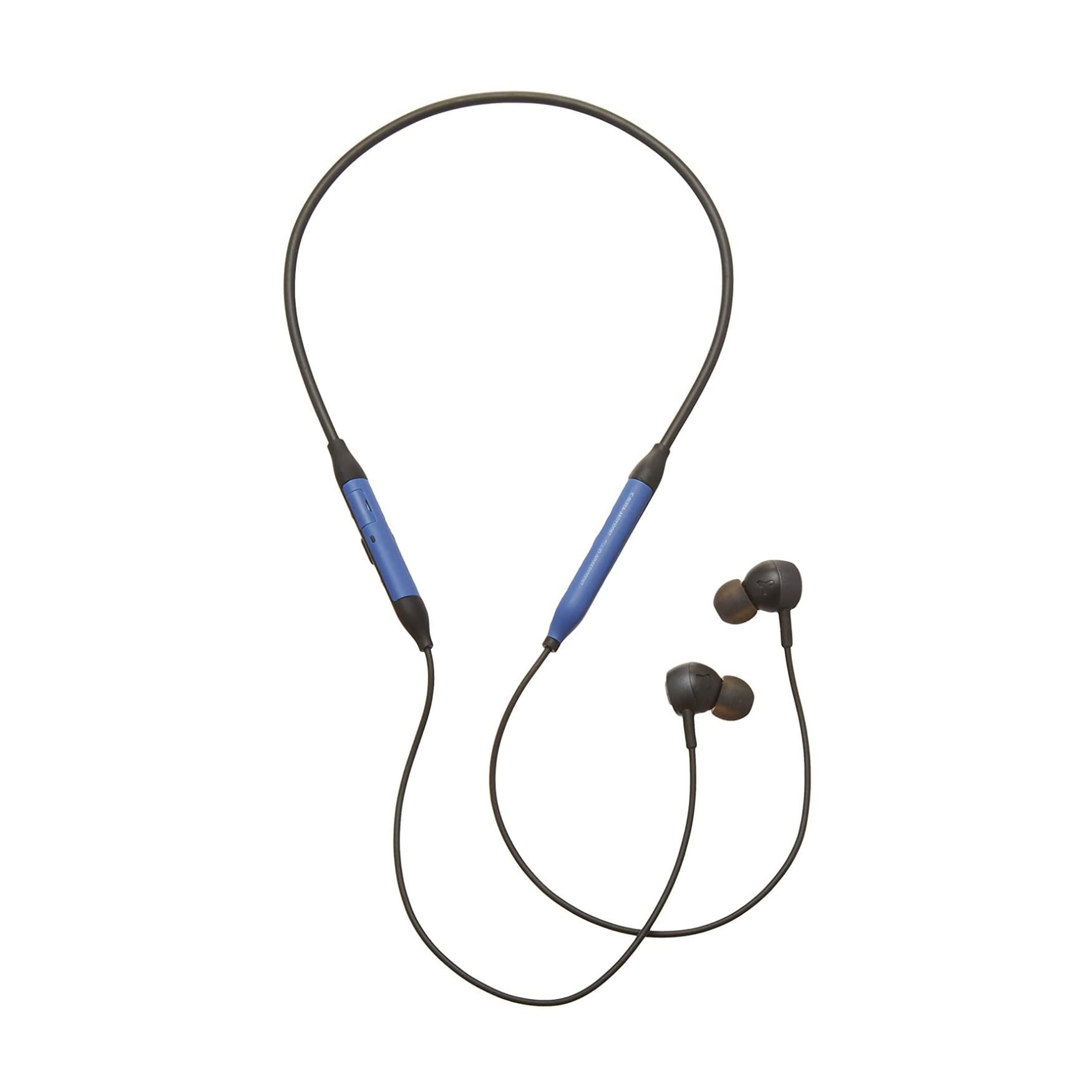
Immaġni: Quddiem view of the AKG Y100 Wireless Bluetooth Earbuds, highlighting the blue AKG logo on each earbud.

Image: The AKG Y100 Wireless Bluetooth Earbuds showing the inline remote control with buttons for volume and playback.
Kontrolli:
- Buttuna tal-Qawwa: Located on the inline remote. Used for powering on/off and Bluetooth pairing.
- Buttuni Volum 'il fuq /' l isfel: Aġġusta l-volum tal-awdjo.
- Buttuna b'ħafna funzjonijiet: Jikkontrolla d-daqq tal-mużika (daqq/pawża, aqbeż it-traċċi) u l-ġestjoni tas-sejħiet (iwieġeb/temm is-sejħiet).
- Mikrofonu: Integrated for hands-free calling and voice control.
- Port tal-Iċċarġjar: Micro USB port for charging the earbuds.
Setup
1. Iċċarġjar tal-Earbuds
Before first use, fully charge your AKG Y100 earbuds.
- Connect the Micro USB charging cable to the charging port on the inline remote.
- Qabbad it-tarf l-ieħor tal-kejbil ma 'sors ta' enerġija USB (eż., kompjuter, adapter tal-ħajt).
- The LED indicator will show charging status. A full charge provides up to 8 hours of playback. A 15-minute speed charge can provide an additional hour of music.
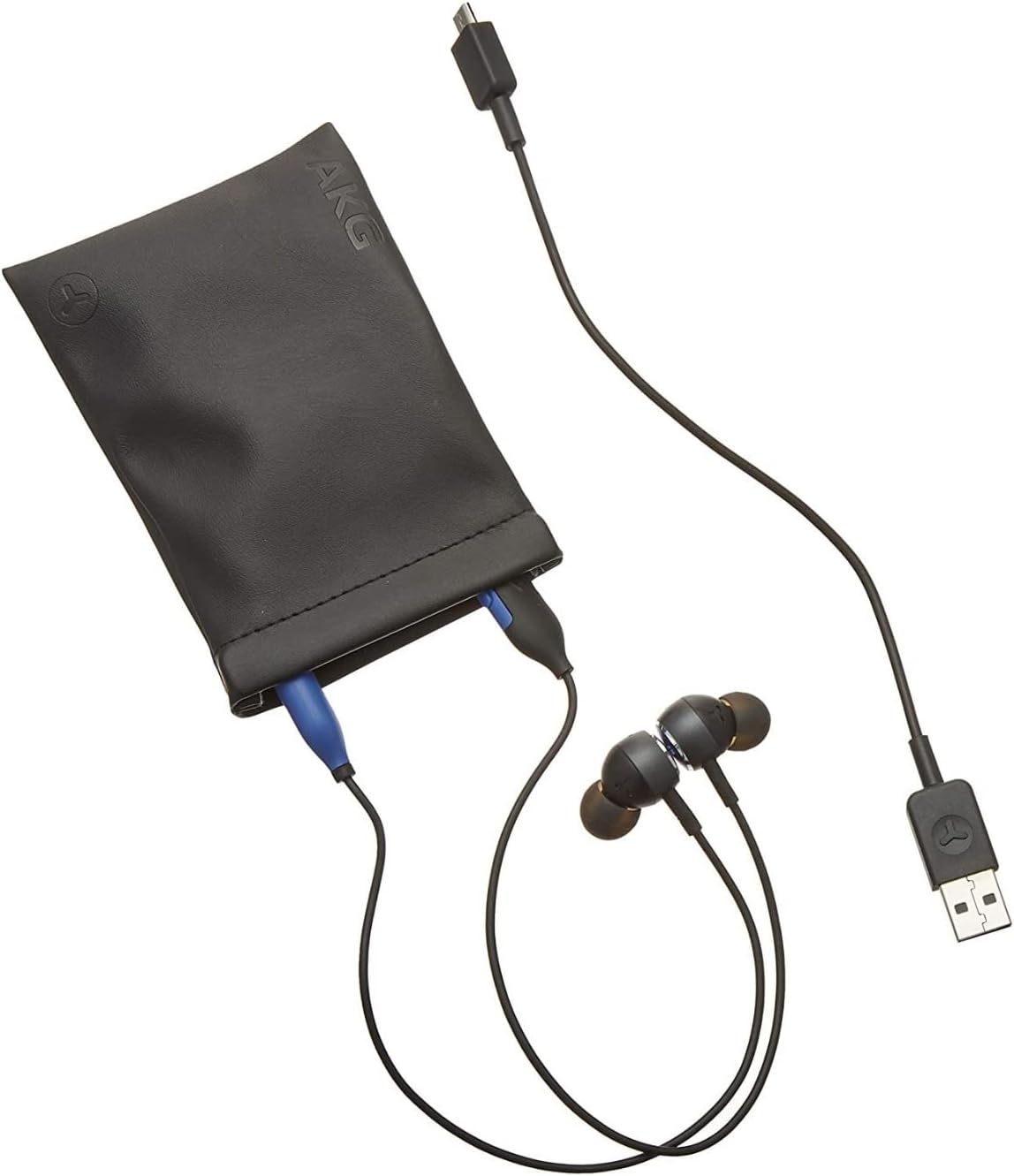
Image: The AKG Y100 Earbuds, protective case, and Micro USB charging cable, illustrating the components included.
2. Tqabbil tal-Bluetooth
Biex tqabbad il-earbuds tiegħek ma' apparat:
- Kun żgur li l-earbuds huma ċċarġjati u mitfija.
- Agħfas u żomm il-buttuna tal-Power sakemm l-indikatur LED jteptep blu u aħmar, u dan jindika l-modalità ta' tqabbil.
- Fuq l-apparat tiegħek (smartphone, tablet, kompjuter), attiva l-Bluetooth u fittex apparati disponibbli.
- Select "AKG Y100" from the list of found devices.
- Once connected, the LED indicator will show a solid blue light or flash blue slowly.
Konnettività b'ħafna punti: The AKG Y100 supports connecting to two Bluetooth devices simultaneously. After pairing with the first device, put the earbuds back into pairing mode and connect to the second device. The earbuds will intelligently switch between the two connected devices for audio and calls.
3. It-twaħħil tal-Earbuds
For optimal sound quality and comfort, choose the correct size ear tips.
- Experiment with the three provided ear tip sizes (Small, Medium, Large).
- Gently insert the earbuds into your ears, ensuring a snug fit that seals the ear canal.
- The ergonomic neckband should rest comfortably around your neck.

Image: A person wearing the AKG Y100 Wireless Bluetooth Earbuds, demonstrating the comfortable fit of the neckband and earbuds.
Tħaddim tal-Earbuds
Qawwa mixgħul/mitfi
- Qawwa Mixgħul: Press and hold the Power button for approximately 2 seconds until the LED indicator flashes blue.
- Itfi: Press and hold the Power button for approximately 3 seconds until the LED indicator flashes red and then turns off.
Daqq tal-Mużika
- Play/Pawsa: Agħfas il-buttuna b'diversi funzjonijiet darba.
- Track li jmiss: Agħfas darbtejn il-buttuna Multi-funzjoni.
- Track preċedenti: Agħfas triplu l-buttuna Multi-funzjoni.
- Volum 'il fuq: Agħfas il-buttuna Volum 'il fuq.
- Volum 'l isfel: Agħfas il-buttuna Volum 'l isfel.
Ġestjoni tas-Sejħiet
- Tweġiba/Tmiem Sejħa: Agħfas il-buttuna b'diversi funzjonijiet darba.
- Irrifjuta Sejħa: Agħfas u żomm il-buttuna Multi-funzjoni għal 2-il sekonda.
- Attiva l-Assistent tal-Vuċi: Agħfas u żomm il-buttuna Multi-funzjoni għal żewġ sekondi meta ma tkunx fuq telefonata.
Ambient Aware Mode
The AKG Y100 features an Ambient Aware mode, which allows you to hear your surroundings more clearly without removing your earbuds. This is useful for situations where you need to be aware of your environment, such as during commutes or in an office setting.
- Activate/Deactivate Ambient Aware: Refer to your device's Bluetooth settings or the AKG app (if available) for specific controls, as this feature may be managed through software. On some models, a dedicated button or a specific combination of button presses on the inline remote may control this function.
Manutenzjoni
- Tindif: Wipe the earbuds and neckband with a soft, dry cloth. Do not use harsh chemicals or abrasive materials. Remove ear tips and clean them with mild soap and water, then dry thoroughly before reattaching.
- Ħażna: When not in use, store the earbuds in the provided protective case to prevent damage. Avoid storing in direct sunlight or extreme temperatures.
- Reżistenza għall-Ilma: The earbuds are water resistant. However, they are not waterproof. Avoid submerging them in water or exposing them to heavy rain. Dry thoroughly if they get wet.
Issolvi l-problemi
| Problema | Kawża Possibbli | Soluzzjoni |
|---|---|---|
| Il-earbuds ma jixegħlux. | Batterija baxxa. | Charge the earbuds fully using the Micro USB cable. |
| Ma tistax tqabbad mat-tagħmir. | Il-earbuds mhumiex fil-modalità ta' tqabbil; il-Bluetooth tal-apparat huwa mitfi; 'il bogħod wisq mill-apparat. | Ensure earbuds are in pairing mode (flashing blue/red LED). Turn on Bluetooth on your device. Move earbuds closer to the device (within 10 meters). |
| L-ebda ħoss jew kwalità tal-ħoss fqira. | Volume too low; earbuds not properly seated; device not connected. | Increase volume on earbuds and device. Adjust earbud fit. Re-pair the earbuds with your device. |
| Kwistjonijiet ta' konnessjoni b'ħafna punti. | Incorrect switching; device compatibility. | Ensure both devices are paired. The earbuds prioritize active audio/calls. If issues persist, disconnect and re-pair one device at a time. |
Speċifikazzjonijiet
| Isem tal-Mudell | Y100 |
| Teknoloġija tal-Konnettività | Wireless (Bluetooth) |
| Verżjoni Bluetooth | 4.2 |
| Bluetooth Pro appoġġjatfiles | HFP V1.7, A2DP V1.3, AVRCP V1.5 |
| Ħajja tal-batterija | Sa 8-il Siegħa |
| Veloċità tal-Iċċarġjar | 15-il minuta għal siegħa ta' daqq |
| Tip ta' Kontroll | Voice Control, Touch-based controller |
| Piż tal-oġġett | 24 Gram (0.847 uqija) |
| Livell ta 'Reżistenza għall-Ilma | Reżistenti għall-Ilma |
| Manifattur | Samsung (AKG by Harman) |
| Dimensjonijiet tal-Prodott | 3.86 x 2.01 x 5.91 pulzieri |
Garanzija u Appoġġ
For warranty information and technical support, please refer to the documentation included with your purchase or visit the official AKG/Samsung support websit. Żomm il-prova tax-xiri tiegħek għal talbiet ta' garanzija.
If you encounter issues not covered in this manual, please contact customer service for assistance.