
Introduzzjoni
Grazzi tax-xiriasing the Intempo Bluetooth Speaker with FM Radio. This manual provides important information for the safe and efficient operation of your device. Please read it thoroughly before use and retain it for future reference.

Figura 1: Quddiem view of the Intempo Bluetooth Speaker.
Informazzjoni Importanti dwar is-Sigurtà
- Tesponix l-unità għal likwidi taqtir jew titjir.
- Do not disassemble the unit. Repairs should only be performed by qualified personnel.
- Keep the unit away from direct sunlight, heat sources, and open flames.
- Aċċerta ruħek li jkun hemm ventilazzjoni xierqa; timblokkax xi fetħiet tal-ventilazzjoni.
- Uża biss il-kejbil tal-iċċarġjar provdut jew wieħed ekwivalenti ċċertifikat.
Prodott Overview
The Intempo Bluetooth Speaker features a vintage design with modern functionality. It includes Bluetooth connectivity for wireless audio streaming, an FM radio tuner, and an auxiliary input for wired connections. A leather carry strap enhances portability.

Figure 2: Front panel showing speaker grille, FM tuning dial, and control knobs.

Figure 3: Rear panel with charging port, power switch, and extendable FM antenna.
Setup
1. Iċċarġja l-Ispeaker
- Sib il-port tal-iċċarġjar Micro USB fuq wara tal-ispiker.
- Qabbad il-kejbil tal-iċċarġjar USB ipprovdut mal-port tal-iċċarġjar tal-ispiker.
- Connect the other end of the USB cable to a suitable USB power adapter (not included) or a computer's USB port.
- Id-dawl indikatur tal-iċċarġjar jixgħel waqt l-iċċarġjar u jintefa ladarba jkun iċċarġjat kompletament.
2. Tixgħil / Mitfi
- To power on the speaker, slide the power switch located on the rear panel to the 'ON' position.
- To power off the speaker, slide the power switch to the 'OFF' position.
Istruzzjonijiet Operattivi
1. Modalità Bluetooth
- Power on the speaker. The speaker will automatically enter Bluetooth pairing mode, indicated by a flashing 'BT' indicator light.
- Fuq it-tagħmir tiegħek li jaħdem bil-Bluetooth (smartphone, tablet, eċċ.), attiva l-Bluetooth u fittex apparati disponibbli.
- Select 'Intempo EE3332BLUSTKEU' from the list of devices.
- Once paired, the 'BT' indicator light will become solid, and you will hear a confirmation tone.
- Issa tista' tixxandar l-awdjo mingħajr fili mit-tagħmir tiegħek għall-ispiker.
2. Modalità tar-Radju FM
- Extend the telescopic antenna on the rear of the speaker for optimal reception.
- Rotate the function knob to select 'FM' mode. The 'AUX/FM' indicator light will illuminate.
- Use the tuning dial on the front of the speaker to scan for FM radio stations.
- Aġġusta l-volum billi tuża l-buttuna tal-volum.
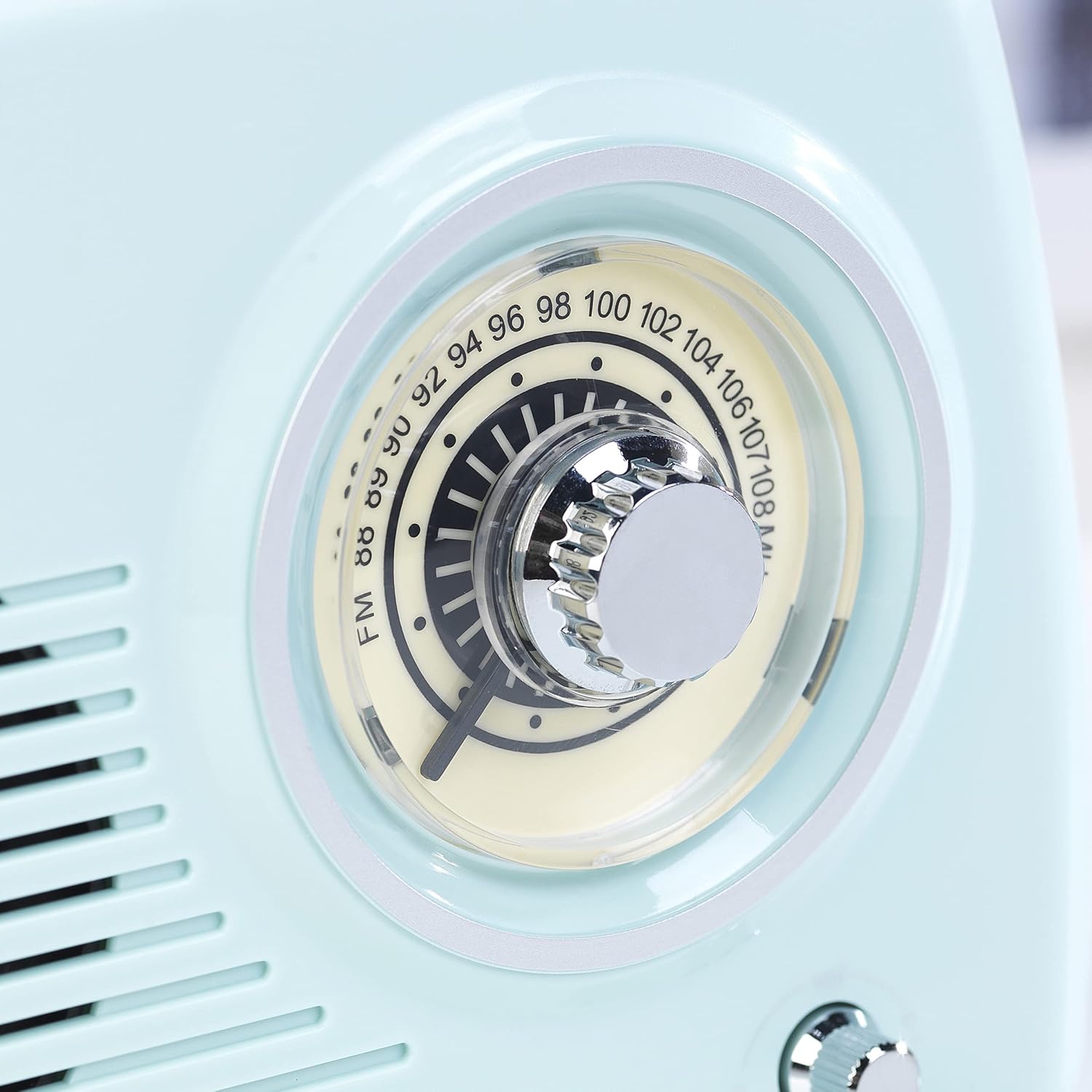
Figure 4: Close-up of the FM tuning dial for station selection.
3. Auxiliary Input (AUX) Mode
- Qabbad tarf wieħed ta' kejbil awdjo ta' 3.5mm (mhux inkluż) mal-port tad-dħul AUX fuq l-ispiker.
- Connect the other end of the audio cable to the headphone jack or audio output of your non-Bluetooth device.
- Rotate the function knob to select 'AUX' mode. The 'AUX/FM' indicator light will illuminate.
- Play audio from your connected device. Adjust the volume using the volume knob on the speaker and/or your connected device.
4. Kontroll tal-Volum
Rotate the volume knob on the front panel clockwise to increase the volume and counter-clockwise to decrease it.
Manutenzjoni
- Tindif: Imsaħ l-ispiker b'ċarruta ratba u niexfa. Tużax prodotti tat-tindif jew solventi li joborxu.
- Ħażna: Meta ma tkunx qed tużah għal perjodi twal, aħżen l-ispiker f'post frisk u niexef, 'il bogħod mix-xemx diretta u minn temperaturi estremi.
- Kura tal-batterija: To prolong battery life, fully charge the speaker before first use and recharge it regularly, even if not in frequent use.
Issolvi l-problemi
| Problema | Kawża Possibbli | Soluzzjoni |
|---|---|---|
| L-ispiker ma jixgħelx. | Il-batterija hija eżawrita. | Iċċarġja l-kelliem billi tuża l-kejbil USB ipprovdut. |
| L-ebda ħoss. | Il-volum huwa baxx wisq jew immut. Magħżula l-modalità żbaljata. | Increase volume. Ensure correct mode (Bluetooth, FM, AUX) is selected. |
| Ma tistax tqabbad permezz tal-Bluetooth. | L-ispiker mhux fil-modalità ta' tqabbil. L-apparat huwa 'l bogħod wisq. | Ensure speaker is in Bluetooth mode and indicator is flashing. Move device closer to speaker. Restart both devices. |
| Riċeviment ħażin tar-radju FM. | L-antenna mhux estiża jew is-sinjal fiż-żona huwa fqir. | Fully extend the telescopic antenna. Reposition the speaker for better reception. |
Speċifikazzjonijiet
| Karatteristika | Dettall |
|---|---|
| Brand | INTEMPO |
| Numru tal-Mudell | EE3332BLUSTKEU |
| Kulur | Blu |
| Dimensjonijiet tal-Prodott (L x W x H) | 21.6 x 8.9 x 15.1 ċm |
| Piż tal-oġġett | 970 g |
| Output ta 'Qawwa | 5 Watts |
| Teknoloġija tal-Konnettività | Bluetooth |
| Teknoloġija tal-Irfinar | FM |
| Frekwenzi tar-Radju Appoġġjati | FM (88-108 MHz) |
| Karatteristiċi | Bluetooth, USB Port (for charging), Portable |
| Użi Rakkomandati | Camping, Home, Travel |

Figura 5: Dimensjonijiet tal-prodott.
Informazzjoni dwar Garanzija
This product comes with a standard manufacturer's warranty. Please refer to the warranty card included in the packaging for specific terms and conditions, including the warranty period and coverage details. Keep your proof of purchase for any warranty claims.
Informazzjoni dwar id-disponibbiltà ta' spare parts għal dan il-prodott bħalissa mhijiex disponibbli.
Appoġġ għall-Klijent
For technical assistance, troubleshooting beyond this manual, or warranty inquiries, please contact Intempo customer support. Contact details can typically be found on the product packaging or the official Intempo websit.
Appoġġ onlajn: Visit the official Intempo websit għal FAQs u riżorsi ta' appoġġ.
Appoġġ bl-Email: Refer to your product documentation for the customer service email address.