
1. Introduzzjoni u Fuqview
The Vanco EV4K2006 HDMI Extender is designed to transmit 4K ultra high definition video with HDR and audio signals, along with bi-directional IR and power, over a single Cat5e or Cat6 cable. This system eliminates the need for separate power supplies at both ends due to its Bi-directional Power over Ethernet (PoE) technology. It automatically adjusts for EDID and EQ compatibility, simplifying installation. The slim and compact design allows for flexible placement in various environments.
The EV4K2006 supports 4K@60Hz with 4:4:4 Chroma Subsampling and HDR up to 164 feet (50 meters), and 4K@30Hz with 4:4:4 Chroma Subsampling and HDR up to 130 feet (40 meters). It is fully compliant with HDCP and supports advanced audio formats such as DTS-HD and Dolby TrueHD. Bi-directional IR pass-through enables control of the source device from the display location or vice-versa.

Stampa 1.1: Quddiem view of the Vanco EV4K2006 HDMI Extender Receiver unit, showing power input, status LEDs, and Cat5e/6 port.
2. Kontenut tal-Pakkett
Jekk jogħġbok ivverifika li l-oġġetti kollha huma preżenti fil-pakkett:
- 1 x EV4K2006 Transmitter Unit (EV4K2006-TX)
- 1 x EV4K2006 Receiver Unit (EV4K2006-RX)
- 2 x IR Blasters (for Transmitter)
- 2 x IR Receivers (for Receiver)
- 1 x DC 12V In-Line Power Supply
- 1 x Manwal tal-Prodott (dan id-dokument)
3. Karatteristiċi
- Extends 4K@60Hz (4:4:4 Chroma, HDR) up to 164ft (50m) over a single Cat5e/6 cable.
- Extends 4K@30Hz (4:4:4 Chroma, HDR) up to 130ft (40m) over a single Cat5e/6 cable.
- Bi-directional Power over Ethernet (PoE) for single-sided power supply.
- Automatic EDID and EQ adjustments for seamless compatibility.
- Supports DTS-HD and Dolby TrueHD audio formats.
- HDCP konformi.
- Bi-directional IR pass-through for remote control of source or display.
- Slim and compact chassis design for easy installation.
4. Speċifikazzjonijiet
| Attribut | Valur |
|---|---|
| Dimensjonijiet tal-Prodott (L x W x H) | 9.17 x 6.22 x 2.13 pulzieri |
| Piż tal-oġġett | 1.57 liri |
| Manifattur | Vanco |
| Numru tal-Mudell tal-Oġġett | EV4K2006 |
| Apparati Kompatibbli | HDMI and HDCP compliant devices, including those supporting DTS-HD, Dolby TrueHD, and HDR10 formats |
| Użi Speċifiċi Għall-Prodott | Camera, DVD Player, Laptop, Monitor, PC, Projector, TV, Telephone, Xbox |
| Tip ta' Konnettur | HDMI |
| Kulur | Blu |
5. Istruzzjonijiet ta' Setup
Follow these steps to set up your Vanco EV4K2006 HDMI Extender:
- Connect the HDMI Source: Connect an HDMI cable from your source device (e.g., Blu-ray player, gaming console) to the HDMI-IN port on the EV4K2006 Transmitter unit (EV4K2006-TX).
- Qabbad id-Displej: Connect an HDMI cable from your display device (e.g., TV, projector) to the HDMI OUT port on the EV4K2006 Receiver unit (EV4K2006-RX).
- Connect Cat5e/6 Cable: Run a single, high-quality Cat5e or Cat6 cable between the CAT5e/6 ports on the Transmitter and Receiver units. Ensure the cable is properly terminated and does not exceed the maximum recommended length for your resolution (164ft for 4K@60Hz, 130ft for 4K@30Hz).
- Connect IR Blaster (Optional): If you wish to control your source device from the display location, connect an IR Blaster cable to the IR-TX port on the Transmitter unit. Position the IR Blaster head directly over the IR sensor of your source device.
- Qabbad ir-Riċevitur IR (Mhux obbligatorju): If you wish to control your display device from the source location, connect an IR Receiver cable to the IR-RX port on the Receiver unit. Position the IR Receiver head in a location where it can receive signals from your remote control.
- Applika l-Enerġija: Connect the included DC 12V power supply to either the Transmitter or Receiver unit. Due to Bi-directional PoE, only one unit requires external power. The other unit will receive power through the Cat5e/6 cable.
- Apparat ta' Qawwa: Power on your HDMI source device and display device. The extender units will automatically detect and configure the video and audio signals.

Image 5.1: Diagram illustrating the connection of the Vanco EV4K2006 Transmitter and Receiver units with source, display, Cat5e/6 cable, and IR accessories.

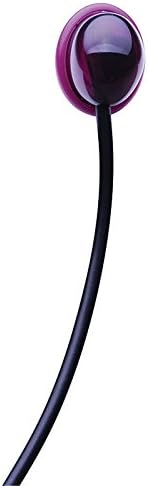
Immaġni 5.2: Mill-qrib views of the IR Blaster (left) and IR Receiver (right) accessories.
6. Istruzzjonijiet Operattivi
The Vanco EV4K2006 HDMI Extender is designed for plug-and-play operation. Once all connections are made and power is supplied, the system should automatically establish a video and audio link.
- LED tal-Istat tal-Enerġija: Each unit features a Power Status LED. A solid green light indicates the unit is powered on.
- Signal Status LED: A signal status LED (often labeled 'Link' or 'Video') will illuminate when a stable HDMI signal is detected and transmitted.
- Kontroll IR: Use your original remote control to operate the source or display device. Ensure the IR Blaster/Receiver heads are correctly positioned for optimal signal transmission.
- Automatic EDID/EQ: The extender automatically manages EDID (Extended Display Identification Data) and EQ (Equalization) settings, eliminating the need for manual adjustments.
7. Manutenzjoni
To ensure the longevity and optimal performance of your Vanco EV4K2006 HDMI Extender, follow these maintenance guidelines:
- Tindif: Use a soft, dry cloth to clean the units. Do not use liquid cleaners or aerosol sprays.
- Ambjent: Żomm l-unitajiet f'post frisk u niexef, 'il bogħod mix-xemx diretta, sorsi ta' sħana, u umdità eċċessiva.
- Ventilazzjoni: Kun żgur li jkun hemm ventilazzjoni xierqa madwar l-unitajiet biex tevita li jisħnu żżejjed. Timblokkax xi fetħiet tal-ventilazzjoni.
- Ġestjoni tal-Kejbil: Avoid bending or kinking the Cat5e/6 and HDMI cables excessively, as this can damage the internal wires and affect signal quality.
8 Issolvi l-problemi
If you encounter issues with your Vanco EV4K2006 HDMI Extender, refer to the following troubleshooting steps:
- L-ebda Ħruġ tal-Vidjo/Awdjo:
- Verify that both the Transmitter and Receiver units are powered on (check Power Status LEDs).
- Ensure all HDMI and Cat5e/6 cables are securely connected.
- Check the length and quality of the Cat5e/6 cable. Using a high-quality cable within the specified distance limits is crucial.
- Test the HDMI source and display directly with a short HDMI cable to confirm they are functioning correctly.
- Try connecting the power supply to the other unit (if only one is currently powered) to ensure the PoE function is working.
- Intermittent Signal / Flickering Screen:
- This can often be caused by poor quality or overly long Cat5e/6 cabling. Replace with a certified Cat6 cable if possible.
- Ensure the Cat5e/6 cable is not running parallel to power lines or other sources of electromagnetic interference.
- Check for proper HDCP handshake. Some older or non-compliant devices may cause issues. Try a different source device.
- Power cycle all connected devices (source, extender units, display).
- Il-Kontroll tal-IR Mhux Jaħdem:
- Ensure the IR Blaster head is directly positioned over the IR sensor of the source device.
- Ensure the IR Receiver head is positioned to receive signals from your remote control.
- Check that the IR cables are securely plugged into the correct IR-TX (Transmitter) and IR-RX (Receiver) ports.
- Confirm your remote control batteries are functional.
- Picture Quality Issues (e.g., color distortion, artifacts):
- This may indicate a problem with the Cat5e/6 cable or its termination.
- Ensure the source and display are set to compatible resolutions and refresh rates.
9. Garanzija u Appoġġ
Vanco products are designed for reliability and performance. For specific warranty information regarding your EV4K2006 HDMI Extender, please refer to the warranty card included with your product or visit the official Vanco website. In most cases, warranty coverage addresses manufacturing defects under normal use conditions.
For technical support, troubleshooting assistance beyond this manual, or warranty claims, please contact Vanco customer service. Contact details can typically be found on the Vanco websit jew fl-ippakkjar tal-prodott.
Vanco Internazzjonali, LLC
506 Kingsland Dr.
Batavia, IL 60510
USA
Please have your product model number (EV4K2006) and purchase date available when contacting support.