
TSL LTCMIP7342W-28M
LTS LTCMIP7342W-28M Platinum Network Vandal Dome IP Camera User Manual
Model: LTCMIP7342W-28M
Introduzzjoni
This manual provides comprehensive instructions for the installation, operation, and maintenance of your LTS LTCMIP7342W-28M Platinum Network Vandal Dome IP Camera. Please read this manual thoroughly before using the product to ensure proper setup and functionality. Keep this manual for future reference.
The LTS LTCMIP7342W-28M is a 4MP high-definition network vandal dome IP camera designed for robust surveillance applications. It features a 2.8mm fixed lens, True WDR (120dB), Matrix IR 2.0 with up to 100 feet range, and supports H.265/H.265+/H.264/H.264+ video compression. It is rated IP67 for weather resistance and IK10 for vandal resistance, making it suitable for outdoor use. The camera also includes a MicroSD slot supporting up to 128GB for local storage and can be powered by DC 12V or Power over Ethernet (PoE).
Kontenut tal-Pakkett
Ivverifika li l-oġġetti kollha huma preżenti fil-pakkett qabel ma tipproċedi bl-installazzjoni.
- LTS LTCMIP7342W-28M Platinum Network Vandal Dome IP Camera
- Mudell tat-Trapan
- Viti tal-Immuntar u Plugs tal-Ħajt
- Hex Wrench
- Kit tal-Konnettur li ma jgħaddix ilma minnu
- Gwida ta' Bidu Mgħaġġel (irreferi għal dan il-manwal għal struzzjonijiet dettaljati)
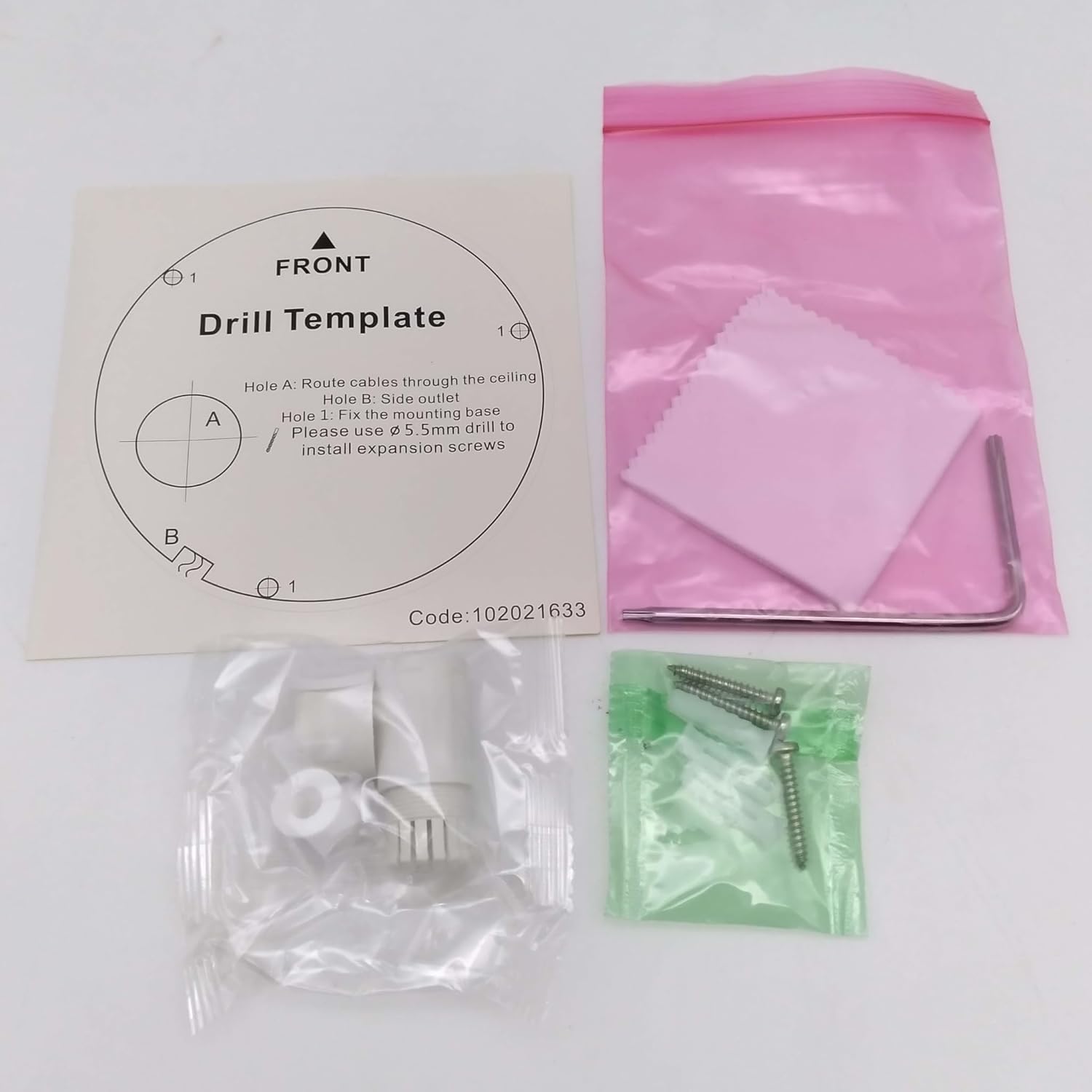
Immaġni: Contents of the camera package. This includes a drill template, mounting hardware (screws and wall plugs), a hex wrench for adjustments, and a waterproof connector kit for network cables. These components are essential for proper installation.
Setup
1. Prekawzjonijiet tas-Sigurtà
- Kun żgur li l-enerġija hija skonnettjata qabel l-installazzjoni jew il-manutenzjoni.
- Use only specified power adapters (DC 12V) or PoE (Power over Ethernet) compliant equipment.
- Avoid exposing the camera to extreme temperatures, humidity, or corrosive environments.
- Do not attempt to disassemble the camera. Refer all servicing to qualified personnel.
2. Camera Matulview
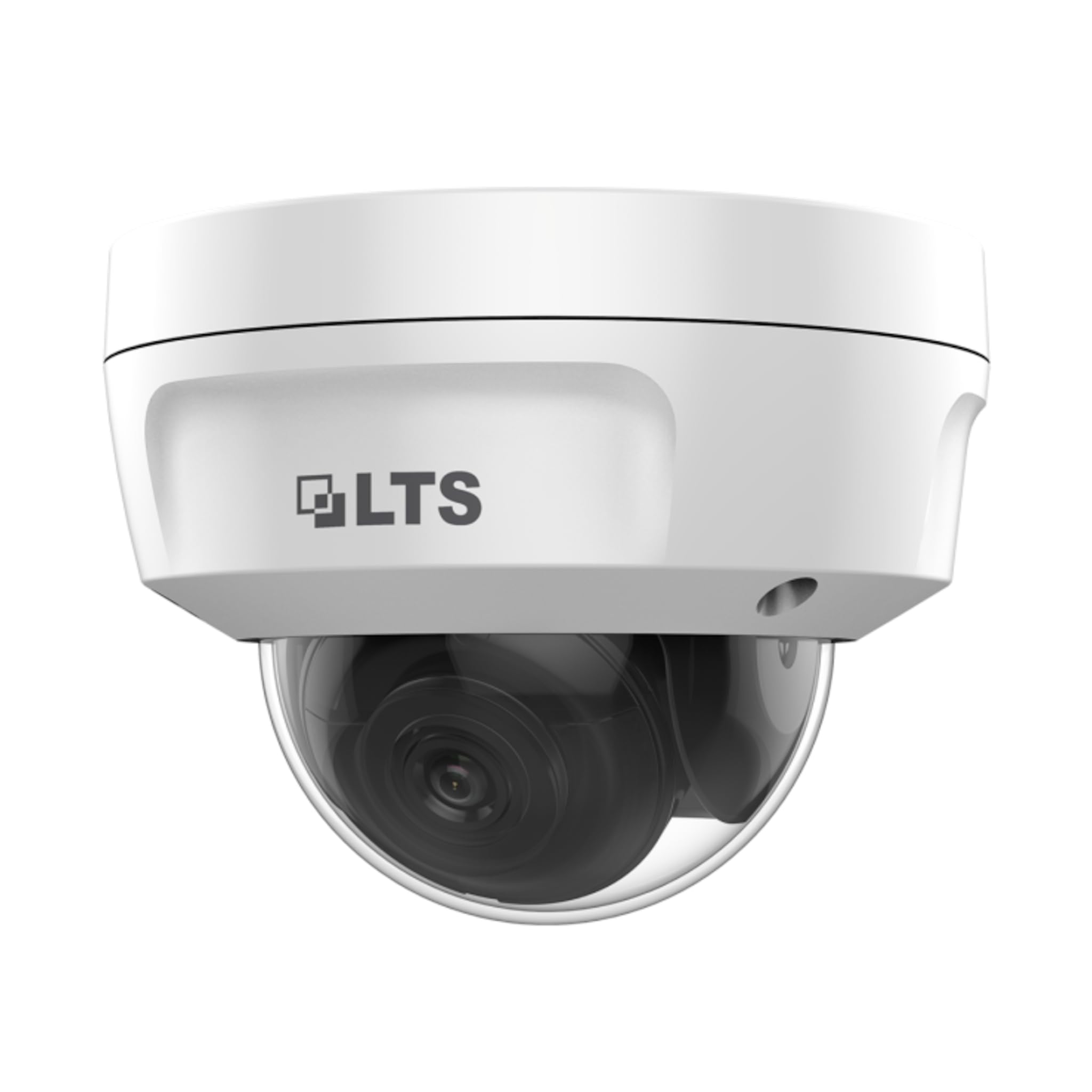
Immaġni: Quddiem view of the LTS LTCMIP7342W-28M dome camera. This image shows the main body of the camera with its dome cover, indicating its compact and discreet design.

Immaġni: Ġenb view of the LTS LTCMIP7342W-28M dome camera, showing the attached cables for power and network connectivity. This view highlights the integrated cable management for installation.
3. Wajers u Konnettività
The LTCMIP7342W-28M camera primarily uses a network cable for both data and power (PoE). It is not compatible with traditional DC power and BNC video connections.

Immaġni: This diagram illustrates the correct and incorrect wiring methods. On the left, a network cable (RJ45) is circled in green, indicating compatibility for both video and Power over Ethernet (PoE). On the right, DC power and BNC video connectors are circled in red, indicating they are not compatible with this camera model.
- Konnessjoni tan-Netwerk: Connect a standard Ethernet cable (Cat5e or Cat6) from the camera's RJ45 port to a PoE-enabled switch or NVR. If not using PoE, connect to a standard network switch and provide 12V DC power separately.
- Qawwa: The camera supports Power over Ethernet (PoE) or a 12V DC power supply. Ensure the power source meets the camera's requirements.
- Konnettur li ma jgħaddix ilma minnu: Use the provided waterproof connector kit for outdoor installations to protect the RJ45 connection from moisture.
4. Immuntar tal-Kamera
- Ipprepara l-Wiċċ tal-Immuntar: Choose a suitable location, typically a ceiling or wall, ensuring it can support the camera's weight.
- Use the Drill Template: Place the provided drill template on the desired mounting surface. Mark the positions for the mounting screws and cable routing hole.
- Drill toqob: Drill pilot holes for the mounting screws (typically 5.5mm diameter for expansion screws) and a larger hole for cable routing, if necessary.
- Kejbils tar-Rotot: Pass the network cable through the cable routing hole.
- Secure the Camera Base: Align the camera base with the drilled holes and secure it using the provided mounting screws and wall plugs.
- Aġġusta Angolu tal-Kamera: Loosen the adjustment screws (if applicable) to position the camera lens for the desired viewAngolu ing. Issikka l-viti ladarba jkunu aġġustati.
Operazzjoni
1. Initial Power-Up and Network Configuration
- After connecting the camera to power and the network, it will boot up. This may take a few minutes.
- Use the manufacturer's IP search tool (e.g., SADP Tool) to discover the camera's IP address on your network.
- Aċċessa l-kamera web interface billi ddaħħal l-indirizz IP tagħha f'a web browser.
- Follow the on-screen prompts to set a strong password for the camera (if it's a new installation or reset).
- Configure network settings (IP address, subnet mask, gateway, DNS) as required by your network infrastructure.
2. Settings tal-Vidjo
- Riżoluzzjoni: The camera supports up to 4MP (2560x1440) resolution at 30 frames per second. Adjust as needed for bandwidth and storage considerations.
- Kompressjoni: Utilize H.265+ or H.265 for efficient video storage and bandwidth usage. H.264+ and H.264 are also supported.
- WDR (Medda Dinamika Wiesgħa): Enable True WDR (120dB) in challenging lighting conditions to balance bright and dark areas in the image.
- Viżjoni bil-lejl: The camera features Matrix IR 2.0 with a range up to 100 feet. IR LEDs automatically activate in low light.
3. Reġistrazzjoni u Ħażna
- Reġistrazzjoni tal-NVR: Connect the camera to a compatible Network Video Recorder (NVR) for continuous or event-based recording.
- Karta MicroSD: Insert a MicroSD card (up to 128GB) into the camera's slot for local storage. Configure recording schedules and event triggers via the web interface.
- Sejbien tal-Moviment: Set up motion detection zones and sensitivity to trigger recordings or alerts.
4. Aċċess mill-bogħod
Għal remoti viewing, configure port forwarding on your router or use a P2P/Cloud service provided by the manufacturer (if available) to access the camera feed via a mobile app or client software.
Manutenzjoni
- Tindif tal-Lenti: Periodically clean the camera lens and dome cover with a soft, damp cloth. Avoid abrasive cleaners that could scratch the surface.
- Aġġornamenti tal-Firmware: Iċċekkja l-manifattur website for firmware updates to ensure optimal performance and security. Follow update instructions carefully.
- Spezzjoni tal-Cable: Regularly inspect all cables and connections for signs of wear or damage, especially in outdoor installations.
- Verifiki Ambjentali: Kun żgur li l-ambjent tal-kamera jibqa' fil-firxiet speċifikati tat-temperatura u l-umdità operattiva tiegħu.
- Ġestjoni tal-Password: Change passwords regularly and use strong, unique passwords for enhanced security.
Issolvi l-problemi
| Problema | Kawża Possibbli | Soluzzjoni |
|---|---|---|
| L-ebda feed ta' immaġni/vidjow | No power; Network cable disconnected; Incorrect IP address; Camera malfunction. | Check power supply/PoE connection; Verify network cable is securely connected; Use IP search tool to find camera; Contact technical support if malfunction suspected. |
| Kwalità ta 'immaġni fqira | Dirty lens/dome; Low light conditions; Incorrect video settings; Network bandwidth issues. | Clean lens/dome; Ensure IR is active in low light; Adjust resolution, WDR, and other image settings; Check network connection speed. |
| Ma nistax naċċessa l-kamera mill-bogħod | Incorrect port forwarding; Firewall blocking access; Dynamic IP address changed; P2P/Cloud service offline. | Verify router port forwarding rules; Check firewall settings on router/NVR; Use DDNS service for dynamic IPs; Check status of P2P/Cloud service. |
| Il-karta SD mhux qed tirrekordja | SD card full or faulty; Incorrect recording schedule; SD card not formatted. | Check SD card status and remaining space; Format SD card via camera interface; Verify recording schedule and event triggers. |
Speċifikazzjonijiet
| Karatteristika | Dettall |
|---|---|
| Mudell | LTCMIP7342W-28M |
| Riżoluzzjoni tal-Qbid tal-Vidjo | 4 MP (2560x1440) |
| Frame Rata | 30 fps |
| Lenti | Lenti Fissa 2.8mm |
| WDR | WDR veru 120dB |
| Firxa IR | Up to 100 feet (Matrix IR 2.0) |
| Illuminazzjoni Minima | 0.018 Lux @ F1.6 |
| Kompressjoni tal-vidjo | H.265, H.265+, H.264, H.264+ |
| Ħażna | MicroSD Slot (up to 128GB) |
| Provvista tal-Enerġija | DC 12V, PoE (802.3af) |
| Protezzjoni tad-dħul | IP67 |
| Reżistenza vandali | IK10 |
| Teknoloġija tal-Konnettività | Bil-fili (Ethernet) |
| Tip ta 'Immuntar | Muntatura tal-Limitu |
| Temperatura operattiva | (Refer to manufacturer's full datasheet for exact range) |
| Dimensjonijiet | Madwar 7 x 7 x 7 pulzieri (Dimensjonijiet tal-Pakkett) |
| Piż | Appross. 2.5 liri |
Garanzija u Appoġġ
For warranty information, technical support, and service inquiries, please contact your authorized TSL dealer or visit the official TSL websit. Żomm l-irċevuta tax-xiri tiegħek bħala prova tax-xiri għal talbiet ta' garanzija.
Manifattur: LTS
Ditta: TSL
Ask a question about this manual
Ask about setup, troubleshooting, compatibility, parts, safety, or missing instructions. Manuals+ will review the question and use this page’s manual context to help answer it.