
Introduzzjoni
Thank you for choosing the AGPTEK M16SB 16GB Bluetooth MP3 Player. This manual provides detailed instructions for setting up, operating, and maintaining your device. Please read it carefully to ensure proper use and to maximize your listening experience.
Prodott Overview
Iffamiljarizza ruħek mal-komponenti u l-kontrolli tal-apparat.

Immaġni: Quddiem u ġenb view of the AGPTEK M16SB MP3 player with numbered labels indicating each button and port function.
Definizzjonijiet tal-buttuni:
- Ritorn: Navigates back to the previous menu.
- Bluetooth/FM Radio: Short press for Bluetooth, long press for FM Radio.
- Submenu/Screen-lock: Accesses submenus or locks/unlocks the screen.
- Imxi 'l fuq: Navigates up in menus.
- Previous/Fast rewind: Skips to the previous track or fast rewinds during playback.
- Nimxu 'l isfel: Navigates down in menus.
- Next/Fast forward: Skips to the next track or fast forwards during playback.
- Daħħal/Daqq/Pawża: Jikkonferma l-għażla jew jilgħab/jwaqqaf il-midja.
- Volum +: Iżżid il-volum.
- Volum -: Tnaqqas il-volum.
- Power on/off; Screen on/off: Powers the device on/off or turns the screen on/off.
Ports and Features:
- Card slot (TF): For Micro SD card expansion up to 128GB.
- Jack tal-widna: 3.5mm audio output for wired headphones.
- Port Mikro USB: Għall-iċċarġjar u t-trasferiment tad-dejta.
- Kelliem inkorporat: Għad-daqq tal-awdjo mingħajr headphones.
- Mikrofonu (MIC): Għar-reġistrazzjoni tal-vuċi.
Setup
1. Iċċarġjar tal-Apparat
Before first use, fully charge the MP3 player. A full charge takes approximately 2 hours using a 5V/500mA charger or a computer USB port.

Immaġni: A person relaxing while listening to the MP3 player, with text indicating "2 HOURS for full charge" and "28-30 hours playtime".
- Connect the Micro USB cable to the player's Micro USB port and the other end to a USB power source.
- L-indikatur tal-batterija fuq l-iskrin se juri l-istatus tal-iċċarġjar.
- Once fully charged, the device offers up to 28 hours of music playback (screen off, medium volume) or 5 hours via Bluetooth headphones.
2. Power On/Off
- Biex tixgħel, agħfas u żomm il-buttuna Buttuna tal-qawwa (11) sakemm jixgħel l-iskrin.
- Biex tintefa, agħfas u żomm il-buttuna Buttuna tal-qawwa (11) sakemm l-apparat jintefa.
- Pressa qasira tal- Buttuna tal-qawwa (11) will turn the screen on or off.
3. Daħħal Karta Mikro SD
The device has 16GB of internal memory and supports external Micro SD cards up to 128GB (not included).

Immaġni: A dettaljata view of the MP3 player's side, highlighting the TF card slot with a Micro SD card partially inserted, indicating 16GB internal memory and support for up to 128GB external storage.
- Sib il- Card slot (TF) (12) on the side of the player.
- Daħħal bil-mod il-karta Micro SD fl-islott sakemm tikklikkja f'postha.
- Biex tneħħiha, imbotta l-karta ftit 'il ġewwa sakemm toħroġ 'il barra.
Istruzzjonijiet Operattivi
1. Navigazzjoni Bażika
- Uża l- Move up (4) u Move down (6) buttons to navigate through menus.
- Agħfas il- Enter/Play/Pause button (8) biex tagħżel għażla.
- Agħfas il- Return button (1) biex tmur lura għall-iskrin preċedenti.
- Aġġusta l-volum billi tuża l- Volume + (9) u Volume - (10) buttons on the side.
2. Daqq tal-mużika
The player supports MP3, WMA, OGG, APE, FLAC, WAV, AAC-LC, and ACELP audio formats.

Immaġni: A person holding the AGPTEK MP3 player, displaying the music playback interface with track information and a Bluetooth connection indicator.
- Mill-menù prinċipali, agħżel "Mużika".
- Browse by Artist, Album, Songs, Playlists, or Folder.
- Agħfas Enter/Play/Pause (8) biex tibda jew twaqqaf il-plejbek.
- Użu Previous/Fast rewind (5) u Next/Fast forward (7) to change tracks or fast forward/rewind.
- Access submenus (e.g., Equalizer, Repeat Mode) by pressing the Submenu button (3) waqt daqq.
3. Tqabbil tal-Bluetooth
Connect your MP3 player to Bluetooth headphones or speakers for wireless audio.

Immaġni: An illustration demonstrating three audio output options for the MP3 player: wired headphones for private listening, the built-in speaker for sharing, and a Bluetooth speaker for party settings.
- From the main menu, select "Bluetooth".
- Alternattivament, agħfas qasir il- Bluetooth/FM Radio button (2) to quickly enable Bluetooth.
- Ensure your Bluetooth device (headphones/speaker) is in pairing mode.
- Il-plejer se jiskennja għal apparati disponibbli. Agħżel l-apparat tiegħek mil-lista biex tqabbad.
- The player supports automatic reconnection to previously paired devices.
4. Radju FM
Listen to FM radio stations. Wired headphones must be connected as they act as the antenna.
- Connect wired headphones to the Earphone jack (13).
- Mill-menù prinċipali, agħżel "Radju FM".
- Alternatively, long press the Bluetooth/FM Radio button (2) to quickly enter FM Radio mode.
- Use the navigation buttons to scan for stations or select from presets.
- The radio function allows saving up to 30 preset stations and supports FM recording.
5. Funzjonijiet Oħra
- Reġistratur tal-Vuċi: Select "Record" from the main menu to use the built-in microphone for voice recording.
- E-book: Read TXT format e-books by selecting "E-book".
- Vidjow: Play AMV format videos by selecting "Video".
- Immaġni Viewer: Browse JPG, GIF, and BMP images by selecting "Pictures".
- Settings: Access various device settings, including equalizer, volume limit, display brightness, and timed shutdown.
Manutenzjoni
1. Aġġornament tal-Firmware
Free firmware updates are available to improve device performance and add new features.
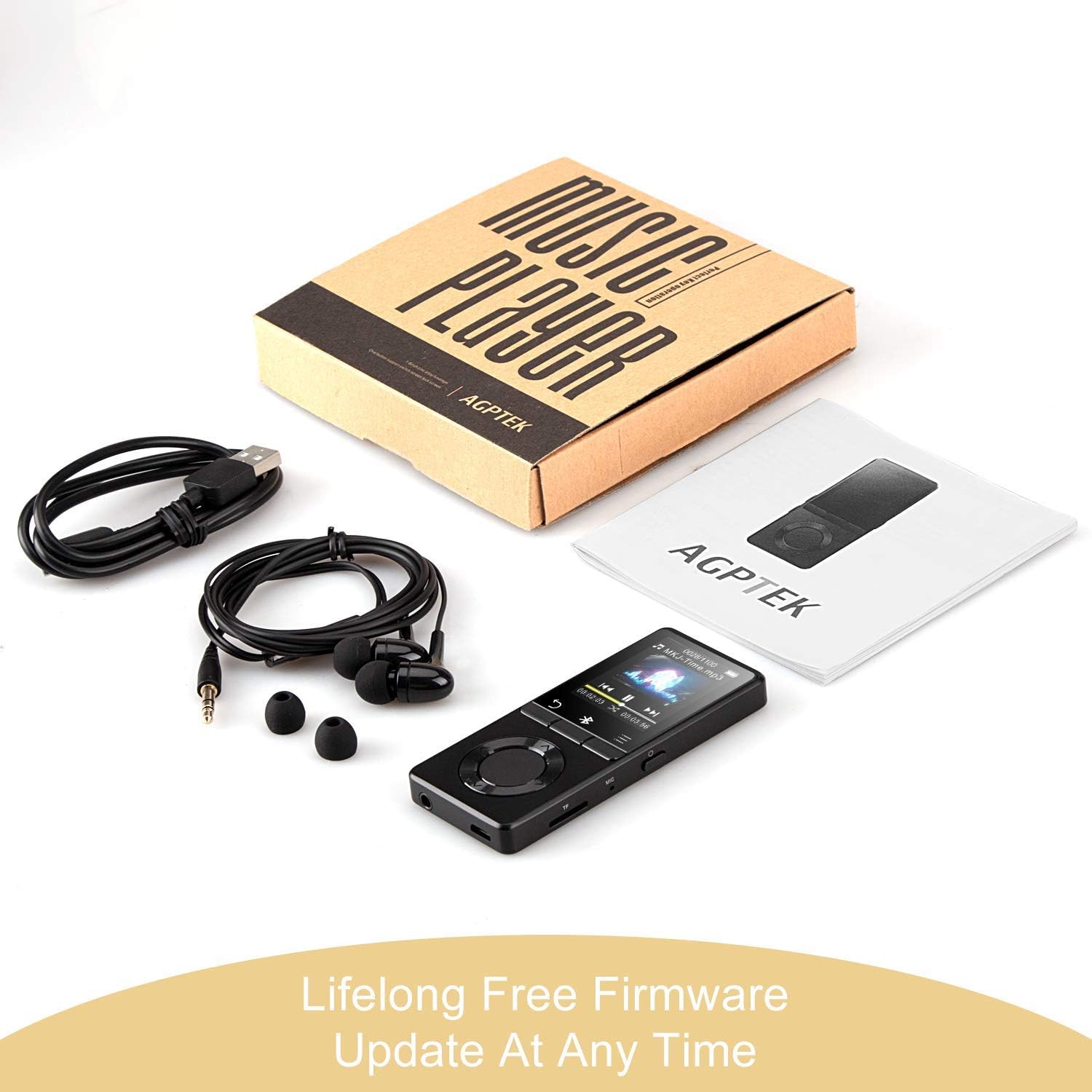
Immaġni: The AGPTEK MP3 player, its packaging, and included accessories (earphones, USB cable), emphasizing the availability of lifelong free firmware updates.
- Visit the official AGPTEK websit għall-aħħar firmware u struzzjonijiet.
- Follow the provided instructions carefully to update your device.
2. Tindif
- Uża drapp artab u niexef biex tnaddaf il-barra tal-apparat.
- Evita li tuża cleaners likwidi jew materjali li joborxu.
Issolvi l-problemi
- Apparat mhux qed jixgħel: Kun żgur li l-batterija hija ċċarġjata. Qabbad ma' ċarġer u erġa' pprova.
- Ebda ħoss: Check volume levels. Ensure headphones are properly connected or Bluetooth device is paired and connected. If using the built-in speaker, ensure it is enabled in settings.
- Problemi bil-konnessjoni Bluetooth: Ensure the Bluetooth device is in pairing mode and within range. Disconnect the MP3 player from other Bluetooth devices if it was previously paired elsewhere.
- Filemhux qed nilgħab: Verify that the audio/video file format is supported (MP3, WMA, OGG, APE, FLAC, WAV, AAC-LC, ACELP for audio; AMV for video).
- L-apparat ma jirrispondix: Agħfas u żomm il-buttuna tal-Power għal 10-15-il sekonda biex tisforza reset.
- Micro SD card not detected: Ensure the card is inserted correctly. Try reinserting or using a different card to rule out card issues.
- Issues during PC sync: Avoid altering files directly in the player's window while synced. Make changes on the PC, then re-upload. If the player crashes, perform a long press on the power button to reset.
Speċifikazzjonijiet
| Brand | AGPTEK |
| Isem tal-Mudell | AGPTEK 16GB Bluetooth 4.0 MP3 Player with Touch Buttons |
| Numru tal-Mudell | M16SB-EU |
| Teknoloġija tal-Konnettività | Bluetooth |
| Kapaċità tal-Ħżin tal-Memorja | 16 GB (expandable up to 128 GB with Micro SD card) |
| Kulur | Iswed |
| Daqs tal-Iskrin | 1.8 Pulzier |
| Apparati Kompatibbli | Headphones, Personal Computer |
| Tip tal-Midja | MP3 |
| Standards tal-Awdjo Appoġġjati | AAC, ACELP, APE, FLAC, MP3, OGG, WAV, WMA |
| Standards tal-Vidjo Appoġġjati | AMV |
| Supported Image Standards | JPG, GIF, BMP |
| Ħajja tal-Batterija (Daqq tal-Mużika) | Up to 28 hours (screen off, medium volume) |
| Battery Life (Bluetooth Playback) | Sa 5 sigħat |
| Ħin tal-Iċċarġjar | Appross. 2 sigħat |
Garanzija u Appoġġ
AGPTEK is committed to providing reliable and high-quality products. While specific warranty details are not provided in this manual, AGPTEK offers free firmware updates and customer support.
- For any product issues or inquiries, please contact AGPTEK customer service.
- Refer to the official AGPTEK website for support contact information and the latest firmware updates.