
BIOS Diagnostics 235DI
BIOS Diagnostics 1 Second Ear Thermometer User Manual
Model: 235DI | Brand: BIOS Diagnostics
Prodott Overview
The BIOS Diagnostics "HALO" 1 Second Ear Thermometer is designed for quick and accurate temperature measurements within the ear canal. It utilizes infrared technology to measure body temperature from the eardrum and surrounding tissue. This device is suitable for clinical or home use on individuals over two years of age.
Key features include an illuminated probe for easy use in low light, "Clean Me" technology to indicate when the lens requires cleaning, and the ability to store up to 30 readings for efficient tracking of temperature variations.

Immaġni: Angolata view of the BIOS Diagnostics Halo Ear Thermometer, showing the display and "halo" branding.
Karatteristiċi
- 1-Second Measurement: Innovative infrared technology provides clinically accurate results rapidly.
- Fever Glow Technology: The display illuminates with a specific color (e.g., red for fever) and includes an audio alarm. The alarm can be disabled for silent readings.
- Illuminated Probe: The probe illuminates for gentle and easy measurements, especially in low-light conditions.
- "Clean Me" Technology: An on-screen indicator ("clean me" will flash on the LCD) reminds users to clean the probe lens.
- C/F Switchable: Ibdel faċilment bejn l-unitajiet tat-temperatura Celsius u Fahrenheit.
- Multiple Reading Recall: Stores and allows recall of the last 30 temperature readings.
- Wide Range Measurement: Measures temperatures from 0°C to 100.0°C (32.0°F to 212.0°F), suitable for body temperature, milk surface temperature, bath water temperature, or ambient temperatures.
- Każ tal-Ħażna: Includes a protective case for convenient storage and portability.
- Health Canada Licensed: This device is licensed by Health Canada.

Image: Close-up of the thermometer's probe, showing its illumination feature.
Komponenti Inklużi
Your BIOS Diagnostics 1 Second Ear Thermometer package includes:
- BIOS Diagnostics 1 Second Ear Thermometer (Model 235DI)
- Kawża tal-Ħażna
- Manwal għall-Utent (dan id-dokument)
- Batterija CR2 waħda (installata minn qabel jew inkluża separatament)

Image: The retail packaging of the BIOS Diagnostics Halo Ear Thermometer, showing the thermometer and its key features.
Setup
Installazzjoni tal-batterija
The thermometer requires one CR2 battery. If the battery is not pre-installed or needs replacement, follow these steps:
- Locate the battery compartment cover, usually on the back or bottom of the device.
- Open the cover by sliding or gently prying it open.
- Insert the CR2 battery, ensuring the correct polarity (+ and -) as indicated inside the compartment.
- Agħlaq l-għatu tal-kompartiment tal-batterija sew.
Qawwa Inizjali Mixgħula
Press the power button (usually marked with a power symbol ⏻) to turn on the thermometer. The display will briefly show all segments, followed by the last reading or a standby screen.
Istruzzjonijiet Operattivi
Taking a Temperature Reading (Ear Mode)
- Ensure the thermometer is clean and ready for use.
- Agħfas il-buttuna tal-qawwa biex tixgħel l-apparat.
- Gently insert the probe into the ear canal. For accurate readings, ensure the probe is positioned correctly, pointing towards the eardrum.
- Press the "START" button. The measurement will be completed in approximately 1 second.
- The temperature reading will be displayed on the LCD screen. The screen may illuminate with Fever Glow technology (e.g., red for fever) if a high temperature is detected.
- Neħħi t-termometru mill-widna.
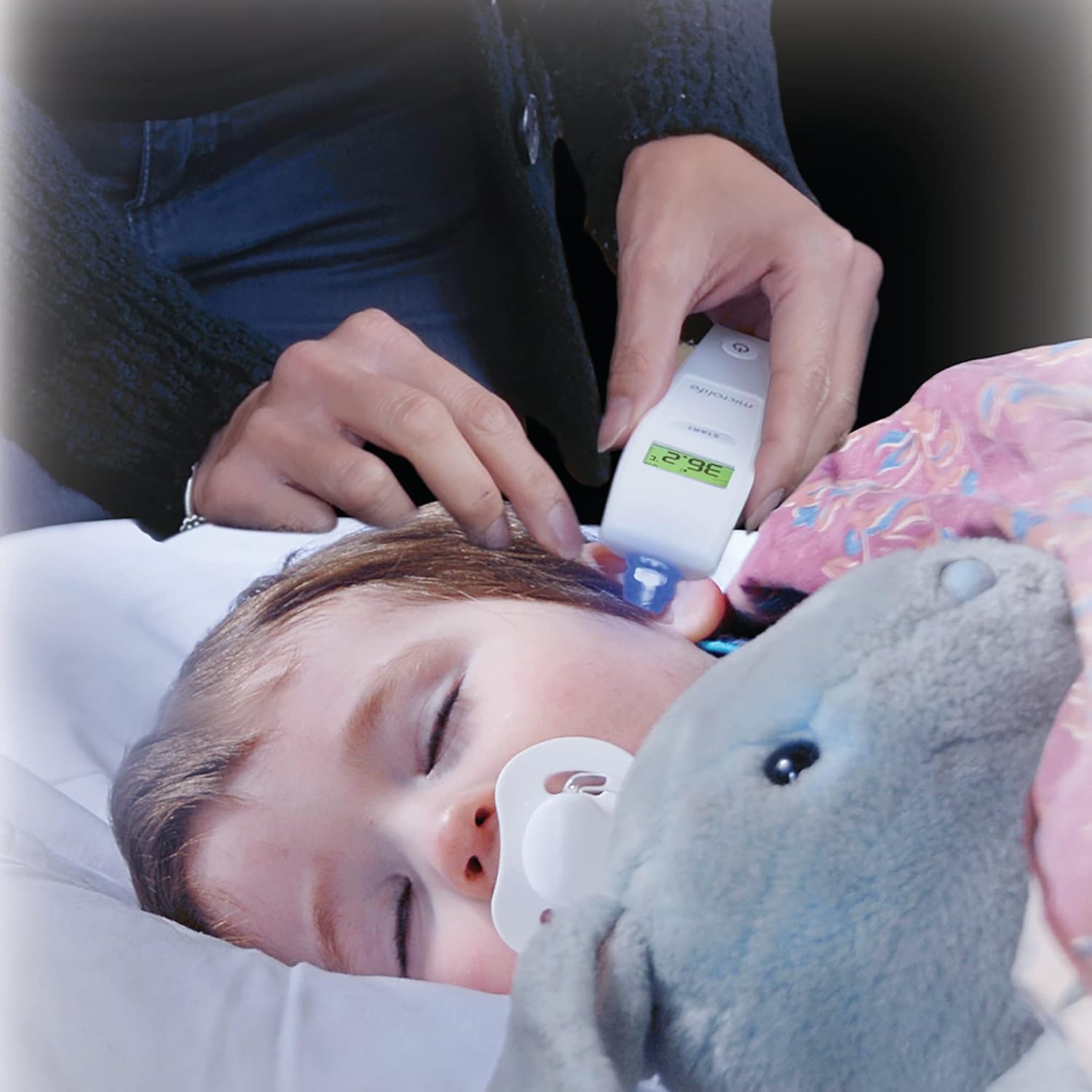
Image: A person using the BIOS Diagnostics ear thermometer to take the temperature of a sleeping child.
Switching Between Celsius (°C) and Fahrenheit (°F)
To switch temperature units:
- With the thermometer off, press and hold the "START" button for a few seconds until the unit changes.
- Alternatively, some models may require pressing the power button and "START" button simultaneously. Refer to the on-screen prompts if available.
Memory Recall (Last 30 Readings)
To access previous readings:
- Ixgħel it-termometru.
- Press the "START" button repeatedly to cycle through the last 30 stored readings. Each press will display the next older reading.
Fever Glow Technology
The display backlight changes color to indicate temperature ranges:
- Aħdar: Temperatura normali.
- Aħmar: Elevated temperature/Fever.
An audible alarm will also sound for elevated temperatures. To disable the audio alarm for silent readings (e.g., for a sleeping child), consult the device's specific settings, which may involve holding a button during power-on or a dedicated mute function.

Image: Close-up of the thermometer's display showing a temperature of 37.6°C with a red backlight, indicating a fever.
Manutenzjoni
Tindif tat-Termometru
The thermometer should be cleaned after each use to ensure hygiene and accuracy. The "Clean Me" technology will flash on the LCD to remind you when the probe lens needs cleaning.
- Wipe the probe lens gently with a soft cloth or cotton swab moistened with alcohol (e.g., 70% isopropyl alcohol).
- Clean the body of the thermometer with a soft, damp cloth. Do not immerse the thermometer in water or any other liquid.
- Allow the thermometer to air dry completely before storing it.
- Do not use abrasive cleaning agents, thinners, or benzene for cleaning.
Ħażna
Store the thermometer in its provided storage case in a cool, dry place, away from direct sunlight and extreme temperatures.
Issolvi l-problemi
| Problema | Kawża Possibbli | Soluzzjoni |
|---|---|---|
| Qari mhux preċiż jew inkonsistenti |
|
|
| "Clean Me" message persists after cleaning | Probe lens not thoroughly cleaned. | Re-clean the probe lens carefully, ensuring no residue remains. |
| Id-displej juri "Lo" jew "Hi" | Temperature is outside the measurement range (0°C-100°C / 32°F-212°F). | Ensure the thermometer is used within its specified temperature range. If measuring body temperature, ensure proper contact. |
| No display or device won't turn on |
|
|
Speċifikazzjonijiet
| Attribut | Dettall |
|---|---|
| Numru tal-Mudell | 235DI |
| Medda ta' Kejl | 0°C sa 100.0°C (32.0°F sa 212.0°F) |
| Ħin tal-Kejl | Madwar 1 sekonda |
| Recall tal-Memorja | L-aħħar 30 qari |
| Tip ta 'Wiri | LCD with Fever Glow backlight |
| Tip ta 'batterija | 1 x batterija CR2 (inkluża) |
| Dimensjonijiet tal-Prodott | 7.5 x 20.75 x 10.25 ċm |
| Piż tal-Prodott | 54.5 g |
| Materjal | Plastik |
| Pajjiż ta' Oriġini | Iċ-Ċina |
| Konformità Regolatorja | Licensed by Health Canada |
Informazzjoni Importanti dwar is-Sigurtà
L-imballaġġ u l-materjali attwali tal-prodott jistgħu jkun fihom aktar informazzjoni u informazzjoni differenti minn dik murija fuqna websit. Nirrakkomandaw li ma tiddependix biss fuq l-informazzjoni ppreżentata u li dejjem taqra t-tikketti, it-twissijiet u d-direzzjonijiet qabel ma tuża jew tikkonsma prodott.
This device is intended for measuring human body temperature in the ear canal for individuals over two years of age. Do not use this device for purposes other than those specified.
Keep out of reach of children. Small parts like batteries can be a choking hazard.
Garanzija u Appoġġ
Information regarding specific warranty terms and customer support contact details for the BIOS Diagnostics 1 Second Ear Thermometer (Model 235DI) is not available in this document. Please refer to the product packaging or the official BIOS Diagnostics website for the most current warranty information and customer service contacts.
Ask a question about this manual
Ask about setup, troubleshooting, compatibility, parts, safety, or missing instructions. Manuals+ will review the question and use this page’s manual context to help answer it.