
1. Introduzzjoni
This manual provides essential information for the installation, operation, and maintenance of the Hirschmann RS20-0800T1T1SDAUHH Ethernet Rail Switch. This unmanaged Fast Ethernet switch is designed for industrial applications, offering reliable network connectivity with 8 ports and DIN rail mounting capabilities. Please read this manual thoroughly before operating the device.
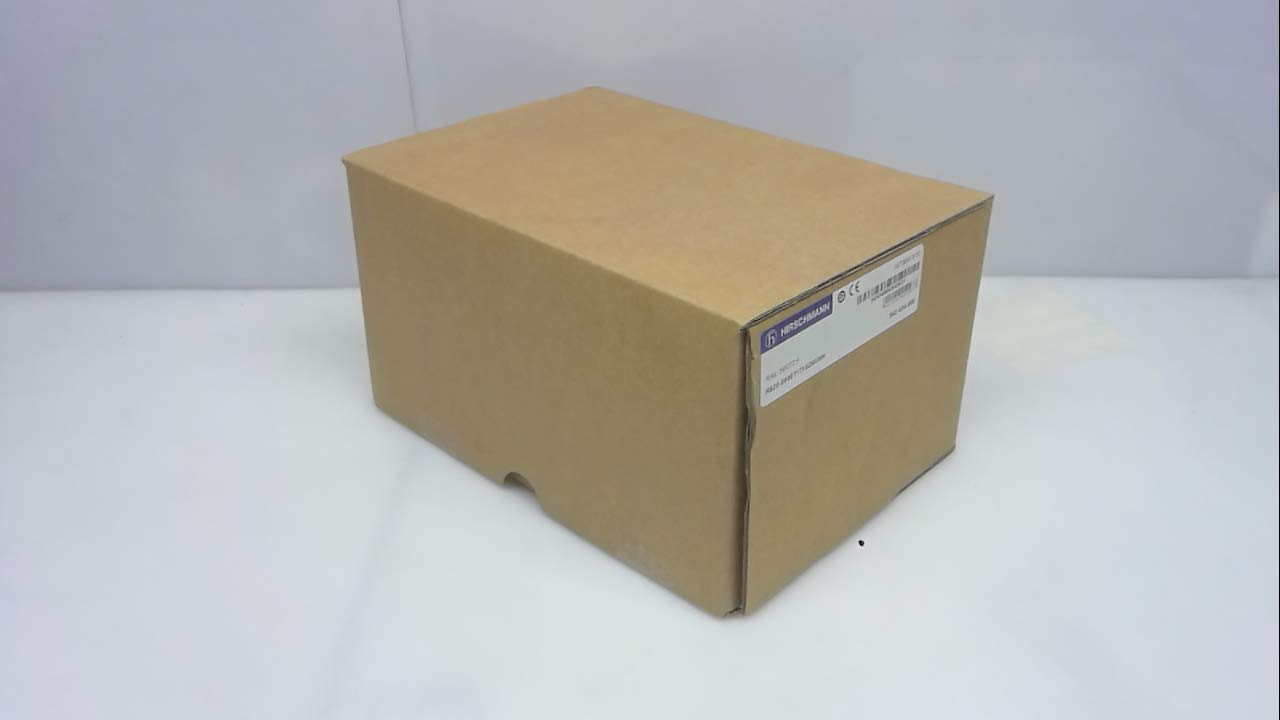
Figura 1: Hirschmann RS20-0800T1T1SDAUHH Ethernet Rail Switch in its original packaging. The packaging indicates the model number and brand for verification.
2. Setup u Installazzjoni
Follow these steps for proper installation of your Hirschmann RS20-0800T1T1SDAUHH switch.
2.1 Disimballaġġ
- Neħħi b'attenzjoni l-iswiċċ mill-ippakkjar tiegħu.
- Verify that all components are present and undamaged. The package should contain the switch and any included hardware.
2.2 Immuntar
The RS20-0800T1T1SDAUHH is designed for DIN rail mounting.
- Attach the switch securely to a standard DIN rail in an industrial enclosure.
- Kun żgur li jkun hemm ventilazzjoni adegwata madwar l-apparat biex tevita li jisħon iżżejjed.
2.3 Konnessjoni tal-Enerġija
Qabbad il-provvista tal-enerġija mal-iswiċċ.
- The switch operates on 24V AC or 24-48V DC.
- Kun żgur li s-sors tal-enerġija jaqbel mal-volum speċifikattagfirxa e.
- Connect the power cables to the designated power input terminals on the switch.
2.4 Konnessjonijiet tan-Netwerk
Connect Ethernet devices to the switch ports.
- The switch features 8 Fast Ethernet ports.
- Use standard Ethernet cables (e.g., Cat5e or Cat6) to connect your network devices (e.g., PLCs, industrial PCs, sensors) to any of the 8 ports.
- The switch automatically detects link speed and duplex mode.

Figura 2: The Hirschmann RS20-0800T1T1SDAUHH switch, illustrating the 8 Ethernet ports and the power input terminal block for connection.
3. Istruzzjonijiet Operattivi
The Hirschmann RS20-0800T1T1SDAUHH is an unmanaged switch, designed for simple plug-and-play operation.
3.1 Mixgħul
Once the power supply is connected, the switch will power on automatically. There is no power button.
3.2 Konnettività tan-Netwerk
Upon connecting Ethernet devices to the switch ports, the switch will automatically establish network links. Data transmission will commence without further configuration.
3.3 Indikaturi LED
Observe the LED indicators on the switch for status information:
- LED tal-qawwa: Indicates the power status of the device. Typically green when powered on.
- LEDs tal-Link/Attività (għal kull port):
- Aħdar Solidu: Indicates a successful network link.
- Aħdar li jteptep: Indicates data activity on the port.
- Mitfi: No link detected or device is not connected.
4. Manutenzjoni
The Hirschmann RS20-0800T1T1SDAUHH switch requires minimal maintenance.
4.1 Tindif
- Kun żgur li l-apparat ikun mitfi qabel ma tnaddaf.
- Uża drapp artab u niexef biex timsaħ il-parti ta' barra tas-swiċċ.
- Do not use liquid cleaners or solvents, as these can damage the device.
4.2 Konsiderazzjonijiet Ambjentali
The switch has an IP00 rating, meaning it is not protected against dust or water ingress. It must be installed in an appropriate enclosure that provides protection from environmental factors.
5 Issolvi l-problemi
This section provides solutions to common issues.
5.1 Ebda Qawwa
- Sintomu: L-LED tal-Enerġija huwa mitfi.
- Azzjoni:
- Check the power cable connection to the switch.
- Ivverifika li s-sors tal-enerġija huwa attiv u jipprovdi l-volum korretttage (24V AC / 24-48V DC).
- Inspect the power terminals for secure contact.
5.2 Ebda Konnettività man-Netwerk
- Sintomu: Link/Activity LED for a port is off, or devices cannot communicate.
- Azzjoni:
- Kun żgur li l-kejbil Ethernet huwa konness sew kemm mal-port tas-swiċċ kif ukoll mat-tagħmir konness.
- Ipprova kejbil Ethernet differenti.
- Ivverifika li l-apparat konness ikun mixgħul u jaħdem sew.
- Ipprova qabbad l-apparat ma 'port differenti fuq is-swiċċ.
6. Speċifikazzjonijiet
Technical specifications for the Hirschmann RS20-0800T1T1SDAUHH Ethernet Rail Switch.
| Karatteristika | Speċifikazzjoni |
|---|---|
| Numru tal-Mudell | RS20-0800T1T1SDAUHH |
| Brand | Hirschmann |
| Tip ta' Swiċċ | Swiċċ Ethernet Mgħaġġel Mhux Immaniġġjat |
| Numru ta' Portijiet | 8 |
| Tip ta 'Immuntar | Binarji DIN |
| Vol Operattivtage | 24V AC / 24-48V DC |
| Protokoll tal-Konnettività | Ethernet |
| Dimensjonijiet tal-Prodott (L x W x H) | 0.31 x 0.31 x 0.28 pulzieri |
| Piż | 5.67 Liri |
| Klassifikazzjoni tal-Protezzjoni Internazzjonali | IP00 |
| Kuntatt Materjal | Ram |
| Data L-Ewwel Disponibbli | 11 ta’ Mejju, 2018 |

Figura 3: Product label for the Hirschmann RS20-0800T1T1SDAUHH, displaying key identification numbers such as UPC 4002044252977 and Alt ID 943 434-999.
7. Garanzija u Appoġġ
7.1 Informazzjoni dwar Garanzija
For specific warranty details regarding your Hirschmann RS20-0800T1T1SDAUHH switch, please refer to the warranty documentation provided with your purchase or contact Hirschmann directly. Warranty terms typically cover manufacturing defects for a specified period from the date of purchase.
7.2 Appoġġ Tekniku
If you encounter issues that cannot be resolved using the troubleshooting guide, or require further technical assistance, please contact Hirschmann customer support or your authorized distributor. Have your product model number (RS20-0800T1T1SDAUHH) and serial number ready when contacting support.