
continuus CTM-7600
Continu.us CTM-7600 Articulating TV Wall Mount
Manwal ta' Istruzzjoni
Model: CTM-7600 | Brand: Continu.us
1. Introduzzjoni
This manual provides detailed instructions for the safe and proper installation and operation of your Continu.us CTM-7600 Articulating TV Wall Mount. This commercial-grade TV bracket is designed for televisions ranging from 37 to 80 inches, offering full articulation, tilt, and swivel capabilities for optimal viewing angles. Please read all instructions carefully before beginning installation.
2. Informazzjoni dwar is-Sigurtà
- Kapaċità tal-piż: This mount is rated to hold up to 132 lbs (60 kg). Do not exceed this weight limit.
- Daqs tat-TV: Compatible with TVs from 37 to 80 inches. Ensure your TV's VESA pattern is compatible with the mount.
- Tip ta' Ħajt: This mount is designed for installation on wood studs, concrete, or brick walls. Do not install on drywall alone.
- Installazzjoni: Two people are recommended for safe installation. If you are unsure about the installation process, consult a qualified professional.
- Ġestjoni tal-Kejbil: Ensure all cables are routed safely and do not interfere with the mount's movement.
- Sigurtà: The integrated safety lock helps secure the TV to the mount. Always engage this feature after installation.
3. Kontenut tal-Pakkett
Verify that all components are present before beginning installation. Refer to the included hardware kit for specific screw sizes and quantities.
- Assemblea tal-Pjanċa tal-Ħajt
- Dirgħajn tal-Bracket tat-TV (2)
- Articulating Arm Assembly
- Livell tal-Bużżieqa Integrat
- Kit tal-Ħardwer tal-Immuntar (diversi viti, woxers, spacers, ankri)
- Manwal ta' Istruzzjoni
4. Gwida għall-Installazzjoni
Follow these steps carefully to install your TV wall mount. A drill, stud finder, and level (beyond the integrated one) may be required.
4.1. Twaħħil tal-Brakketti tat-TV mat-TV
Identify the correct VESA mounting holes on the back of your TV. Select the appropriate screws, washers, and spacers from the hardware kit. Attach the TV bracket arms securely to the back of your TV. Ensure the arms are level and centered.

Figura 1: Universal VESA patterns supported by the mount, including 200x100, 200x200, 300x200, 300x300, 400x200, 400x300, 400x400, 500x400, and 600x400 mm.
4.2. Immuntar tal-Pjanċa tal-Ħajt
Locate the wall studs using a stud finder. Mark the desired height and position for your TV. Use the integrated bubble level to ensure the wall plate is perfectly horizontal before drilling pilot holes. Secure the wall plate to the wall using the provided lag screws. For concrete or brick walls, use appropriate anchors.

Figura 2: The wall plate features a built-in spirit bubble to assist in achieving a level installation.
4.3. Attaching the TV to the Wall Mount
Carefully lift the TV with the attached brackets and hook them onto the wall plate. Ensure the TV is securely seated. Engage the integrated safety lock mechanism to prevent accidental dislodgement and deter theft.
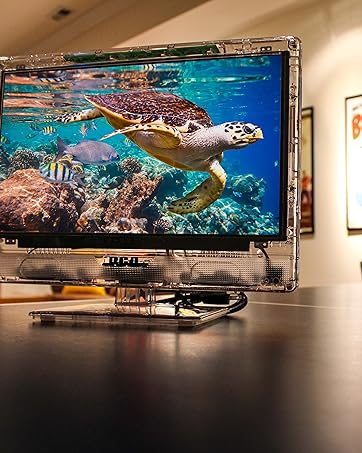
Figura 3: A television securely mounted to the wall using the articulating bracket.
4.4. Installazzjoni Overview Video
Watch this video for a visual guide on the installation process and different mount types.
Vidjo 1: An fuqview of Continu.us wall mount selection and general installation concepts, including various models and their mounting methods.
5. Karatteristiċi u Operazzjoni
5.1. Full Articulation
The CTM-7600 mount allows you to extend your TV up to 28 inches from the wall or retract it to within 3 inches. This smooth articulation can be adjusted with ease, without the need for tools, providing flexibility for various room layouts.

Figura 4: The articulating arm extends the TV up to 28 inches and retracts to 3.2 inches from the wall.
5.2. Tilt and Swivel
Adjust your TV to eliminate glare and achieve the perfect viewing angle from anywhere in the room. The mount allows for swiveling the TV both left and right, and tilting the screen up to 5 degrees up and 15 degrees down.

Figura 5: The mount allows the TV to swivel in both directions for optimal viewing.
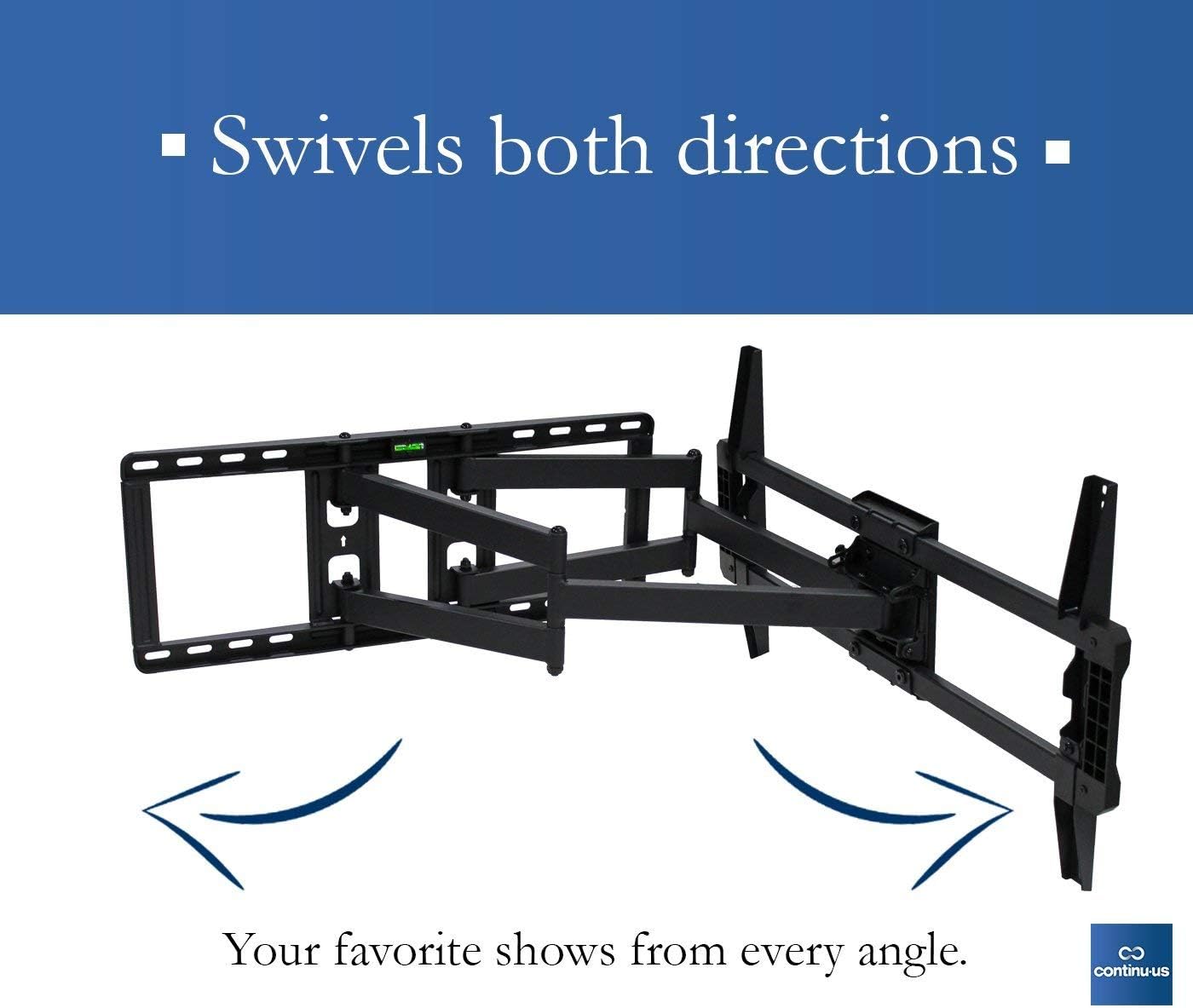
Figura 6: The mount provides tilt functionality, allowing for adjustments of 5 degrees up and 15 degrees down.
6. Speċifikazzjonijiet
| Karatteristika | Dettall |
|---|---|
| Numru tal-Mudell | CTM-7600 |
| Brand | Continu.us |
| Tip ta 'Immuntar | Mount Wall |
| Tip ta' Moviment | Artikolanti, Dawwar, Inklina |
| Apparati Kompatibbli | Television (37" - 80") |
| Materjal | Azzar Liga |
| Kulur | Iswed |
| Piż tal-oġġett | 28.2 liri |
| Angolu ta 'Mejjel Massimu | 15 Grad |
| UPC | 811635021625 |
7. Manutenzjoni
- Tindif: Imsaħ il-muntatura b'ċarruta ratba u niexfa. Evita prodotti tat-tindif jew solventi li joborxu.
- Spezzjoni Perjodika: Iċċekkja perjodikament il-viti u l-konnessjonijiet kollha biex tiżgura li jibqgħu ssikkati u siguri.
- Lubrikazzjoni: The articulating joints are designed for smooth movement. If movement becomes stiff, a small amount of silicone-based lubricant can be applied to the moving parts.
8 Issolvi l-problemi
- It-TV mhux livellat: Use the integrated bubble level during installation to ensure the wall plate is perfectly horizontal. Some mounts allow for minor post-installation leveling adjustments.
- Il-moviment tal-muntatura huwa iebes: Check for any obstructions. Apply a small amount of silicone-based lubricant to the moving joints if necessary.
- It-TV iħoss instabbli: Re-check all mounting screws and ensure they are securely fastened to the wall studs or appropriate anchors. Verify the safety lock is engaged.
- Partijiet neqsin: Refer to the package contents list. Contact customer support if any parts are missing.
9. Garanzija u Appoġġ
Continu.us products are designed, tested, and manufactured to high standards. If you encounter any issues with your product, our US-based support team is available to assist you. We pride ourselves on offering the best support possible and give immediate attention to any concerns.
For assistance, please refer to the contact information provided with your product or visit the official Continu.us websit.
Ask a question about this manual
Ask about setup, troubleshooting, compatibility, parts, safety, or missing instructions. Manuals+ will review the question and use this page’s manual context to help answer it.