
Introduzzjoni
This manual provides detailed instructions for the setup, operation, and maintenance of your Youshiko YK YC8025-B Radio Controlled Wall Clock. This clock is designed for precise timekeeping, automatically adjusting for seasonal changes and receiving time signals specific to the UK and Ireland (MSF).
The clock features a large LCD display showing time in 12/24 hour format, date, month, day of the week, indoor temperature (Celsius or Fahrenheit), and moon phase. It also includes an alarm with a snooze function.

Figura 1: Quddiem view of the Youshiko YK YC8025-B Radio Controlled Wall Clock. The large LCD screen displays the current time, date, day of the week, indoor temperature, and moon phase.
Setup
1. Installazzjoni tal-batterija
- Sib l-għatu tal-kompartiment tal-batterija fuq wara tal-arloġġ.
- Neħħi l-għatu.
- Insert the required batteries (not included) according to the polarity markings (+ and -) inside the compartment.
- Ibdel l-għatu tal-kompartiment tal-batterija.

Figura 2: Wara view of the clock, showing the battery compartment and control buttons (SET, ALARM, UP, DOWN, SNOOZE, WAVE).
2. Riċeviment Inizjali tas-Sinjal
After battery installation, the clock will automatically begin searching for the radio time signal. This clock is designed for the UK and Ireland (MSF signal).
- Place the clock near a window or in an open area to optimize signal reception.
- The signal reception icon (often a tower with waves) on the display will flash during the search.
- Once the signal is successfully received, the clock will automatically set the correct time, date, and day, and the signal icon will become solid. This process may take several minutes.
Note: For optimal signal reception, avoid placing the clock near electronic devices that may cause interference.
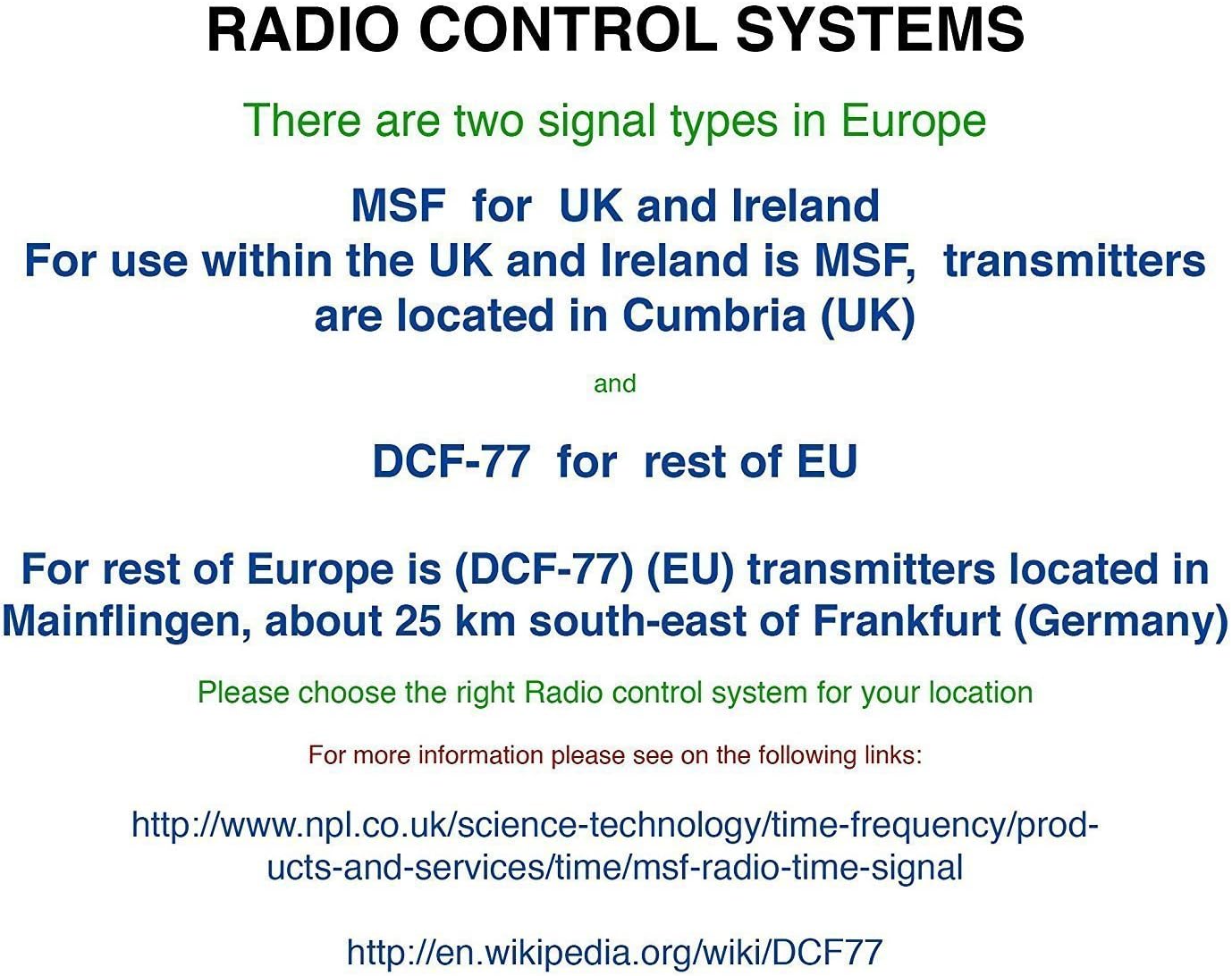
Figura 3: Explanation of radio control systems. The Youshiko YK YC8025-B uses the MSF signal for the UK and Ireland.
Istruzzjonijiet Operattivi
1. Wiri Informazzjoni
The large LCD display provides the following information:
- Ħin: Current time in 12-hour (with AM/PM indicator) or 24-hour format.
- Data: Day and month.
- Jum tal-Ġimgħa: Isem imqassar tal-ġurnata.
- Temperatura ta 'ġewwa: Measured in Celsius (°C) or Fahrenheit (°F).
- Fażi tal-Qamar: Graphical representation of the current moon phase.
- Ikona tas-Sinjal: Indicates radio signal reception status.
- Ikona tal-allarm: Jindika jekk l-allarm huwiex attiv.
2. Setting Time and Date Manually (if needed)
While the clock is radio-controlled, manual adjustments may be necessary in certain situations (e.g., outside signal range).
- Agħfas u żomm il- SET Agħfas il-buttuna sakemm id-displej jibda jteptep.
- Uża l- UP or 'L isfel buttuni biex taġġusta l-valur li jteptep (eż., siegħa, minuta, sena, xahar, jum).
- Agħfas SET again to confirm the setting and move to the next adjustable item.
- Repeat until all desired settings are configured. The clock will exit setup mode automatically after a period of inactivity or by pressing SET repeatedly until the normal display returns.
3. 12/24 Hour Format and Temperature Unit
- Biex taqleb bejn il-format tal-ħin ta' 12-il siegħa u 24 siegħa, agħfas il-buttuna UP button during normal time display.
- To switch between Celsius (°C) and Fahrenheit (°F) for temperature display, press the 'L isfel button during normal time display.
4. Alarm Setting and Snooze
- Agħfas il- ALLARM Agħfas il-buttuna darba biex turi l-ħin attwali tal-allarm.
- Agħfas u żomm il- ALLARM sakemm il-ħin tal-allarm jibda jteptep.
- Uża l- UP or 'L isfel buttons to adjust the alarm hour and then the alarm minute.
- Agħfas ALLARM again to confirm and activate the alarm. The alarm icon will appear on the display.
- Meta l-allarm jinstema ', agħfas il-buttuna SNOOZE button to temporarily silence it. The alarm will sound again after a few minutes.
- Biex titfi l-allarm kompletament, agħfas kwalunkwe buttuna oħra (eż., ALLARM, SET) when it is sounding or when the snooze is active.
5. Manual Signal Search
If the clock fails to receive the radio signal automatically, you can initiate a manual search.
- Agħfas il- MEWĠA buttuna.
- The signal icon will flash, indicating the clock is searching for the radio signal.
- Allow several minutes for the clock to attempt synchronization.
Manutenzjoni
1. Sostituzzjoni tal-batterija
Meta d-displej jiddallam jew l-arloġġ jieqaf jaħdem, ikun wasal iż-żmien li tissostitwixxi l-batteriji.
- Iftaħ il-kompartiment tal-batterija fuq wara tal-arloġġ.
- Neħħi l-batteriji qodma.
- Daħħal batteriji ġodda, filwaqt li tiżgura polarità korretta.
- Close the battery compartment. The clock will then attempt to re-synchronize with the radio signal.
2. Tindif
- Imsaħ il-wiċċ tal-arloġġ b'ċarruta ratba u niexfa.
- Do not use abrasive cleaners or chemical solvents, as these can damage the display or casing.
Issolvi l-problemi
- No Time Display / Incorrect Time:
- Kun żgur li l-batteriji huma installati sew u mhux eżawriti. Ibdelhom jekk meħtieġ.
- Check signal reception. Move the clock to a location with better reception, away from electronic interference.
- Initiate a manual signal search by pressing the MEWĠA buttuna.
- Verify that you are within the MSF signal range (UK and Ireland).
- Dim Display:
- Ibdel il-batteriji b'oħrajn ġodda.
- Allarm ma Ddoqq:
- Kun żgur li l-allarm huwa attivat (l-ikona tal-allarm tidher fuq id-displej).
- Check that the alarm time is set correctly.
Speċifikazzjonijiet
| Brand | Youshiko |
| Numru tal-Mudell | YK YC8025-B |
| Kulur | Iswed |
| Dimensjonijiet (L x W x H) | 23 x 16 x 3 ċm |
| Piż | 30 Gramm |
| Materjal | Plastik, Ħġieġ |
| Tip ta 'Wiri | Diġitali |
| Karatteristiċi Speċjali | Temperature Display, Alarm, Moon Phase, Radio Controlled |
| Sors tal-Enerġija | Imħaddem bil-batterija (Batteriji mhux inklużi) |

Figura 4: Dimensions of the Youshiko YK YC8025-B Radio Controlled Wall Clock.