
1. Introduzzjoni
Grazzi tax-xiriasing the Intempo EE1736MGSTK Curved Metallic Bluetooth Speaker. This speaker is designed to provide high-quality wireless audio from your Bluetooth-enabled devices. Featuring a sleek curved design, hands-free calling capability, and a rechargeable battery, it offers portable sound for various environments. Please read this manual carefully before use to ensure proper operation and to maximize your listening experience.
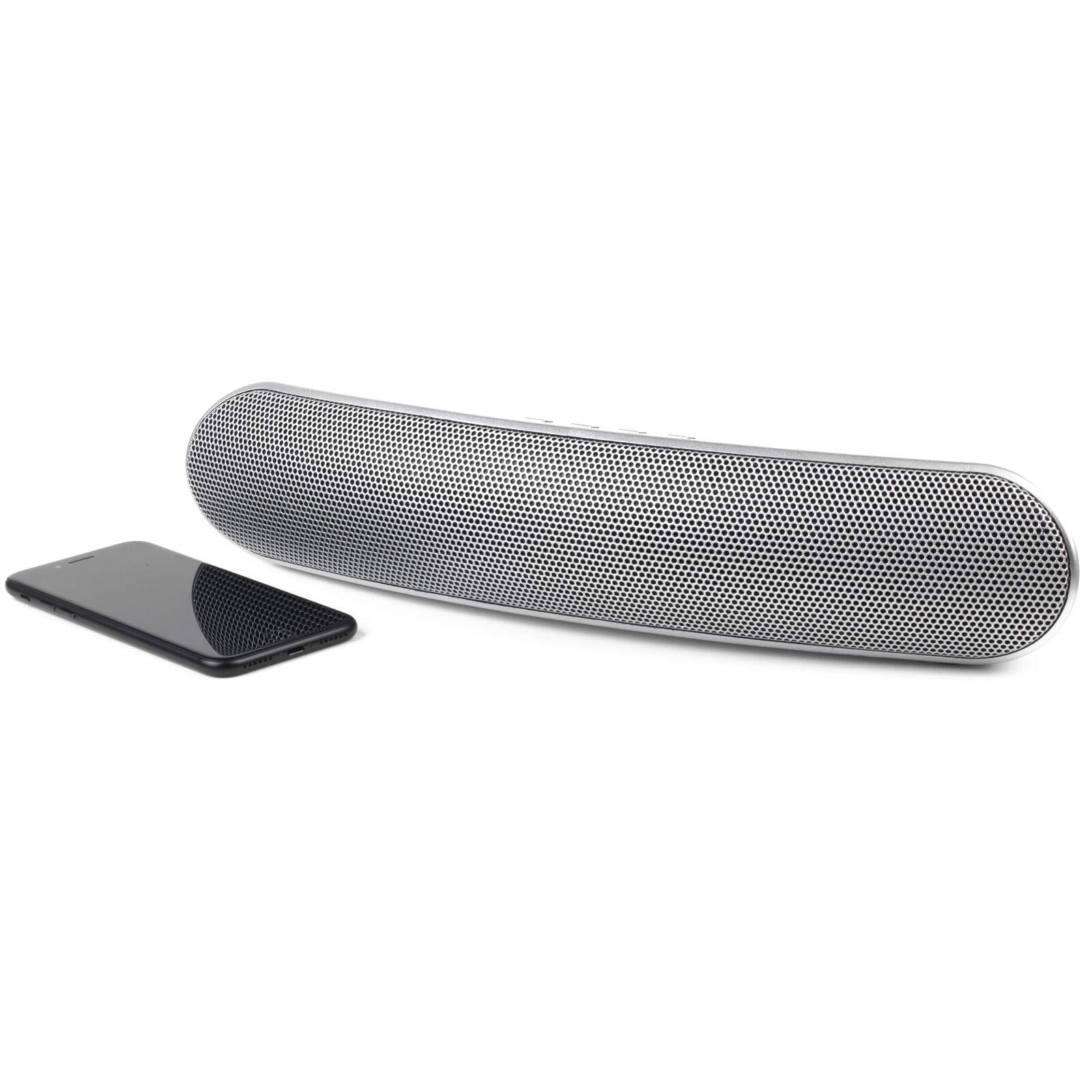
Stampa 1.1: Quddiem view of the Intempo EE1736MGSTK Curved Metallic Bluetooth Speaker.
2. Informazzjoni dwar is-Sigurtà
To ensure safe and efficient operation, please observe the following safety guidelines:
- Keep the speaker away from water, moisture, and other liquids to prevent electric shock, explosion, or damage to the device.
- Do not expose the speaker to extreme temperatures (hot or cold), as this may shorten the life of the battery or deform plastic parts.
- Do not attempt to disassemble or modify the speaker. This will void the warranty and may result in injury or damage.
- Clean the speaker only with a soft, dry cloth. Do not use abrasive cleaners or solvents.
- Żomm fejn ma jintlaħaqx mit-tfal.
- Dispose of the battery responsibly according to local regulations. Do not dispose of the battery in fire.
3. Kontenut tal-Pakkett
Jekk jogħġbok immarka l-kaxxa għall-oġġetti li ġejjin:
- Intempo EE1736MGSTK Curved Metallic Bluetooth Speaker
- Cable tal-Iċċarġjar tal-USB
- Kejbil AUX ta '3.5mm
- Manwal għall-Utent
4. Prodott Aktarview
Iffamiljarizza ruħek mal-kontrolli u l-portijiet tal-ispiker:

Immaġni 4.1: Fuq view of the speaker with control buttons.
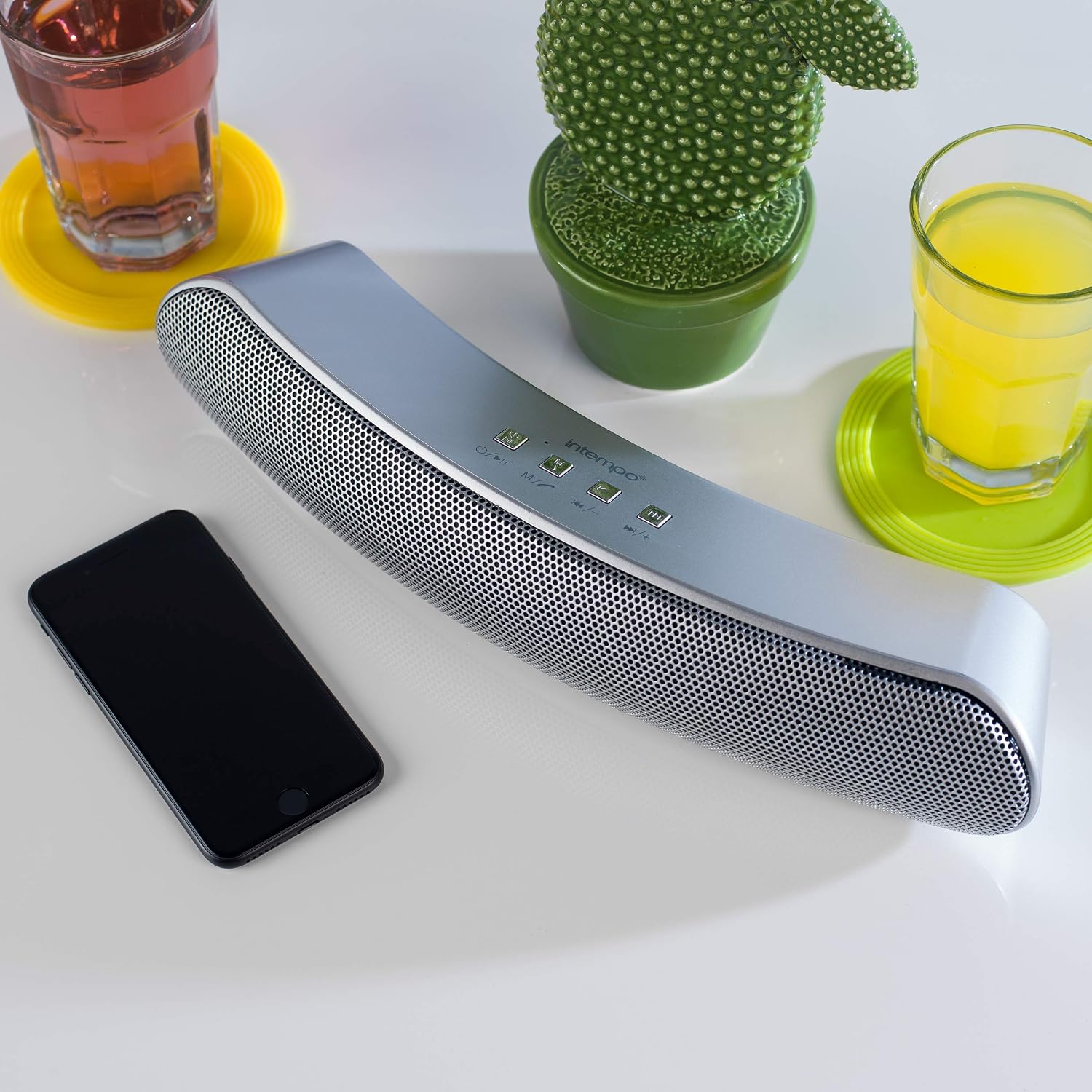
Image 4.2: Close-up of the speaker's control panel.
- Power Button / Mode (M): Press and hold to power on/off. Short press to switch modes (Bluetooth, TF Card, AUX).
- Play/Pause / Call Button: Play or pause music. Answer or end phone calls.
- Previous Track / Volume Down (-)Agħfas qasir għat-trakka ta' qabel. Agħfas fit-tul biex tnaqqas il-volum.
- Next Track / Volume Up (+)Agħfas qasir għat-trakka li jmiss. Agħfas fit-tul biex iżżid il-volum.
- Slott tal-Karta TF: For inserting a TF (Micro SD) card.
- Input AUXGħall-konnessjoni ta' apparati awdjo esterni permezz ta' kejbil ta' 3.5mm.
- Mikro USB Charging PortGħall-iċċarġjar tal-ispiker.
- Indikatur LED: Shows charging status and Bluetooth pairing status.
- Mikrofonu: For hands-free calling.
5. Setup
5.1 Iċċarġjar tal-Ispeaker
- Connect the small end of the provided USB charging cable to the Micro USB charging port on the speaker.
- Qabbad it-tarf l-akbar tal-kejbil tal-iċċarġjar USB ma' adapter tal-enerġija USB (mhux inkluż) jew mal-port USB tal-kompjuter.
- The LED indicator will illuminate to show that the speaker is charging. It will turn off or change color once fully charged.
- A full charge provides up to 8 hours of wireless playtime.
5.2 Tixgħel/Jitfi
- Biex tixgħel l-ispiker, agħfas u żomm il-buttuna Power/Mode (M) button until you hear an audible prompt or see the LED indicator light up.
- Biex titfi l-ispiker, agħfas u żomm il-buttuna Power/Mode (M) button again until you hear an audible prompt or the LED indicator turns off.
6. Istruzzjonijiet Operattivi
6.1 Tqabbil tal-Bluetooth
- Kun żgur li l-ispiker ikun iċċarġjat u mixgħul kompletament. Dan jidħol awtomatikament fil-modalità ta' tqabbil Bluetooth, indikat minn dawl LED li jteptep.
- Ippermetti l-Bluetooth fuq l-ismartphone, it-tablet, jew apparat ieħor li jaħdem bil-Bluetooth tiegħek.
- Fittex għal available Bluetooth devices. The speaker will appear as "EE1736MGSTK" or similar.
- Agħżel il-kelliem mil-lista biex tibda l-akkoppjar.
- Once successfully paired, the LED indicator will stop flashing and remain solid, and you will hear a confirmation tone.
- L-ispiker għandu firxa Bluetooth sa 10 metri (33 pied).
6.2 Daqq tal-Mużika
- Play/Pawsa: Agħfas qasir il- Play/Pawsa buttuna biex tilgħab jew twaqqaf il-korsa kurrenti.
- Track li jmiss: Agħfas qasir il- Next Track (+) buttuna biex taqbeż għall-kanzunetta li jmiss.
- Track Preċedenti: Agħfas qasir il- Previous Track (-) buttuna biex tmur għall-kanzunetta preċedenti.
- Volum Up: Agħfas fit-tul Next Track (+) buttuna biex iżżid il-volum.
- Volum 'l isfel: Agħfas fit-tul Previous Track (-) buttuna biex tnaqqas il-volum.
6.3 Sejħa mingħajr idejn
Meta jkun imqabbad permezz tal-Bluetooth, l-ispiker jista' jintuża għal telefonati hands-free:
- Wieġeb Sejħa: Agħfas qasir il- Play/Pawża/Sejħa buttuna meta tdoqq telefonata dieħla.
- Tmiem Sejħa: Agħfas qasir il- Play/Pawża/Sejħa button during a call to hang up.
- Irrifjuta Sejħa: Agħfas fit-tul Play/Pawża/Sejħa buttuna biex tirrifjuta sejħa li tkun deħlin.
Daqq tal-Karta TF 6.4
- Insert a TF (Micro SD) card with MP3 audio files fis-slot tal-biljett TF.
- The speaker will automatically switch to TF card mode and begin playing music. If not, short press the Modalità (M) button to switch to TF card mode.
- Uża l- Play/Pawsa, Previous Track (-), u Next Track (+) buttuni biex jikkontrollaw daqq.
6.5 Modalità AUX
- Qabbad tarf wieħed tal-kejbil AUX ta' 3.5mm mal-port tad-dħul AUX fuq l-ispiker.
- Connect the other end of the 3.5mm AUX cable to the headphone jack of your external audio device (e.g., MP3 player, laptop).
- L-ispiker awtomatikament jaqleb għall-modalità AUX. Jekk le, agħfas qasir il-buttuna Modalità (M) buttuna biex taqleb għall-modalità AUX.
- In AUX mode, playback is controlled directly from your connected audio device. Volume can be adjusted on both the speaker and the connected device.
7. Manutenzjoni
- Dejjem itfi l-ispiker qabel ma tnaddaf.
- Imsaħ il-parti ta’ barra tal-ispiker b’ċarruta ratba, niexfa u mingħajr suf.
- Tużax prodotti tat-tindif likwidi, aerosols, jew solventi.
- Aħżen l-ispiker f'post frisk u niexef meta ma jkunx qed jintuża għal perjodi twal.
- Recharge the battery periodically if storing for a long time to maintain battery health.
8 Issolvi l-problemi
| Problema | Kawża Possibbli | Soluzzjoni |
|---|---|---|
| L-ispiker mhux se jixgħel. | Il-batterija hija eżawrita. | Iċċarġja l-kelliem billi tuża l-kejbil USB ipprovdut. |
| Ma tistax tqabbad permezz tal-Bluetooth. | L-ispiker mhux fil-modalità ta' tqabbil jew il-Bluetooth tal-apparat huwa mitfi. | Ensure speaker is on and flashing LED. Turn Bluetooth off/on on your device. Move devices closer. |
| L-ebda ħoss waqt id-daqq. | Volum baxx wisq, mod mhux korrett, jew apparat mhux imqabbad. | Increase volume on both speaker and connected device. Check if speaker is in correct mode (Bluetooth, TF, AUX). Re-pair Bluetooth if necessary. |
| Kwalità fqira tal-awdjo. | Bluetooth interference or low battery. | Move speaker closer to the source device. Ensure no obstructions. Charge the speaker. |
| It-telefonati hands-free mhux qed jaħdmu. | Speaker not connected via Bluetooth or microphone blocked. | Ensure Bluetooth is connected. Check if anything is covering the microphone. |
9. Speċifikazzjonijiet
| Karatteristika | Speċifikazzjoni |
|---|---|
| Numru tal-Mudell | EE1736MGSTKEU |
| Dimensjonijiet (L x W x H) | 36 x 7 x 7 ċm (madwar) |
| Piż | 1.04 kg |
| Teknoloġija tal-Konnettività | Bluetooth, Mingħajr Fili |
| Tip ta' Kelliem | Kelliem Bluetooth |
| Qawwa Massima tal-Ħruġ tal-Ispeaker | 10 Watts |
| Sors tal-Enerġija | Li jaħdem bil-batterija (Rikarikabbli permezz tal-USB) |
| Ħajja Medja tal-Batterija | Sa 8 sigħat |
| Medda Bluetooth | Sa 10 metri (33 pied) |
| Kulur | Fidda |
10. Garanzija u Appoġġ
This product comes with a standard manufacturer's warranty. For details regarding warranty coverage, please refer to the warranty card included in your package or contact Intempo customer support. If you encounter any issues or require technical assistance, please visit the official Intempo website or contact their customer service department for support.