
1. Introduzzjoni
This manual provides essential information for the safe and effective use of your Amcrest IP8M-2493EB Outdoor PoE Bullet Camera. Please read these instructions thoroughly before installation and operation to ensure optimal performance and to prevent damage to the device.
2. Prodott Aktarview
2.1 Karatteristiċi ewlenin
- 2MP IP PoE Bullet Camera
- 1920x1080p @30fps Video Resolution
- Nightvision up to 98 feet (30 meters)
- IP67 Weatherproof Rating for outdoor use
- Cloud Storage Capability
- Wall Mount Design
- 4K Video Capture Resolution (for recording)
- Motion Sensor Special Feature
2.2 Kontenut tal-Pakkett
Ivverifika li l-komponenti kollha huma preżenti fil-pakkett tiegħek:
- Amcrest IP8M-2493EB Outdoor PoE Bullet Camera
- Ħardwer tal-Immuntar (viti, ankri)
- Gwida Quick Start (dan il-manwal)
2.3 Komponenti tal-Kamera
Iffamiljarizza ruħek mal-komponenti fiżiċi tal-kamera:

Figura 1: Quddiem view of the Amcrest IP8M-2493EB Bullet Camera, showing the lens, IR LEDs, and housing.
3. Setup
3.1 Qabel ma Tibda
Ensure you have the following items and conditions:
- A Power over Ethernet (PoE) switch or PoE injector (802.3af/at compliant)
- Cat5e or Cat6 Ethernet cable
- A stable internet connection (recommended for remote viewing and cloud features)
- A drill and screwdriver for mounting
3.2 Installazzjoni Fiżika
- Agħżel Post tal-Immuntar: Select a suitable wall location that provides the desired viewangolu ta' ing u jkun fil-qrib tal-kejbil Ethernet tiegħek.
- Immarka Toqob tat-Tħaffir: Use the provided mounting template (if included) or the camera base to mark the positions for drilling.
- Drill toqob: Ħaffer toqob pilota u daħħal ankri tal-ħajt jekk qed twaħħalha fuq drywall jew ġebel.
- Sikura l-Kamera: Attach the camera base to the wall using the provided screws.
- Aġġusta Angolu: Loosen the adjustment screws on the camera body to position the camera for optimal coverage, then tighten them securely.
3.3 Konnessjoni tan-Netwerk
Connect one end of the Ethernet cable to the camera's Ethernet port and the other end to a PoE port on your PoE switch or injector. The camera will power on automatically.
3.4 Konfigurazzjoni Inizjali
For initial setup and configuration, download the Amcrest View Pro app on your mobile device or use the Amcrest web interface via a computer connected to the same network. Follow the on-screen instructions to discover and add your camera to your system.
4. It-tħaddim tal-Kamera
4.1 Aċċess għal Live View
Access the live video feed through the Amcrest View Pro app or the web interface. This allows real-time monitoring of your surveillance area.
4.2 Reġistrazzjoni u Ħażna
The camera supports various recording options:
- Ħażna Lokali: If equipped with a microSD card slot (card sold separately), recordings can be stored directly on the camera.
- Reġistratur tal-Vidjo tan-Netwerk (NVR): Connect the camera to a compatible Amcrest NVR for continuous recording and extended storage.
- Ħażna Cloud: Utilize Amcrest Cloud services for off-site storage of event-triggered recordings. Refer to the Amcrest website for subscription details.
4.3 Sejbien tal-Moviment
Configure motion detection settings via the camera's interface. You can define detection zones, sensitivity levels, and set up alerts (e.g., email notifications, push notifications to your phone) when motion is detected.
4.4 Viżjoni bil-lejl
The camera features infrared (IR) LEDs for night vision, providing clear surveillance footage in low-light or no-light conditions up to 98 feet. The camera automatically switches between day and night modes.
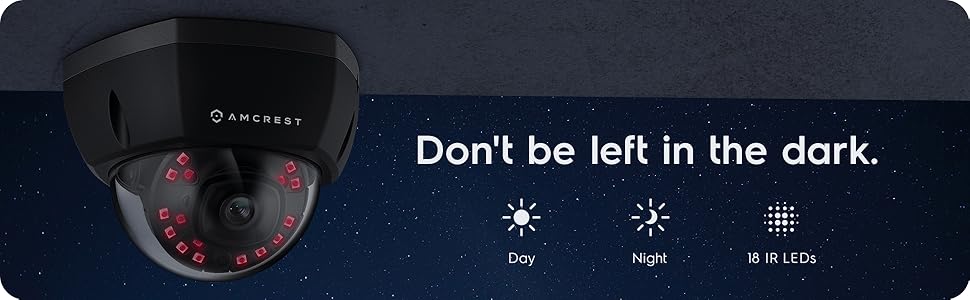
Figura 2: Eżample of night vision capability, illustrating clear image capture in dark conditions.
5. Manutenzjoni
5.1 Tindif
Naddaf il-lenti u l-kaxxa tal-kamera perjodikament b'drapp artab u dryer.amp cloth. Avoid using harsh chemicals or abrasive materials that could scratch the lens or damage the finish.
5.2 Aġġornamenti tal-Firmware
Regularly check for and install firmware updates from the Amcrest website. Firmware updates often include performance improvements, new features, and security enhancements.
5.3 Protezzjoni mit-temp
The IP8M-2493EB camera has an IP67 weatherproof rating, meaning it is protected against dust ingress and can withstand immersion in water up to 1 meter for 30 minutes. While designed for outdoor use, ensure all cable connections are properly sealed to maintain water resistance.
6 Issolvi l-problemi
6.1 Kwistjonijiet Komuni u Soluzzjonijiet
- Ebda Qawwa/Ebda Vidjo: Ensure the Ethernet cable is securely connected to both the camera and a functioning PoE port. Check the PoE switch/injector for power.
- Kwalità Fqira tal-Immaġni: Clean the camera lens. Check network bandwidth. Adjust resolution and compression settings in the camera interface. Ensure sufficient lighting for optimal image clarity.
- Night Vision Halo Effect: This can occur if the IR light reflects off nearby surfaces or the camera housing. Ensure there are no obstructions close to the lens.
6.2 Video Support
For visual guidance on resolving common issues, including potential IR reflection, please refer to the following video:
Video 1: This video from Amcrest Direct provides instructions on resolving IR reflection issues that can affect night vision clarity in Amcrest cameras.
7. Speċifikazzjonijiet
| Karatteristika | Speċifikazzjoni |
|---|---|
| Isem tal-Mudell | IP8M-2493EB |
| Użu fuq ġewwa/barra | Barra |
| Sors tal-Enerġija | AC/DC (via PoE) |
| Protokoll tal-Konnettività | Ethernet |
| Tip ta 'Immuntar | Mount Wall |
| Riżoluzzjoni tal-Qbid tal-Vidjo | 4K |
| Kulur | Iswed |
| Numru ta' Oġġetti | 1 |
| Numru ta 'Kanali | 1 |
| Teknoloġija tal-Komunikazzjoni mingħajr Fili | POE (Enerġija fuq Ethernet) |
| Fattur tal-Formola | Bullet |
| Medda tal-Viżjoni Lejl | 98 pied (30 metru) |
| Frame Rata | 30 fps |
| Dimensjonijiet tal-oġġett (L x W x H) | 6.1 x 6.1 x 5.4 pulzieri |
| Piż tal-oġġett | 1.3 liri |
| Batteriji Meħtieġa? | Nru |
| Teknoloġija tad-Dawl Baxx | Kulur bil-lejl |
| Klassifikazzjoni tal-Protezzjoni Internazzjonali | IP67 |
| Massimu WebCam Image Riżoluzzjoni | 2 MP |
| Metodu ta' Kontroll | App |
| Użi Rakkomandati Għall-Prodott | Sigurtà ta 'barra |
| Teknoloġija tal-Konnettività | Bil-fili |
| Karatteristika Speċjali | Sensor tal-Moviment |
8. Garanzija u Appoġġ
Amcrest products typically come with a limited warranty. For specific warranty terms, registration, and technical support, please visit the official Amcrest website or contact Amcrest customer service directly. Keep your purchase receipt for warranty claims.
Amcrest Support: https://amcrest.com/support