
Introduzzjoni
This manual provides detailed instructions for the installation, operation, and maintenance of your MOTOPOWER MP0608A Motorcycle Dual USB Charger and Battery Monitor. Please read this manual thoroughly before use to ensure proper function and safety.
Prodott Overview
The MOTOPOWER MP0608A is a versatile device designed for motorcycles, offering dual USB charging ports, a battery monitor, and switch control. It features an intelligent micro-chip for efficient charging and low voltage protection to safeguard your battery.

Immaġni: Quddiem view of the MOTOPOWER MP0608A, highlighting the LED indicators for battery status and the integrated power/mode switch.
Karatteristiċi ewlenin:
- Portijiet USB doppji: Provides 5V DC, 3.1Amp output for charging two devices simultaneously.
- Monitor tal-batterija: LED indicators display battery status (Good, Weak, Poor).
- Kontroll tal-Iswiċċ: Integrated button for turning USB output on/off and checking battery status.
- Vol baxxtage Protezzjoni: Automatically cuts off power when battery voltage drops below 11.6V to prevent battery drain.
- Iċċarġjar Intelliġenti: Smart micro-chip identifies device type for optimized charging.
- Kostruzzjoni Durabbli: Features an inner polycarbonate case and outer soft PVC injection for robustness, fire-resistance, and water-resistance.

Image: The MOTOPOWER MP0608A unit showing its SAE quick release connector and dual USB ports with a protective cap.

Image: Diagram illustrating the robust internal polycarbonate case and outer soft PVC injection molding for enhanced durability and resistance.
Informazzjoni dwar is-Sigurtà
- Tiżgura l-input voltage jinsab fil-medda speċifikata ta' 12-24V DC.
- Do not expose the device to extreme temperatures or direct flame.
- Keep the USB port cap closed when not in use or during rain to prevent water ingress.
- Avoid modifying the device. Unauthorized modifications may void the warranty and pose safety risks.
- Kun żgur li l-konnessjonijiet elettriċi kollha huma siguri u iżolati sew biex tevita short circuits.
- The SAE ring terminal harness is not included. Use a compatible SAE harness for connection to the battery.
Setup u Installazzjoni
The MP0608A connects to your motorcycle's 12V-24V DC power source via an SAE quick release connector. An SAE ring terminal harness (not included) is required to connect to your battery terminals.
- Prepare the Power Source: If you do not have an existing SAE harness connected to your motorcycle battery, install one. Ensure the harness is rated for the appropriate current and fused for safety. Connect the ring terminals to your battery posts (red to positive, black to negative).
- Ir-Rotta tal-Kejbil: Carefully route the SAE cable from your battery to the desired mounting location for the USB charger. Ensure the cable is secured and does not interfere with moving parts or hot engine components.
- Mount the USB Charger: The MP0608A can be mounted using tape, zip ties, or screws (mounting hardware not included). Choose a location that is easily accessible, protected from direct impact, and allows for the USB ports to be used conveniently.
- Qabbad l-Apparat: Plug the SAE connector of the MP0608A into the SAE harness connected to your battery. Ensure a secure connection.
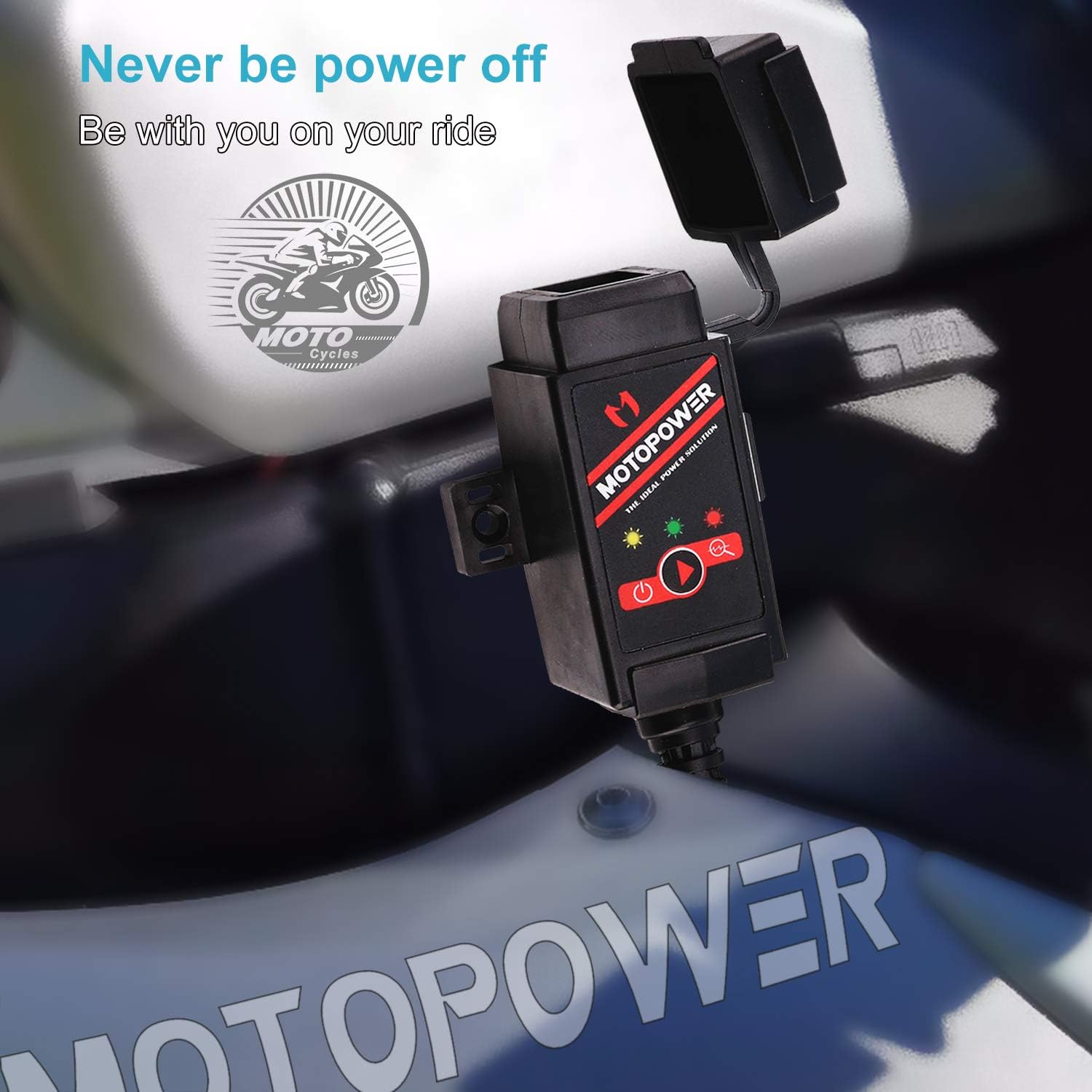
Image: The MOTOPOWER MP0608A unit shown installed on a motorcycle, demonstrating a typical mounting scenario.
Nota: Always ensure the motorcycle's ignition is off before making any electrical connections.
Istruzzjonijiet Operattivi

Image: A visual guide detailing how to operate the dual USB charger and battery monitor functions, including LED indicator meanings.
A. Dual USB Charger Function:
- Biex Tixgħel: Press the integrated switch button once. The green LED indicator will illuminate, signifying that the USB output is active.
- Biex Tintefa: Press the switch button once again. The green LED indicator will turn off, deactivating the USB output.
- Apparat li jiċċarġja: Connect your USB-powered devices to the dual USB ports. The intelligent micro-chip will detect your device and provide the optimal charging current.
B. Battery Monitor Function:
To enter battery monitor mode, quickly press the switch button twice.
- Green LED Flashing: Jindika li l-batterija tinsab f'kundizzjoni tajba.
- Yellow LED Flashing: Indicates the battery is weak and may require attention.
- LED aħmar li jteptep: Indicates the battery is poor and should be charged immediately.
Vol baxxtage Protezzjoni: Meta l-batterija voltage drops below 11.6V during operation, the USB power output will automatically cut off, and the green LED will flash to indicate this protection mode. This feature prevents excessive battery drain.
Manutenzjoni
- Tindif: Imsaħ l-apparat b'ċarruta ratba u niexfa. Tużax kimiċi ħarxa jew prodotti tat-tindif li joborxu.
- Protezzjoni tal-Port: Always keep the rubber cap over the USB ports when they are not in use, especially in wet or dusty conditions, to prevent damage and ensure water resistance.
- Spezzjoni tal-Cable: Periodically check the SAE cable and connections for any signs of wear, fraying, or corrosion. Replace damaged cables immediately.
- Ħażna: If storing the motorcycle for an extended period, disconnect the MP0608A from the SAE harness to prevent any potential parasitic draw on the battery.
Issolvi l-problemi
| Problema | Kawża Possibbli | Soluzzjoni |
|---|---|---|
| No power to USB ports / LEDs off |
|
|
| Green LED flashing, no USB output | Vol baxxtage protezzjoni attivata. | Charge your motorcycle battery. The USB output will resume once the battery voltage huwa 'l fuq minn 11.6V. |
| Battery monitor shows Yellow or Red LED | Motorcycle battery is weak or poor. | Charge your motorcycle battery immediately. Consult a professional if the issue persists after charging. |
| Veloċità tal-iċċarġjar bil-mod |
|
|
Speċifikazzjonijiet
| Numru tal-Mudell | MP0608A |
| Numru tal-Parti tal-Manifattur | MP0608A-US |
| Input Voltage | 12-24V DC |
| Ħruġ Voltage | 5V DC |
| Kurrent tal-Ħruġ | 3.1 Amps (Total) |
| Numru ta 'Portijiet USB | 2 (Type A) |
| Vol baxxtage Qtugħ | 11.6V |
| Tip ta' Konnettur | SAE Quick Release |
| Piż tal-oġġett | 100 Gramm |
X'hemm fil-Kaxxa
- MOTOPOWER MP0608A Dual USB & Battery Monitor Harness
Note: SAE ring terminal harness for battery connection is not included and must be purchased separately.
Informazzjoni dwar Garanzija
The MOTOPOWER MP0608A comes with a Garanzija ta' 1 snin mill-manifattur mid-data tax-xiri. Din il-garanzija tkopri difetti fil-materjali u l-abbilità taħt użu normali. Ma tkoprix ħsara li tirriżulta minn użu ħażin, aċċident, modifika, jew tiswija mhux awtorizzata. Jekk jogħġbok żomm il-prova tax-xiri tiegħek għal talbiet ta' garanzija.
Appoġġ għall-Klijent
For technical assistance, troubleshooting, or warranty inquiries, please contact MOTOPOWER customer support. Refer to the product packaging or the official MOTOPOWER webis-sit għall-aktar informazzjoni ta' kuntatt aġġornata.
Tista 'wkoll iżżur il- MOTOPOWER Store on Amazon għal aktar informazzjoni dwar il-prodott u riżorsi ta' appoġġ.