
1. Introduzzjoni
This manual provides detailed instructions for the operation and maintenance of your FEELWORLD T7PLUS 7-inch DSLR Camera Monitor. Please read this manual thoroughly before using the product to ensure proper function and to prevent damage. Keep this manual for future reference.
2. Prodott Aktarview
The FEELWORLD T7PLUS is a high-resolution 7-inch camera monitor designed for professional photography and video production. It features a 1920x1200 display, 4K HDMI input/output, and advanced monitoring tools.
2.1 Karatteristiċi ewlenin
- Wiri b'Riżoluzzjoni Għolja: 7-inch screen with 1920 x 1200 resolution, 1200:1 contrast ratio, and Rec.709 color standard for vivid and accurate image reproduction.
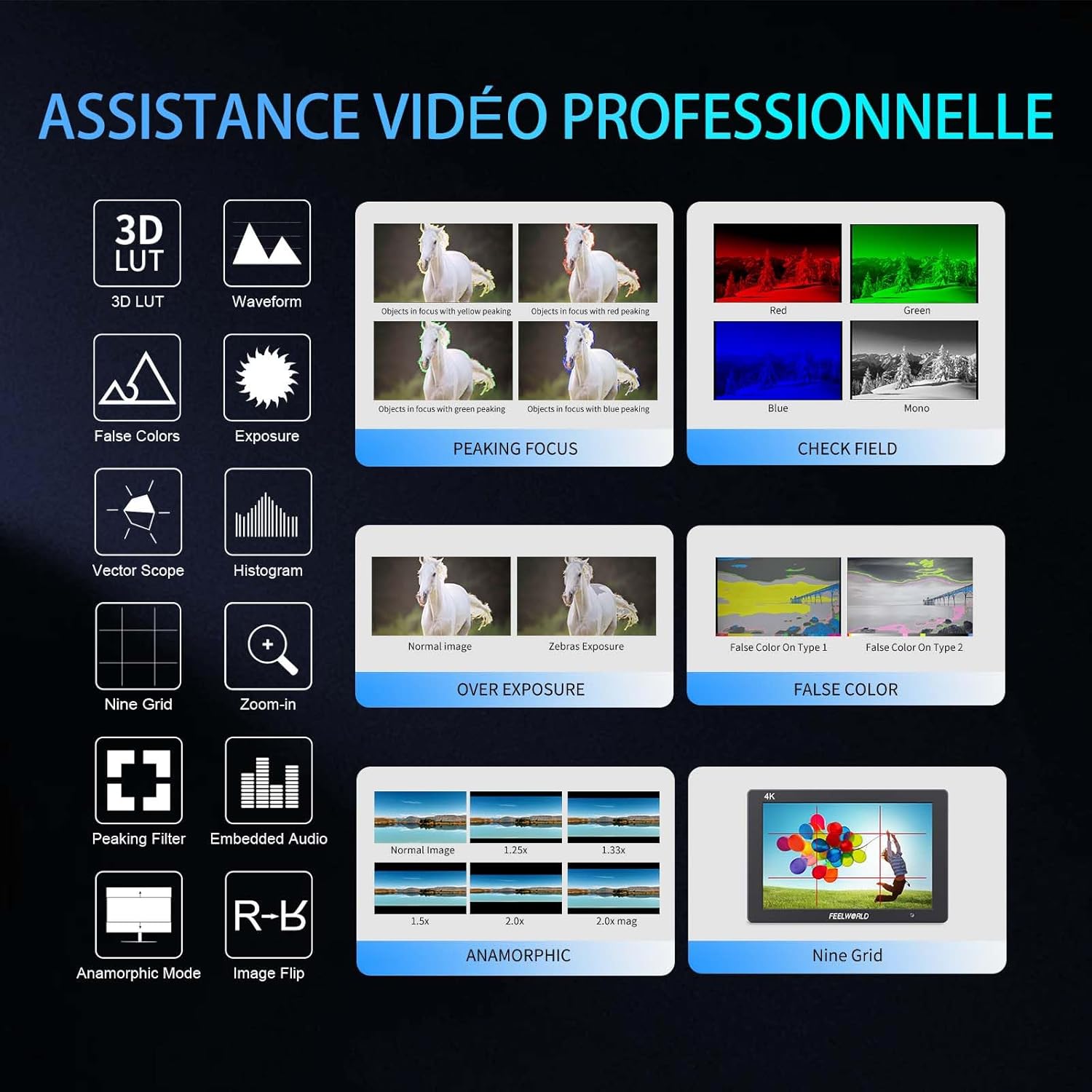
- Advanced Customization Functions: Supports 32 custom 3D LUTs and professional tools including waveform, vector scope, RGB histogram, peaking focus, false color, and more for precise control during shooting.
- Konnettività versatili: Equipped with 4K HDMI input and output, allowing simultaneous display and transmission of live signals to other monitors without compromising video quality.
- Lightweight and Durable Design: Slim 18mm aluminum casing, weighing only 320g.
- Għażliet ta' Enerġija Flessibbli: Compatible with F550/F970 series batteries and DC 12V power input.
2.2 Komponenti
Il-pakkett jinkludi l-oġġetti li ġejjin:
- 1 x FEELWORLD T7PLUS Monitor
- 1 x Mini HDMI Cable
- 1 x Sunshade
- 1 x Warming Boot Holder
- 1 x F970 Battery Plate
- 1 x F550 Battery
- 1 x Manwal tal-Utent
- 1 x USB Adapter Cable
- 1 x Borża

Immaġni: Quddiem view of the FEELWORLD T7PLUS monitor, showcasinbid-displej tiegħu ta' 7 pulzieri.

Image: A visual representation of all items included in the FEELWORLD T7PLUS package, including the monitor, cables, battery, and accessories.
3. Setup
3.1 Immuntar tal-Monitor
The T7PLUS monitor can be mounted using the included warming boot holder or other compatible mounting solutions. Ensure the monitor is securely attached to your camera rig or stand.

Image: The FEELWORLD T7PLUS monitor shown mounted on top of a DSLR camera, ready for use.
3.2 Konnessjoni tal-Enerġija
The monitor supports two power input methods:
- Qawwa tal-batterija: Attach a compatible F550 or F970 series battery to the F970 battery plate on the back of the monitor.
- DC 12V Power: Connect a 12V/1.5A DC power adapter to the DC 12V input port on the side of the monitor.

Immaġni: Close-up view of the rear of the FEELWORLD T7PLUS monitor, highlighting the battery plate and DC 12V power input port.
3.3 Konnessjoni HDMI
Connect your camera or video source to the HDMI-IN port using the provided Mini HDMI cable. If you need to output the signal to another monitor, use the HDMI-OUT port.
Immaġni: Ġenb view of the FEELWORLD T7PLUS monitor, showing the HDMI-IN and HDMI-OUT ports, along with the DC 12V input and headphone jack.
4. Istruzzjonijiet Operattivi
4.1 Kontrolli Bażiċi
The monitor features several buttons for navigation and function control:
- Buttuna tal-Qawwa: Press and hold to turn the monitor on/off.
- Buttuna MENU: Jaċċessa l-menu prinċipali.
- Buttuni tal-Vleġeġ ('il fuq/'l isfel/'il fuq/'il fuq/'il fuq): Innaviga fl-għażliet tal-menù u aġġusta s-settings.
- Buttuni tal-Funzjoni F1-F4: Customizable shortcut buttons for quick access to frequently used features.

Image: Close-up of the control buttons on the top edge of the FEELWORLD T7PLUS monitor, including power, menu, navigation, and customizable function buttons (F1-F4).
4.2 Navigazzjoni tal-Menu
Press the MENU button to open the main menu. Use the arrow buttons to navigate through categories and options. Press the MENU button again or the right arrow to confirm selections. To exit the menu, press the left arrow button repeatedly until the menu closes.
5. Karatteristiċi Avvanzati
5.1 3D LUT (Look Up Table)
The T7PLUS supports loading up to 32 custom 3D LUTs via a USB drive. This allows you to preview foo tiegħektage with specific color grades in real-time.
- Save your .cube LUT files to the root directory of a USB drive.
- Connect the USB drive to the monitor's USB port.
- Navigate to the "LUT" menu option.
- Select "Load LUT" and choose your desired LUT file.
- You can switch between loaded LUTs for quick comparison.

Image: The FEELWORLD T7PLUS monitor displaying the 3D LUT menu, showing options for loading and managing custom LUT files minn USB drive.
5.2 Waveform, Vector Scope, and Histogram
These tools provide detailed analysis of your video signal, helping you achieve accurate exposure and color balance.
- Forma tal-mewġ: Juri l-livelli ta' luminanza u krominanza tas-sinjal tal-vidjo tiegħek.
- Skop tal-vettur: Shows the color hue and saturation.
- Istogramma RGB: Illustrates the distribution of red, green, and blue color channels.
These functions can be activated individually or simultaneously via the menu or assigned to a function button.
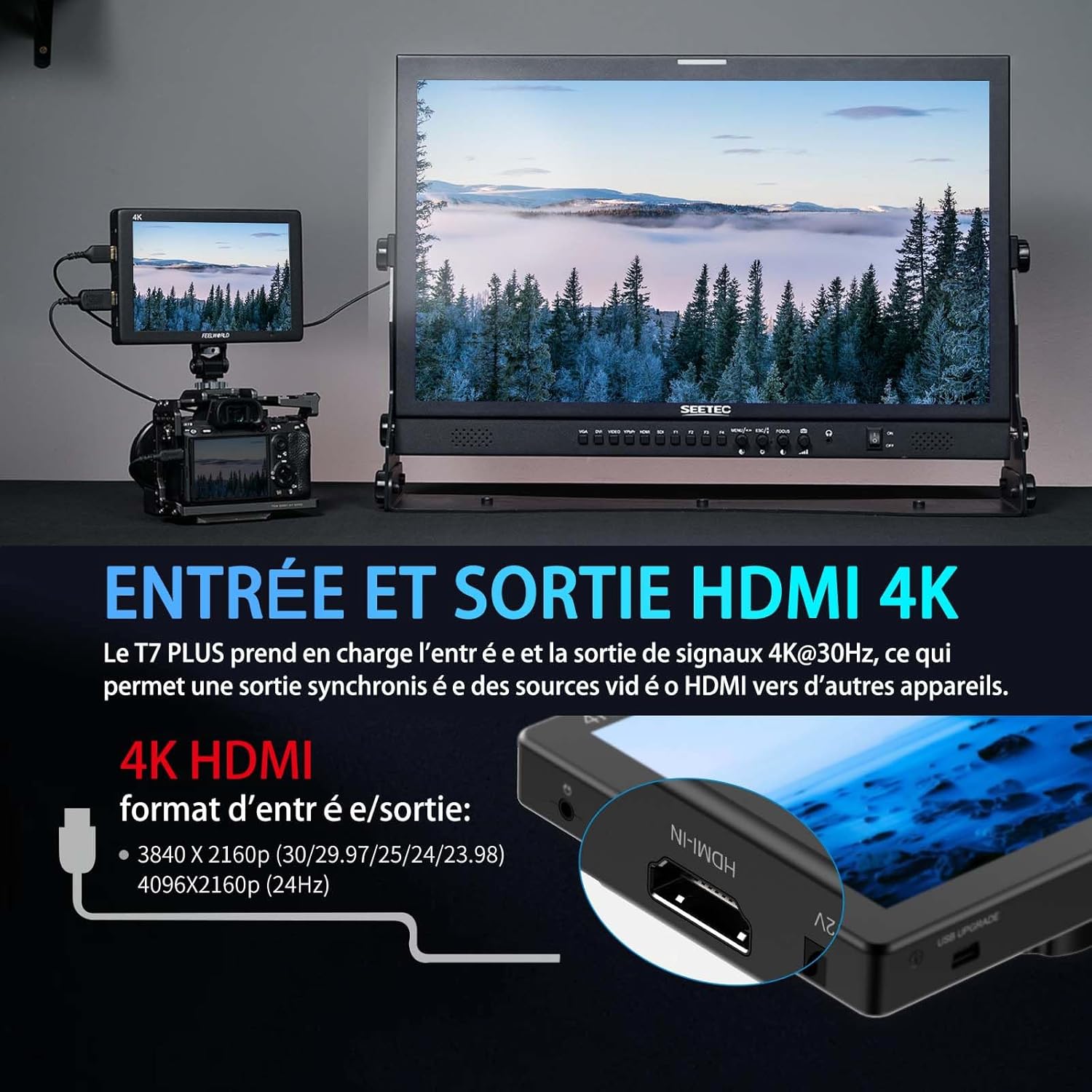
Image: The FEELWORLD T7PLUS monitor displaying a waveform monitor, showing the luminance and chrominance levels of the video input.
5.3 Other Monitoring Tools
- Assistenza għall-Fokus Peaking: Highlights sharp edges to aid in achieving precise focus.
- Kulur Falz: Displays exposure levels using a spectrum of colors.
- Exposure (Zebras): Indicates overexposed areas with zebra patterns.
- Zoom-in: Ikabbar porzjon tal-immaġni għal fokus kritiku.
- Disa' Grilja: Overlays a grid for composition assistance.
- Modalità Anamorfika: De-squeezes anamorphic footage.
- Flip tal-Immaġni: Dawwar l-immaġni orizzontalment jew vertikalment.
- Awdjo Inkorporat: Displays audio levels from the HDMI input.
6. Speċifikazzjonijiet
| Karatteristika | Speċifikazzjoni |
|---|---|
| Brand | FEELWORLD |
| Numru tal-Mudell | T7 PLUS |
| Daqs tal-Iskrin | 7 Pulzier |
| Riżoluzzjoni | 1920 x 1200 (UXGA Wide) |
| Proporzjon ta' l-aspett | 16:10 |
| Proporzjon ta' Kuntrast | 1200:1 |
| Luminożità | 450 nits |
| Riffriskar Rata | 60 Hz |
| ViewIng Angolu | 178 Grad |
| Teknoloġija tal-Konnettività | HDMI |
| Portijiet HDMI | 1x HDMI-IN, 1x HDMI-OUT (Supports 4K@30Hz) |
| Karatteristika Speċjali | Advanced Customization with 3D LUT |
| Apparati Kompatibbli | DSLR Camera, Camcorder, Handheld Stabilizer |
| Piż | 1 Kilogram (approx. 320g for monitor only) |
| Input tal-Enerġija | DC 12V, NP-F Battery Plate |
7 Issolvi l-problemi
- Ebda Qawwa:
- Ensure the battery is fully charged and correctly inserted, or the DC adapter is securely connected to a power source.
- Check the power button for proper engagement.
- Ebda Sinjal:
- Verify that the HDMI cable is securely connected to both the camera/source and the monitor's HDMI-IN port.
- Confirm the camera's HDMI output settings are correct and active.
- Ipprova kejbil HDMI ieħor.
- Distorsjoni tal-Immaġni/Kuluri Mhux Korretti:
- Check the monitor's color settings and ensure no LUTs are incorrectly applied.
- Verify the camera's video output format is compatible with the monitor.
- Buttuni ma jirrispondux:
- Restart the monitor by turning it off and on again.
- Kun żgur li l-ebda debris ma qed jostakola l-buttuni.
8. Manutenzjoni
- Tindif: Use a soft, dry cloth to clean the monitor's body. For the screen, use a specialized screen cleaning solution and a microfiber cloth. Avoid harsh chemicals or abrasive materials.
- Ħażna: When not in use, store the monitor in a cool, dry place, away from direct sunlight and extreme temperatures. Use the provided bag for protection during transport.
- Kura tal-batterija: If using batteries, ensure they are charged periodically even when not in use to maintain battery health.
9. Garanzija u Appoġġ
The FEELWORLD T7PLUS monitor comes with a garanzija ta 'sena from the FEELWORLD Official Store. For technical support, service, or warranty claims, please contact FEELWORLD customer service through their official channels or the retailer where the product was purchased.
Għal aktar informazzjoni, żur il- FEELWORLD Brand Store.
10. Vidjo tal-Prodott
Video: A short product showcase of the FEELWORLD T7PLUS monitor, demonstrating its physical design, various ports (HDMI-IN, HDMI-OUT, DC 12V), and control buttons. This video provides a visual overview of the monitor's external features and connectivity options.