
Introduzzjoni
The Ewent EW3985 Universal Compact Laptop Charger is designed to provide reliable power for laptops and ultrabooks up to 15.6 inches. This manual provides essential information for the safe and efficient use of your charger. Please read these instructions carefully before use and retain them for future reference.

Figure 1: The Ewent EW3985 charger unit with its output cable and a connected tip. The small blue light indicates power.
Setup
- Ħoll il-Komponenti: Carefully unpack the charger unit, the detachable power cable, and the assortment of interchangeable tips from the packaging.
- Agħżel il-Ponta Korretta: Identify the correct tip that matches your laptop's charging port. The EW3985 includes 10 different tips to ensure compatibility with various laptop models. Refer to your laptop's manual for the correct tip size and voltage rekwiżiti.
- Connect the Tip: Firmly connect the selected tip to the charger's output cable. Ensure it is securely seated to prevent loose connections.
- Qabbad il-Kejbil tal-Enerġija: Plug the detachable power cable into the input port on the rear of the charger unit.
- Qabbad mal-Power Outlet: Plug the other end of the power cable into a standard, grounded wall outlet.
- Qabbad mal-Laptop: Insert the connected tip into your laptop's charging port.

Figure 2: The Ewent EW3985 charger unit alongside the various interchangeable tips provided for compatibility with different laptop models.
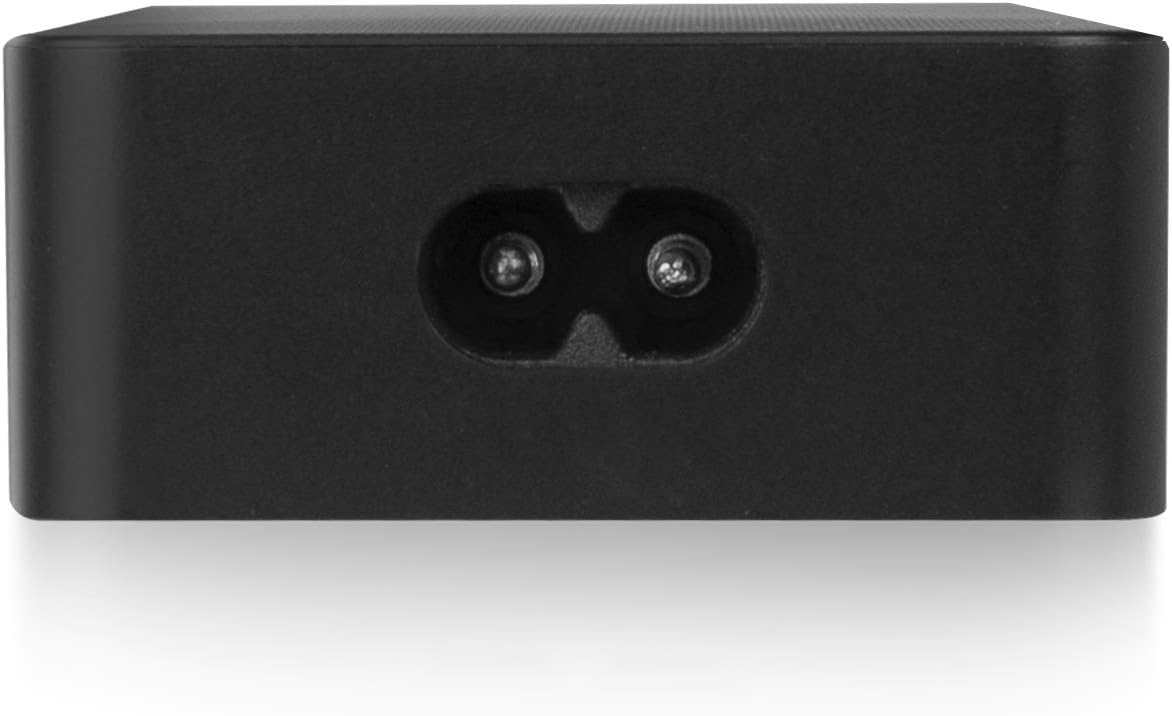
Figura 3: Wara view of the EW3985 charger, illustrating the input port for the power cable connection.
Istruzzjonijiet Operattivi
- Ħlas Inizzjali: Once all connections are secure and the charger is plugged into a live outlet, the charger will automatically begin supplying power to your laptop. A small blue LED indicator on the charger unit will illuminate to confirm it is active and functioning.
- Karatteristiċi tas-Sigurtà: The EW3985 charger is equipped with quadruple protection mechanisms to ensure safe operation. These include protection against overheating, overvoltage, overcurrent, and short-circuits.
- Tfigħ Awtomatiku: The charger is designed to automatically cease charging when your laptop's battery reaches full capacity, preventing overcharging and extending battery life.
Manutenzjoni
- Tindif: Keep the charger unit and all cables clean and free from dust. Use a soft, dry cloth for cleaning. Do not use liquid cleaners or abrasive materials.
- Kundizzjonijiet Ambjentali: Avoid exposing the charger to moisture, direct sunlight, or extreme temperatures (both hot and cold).
- Kura tal-Cable: Do not bend, twist, or crimp the cables excessively. Always grasp the plug when disconnecting from the wall outlet or laptop, rather than pulling on the cable itself, to prevent internal wire damage.
- Ħażna: When not in use, store the charger in a cool, dry place, away from children and pets.
Issolvi l-problemi
- Charger not powering on or laptop not charging:
- Ensure all connections are secure: the power cable to the charger, the charger to the wall outlet, and the tip to the laptop.
- Ivverifika li s-sokit tal-ħajt jaħdem billi tqabbad apparat ieħor.
- Check if the correct tip is securely attached to the charger and properly inserted into the laptop's charging port.
- If the issue persists, disconnect all components, wait a few minutes, and then reconnect them.
- LED indicator not lit:
- Follow the steps above for 'Charger not powering on or laptop not charging'.
- A non-lit LED typically indicates no power input or a connection issue.
Speċifikazzjonijiet
| Brand | Ewent |
| Numru tal-Mudell | EW3985 |
| Kulur | Iswed |
| Input Voltage | 240 Volts AC |
| Output ta 'Qawwa | 65 Watts |
| Kurrent tal-Ħruġ | 3 A |
| Apparati Kompatibbli | Laptops and Ultrabooks up to 15.6 inches |
| Karatteristiċi Speċjali | Portable, Quadruple Protection (Overheat, Overvoltage, Overcurrent, Short-circuit), Automatic Shutdown |
| Pariri Inklużi | 10 interchangeable tips |
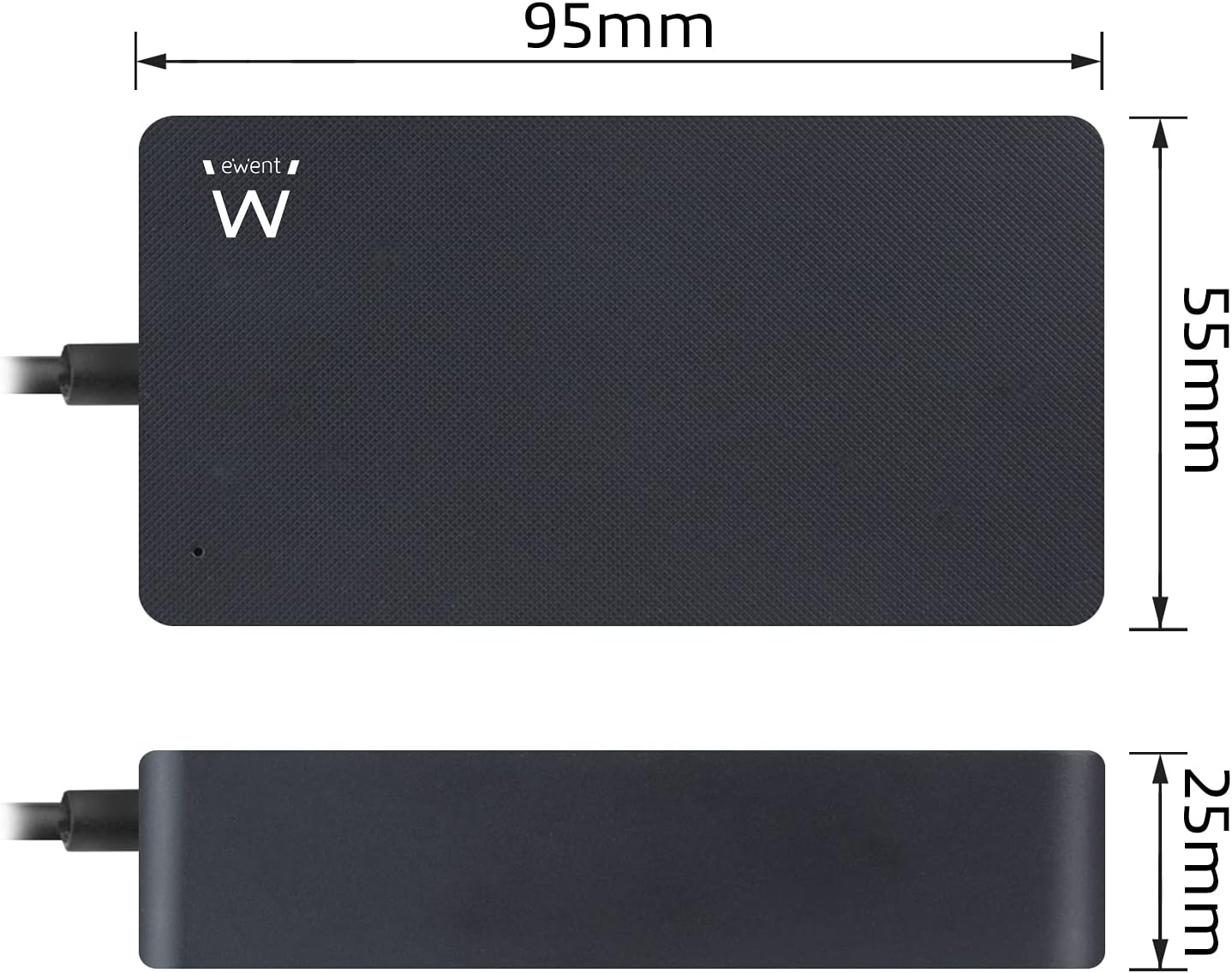
Figure 4: Dimensional diagram of the Ewent EW3985 charger, indicating its compact size for portability (95mm x 55mm x 25mm).
Garanzija u Appoġġ
Warranty information for the Ewent EW3985 Universal Laptop Charger is not provided within this manual. Please refer to the manufacturer's official webis-sit jew il-punt tax-xiri tiegħek għal termini u kundizzjonijiet dettaljati tal-garanzija.
For additional or replacement tips, Ewent offers a free tip service. Visit the official Ewent website for more information and to utilize this service.