
EASY KARAOKE EKG88BBT
Easy Karaoke Bluetooth Karaoke Machine User Manual
Model: EKG88BBT
1. Introduzzjoni
Grazzi tax-xiriasing the Easy Karaoke Bluetooth Karaoke Machine. This manual provides essential information for the safe and efficient operation of your new karaoke system. Please read this manual thoroughly before use and retain it for future reference.
2. Informazzjoni dwar is-Sigurtà
Biex tiżgura tħaddim sikur u tevita ħsara, jekk jogħġbok osserva l-prekawzjonijiet li ġejjin:
- Tesponix l-unità għax-xita jew l-umdità.
- Timblokka l-ebda fetħiet tal-ventilazzjoni.
- Uża biss aċċessorji/aċċessorji speċifikati mill-manifattur.
- Aqla 'l-unità waqt maltempati tas-sajjetti jew meta ma tintużax għal perjodi twal.
- Irreferi l-manutenzjoni kollha lil persunal tas-servizz kwalifikat.
- Keep away from heat sources such as radiators, heat registers, stoves, or other apparatus that produce heat.
3. Kontenut tal-Pakkett
Iċċekkja li l-oġġetti kollha elenkati hawn taħt huma inklużi fil-pakkett tiegħek:
- Easy Karaoke Bluetooth Karaoke Machine (Model: EKG88BBT)
- 1 x Mikrofonu
- Adapter tal-Qawwa AC
- Kejbil Awżiljarju
- Manwal għall-Utent (dan id-dokument)

Image: Retail packaging for the Easy Karaoke Bluetooth Karaoke Machine, illustrating the product and its key features.
4. Prodott Aktarview
Familiarize yourself with the various components and controls of your karaoke machine.

Image: The Easy Karaoke Bluetooth Karaoke Machine in black, shown with its included wired microphone. The machine features a top-loading CD compartment and various front-panel controls.

Immaġni: Close-up view of the front control panel of the Easy Karaoke Machine, highlighting the CD/CDG, AUX, and Bluetooth mode indicators, volume and echo controls, and playback buttons.
Kontrolli tal-Panew ta' Quddiem:
- ECHO VOL Knob: Jaġġusta l-livell tal-effett tal-eku għall-mikrofonu.
- Pum VOL MIC: Controls the microphone volume.
- CDG/BT/AUX Mode Button: Toggles between CD/CDG, Bluetooth, and Auxiliary input modes.
- Buttuna IRREPETI: Jirrepeti t-trakka kurrenti jew it-trakkijiet kollha.
- Buttuna PROGRAMM: Programs CD tracks for custom playback order.
- Buttuna PLAY/PAUSE: Jibda jew iwaqqaf il-plejbek.
- Buttuna STOP: Jieqaf daqq.
- SKIP Buttons (<< / >>): Jaqbeż għat-trakka ta' qabel jew li jmiss.
- Buttuna tal-Qawwa: Ixgħel jew jitfi l-unità.
- Jack tal-headphone: Għal smigħ privat.
- Jack tal-Input AUX: Qabbad apparati awdjo esterni.
- Microphone Input Jacks (x2): Qabbad il-mikrofoni.
5. Setup
5.1 Konnessjoni tal-Enerġija
- Kun żgur li l-unità tkun mitfija.
- Connect the AC power adapter to the DC IN jack on the back of the karaoke machine.
- Ipplaggja t-tarf l-ieħor ta 'l-adapter f'iżbokk tal-ħajt standard.
5.2 Konnessjoni tal-Mikrofonu
Insert the microphone cable plug into one of the MIC input jacks on the front panel. The unit supports two microphones for duets.
5.3 Audio Output Connection (Optional)
To output audio and lyrics to a TV or external sound system (for CDG discs), connect an RCA audio/video cable (not included) from the AUDIO OUT/VIDEO OUT jacks on the karaoke machine to the corresponding input jacks on your TV or audio system.
6. Istruzzjonijiet Operattivi
6.1 CD/CDG Playback
- Open the CD compartment lid on top of the unit.
- Place a CD or CDG disc onto the spindle with the label side facing up.
- Agħlaq l-għatu tal-kompartiment tas-CD sew.
- Agħfas il- Buttuna tal-Qawwa biex tixgħel l-unità.
- Agħfas il- CDG/BT/AUX Mode Button until "CDG" or "CD" is displayed.
- Agħfas il- Buttuna PLAY / PAUSE biex tibda daqq.
- Uża l- SKIP Buttuni to navigate tracks.
- Agħfas il- Buttuna STOP biex itemm daqq.
6.2 Streaming tal-Awdjo Bluetooth
Connect your smartphone, tablet, or other Bluetooth-enabled device to stream music wirelessly.
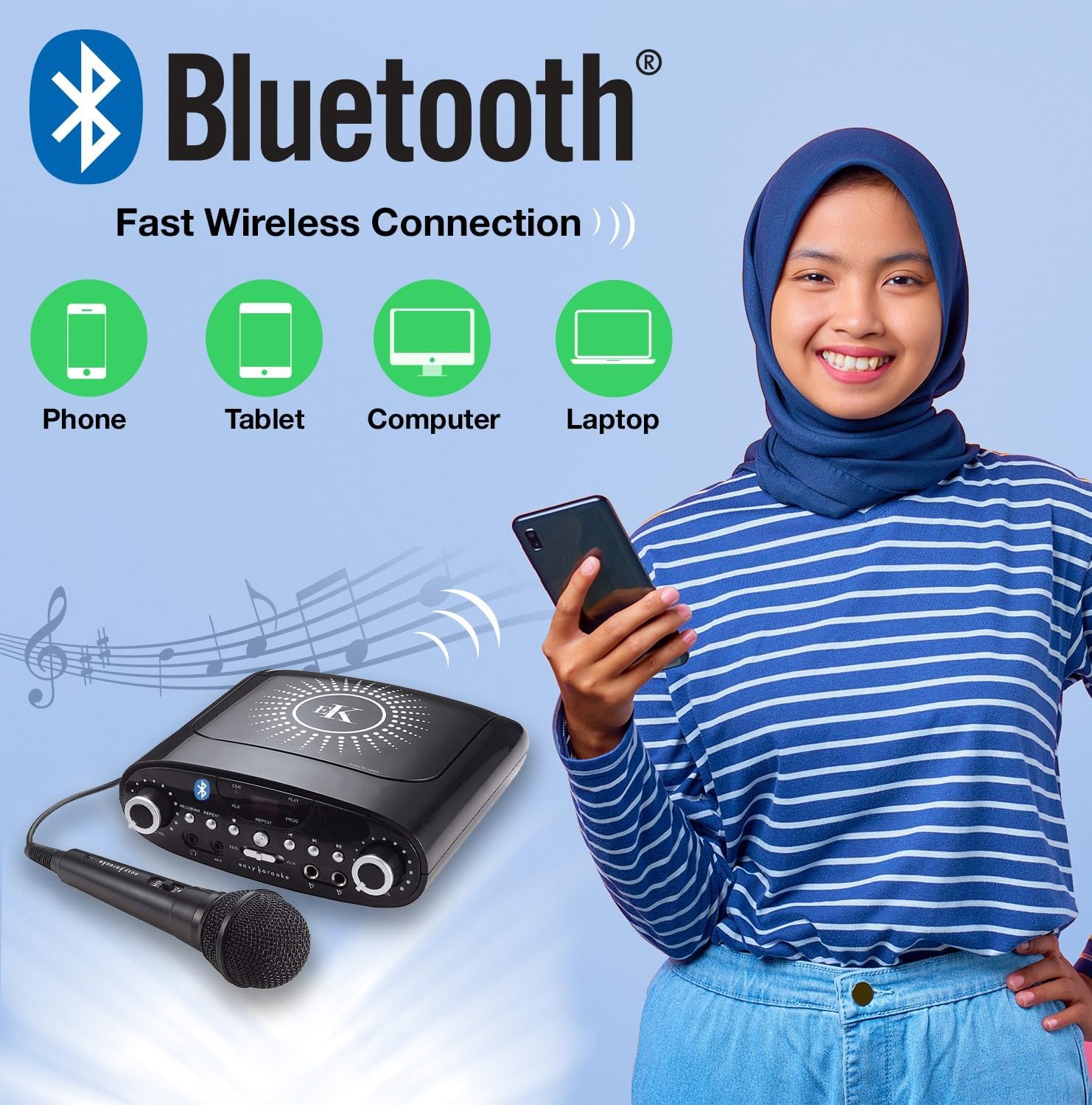
Image: Diagram illustrating the Bluetooth connectivity feature, showing the Easy Karaoke Machine wirelessly connecting to a phone, tablet, computer, or laptop for audio streaming.
- Agħfas il- Buttuna tal-Qawwa biex tixgħel l-unità.
- Agħfas il- CDG/BT/AUX Mode Button until "BT" (Bluetooth) is displayed and the Bluetooth indicator light flashes. The unit is now in pairing mode.
- Fuq it-tagħmir Bluetooth tiegħek, ippermetti l-Bluetooth u fittex tagħmir disponibbli.
- Select "EASY KARAOKE" from the list of devices.
- Once paired, the Bluetooth indicator light will stop flashing and remain solid. You can now play music from your device through the karaoke machine.
6.3 Input AUX
Connect any audio device with a 3.5mm headphone jack using the supplied auxiliary cable.
- Connect one end of the auxiliary cable to the AUX IN jack on the front panel of the karaoke machine.
- Connect the other end to the headphone jack or audio output of your external audio device.
- Agħfas il- CDG/BT/AUX Mode Button sakemm tintwera "AUX".
- Daqq l-awdjo mit-tagħmir estern tiegħek.
6.4 Użu tal-Mikrofonu
Adjust microphone volume and add echo effects for enhanced vocal performance.

Image: Close-up of the Easy Karaoke microphone, highlighting its ON/OFF switch and indicating the presence of echo effects and the ability to stream free songs from easykaraoke.com.
- Ensure the microphone is connected to a MIC input jack.
- Aġġusta l- MIC VOL Pum to control the microphone's output volume.
- Dawwar il- ECHO VOL Knob to add or reduce the echo effect on your vocals.
7. Manutenzjoni
7.1 Tindif
- Dejjem aqla 'l-unità mill-iżbokk tad-dawl qabel it-tindif.
- Uża drapp artab u niexef biex timsaħ l-uċuħ ta’ barra tal-unità.
- Tużax prodotti tat-tindif, xama', jew solventi li joborxu għax jistgħu jagħmlu ħsara lill-finitura.
- For the CD lens, use a specialized CD lens cleaner disc (not included).
7.2 Ħażna
Meta ma tkunx qed tuża l-unità, aħżenha f'post frisk u niexef 'il bogħod mix-xemx diretta u minn temperaturi estremi.
8 Issolvi l-problemi
If you encounter issues with your karaoke machine, refer to the following table for common problems and solutions.
| Problema | Kawża Possibbli | Soluzzjoni |
|---|---|---|
| Ebda qawwa | L-adapter tal-enerġija mhux imqabbad jew is-sokit mhux qed jaħdem. | Kun żgur li l-adapter tal-enerġija huwa pplaggjat sew fl-unità u f'sokit tal-ħajt li jaħdem. |
| L-ebda ħoss mill-kelliema | Volume too low; incorrect mode selected; external audio connection issue. | Increase the master volume. Ensure the correct mode (CDG/BT/AUX) is selected. Check external audio connections if applicable. |
| Mikrofonu mhux qed jaħdem | Microphone not plugged in; MIC VOL too low; microphone switch off. | Ensure microphone is fully plugged into the MIC jack. Increase MIC VOL. Check if the microphone's ON/OFF switch is in the ON position. |
| Tqabbil Bluetooth falla | Unit not in pairing mode; device too far; incorrect device selected. | Ensure the unit is in Bluetooth pairing mode (BT flashing). Move your device closer to the unit. Select "EASY KARAOKE" from your device's Bluetooth list. |
| CD/CDG disc not playing | Disc inserted incorrectly; disc dirty or scratched; incorrect mode. | Ensure the disc is inserted correctly. Clean the disc with a soft cloth. Try a different disc. Ensure CDG/CD mode is selected. |
9. Speċifikazzjonijiet
| Karatteristika | Dettall |
|---|---|
| Numru tal-Mudell | EKG88BBT |
| Brand | EASY KARAOKE |
| Teknoloġija tal-Konnettività | Bluetooth, Awżiljarju (Jack ta' 3.5mm) |
| Sors tal-Enerġija | Corded Elettriku |
| Komponenti Inklużi | Mikrofonu |
| Numru ta 'Kelliema | 1 |
| Voltage | 230 Volts (AC) |
10. Garanzija u Appoġġ
For warranty information or technical support, please refer to the documentation provided with your purchase or contact the retailer where the product was acquired. You may also visit the official Easy Karaoke websit għal aktar għajnuna.
Nota: L-ispeċifikazzjonijiet u d-dehra tal-prodott jistgħu jinbidlu mingħajr avviż.
Ask a question about this manual
Ask about setup, troubleshooting, compatibility, parts, safety, or missing instructions. Manuals+ will review the question and use this page’s manual context to help answer it.