
Krejn EE-5622
Crane EE-5622 Digital LED Display Tower Fan User Manual
Model: EE-5622
Introduzzjoni
This manual provides detailed instructions for the safe and efficient use of your Crane EE-5622 Digital LED Display Tower Fan. Please read all instructions carefully before operation and retain this manual for future reference.

Image: Crane EE-5622 Tower Fan with its packaging, highlighting key features like digital LED display, 12-hour timer, 70-degree oscillation, and 3 adjustable speed settings.
Istruzzjonijiet Importanti dwar is-Sigurtà
- Always place the fan on a firm, level surface.
- Tħaddimx il-fann b'korda jew plagg bil-ħsara.
- Żomm il-fann 'il bogħod mill-ilma jew likwidi oħra.
- Ensure the fan is unplugged before cleaning or maintenance.
- Tdaħħalx subgħajk jew oġġetti barranin f'xi fetħiet.
- Dan il-fann huwa għal użu fuq ġewwa biss.
- Issorvelja lit-tfal meta l-fann ikun qed jintuża.
Kontenut tal-Pakkett
Ivverifika li l-oġġetti kollha huma preżenti fil-pakkett:
- 1 x Crane EE-5622 Tower Fan
- 1 x Wireless Remote Control (batteries included)
- 1 x Manwal tal-Utent (dan id-dokument)
Setup
- Spakkjar: Neħħi l-fann u l-aċċessorji kollha mill-imballaġġ bir-reqqa.
- Pjazzament: Place the fan on a stable, flat surface, ensuring there is adequate space around it for air circulation. Avoid placing it near curtains or objects that could obstruct airflow.
- Konnessjoni tal-Enerġija: Ipplaggja l-korda tad-dawl fi żbokk elettriku standard.

Immaġni: Sħiħa view of the Crane EE-5622 Tower Fan, showing its base and power cord connection point.
Istruzzjonijiet Operattivi
The Crane EE-5622 Tower Fan can be operated using the control panel on top of the unit or the wireless remote control.
Panel tal-Kontroll
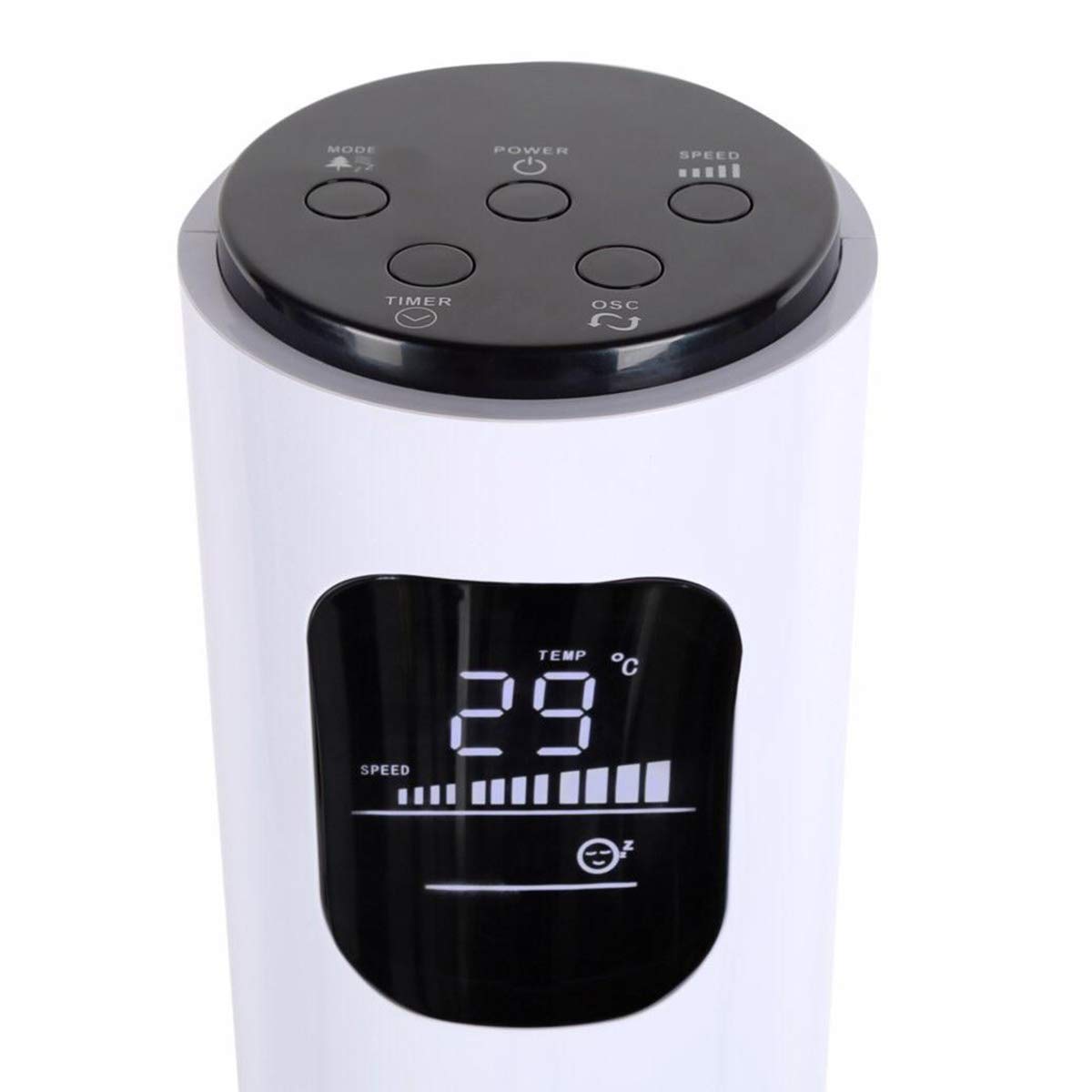
Image: Close-up of the fan's top control panel and digital LED display, showing buttons for Power, Speed, Oscillation, Timer, and Mode.
- Buttuna tal-Qawwa (⏻): Agħfas biex tixgħel jew titfi l-fann.
- Buttuna tal-Veloċità (█████): Press to cycle through 3 speed settings (Low, Medium, High). The current speed is indicated on the LED display.
- Buttuna tal-Oxxillazzjoni (↻): Press to activate or deactivate the 70° oscillation function.
- Buttuna tat-Tajmer (⏱): Press to set the auto-off timer from 1 to 12 hours. Each press increases the timer by one hour.
- Buttuna tal-Modalità (☼): Press to cycle through different operating modes:
- Modalità Normali: Fluss tal-arja kostanti bil-veloċità magħżula.
- Modalità Riħ Naturali: Jissimula r-riħ naturali billi jvarja l-veloċità tal-fann.
- Modalità Sleep: Gradually reduces fan speed over time for quiet operation during sleep.
Kontroll mill-bogħod mingħajr fili
The remote control provides convenient operation from a distance. Ensure the remote is pointed towards the fan's receiver.
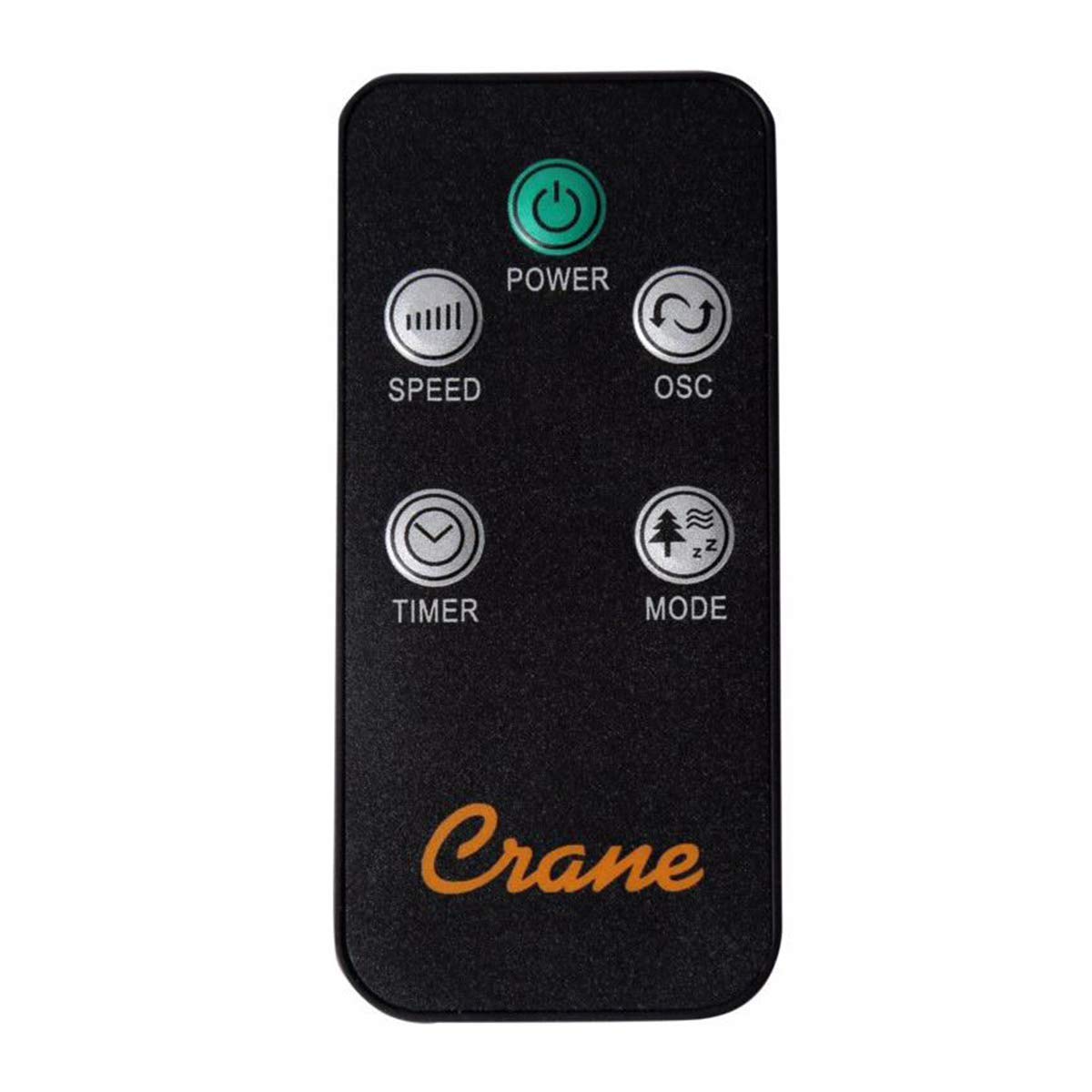
Image: The wireless remote control for the Crane EE-5622 Tower Fan, showing buttons for Power, Speed, Oscillation, Timer, and Mode.
The remote control features the same buttons as the control panel for Power, Speed, Oscillation, Timer, and Mode. It requires batteries (included).

Immaġni: Fuq view of the Crane EE-5622 Tower Fan, illustrating the integrated slot for storing the remote control.
Manutenzjoni
Manutenzjoni regolari tiżgura prestazzjoni ottimali u lonġevità tal-fann tiegħek.
- Tindif: Dejjem aqla’ l-fann qabel ma tnaddaf. Uża suf artab u damp cloth to wipe the exterior surfaces. Do not use abrasive cleaners or allow water to drip into the fan's interior.
- Tneħħija tat-Trab: Use a vacuum cleaner with a brush attachment or compressed air to remove dust from the air intake and exhaust grilles.
- Ħażna: If storing the fan for an extended period, clean it thoroughly, place it back in its original packaging, and store it in a cool, dry place.
Issolvi l-problemi
| Problema | Kawża Possibbli | Soluzzjoni |
|---|---|---|
| Il-fann ma jixgħelx. | Ebda provvista tal-enerġija; Il-korda tal-enerġija mhux imdaħħla; Il-buttuna tal-enerġija mhux ippressata. | Iċċekkja s-sokit tal-enerġija; Kun żgur li l-korda tal-enerġija hija mdaħħla sew; Agħfas il-buttuna tal-Enerġija. |
| Fluss ta 'arja dgħajjef. | Fan speed set too low; Air intake/exhaust blocked; Dust accumulation. | Increase fan speed; Clear any obstructions; Clean the fan grilles. |
| Il-fann huwa storbjuż. | Fan not on a level surface; Foreign object inside; Dust accumulation. | Place fan on a flat, stable surface; Unplug and check for obstructions; Clean the fan. |
| Il-kontroll mill-bogħod ma jaħdimx. | Batteries depleted; Obstruction between remote and fan; Remote not pointed correctly. | Replace remote control batteries; Remove obstructions; Point remote directly at the fan's receiver. |
Speċifikazzjonijiet
| Brand | Krejn |
| Numru tal-Mudell | EE-5622 |
| Sors tal-Enerġija | AC Powered (Remote Control: Battery Powered) |
| Wattage | 45 Watts |
| Numru ta' Veloċitajiet | 3 |
| Angolu ta 'Oxxillazzjoni | 70° |
| Timer | 1 sa 12 Siegħa |
| Għoli | Madwar 115 ċm (44 pulzieri) |
| Piż tal-oġġett | 5.1 Liri |
| Metodu ta' Kontroll | Remote Control, On-unit Buttons |
| Karatteristiċi Speċjali | Digital LED Display, Room Temperature Display, Natural Breeze Mode, Sleep Mode, Auto Shut-off |
| Materjal | Acrylonitrile Butadiene Styrene (ABS), Plastic Blades |
| Użu fuq ġewwa/barra | Użu fuq ġewwa biss |
Garanzija u Appoġġ
For warranty information or technical support, please refer to the warranty card included with your product or contact Crane customer service directly. Contact details are typically available on the manufacturer's official webis-sit jew l-imballaġġ tal-prodott.
Note: Customer reviews indicate potential challenges with service support. It is recommended to retain your purchase receipt for warranty claims.
Ask a question about this manual
Ask about setup, troubleshooting, compatibility, parts, safety, or missing instructions. Manuals+ will review the question and use this page’s manual context to help answer it.