
1. Introduzzjoni u Fuqview
The Cherry MW4500 is an ergonomic wireless optical mouse designed to provide a natural and comfortable hand position, reducing strain during extended use. Its 45-degree design helps prevent wrist and tendon issues. This manual provides essential information for setting up, operating, and maintaining your MW4500 mouse.

The Cherry MW4500 mouse is designed for ergonomic comfort, fitting naturally in the hand.
Karatteristiċi ewlenin:
- Ergonomic form in a 45° design for reduced wrist strain.
- Precise optical sensor with 3-level adjustable resolution (600/900/1200 dpi).
- Status LED to indicate low battery charge.
- Six buttons and a scroll wheel for enhanced functionality.
- Pleasant and abrasion-proof surface finish for durability and comfort.

The 45-degree ergonomic design of the MW4500 promotes a natural hand position, reducing wrist and tendon strain compared to traditional mice.
2. Istruzzjonijiet ta' Setup
2.1 Installazzjoni tal-batterija
- Sib il-kompartiment tal-batterija fuq in-naħa ta' taħt tal-maws.
- Iftaħ l-għatu tal-kompartiment tal-batterija.
- Daħħal żewġ batteriji AA, waqt li tiżgura l-polarità korretta (+/-).
- Agħlaq l-għatu tal-kompartiment tal-batterija sew.
2.2 Konnessjoni tar-Riċevitur Wireless
- Remove the nano USB receiver from its storage slot on the underside of the mouse.
- Plug the nano USB receiver into an available USB port on your computer (Laptop, PC, or Mac).
- The mouse will automatically connect to your computer using 2.4 GHz RF technology. No additional drivers are typically required for basic functionality.

Utilizing wireless 2.4 GHz RF technology, the mouse offers plug-and-play convenience with a nano USB receiver that can be stored within the mouse.
3. Istruzzjonijiet Operattivi
3.1 Funzjonijiet tal-buttuni
- Buttuna tal-Ikklikkjar tax-Xellug: Għażla u attivazzjoni standard.
- Buttuna tal-Ikklikkjar bil-Lemin: Aċċessa l-menus tal-kuntest.
- Scroll Wheel: Scrolls content vertically. Can also be pressed for middle-click functionality.
- Buttuna tal-Aġġustament tad-DPI: Cycles through resolution settings (600, 900, 1200 dpi).
- Forward/Backward Thumb Buttons: Navigates forward and backward in web browsers or other compatible applications.
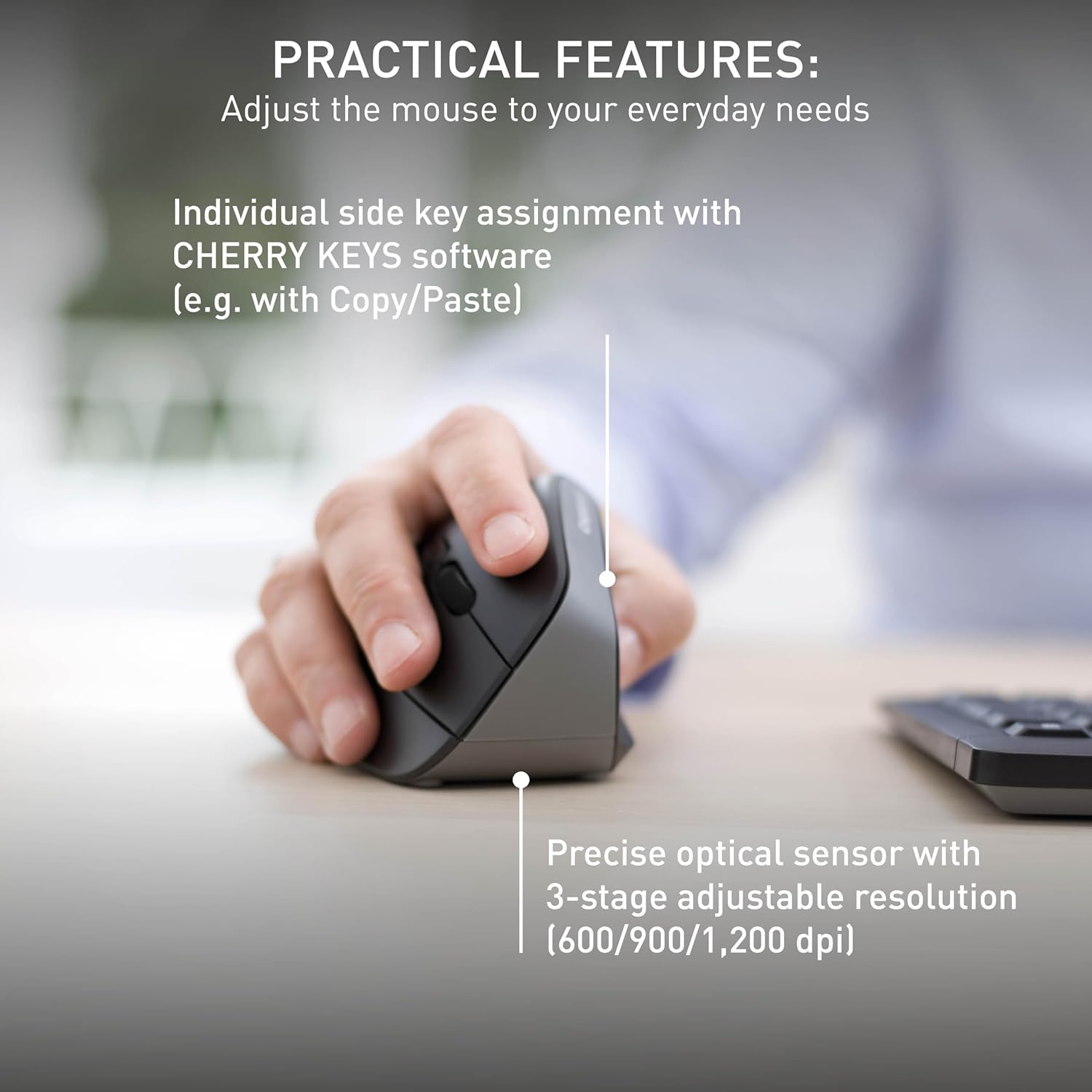
The mouse features a precise optical sensor with a 3-stage adjustable resolution (600/900/1,200 dpi) for customized sensitivity.
3.2 Aġġustament DPI
Press the DPI adjustment button located near the scroll wheel to change the mouse's sensitivity. The mouse will cycle through three preset DPI levels: 600, 900, and 1200 dpi. Select the setting that best suits your preference and task.
4. Manutenzjoni
4.1 Tindif
To clean your Cherry MW4500 mouse, use a soft, dry cloth. For stubborn dirt, a slightly damp cloth with mild soap can be used. Avoid using harsh chemicals or abrasive materials, as these can damage the abrasion-proof surface finish.
4.2 Sostituzzjoni tal-batterija
When the status LED on the mouse indicates a low battery charge, it is time to replace the batteries. Follow the battery installation steps in Section 2.1 to replace the two AA batteries. Dispose of old batteries responsibly according to local regulations.
5 Issolvi l-problemi
5.1 Il-Maws Ma Jirrispondix
- Iċċekkja Batteriji: Kun żgur li l-batteriji huma installati sew u mhux eżawriti. Ibdelhom jekk meħtieġ.
- Iċċekkja r-Riċevitur: Make sure the nano USB receiver is securely plugged into a working USB port on your computer. Try a different USB port.
- Distanza: Ensure the mouse is within the effective range of the receiver (up to 10 meters).
- Interferenza: Move the mouse away from other wireless devices that might cause interference.
5.2 Il-Moviment tal-Kurser huwa Erratiku jew Mhux Preċiż
- Sensor Nadif: Kun żgur li s-senser ottiku fuq in-naħa ta' taħt tal-maws huwa nadif u ħieles mit-trab jew mill-fdalijiet.
- Wiċċ: Use the mouse on a suitable, non-reflective surface or a mouse pad.
- Twaqqif DPI: Adjust the DPI setting using the DPI button to find a comfortable and accurate sensitivity level.
6. Speċifikazzjonijiet
| Karatteristika | Dettall |
|---|---|
| Brand | Ċirasa |
| Isem tal-Mudell | ĊIRASA MW 4500 |
| Numru tal-Mudell | JW-4500 |
| Kulur | Iswed |
| Teknoloġija tal-Konnettività | Radio Frequency (2.4 GHz) |
| Teknoloġija ta 'Sejbien tal-Moviment | Ottiċi |
| Mouse Maximum Sensitivity | 1200 Dots per Inch (DPI) |
| Livelli DPI | 3-level adjustable (600, 900, 1200 dpi) |
| Kwantità tal-Buttuni | 6 (Xellug, Lemin, Rota tal-Iskrolljar, DPI, 'Il Quddiem, Lura) |
| Orjentazzjoni tal-Idejn | Dritt |
| Apparati Kompatibbli | Personal Computer (Laptop, PC, Mac) |
| Sistema Operattiva | Windows 10, Windows 7, Windows 8.1, Mac OS |
| Sors tal-Enerġija | Mħaddma bil-batterija |
| Tip ta 'batterija | 2 batteriji AA (mhux inklużi) |
| Ħajja Medja tal-Batterija | 6 xhur |
| Firxa Wireless | Sa 10 metri (32 pied) |
| Piż tal-oġġett | 120 Gramm |
| Materjal tal-għeluq | Plastik |
7. Garanzija u Appoġġ
7.1 Informazzjoni dwar Garanzija
The Cherry MW4500 Wireless Vertical Ergonomic Optical Mouse comes with a garanzija ta 'sena mid-data tax-xiri. Jekk jogħġbok żomm il-prova tax-xiri tiegħek għal talbiet ta' garanzija.
7.2 Appoġġ għall-Klijent
For technical assistance, troubleshooting, or further product information, please visit the official Cherry website or contact Cherry customer support through their provided channels.
8. Vidjo tal-Prodott
This official video from Cherry Americas, LLC demonstrates the ergonomic benefits and features of the CHERRY ERGO LINE, including the MW 4500 mouse.