
Andoer HDV-534K
Andoer HDV-534K 4K 48 MP WiFi Digital Video Camera User Manual
Model: HDV-534K
Introduzzjoni
This manual provides comprehensive instructions for the operation and maintenance of your Andoer HDV-534K 4K 48 MP WiFi Digital Video Camera. Please read this manual thoroughly before using the camera to ensure proper functionality and to maximize your user experience.
The Andoer HDV-534K is a high-definition digital video camera capable of recording 4K (2880 x 2160) video at 24 frames per second (interpolated) and capturing still photos at 48MP (9212 x 5184) (interpolated). It features a 3-inch capacitive touchscreen for intuitive control and vivid display.
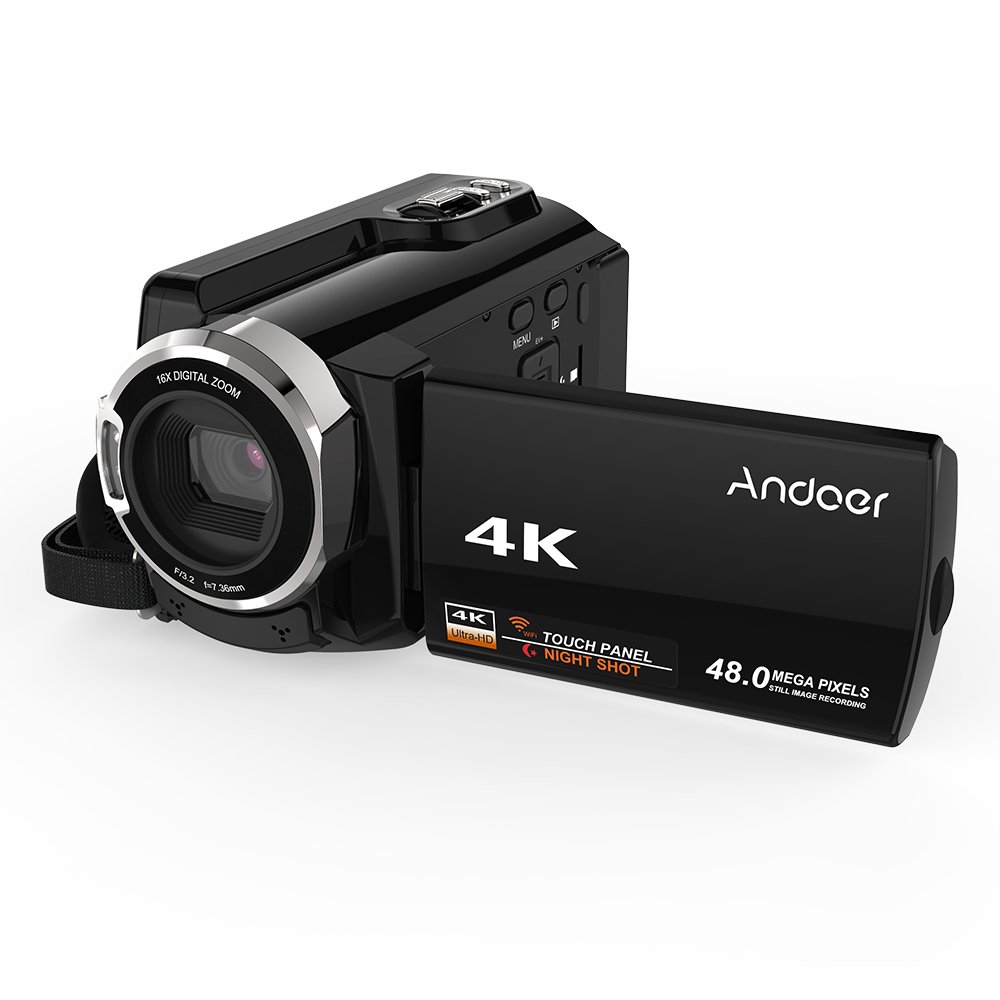
Figure 1: Andoer HDV-534K Digital Video Camera. This image shows the camera from the front-right, with the screen open, displaying the "4K" and "Andoer" branding.
Komponenti tal-Prodott u Kontrolli
Familiarize yourself with the various parts and controls of your Andoer HDV-534K camera.

Figure 2: Detailed diagram of the Andoer HDV-534K camera, highlighting key components and controls such as the 3-inch touchscreen, MENU button, Playback button, T/W (Telephoto/Wide) zoom, Photo button, Mode button, Up/EV+, Right/IR, T-Flash Card Slot, AV/USB/HD Port, Left/Timed, Power button, Display/WiFi, Down/EV-, Infrared Light (IR), Lens, Mic, Secure Digital Memory Card Slot, Power Light, Charging Light, Start/Stop button, Strap, and Battery compartment.
Komponenti Ewlenin:
- Lenti: Captures images and video.
- Dawl Infra-aħmar (IR): Used for night vision recording.
- 3-inch Capacitive Touchscreen: Għal viewl-użu u n-navigazzjoni tal-menus.
- Kompartiment tal-batterija: Fiha l-batterija rikarikabbli.
- Secure Digital Memory Card Slot: For inserting SD/SDHC memory cards (not included).
- AV/USB/HD Port: Multi-functional port for connecting to external devices.
- 1/4" Tripod Thread: Located at the bottom for mounting on a tripod.
Gwida ta' Setup
1. Iċċarġjar tal-batterija
Before first use, fully charge the camera's battery. The Andoer HDV-534K uses a 3.8V 2500mAh lithium polymer battery, designed for longer service time.
- Insert the battery into the battery compartment, ensuring correct orientation.
- Connect the camera to a power source using the provided USB cable and power adapter.
- The Charging Light will indicate the charging status. Refer to the camera's display for battery level.

Figure 3: Image showing the camera with the battery inserted, emphasizing the "Bigger Capacity Longer Service Time" feature of the 3.8V 2500mAh lithium polymer battery.
2. Daħħal Kard tal-Memorja
The camera requires an SD/SDHC memory card (not included) to store photos and videos.
- Locate the Secure Digital Memory Card Slot on the camera.
- Insert the memory card with the metal contacts facing the correct direction until it clicks into place.
- Biex tneħħiha, agħfas il-karta bil-mod sakemm toħroġ 'il barra.
3. L-Ewwel Tixgħil
- Iftaħ l-iskrin LCD.
- Agħfas u żomm il- Qawwa button until the camera turns on.
- Follow any on-screen prompts for initial setup, such as setting date and time.
Istruzzjonijiet Operattivi
Reġistrar Vidjows
- Ensure the camera is in video recording mode. If not, press the Modalità buttuna biex taqleb.
- Frame your shot using the 3-inch touchscreen.
- Agħfas il- Start/Stop buttuna biex tibda tirrekordja. L-indikatur tar-reġistrazzjoni se jidher fuq l-iskrin.
- Agħfas il- Start/Stop buttuna għal darb'oħra biex tieqaf tirrekordja.

Figure 4: The Andoer HDV-534K camera held in hand, displaying a 4K Ultra HD picture on its screen, demonstrating its video recording capability.
Jieħdu Ritratti
- Switch to photo mode by pressing the Modalità buttuna.
- Compose your shot.
- Agħfas il- Ritratt button to capture an image.
Funzjoni Zoom
The camera features 16x digital zoom.
- Uża l- T/W (Telephoto/Wide) button to zoom in (T) or zoom out (W).
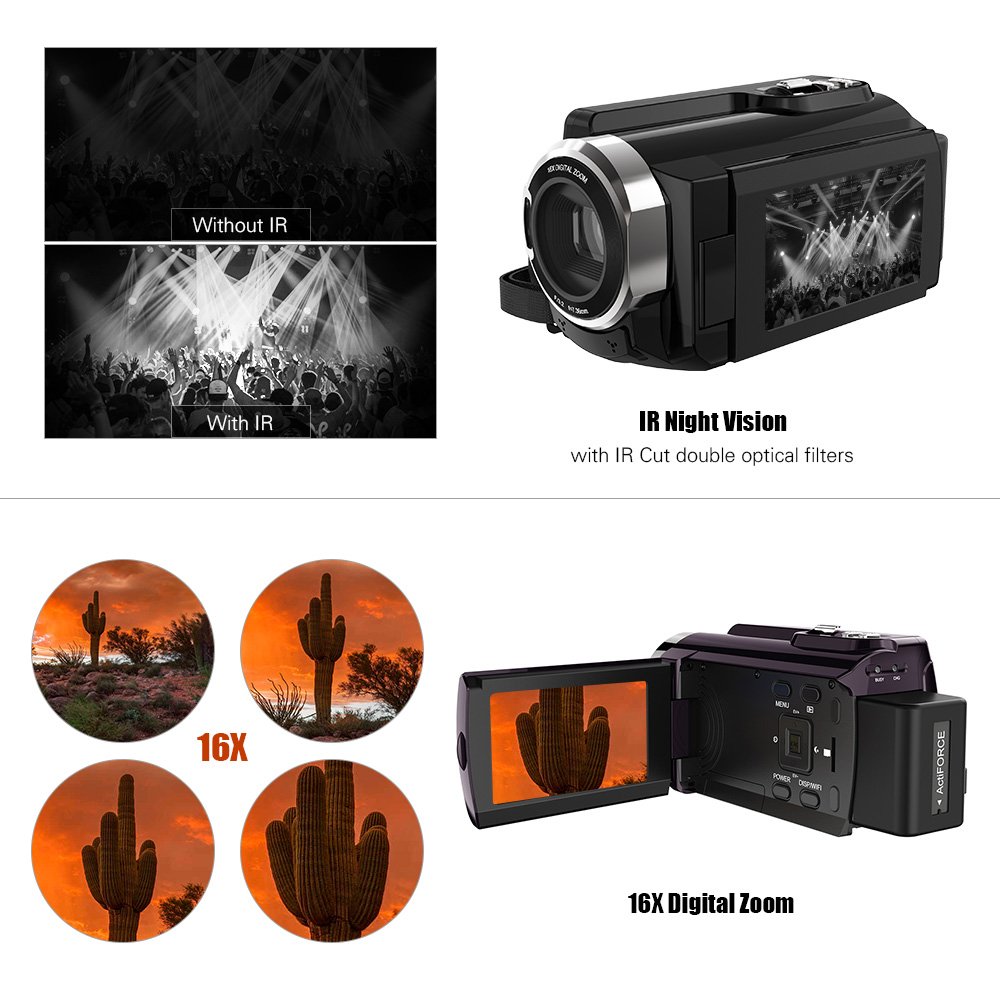
Figure 5: Illustration of the 16x digital zoom capability, showing four magnified views of a cactus, and a comparison of video quality with and without IR night vision.
Viżjoni bil-Lejl bl-Infra-aħmar (IR)
Activate IR night vision for recording in low-light or dark conditions.
- Agħfas il- Right/IR button to toggle IR night vision on or off.
Connecting to Other Devices (WiFi & USB/HDMI)
The camera supports WiFi connectivity for wireless transfer and control, and can also connect via AV/USB/HD cable.
- WiFi: Agħfas il- Display/WiFi button to activate WiFi. Use the dedicated app on your smartphone or tablet to connect and transfer files.
- AV/USB/HD Cable: Connect the camera to a computer or TV using the appropriate cable for file transfer or direct viewing.

Figure 6: Diagram illustrating the connectivity options of the Andoer HDV-534K, showing connection via AV/USB/HD Cable to a laptop and via WiFi to smartphones.
Manutenzjoni
Tindif tal-Kamera
- Uża drapp artab u niexef biex tnaddaf il-korp tal-kamera.
- For the lens and touchscreen, use a specialized lens cleaning cloth and solution to avoid scratches.
- Tużax deterġenti jew solventi qawwija.
Kura tal-batterija
- Aħżen il-batterija f'post frisk u niexef meta ma tkunx qed tuża.
- Evita li tiċċarġja l-batterija kompletament ta' spiss biex ittawwal il-ħajja tagħha.
- Jekk taħżinha għal perjodi twal, iċċarġja l-batterija sa madwar 50% tal-kapaċità tagħha.
Ħażna
- Store the camera in a dust-free environment, preferably in a camera bag.
- Evita temperaturi estremi u umdità għolja.
Issolvi l-problemi
| Problema | Kawża Possibbli | Soluzzjoni |
|---|---|---|
| Il-kamera ma tixgħelx. | Il-batterija hija eżawrita jew imdaħħla ħażin. | Iċċarġja l-batterija kompletament. Kun żgur li l-batterija tkun imdaħħla bil-polarità korretta. |
| Ma nistax nirrekordja vidjow/nieħu ritratti. | Il-karta tal-memorja hija mimlija, mhux imdaħħla, jew korrotta. | Check memory card. Delete unnecessary files or insert a new card. Format the card if necessary (this will erase all data). |
| Kwalità fqira tal-immaġni/vidjow. | Lens is dirty. Insufficient lighting. Incorrect settings. | Clean the lens. Ensure adequate lighting or activate IR night vision. Check resolution settings. |
| Problemi bil-konnessjoni tal-WiFi. | Incorrect WiFi settings. App issues. | Ensure WiFi is enabled on camera and device. Restart both devices. Reinstall the camera's companion app. |
Speċifikazzjonijiet
The following are the technical specifications for the Andoer HDV-534K Digital Video Camera:
| Karatteristika | Dettall |
|---|---|
| Mudell | HDV-534K |
| Riżoluzzjoni tal-Qbid tal-Vidjo | 4K (2880 x 2160) 24fps (interpolation) |
| Riżoluzzjoni tar-Ritratti | 48MP (9212 x 5184) (interpolation) |
| Daqs tal-Iskrin | 3 Inches Capacitive Touchscreen |
| Zoom Diġitali | 16x |
| Teknoloġija tal-Konnettività | Wi-Fi |
| Teknoloġija tas-Sensor tar-Ritratti | CMOS |
| Apertura massima | 1.8 f |
| Tip ta' Memorja Flash | SmartMedia, SDHC |
| Format tal-Qbid tal-Vidjo | MP4 |
| Format awdjo appoġġjat | MP4 (AAC/MP3) |
| Piż tal-oġġett | 640 g |
| Manifattur | kina |
| L-Ewwel Data Disponibbli | 11 ta’ Ottubru 2017 |
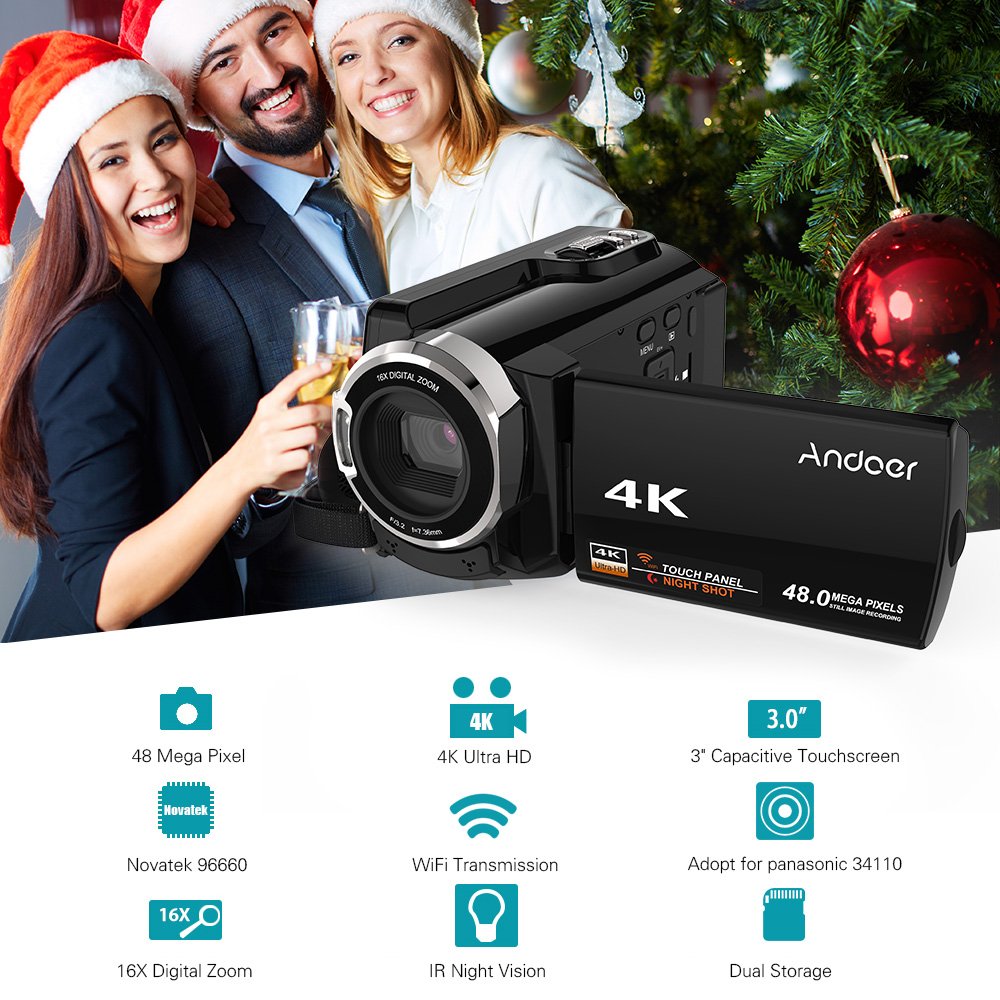
Figure 7: Infographic summarizing key features of the Andoer HDV-534K, including 48 Megapixel, 4K Ultra HD, 3.0" Capacitive Touchscreen, Novatek 96660 processor, 16X Digital Zoom, WiFi Transmission, IR Night Vision, and Dual Storage.
Garanzija u Appoġġ
For warranty information and customer support, please refer to the documentation included with your purchase or contact Andoer customer service directly. Specific warranty terms and conditions may vary by region and retailer.
Jekk jogħġbok żomm il-prova tax-xiri tiegħek għal kwalunkwe talba ta' garanzija.
Ask a question about this manual
Ask about setup, troubleshooting, compatibility, parts, safety, or missing instructions. Manuals+ will review the question and use this page’s manual context to help answer it.