
Introduzzjoni
This manual provides essential information for the proper installation, operation, and maintenance of your Quantum QPCD200 1 Inch VC Die Cast Compression Driver. Please read these instructions carefully before use to ensure optimal performance and longevity of the product. The Quantum QPCD200 is designed for high-fidelity audio applications, offering precise sound reproduction.
Prodott Overview
The Quantum QPCD200 is a 1-inch voice coil die-cast compression driver. It is engineered to deliver clear and powerful high-frequency audio. Key features include:
- High-quality die-cast construction for durability and acoustic performance.
- Designed for precise and sophisticated sound reproduction.
- Suitable for various car audio and professional sound applications.
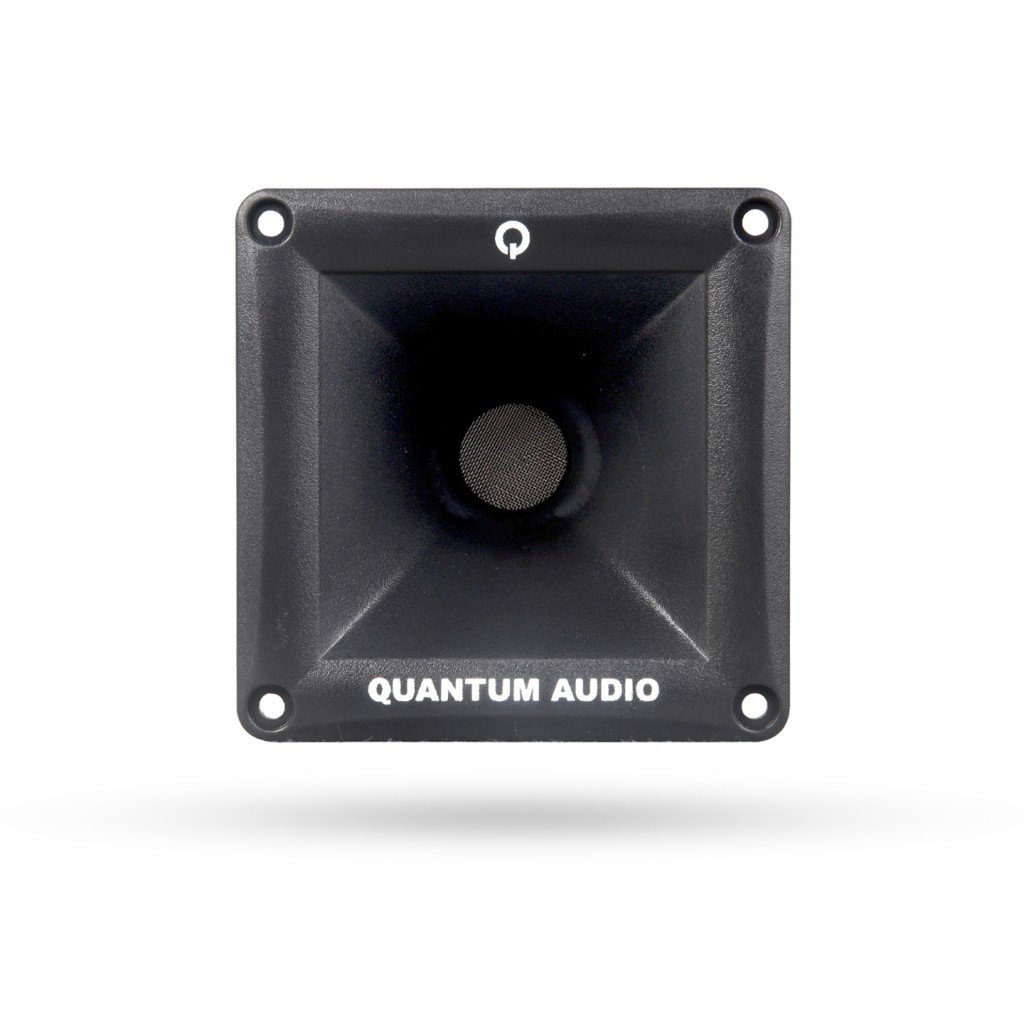
Figura 1: Quddiem view of the Quantum QPCD200 1 Inch VC Die Cast Compression Driver. This image shows the driver's robust construction and design.
Setup u Installazzjoni
Proper installation is crucial for the performance and safety of your compression driver. It is recommended that installation be performed by a qualified professional.
- Is-Sigurtà l-Ewwel: Disconnect the vehicle's battery before beginning any electrical work to prevent short circuits or damage.
- Post tal-Immuntar: Choose a secure and appropriate mounting location that allows for proper sound dispersion and protects the driver from physical damage and moisture. Ensure there is adequate clearance behind the mounting surface.
- Wiring: Connect the positive (+) terminal of the compression driver to the positive output of your amplifier or crossover, and the negative (-) terminal to the negative output. Use appropriate gauge wiring for the power requirements. Ensure all connections are secure and insulated to prevent short circuits.
- Crossover Integration: A passive or active crossover network is essential to protect the compression driver from low frequencies and optimize its performance. Refer to your amplifier and crossover manual for proper settings. Do not connect the compression driver directly to a full-range amplifier output without a suitable crossover.
- Ittestjar: After installation, reconnect the battery. Start with the amplifier volume at its lowest setting and gradually increase it, listening for clear sound and proper operation.
Istruzzjonijiet Operattivi
Once installed, the Quantum QPCD200 operates as part of your audio system. Follow these guidelines for optimal performance:
- Kontroll tal-Volum: Always adjust the volume gradually. Avoid operating the system at excessively high volumes for extended periods, as this can cause damage to the driver and other audio components.
- Ekwalizzazzjoni: Uża tiegħek amplifier or head unit's equalizer settings to fine-tune the sound. Avoid extreme boosts in the high-frequency range, which can lead to distortion or damage.
- Kompatibilità tas-Sistema: Ensure that the power output of your amplifier matches the power handling capabilities of the QPCD200 to prevent underpowering or overpowering, both of which can cause damage.
Manutenzjoni
The Quantum QPCD200 is designed for durability and requires minimal maintenance. However, following these simple steps can help ensure its longevity:
- Tindif: Periodically wipe the exterior of the driver with a soft, dry cloth to remove dust. Do not use harsh chemicals, solvents, or abrasive cleaners.
- Spezzjoni: Occasionally inspect the wiring connections to ensure they remain secure and free from corrosion.
- Protezzjoni Ambjentali: While robust, avoid exposing the driver to extreme temperatures, direct moisture, or excessive vibrations.
Issolvi l-problemi
If you experience issues with your Quantum QPCD200, refer to the following common troubleshooting steps:
| Problema | Kawża Possibbli | Soluzzjoni |
|---|---|---|
| No sound from driver | Wajers maħlula jew mhux korretti; amplifier off or in protect mode; faulty crossover setting; damaged driver. | Check all wiring connections; verify amplifier status; review crossover settings; if driver is damaged, professional repair or replacement may be needed. |
| Ħoss distort | Volume too high; improper gain settings on amplifier; incorrect crossover frequency; damaged driver. | Reduce volume; adjust amplifier gain settings; verify crossover frequency is appropriate for the driver; inspect driver for physical damage. |
| Ħoss intermittenti | Loose connections; intermittent short circuit; ampkwistjonijiet ta 'lifier. | Check and secure all wiring connections; inspect for frayed wires or exposed conductors; consult ampManwal tal-lifier għas-soluzzjoni tal-problemi. |
If these steps do not resolve the issue, contact Quantum customer support or a qualified audio technician.
Speċifikazzjonijiet
The following are the technical specifications for the Quantum QPCD200 Compression Driver:
- Ditta: Quantum
- Isem tal-Mudell: QPCD200
- Dijametru tal-Woofer: 1 Pulzier
- Piż tal-Prodott: 2 Liri (madwar 0.91 kg)
- Komponenti Inklużi: Car Speakers - Coaxials (Note: This refers to the general category, the product itself is a compression driver)
- Numru ta' Oġġetti: 1
- Manifattur: Quantum
- UPC/GTIN: 810219020030
Garanzija u Appoġġ
Quantum products are manufactured to high-quality standards. For information regarding warranty coverage, terms, and conditions, please refer to the warranty card included with your purchase or visit the official Quantum website. For technical support, service, or replacement parts, please contact Quantum customer service through their official channels. Keep your purchase receipt as proof of purchase for warranty claims.