
VIMAR 0R16004
Vimar 0R16004 1P 10 Ax Inverter, Grey User Manual
Ditta: VIMAR | Mudell: 0R16004
1. Introduzzjoni
This manual provides essential information for the safe and effective use of the Vimar 0R16004 1P 10 Ax Inverter. This grey electrical switch, part of the Vimar Idea series, is designed for civil electrical installations. It functions as a 1-pole, 10 Ampere inverter switch, suitable for controlling lighting circuits or other electrical loads. Its compact design (8.5 x 1.1 x 15 cm) and robust plastic construction ensure reliable performance within compatible Vimar civil series systems.
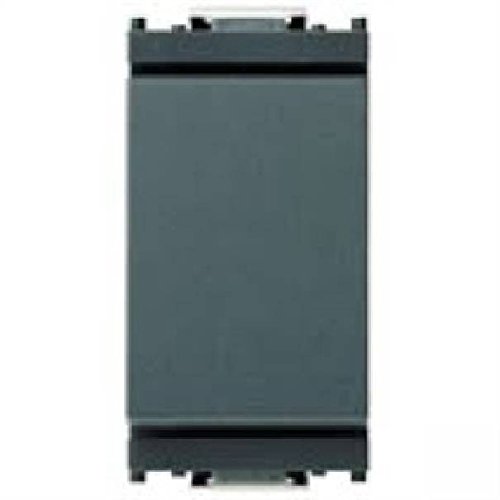
Figura 1: Quddiem view of the Vimar 0R16004 1P 10 Ax Inverter. This image shows the grey faceplate of the electrical switch, designed for integration into Vimar Idea series modular systems.
2. Setup u Installazzjoni
2.1 Prekawzjonijiet tas-Sigurtà
- Dejjem skonnettja l-enerġija to the circuit at the main breaker or fuse box before beginning any installation or maintenance work. Failure to do so can result in serious injury or death.
- Installation should only be performed by a elettriċista kwalifikat or a competent person familiar with electrical wiring and local electrical codes.
- Ensure the product's specifications (voltage, current rating) are compatible with your electrical system. This device is rated for 10 Amperes.
- Tinstallax fl-imxarrab jew damp locations unless the product is specifically rated for such environments.
- Uża tagħmir protettiv personali (PPE) xieraq, bħal ingwanti iżolati u nuċċalijiet tas-sigurtà.
2.2 Passi ta' Installazzjoni
The Vimar 0R16004 inverter is designed for modular installation within the Vimar Idea series. It requires a compatible Vimar support frame and faceplate (not included) for proper mounting.
- Ipprepara ż-Żona tal-Installazzjoni: Ensure the electrical box is clean and free of debris. Verify that the power to the circuit is OFF.
- Identifika l-Wajers: For an inverter switch (often used as a 2-way or 3-way switch), you will typically have a common wire and two traveler wires. Refer to your existing wiring or circuit diagram.
- Qabbad Wajers:
- Connect the common wire to the terminal marked 'L' or 'COM' on the switch.
- Connect the two traveler wires to the remaining two terminals. This switch uses screw terminals for secure connections.
- Kun żgur li l-konnessjonijiet kollha tal-wajers huma ssikkati u siguri.
- Immonta l-Iswiċċ: Snap the Vimar 0R16004 module into the appropriate slot on the Vimar Idea support frame.
- Sikura l-Qafas: Mount the support frame with the switch module into the electrical box using the provided screws.
- Waħħal il-Faceplate: Once the support frame is securely mounted, snap the Vimar Idea series faceplate over the switch module.
- Irrestawra l-Enerġija: Carefully restore power to the circuit at the main breaker or fuse box.
- Operazzjoni tat-Test: Test the switch to ensure it functions correctly (ON-OFF operation).
3. Istruzzjonijiet Operattivi
The Vimar 0R16004 Inverter operates as a standard electrical switch with an ON-OFF function. It is designed to control a single electrical circuit.
- To turn the connected device or light ON, press the switch rocker to the 'ON' position (typically the upper part of the rocker).
- To turn the connected device or light OFF, press the switch rocker to the 'OFF' position (typically the lower part of the rocker).
In a multi-way switching setup (e.g., controlling a light from two locations), toggling either inverter switch will change the state of the light (ON to OFF, or OFF to ON).
4. Manutenzjoni
The Vimar 0R16004 Inverter requires minimal maintenance. Regular inspection and cleaning can help ensure its longevity and proper function.
- Tindif:
- Before cleaning, ensure power to the switch is disconnected at the main breaker.
- Wipe the surface of the switch and faceplate with a soft, dry, or slightly damp drapp.
- Do not use abrasive cleaners, solvents, or excessive moisture, as these can damage the plastic material or internal components.
- Spezzjoni:
- Periodically check the switch for any signs of physical damage, such as cracks, discoloration, or loose components.
- If any damage is observed, disconnect power and have the switch inspected and replaced by a qualified electrician.
- Ensure the switch operates smoothly without excessive force or sticking.
5 Issolvi l-problemi
If you experience issues with your Vimar 0R16004 Inverter, refer to the following table for common problems and solutions. Always ensure power is disconnected before inspecting wiring.
| Problema | Kawża Possibbli | Soluzzjoni |
|---|---|---|
| Light/Device does not turn ON/OFF. |
|
|
| Is-swiċċ iħossu maħlul jew jitħarrek. |
|
|
| Switch is hot to the touch. |
|
|
If the problem persists after attempting these solutions, contact a qualified electrician or Vimar customer support.
6. Speċifikazzjonijiet
| Karatteristika | Dettall |
|---|---|
| Dimensjonijiet tal-Prodott (L x W x H) | 8.5 x 1.1 x 15 ċm |
| Piż | 20 gramma |
| Manifattur | Vimar |
| Numru tal-Mudell | 0R16004 |
| Modalità Operattiva | ON-OFF |
| Klassifikazzjoni kurrenti | 10 A |
| Tip ta' Kuntatt | Normalment Magħluq |
| Brand | VIMAR |
| Tip ta' Terminal | Invita |
| Materjal | Plastic (Housing), Phosphor Bronze (Contact) |
| Tip ta 'Ċirkwit | 1-Way (Inverter/2-Way) |
| Tip ta' Attwatur | Piston (Rocker) |
7. Garanzija u Appoġġ
7.1 Informazzjoni dwar Garanzija
Vimar products are manufactured to high-quality standards. Specific warranty terms and conditions may vary by region and retailer. Please retain your proof of purchase for any warranty claims. For detailed warranty information, refer to the documentation provided with your purchase or visit the official Vimar websit.
7.2 Appoġġ għall-Klijent
For technical assistance, installation queries, or any other support needs regarding your Vimar 0R16004 Inverter, please contact Vimar customer service or your local authorized Vimar distributor. Contact information can typically be found on the Vimar official webis-sit jew fuq l-imballaġġ tal-prodott.
Vimar Official Websit: www.vimar.com (Please note: This is a generic link. Refer to your product packaging or Vimar's official site for region-specific contact details.)
Ask a question about this manual
Ask about setup, troubleshooting, compatibility, parts, safety, or missing instructions. Manuals+ will review the question and use this page’s manual context to help answer it.