
1. Introduzzjoni
This manual provides detailed instructions for the safe and proper installation, operation, and maintenance of your MANHATTAN Universal Flat-Panel TV Articulating Wall Mount, Model 461399. This single-arm mount is designed to securely hold flat-panel televisions ranging from 13 to 42 inches and weighing up to 20 kg (44 lbs). It offers adjustable tilt, swivel, and level functionalities to optimize your viewing esperjenza.

Immaġni 1.1: Angolata view of the MANHATTAN Universal Flat-Panel TV Articulating Wall Mount.
2. Informazzjoni dwar is-Sigurtà
TWISSIJA: Read all instructions carefully before installation. Improper installation can result in property damage, serious injury, or death. If you do not understand these instructions or have doubts about the safety of the installation, contact a qualified installer.
- Kun żgur li l-wiċċ tal-immuntar jista' jsostni b'mod sikur il-piż ikkombinat tal-immuntar u tat-televiżjoni.
- Teċċedix il-kapaċità massima tal-piż ta' 20 kg (44 lbs).
- Dan il-prodott huwa maħsub għall-użu fuq ġewwa biss.
- Use only the provided mounting hardware. If any parts are missing or damaged, contact customer support.
- Always use a stud finder to locate wall studs for secure mounting in wood stud walls.
- Wear appropriate safety gear during installation, including eye protection.
3. Kontenut tal-Pakkett
Verify that all components are present and undamaged before beginning installation. If any parts are missing or defective, do not proceed with installation and contact customer support.
- Wall Mount Assembly (Single Arm)
- TV Mounting Brackets (VESA Plate)
- Hardware Kit (Screws, Washers, Spacers, Wall Anchors)
- Manwal ta' Istruzzjoni
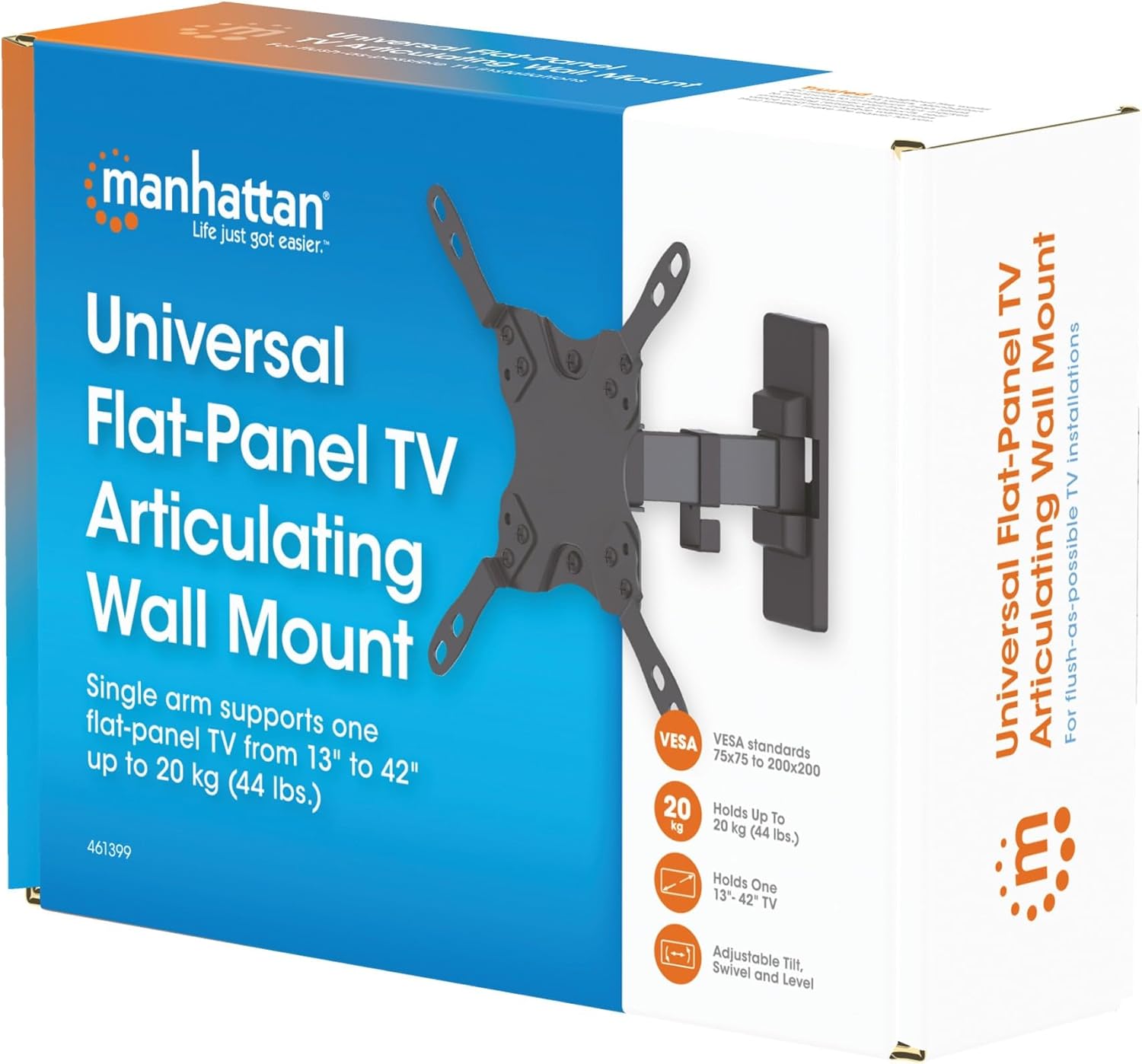
Image 3.1: Packaging of the MANHATTAN Universal Flat-Panel TV Articulating Wall Mount.
4. Setup u Installazzjoni
4.1 Kontrolli ta' qabel l-installazzjoni
- Kompatibbiltà tat-TV: Ensure your TV's weight is within 20 kg (44 lbs) and its screen size is between 13 and 42 inches. Check the VESA mounting pattern on your TV (typically 75x75mm, 100x100mm, 200x100mm, or 200x200mm).
- Tip ta' Ħajt: Determine your wall type (wood stud, concrete, brick). Different wall types require specific mounting hardware and techniques.
- Għodod Meħtieġa: Pencil, drill, stud finder (for wood walls), level, Phillips head screwdriver, socket wrench.
4.2 Twaħħil tal-Brakketti tat-TV mat-TV
- Poġġi t-TV tiegħek b'attenzjoni wiċċu 'l isfel fuq wiċċ artab u nadif biex tevita li l-iskrin isir ħsara.
- Identifika t-toqob tal-immuntar tal-VESA fuq wara tat-TV tiegħek.
- Agħżel il-viti, il-woxers, u l-ispejsers xierqa mill-kit tal-ħardwer li jaqblu mat-toqob tal-immuntar tat-TV tiegħek.
- Attach the TV mounting brackets to the back of your TV using the selected hardware. Ensure they are securely fastened but do not overtighten.

Stampa 4.2.1: Wara view of the VESA plate, showing mounting holes for TV attachment.

Stampa 4.2.2: Quddiem view of the VESA plate, showing mounting holes for TV attachment.
4.3 Immuntar tal-Pjanċa tal-Ħajt
- Determine the desired height and position for your TV. Use a pencil to mark the top center of where the mount will be.
- Place the wall plate against the wall at the marked position and use a level to ensure it is perfectly horizontal. Mark the drill holes.
- Għal Ħitan bi Studs tal-Injam: Use a stud finder to locate the center of a wood stud. Drill pilot holes (recommended size in manual, typically 5mm) into the stud. Secure the wall plate using the lag bolts and washers.
- Għal Ħitan tal-Konkrit/Briks: Drill pilot holes (recommended size in manual, typically 10mm) into the solid concrete or brick. Insert wall anchors into the holes. Secure the wall plate using the lag bolts and washers.
- Ensure the wall plate is firmly and securely attached to the wall.

Immaġni 4.3.1: Ġenb view of the mount, illustrating its extension from the wall.
4.4 Iddendel it-TV
- Bl-għajnuna, erfa’ bir-reqqa t-TV bil-parentesi mwaħħlin u waħħalhom mal-pjanċa tal-ħajt.
- Kun żgur li t-TV huwa mwaħħal sew mal-pjanċa tal-ħajt.
- Tighten any safety screws or locking mechanisms to prevent accidental dislodgement.
5. Istruzzjonijiet Operattivi (Aġġustamenti)
This articulating wall mount allows for flexible positioning of your TV to achieve optimal viewangoli.
- Aġġustament tal-inklinazzjoni: Loosen the tilt knobs on the VESA plate, adjust the TV to the desired vertical angle (+5° to -12°), and then retighten the knobs.
- Aġġustament tad-dawran: Gently push or pull the TV to swivel it horizontally (up to 180° depending on TV size and wall distance).
- Aġġustament tal-Livell: If your TV is slightly unlevel after installation, there may be a mechanism to adjust the horizontal level (typically +/-3°). Consult the specific diagram for your model.

Image 5.1: Technical diagram showing dimensions and available adjustment angles (tilt, swivel, level).
5.1 Ġestjoni tal-Cable
Utilize the integrated cable clips on the arm to route and organize your TV cables, ensuring a neat appearance and preventing damage.

Image 5.1.1: Detail of the mount arm showing cable management clips.
6. Manutenzjoni
- Iċċekkja perjodikament il-viti u l-konnessjonijiet kollha biex tiżgura li jibqgħu ssikkati u siguri.
- Naddaf il-muntatura b'ċarruta ratba u niexfa. Evita prodotti tat-tindif jew solventi li joborxu.
- If the mount becomes stiff, a small amount of silicone-based lubricant can be applied to the articulating joints.
7 Issolvi l-problemi
| Problema | Kawża Possibbli | Soluzzjoni |
|---|---|---|
| It-TV mhux livellat | Wall plate not level during installation; level adjustment needed. | Re-check wall plate level and adjust if necessary. Use the mount's level adjustment feature if available. |
| Mount iħoss maħlul jew instabbli | Mounting screws are not fully tightened; wall anchors not properly installed; wall surface is inadequate. | Ensure all mounting screws are securely tightened. Verify wall anchors are correctly installed for your wall type. If the wall is inadequate, consult a professional. |
| Difficulty moving/adjusting TV | Il-ġonot huma ssikkati wisq jew jeħtieġu lubrikazzjoni. | Loosen adjustment screws slightly. Apply silicone-based lubricant to articulating joints if needed. |
8. Speċifikazzjonijiet
| Numru tal-Mudell | 461399 |
| Brand | MANHATTAN |
| Tip ta 'Immuntar | Muntatura tal-Ħajt Artikolata |
| Tip ta' Moviment | Artikulazzjoni |
| Materjal | Metall |
| Kulur | Iswed |
| Apparati Kompatibbli | Television (13" - 42") |
| Kapaċità massima tal-piż | 20 kg (44 lbs) |
| Kompatibilità VESA | 75x75mm, 100x100mm, 200x100mm, 200x200mm |
| Medda Mejjel | +5° sa -12° |
| Medda li ddur | Up to 180° (depending on TV size) |
| Aġġustament tal-Livell | +/-3° |
| Dimensjonijiet tal-Prodott | 7.48 x 8.66 x 8.66 inches (approximate, folded) |
| Piż tal-oġġett | 2.31 liri |
9. Garanzija u Appoġġ
For warranty information or technical support, please refer to the documentation included with your purchase or visit the official MANHATTAN websit. Żomm il-prova tax-xiri tiegħek għal talbiet ta' garanzija.
Manifattur: MANHATTAN
Data L-Ewwel Disponibbli: 9 ta’ Ġunju 2017