
Introduzzjoni
The Panasonic SC-UX102E-K is a compact mini audio system designed to deliver powerful and clear sound. Featuring a 2-way speaker system with 13 cm woofers, it offers versatile audio playback options including CD, CD-R/RW, Bluetooth, USB, DAB/DAB+ radio, FM radio with RDS, and an AUX input. This manual provides essential information for the proper setup, operation, and maintenance of your system.
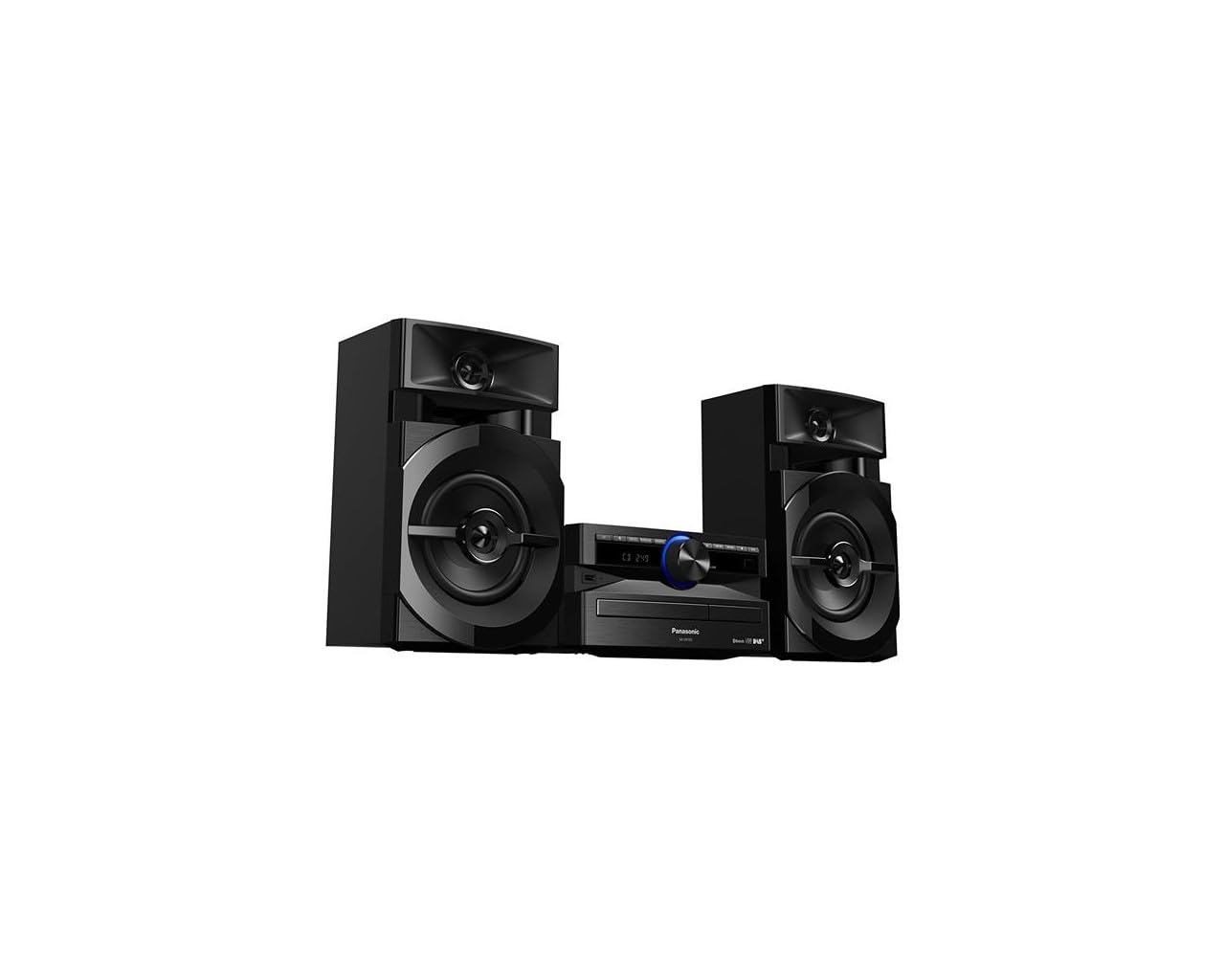
Image: The Panasonic SC-UX102E-K Mini System, featuring the central unit and two speakers.
Informazzjoni dwar is-Sigurtà
Jekk jogħġbok aqra l-istruzzjonijiet kollha tas-sigurtà bir-reqqa qabel ma tuża dan il-prodott. Żomm dan il-manwal għal referenza futura.
- Sors tal-Enerġija: Qabbad l-unità biss mal-provvista tal-enerġija speċifikata.
- Ventilazzjoni: Aċċerta ruħek li jkun hemm ventilazzjoni adegwata madwar l-unità. Timblokkax il-fetħiet tal-ventilazzjoni.
- Ilma u Umdità: Do not expose the unit to rain, moisture, or dripping/splashing liquids.
- Sħana: Żomm l-unità 'l bogħod minn sorsi ta' sħana bħal radjaturi, reġistri tas-sħana, stufi, jew apparat ieħor li jipproduċi sħana.
- Servizzi: Tippruvax isservi dan il-prodott int stess. Irreferi l-manutenzjoni kollha lil persunal tas-servizz kwalifikat.
Setup
1. Spakkjar
Carefully remove all components from the packaging. Ensure all accessories are present: main unit, two speakers, remote control, power cord, and FM/DAB antenna.
2. Konnessjoni tal-Ispeaker
Connect the speaker wires to the corresponding terminals on the main unit and speakers. Ensure correct polarity (+ to + and - to -) for optimal sound quality. The left speaker connects to the LEFT terminals, and the right speaker to the RIGHT terminals.
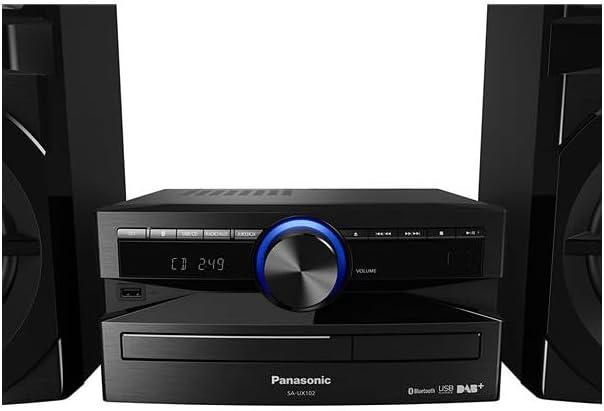
Immaġni: Wara view of the main unit, illustrating speaker wire connections.
3. Konnessjoni tal-antenna
Connect the supplied FM/DAB antenna to the antenna terminal on the rear of the main unit. Extend the antenna fully and position it for best reception.
4. Konnessjoni tal-Enerġija
Plug the power cord into the AC IN terminal on the main unit, then plug the other end into a wall outlet.
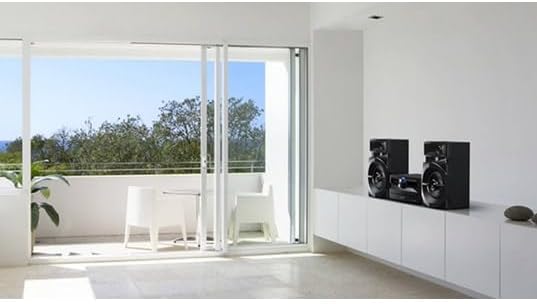
Image: The Panasonic SC-UX102E-K Mini System positioned in a living space.
Istruzzjonijiet Operattivi
1. Operazzjoni Bażika
- Power On/Off: Agħfas il- [QAWWA] buttuna fuq l-unità jew fuq il-kontroll remot.
- Kontroll tal-Volum: Dawwar il- [VOLUM] pum jew uża l- [VOL +/-] buttuni fuq il-remote.
- Għażla tas-Sors: Agħfas il- [FUNZJONI] button repeatedly to cycle through CD, Bluetooth, USB, DAB/DAB+, FM, and AUX.

Image: Front panel of the main unit, showing the display and control buttons.
2. CD Playback
- Agħfas [FUNZJONI] to select the CD source.
- Agħfas il- [IFTAĦ/GĦALAQ] buttuna biex tiftaħ it-trej tas-CD.
- Poġġi CD bit-tikketta 'l fuq u agħlaq it-trej.
- Id-daqq jibda awtomatikament. Uża [PLAY/PAUSE], [AQBEŻ], u [WAQFA] buttuni għall-kontroll.
3. Konnessjoni Bluetooth
- Agħfas [FUNZJONI] to select the Bluetooth source. The display will show "PAIRING".
- Fuq l-apparat Bluetooth tiegħek (smartphone, tablet), attiva l-Bluetooth u fittex apparati disponibbli.
- Select "SC-UX102E-K" from the list. Once connected, the display will show "CONNECTED".
- Play audio from your device.
4. Daqq USB
- Daħħal apparat USB fil-port USB fuq quddiem tal-unità.
- Agħfas [FUNZJONI] biex tagħżel is-sors tal-USB.
- The unit will automatically detect and begin playing supported audio files (eż., MP3, WAV).
- Uża l- [AQBEŻ] buttons to navigate tracks or folders.
5. DAB/DAB + Radju
- Agħfas [FUNZJONI] to select the DAB source.
- The unit will perform an auto-scan for available DAB/DAB+ stations upon first use.
- Uża l- [INTONAZZJONI] buttuni biex tagħżel stazzjon.
- To save a station as a preset, press and hold a numbered preset button until the display confirms.
6. Radju FM
- Agħfas [FUNZJONI] to select the FM source.
- Irfinar Awtomatiku: Agħfas u żomm il- [INTONAZZJONI] buttons to automatically search for the next available station.
- Irfinar Manwali: Agħfas il- [INTONAZZJONI] Agħfas il-buttuni fil-qosor biex taġġusta l-frekwenza pass pass.
- To save a station as a preset, press and hold a numbered preset button until the display confirms.
7. Input AUX
- Connect an external audio device (e.g., MP3 player, PC) to the AUX IN jack on the main unit using a 3.5mm audio cable.
- Agħfas [FUNZJONI] to select the AUX source.
- Daqq l-awdjo mit-tagħmir konness tiegħek.
Manutenzjoni
1. Tindif tal-Unità
Wipe the exterior of the unit with a soft, dry cloth. Do not use abrasive cleaners, waxes, or solvents as they can damage the finish.
2. Cleaning the CD Lens
If CD playback becomes erratic, use a commercially available CD lens cleaner to clean the lens. Follow the instructions provided with the cleaner.
Issolvi l-problemi
| Problema | Kawża Possibbli | Soluzzjoni |
|---|---|---|
| Ebda qawwa | Il-korda tal-enerġija mhux imqabbda sew. | Iċċekkja l-konnessjoni tal-korda tal-enerġija mal-unità u mas-sokit tal-ħajt. |
| L-ebda ħoss | Volume is too low or muted. Speaker wires are incorrectly connected. | Increase volume. Check speaker wire connections and polarity. |
| Tqabbil Bluetooth ifalli | Bluetooth device is too far or not in pairing mode. | Ensure device is within 10 meters. Put the unit in pairing mode and retry. |
| USB device not recognized (NO DEVICE) | USB device is not formatted correctly or unsupported. | Ensure USB device is formatted to FAT16 or FAT32. Try a different USB device. |
| Riċeviment ħażin tar-radju | Antenna is not properly positioned or connected. Interference from other devices. | Adjust antenna position. Move the unit away from other electronic devices. |
| CD playback skips or stops | CD is dirty or scratched. CD lens is dirty. | Clean the CD. Use a CD lens cleaner. |
Speċifikazzjonijiet
- Ditta: Panasonic
- Numru tal-Mudell: SC-UX102E-K
- Teknoloġija tal-Konnettività: USB, Bluetooth
- Kulur: Iswed
- Tip ta' Kelliem: Stereo, 2-way speakers with 13 cm woofers
- Dimensjonijiet tal-oġġett (LxWxH): 22.7 x 25 x 13.2 ċm (unità prinċipali)
- Sors tal-Enerġija: Elettriku
- Apparati Kompatibbli: Smartphone, Tablet, MP3 Player, PC
- Output tal-Enerġija: 300 W (Total RMS, approximate)
- Standards Appoġġjati: CD-DA, CD-R/RW
- Appoġġ għall-Format tal-Awdjo: CD-DA, MP3, WAV (via USB)
- Numru ta' Kelliema: 2
- Modalità tal-Ħruġ tal-Awdjo: Stereo
- Tuner tar-Radju: DAB/DAB+, FM (30FM/15AM RDS presets)
- Piż: 3.7 Kilograms (main unit)
Informazzjoni dwar Garanzija
This Panasonic product is covered by a standard manufacturer's warranty. The specific terms and duration of the warranty may vary by region. Please refer to the warranty card included with your product or visit the official Panasonic website for detailed information regarding warranty coverage and claims.
Appoġġ għall-Klijent
For technical assistance, troubleshooting beyond this manual, or service inquiries, please contact Panasonic customer support. You can find contact information, including phone numbers and online support resources, on the official Panasonic website for your region. Please have your model number (SC-UX102E-K) and serial number ready when contacting support.