
1. Prodott Aktarview
The Aideepen TDA7492P 2x50W Dual Channel Amplifier Board is designed to provide high-quality stereo audio amplification for various speaker systems. Featuring Bluetooth wireless connectivity, this board is suitable for home or vehicle audio streaming applications.
Karatteristiċi ewlenin:
- 50W+50W HIFI Board: Delivers 2x50W of power for multi-speaker setups with 8 ohms impedance.
- Upgraded Version (AD-001): Incorporates the TDA7492P chip with enhanced capacitor resistance for improved stereo sound and better heat dissipation. Features gold-plated mounting holes for durability and aesthetics.
- Konnettività Bluetooth: Compatible with most smartphones for wireless music streaming. Note: Not compatible with computers.
- Integrated Control Buttons: Includes responsive buttons for power, previous track, next track, play/pause, volume up, and volume down. A Bluetooth indicator flashes red and blue alternately when ready for pairing.
- Compact Design, Powerful Sound: Despite its small size, this amplifier can achieve 110-120 dB output with high-efficiency drivers.

Figura 1.1: Fuq view of the Aideepen TDA7492P Dual Channel AmpBord lifier.
2. Kontenut tal-Pakkett
Kun żgur li l-oġġetti kollha huma preżenti u f'kundizzjoni tajba malli tiftaħ il-pakkett.
- 1x TDA7492P Audio Receiver AmpBord aktar ħaj

Figura 2.1: L- amplifier board as received in its packaging.
3. Informazzjoni dwar is-Sigurtà
Please read and understand all safety instructions before operating this device. Failure to follow these instructions may result in electric shock, fire, or other hazards.
- Provvista tal-Enerġija: Use a DC power supply between 8V and 24V. Ensure the power supply's output current is sufficient (at least 2A recommended for optimal performance). The power connector is 5.5mm outside diameter, 2.1mm inside diameter, with positive on the inside and negative on the outside.
- Wiring: Always distinguish between positive and negative terminals when connecting speakers. Incorrect wiring can damage the amplifier board or speakers.
- Ambjent: Do not expose the device to moisture, extreme temperatures, or direct sunlight. Operate in a well-ventilated area.
- Immaniġġjar: Avoid touching the circuit board components while the device is powered on.
4. Istruzzjonijiet ta' Setup
Follow these steps to set up your Aideepen TDA7492P ampbord aktar ħaj.
- Prepare Speakers: Ensure your speakers are rated for 8 ohms impedance. Strip a small amount of insulation from the ends of your speaker wires.
- Qabbad l-Ispeakers: Loosen the screws on the green terminal blocks (speaker outputs) on the amplifier board. Carefully insert the speaker wires, ensuring the positive (+) and negative (-) wires are connected to the corresponding terminals for each channel (L+ L- for left, R+ R- for right). Tighten the screws to secure the wires.
- Qabbad l-Enerġija: Plug a compatible DC power adapter (8-24V, at least 2A, 5.5x2.1mm barrel connector, center positive) into the power input jack on the board.
- Qawwa Mixgħul: After connecting the power, the Bluetooth indicator LED on the board will begin to flash, indicating it is ready for pairing.

Figura 4.1: Dettaljat view of speaker and power connection points on the ampbord aktar ħaj.

Figure 4.2: Labeled diagram of the amplifier board showing Bluetooth antenna, indicator, buttons, and power interface.
Setup and Connection Video:
Video 4.1: Official Aideepen video demonstrating the installation steps and Bluetooth connection process for the ampbord aktar ħaj.
5. Istruzzjonijiet Operattivi
Ladarba l- amplifier board is set up, you can begin streaming audio wirelessly.
- Tqabbil Bluetooth:
- Tiżgura l- amplifier board is powered on and the Bluetooth indicator is flashing (red and blue alternately).
- Fuq l-ismartphone tiegħek jew apparat ieħor li jaħdem bil-Bluetooth, mur fis-settings tal-Bluetooth.
- Fittex għal apparati disponibbli. Il- amplifier board will typically appear as "SANWU Audio" or a similar identifier.
- Agħżel il- amplifier board to pair. Once connected, the Bluetooth indicator LED will typically show a solid blue light or a slower flash.
- Daqq tal-awdjo:
- Open your preferred music player application on your connected device.
- Start playing audio. Sound will be routed through the amplifier board to your connected speakers.
- Using On-Board Controls: Il- amplifier board features several buttons for direct control:
- DABBA/PAWŻA: Jibdel il-plejbek.
- QABEL: Jaqbeż għall-binarju preċedenti.
- LI JMISS: Jaqbeż għall-korsa li jmiss.
- VOL+: Iżżid il-volum.
- VOL-: Tnaqqas il-volum.
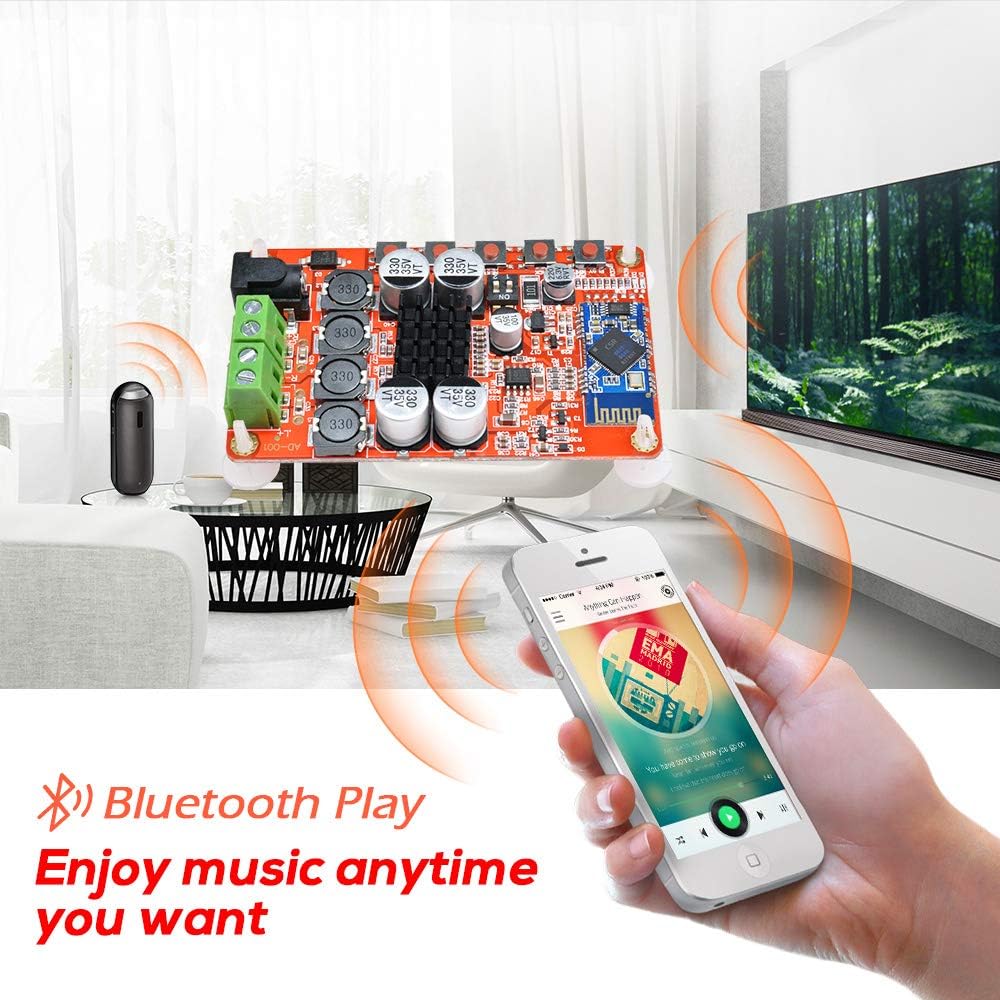
Figura 5.1: L- amplifier board connected to speakers and streaming music from a smartphone via Bluetooth.
6. Manutenzjoni
Manutenzjoni xierqa tiżgura l-lonġevità u l-prestazzjoni ottimali tiegħek ampbord aktar ħaj.
- Tindif: Use a soft, dry cloth to gently wipe the surface of the board. Avoid using liquid cleaners or solvents, as these can damage components.
- Ħażna: When not in use for extended periods, store the board in a cool, dry place away from direct sunlight and dust.
- Immaniġġjar: Always handle the board by its edges to avoid touching sensitive electronic components.
7 Issolvi l-problemi
Jekk tiltaqa' ma' problemi bil- ampbord tal-lifer, irreferi għall-problemi u s-soluzzjonijiet komuni li ġejjin:
| Problema | Kawża Possibbli | Soluzzjoni |
|---|---|---|
| L-ebda ħoss mill-kelliema |
|
|
| Il-Bluetooth mhux qed jgħaqqad |
|
|
| Ħoss statiku jew distort |
|
|
| Loud beep/chirp during power on/off or Bluetooth disconnect | This is a characteristic of the board's design. | This is normal operation and cannot be adjusted. |
8. Speċifikazzjonijiet
Detailed technical specifications for the Aideepen TDA7492P AmpBord lifier.
| Speċifikazzjoni | Valur |
|---|---|
| Mudell | TDA7492P |
| Qawwa tal-Ħruġ | 2x50W (50W per channel) |
| Numru ta 'Kanali | 2 (Stereo) |
| Provvista Minima Voltage | 8 Volts (DC) |
| Provvista Massima Voltage | 24 Volts (DC) |
| Impedenza tal-Ispeaker | 8 Ohms (recommended) |
| Verżjoni Bluetooth | WL Digital BT Audio Receiver |
| Dimensjonijiet tal-oġġett (L x W x H) | 3.9 x 2 x 1.2 pulzieri |
| Tip ta 'Immuntar | Immonta fil-wiċċ |
9. Garanzija u Appoġġ
The Aideepen TDA7492P Dual Channel Amplifier Board comes with a 6-month extended warranty.
For technical assistance, troubleshooting, or warranty claims, please contact Aideepen customer service. Our team is available 24/7 to provide friendly support.
Informazzjoni ta' Kuntatt:
- Websit: www.aideepen.com (Jekk jogħġbok iċċekkja l-uffiċjal webis-sit għad-dettalji ta' kuntatt l-aktar riċenti.)
- Email: Irreferi għall-imballaġġ tal-prodott jew għall-informazzjoni uffiċjali websit għal email ta' appoġġ.