
1. Introduzzjoni
This manual provides essential information for the safe and efficient operation of your Easy Karaoke EKS780-BT Bluetooth CD+CDG Karaoke Machine. Please read these instructions thoroughly before using the device and retain them for future reference.
The EKS780-BT is a versatile karaoke system featuring a top-loading CD+G mechanism, Bluetooth connectivity, and two USB ports for recording. It includes a 7-inch TFT screen for lyric display, integrated speakers, multi-color disco lights, and comes with one microphone and a demo disc. The system supports streaming karaoke songs via Bluetooth and offers features like echo control and automatic voice control.
2. Informazzjoni dwar is-Sigurtà
- Sors tal-Enerġija: Uża biss l-adapter tal-enerġija speċifikat. Kun żgur li l-volumtage taqbel mal-provvista tal-enerġija lokali tiegħek.
- Ventilazzjoni: Do not block ventilation openings. Place the unit on a stable, flat surface.
- Ilma u Umdità: Do not expose the unit to rain, moisture, or immerse it in water. Keep liquids away from the device.
- Sħana: Żomm l-unità 'l bogħod minn sorsi ta' sħana bħal radjaturi, reġistri tas-sħana, stufi, jew apparat ieħor (inkluż amplifiers) li jipproduċu sħana.
- Tindif: Skonnettja l-unità mill-plagg tal-ħajt qabel ma tnaddafha. Uża drapp artab u niexef. Tużax prodotti tat-tindif likwidi jew prodotti tat-tindif bl-ajrusol.
- Servizzi: Tippruvax isservi dan il-prodott int stess. Irreferi l-manutenzjoni kollha lil persunal tas-servizz kwalifikat.
- Immaniġġjar tal-mikrofonu: Avoid dropping the microphone or exposing it to excessive force.
3. Kontenut tal-Pakkett
Jekk jogħġbok iċċekkja li l-oġġetti kollha huma preżenti fil-pakkett:
- Easy Karaoke EKS780-BT Karaoke Machine
- 1 x Mikrofonu
- 1 x Demo CD+G Disc
- Adapter tal-Enerġija
- AV Cable (for TV connection)
4. Prodott Aktarview
Familiarize yourself with the components and controls of your karaoke machine.

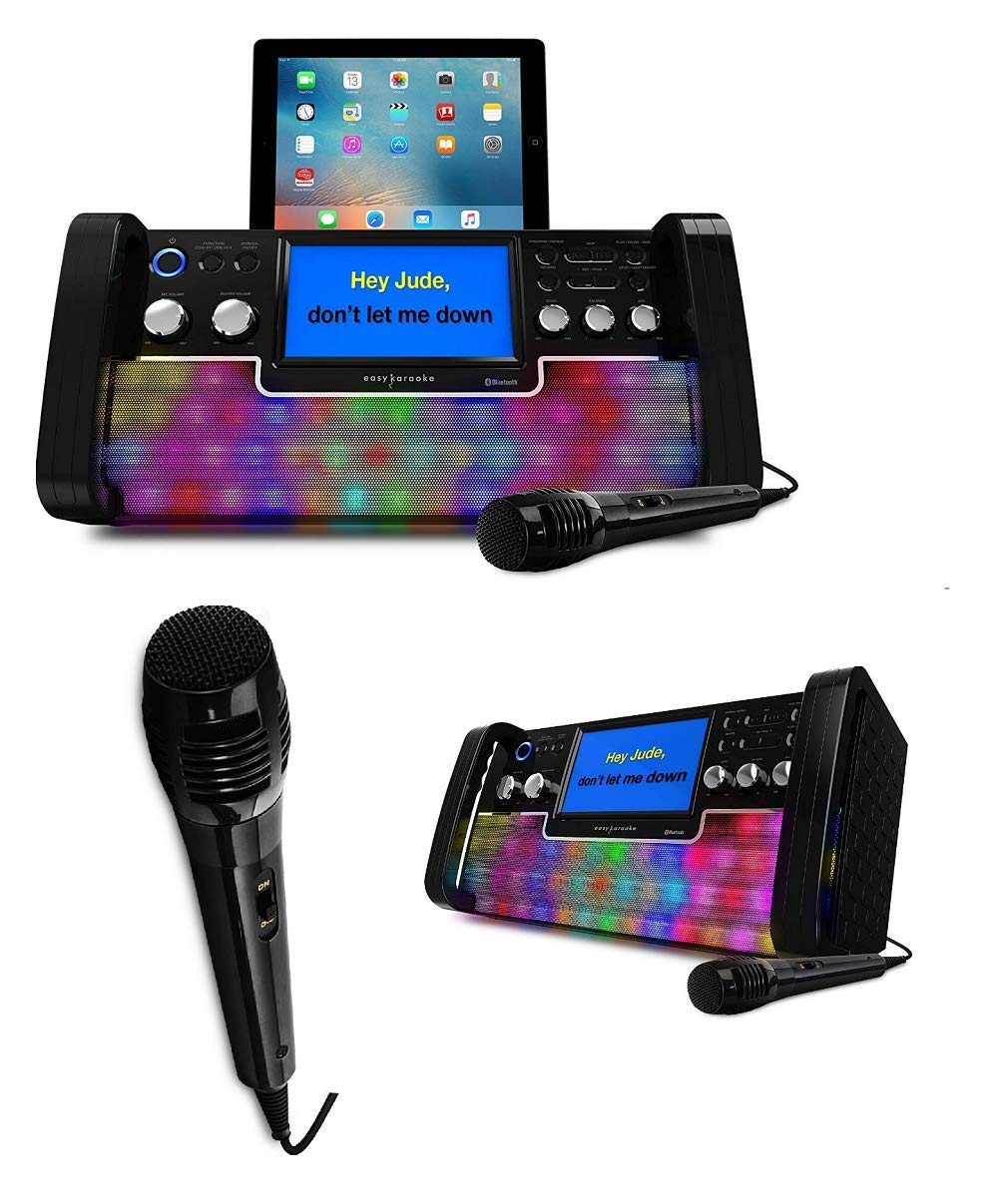
Stampa 4.1: Quddiem view of the EKS780-BT Karaoke Machine. This image displays the main unit with a tablet placed in its stand, the central 7-inch screen showing lyrics, various control knobs for audio adjustments, and the integrated multi-color disco lights on the speaker grille. A microphone is also visible in the foreground.
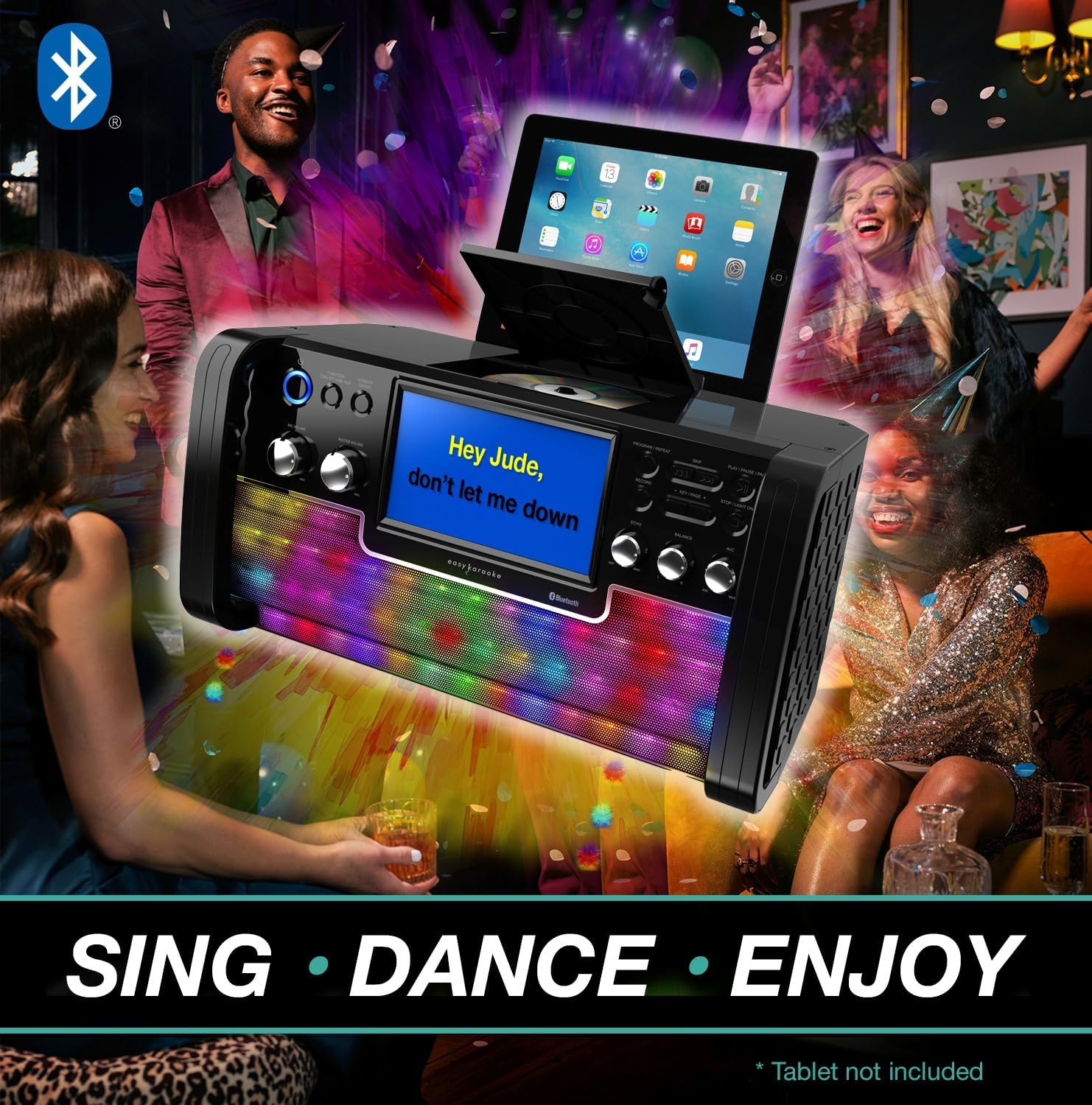
Stampa 4.2: Feature diagram of the EKS780-BT. This diagram highlights key functionalities: 'On Screen Lyrics' (connect to your TV), 'Disco Light Effects' with equalizer, 'USB Port for MP3 / MP3+G', and '1 Karaoke Disc & Microphone' included. The main unit with a tablet is shown in the center.
4.1 Kontrolli u Karatteristiċi tal-Panel ta' Quddiem
- Buttuna tal-Qawwa: Ixgħel jew jitfi l-unità.
- Skrin TFT bil-Kulur ta' 7 pulzier: Displays CD+G lyrics and menu information.
- Kontroll tal-Volum Master: Jaġġusta l-livell ġenerali tal-ħruġ tal-ħoss.
- Kontroll tal-Volum tal-Mikrofonu: Jaġġusta l-volum tal-mikrofoni konnessi.
- Kontroll tal-Eku: Adds an echo effect to the microphone sound.
- Kontroll Awtomatiku tal-Vuċi (AVC): Automatically reduces the main vocal track volume when a microphone is used.
- CD+G Player: Top-loading mechanism for CD and CD+G discs.
- Portijiet USB (x2): For MP3/MP3+G playback and recording.
- Dwal tad-Disko: Integrated multi-color LED lights that synchronize with music.
- Indikatur Bluetooth: Juri l-istatus tal-konnessjoni Bluetooth.
4.2 Konnessjonijiet tal-Panew ta' wara
Stampa 4.3: Wara view of the EKS780-BT Karaoke Machine. This image illustrates the back panel, typically featuring the power input, audio/video output jacks for connecting to an external display or sound system, and additional microphone input ports.
- DC IN Jack: Qabbad l-adapter tal-enerġija pprovdut hawn.
- Audio/Video Output Jacks: Connect to a TV or external audio system using the supplied AV cable.
- Microphone Input Jacks (x2): Connect microphones here.
5. Setup
5.1 Konnessjoni tal-Enerġija
- Ensure the karaoke machine is placed on a stable, flat surface.
- Qabbad l-adapter tal-enerġija fornut mal- DC IN jack on the rear of the unit.
- Ipplaggja l-adapter tal-enerġija f'sokit tal-ħajt adattat.
5.2 Konnessjoni tal-Mikrofonu
- Plug the microphone cable into one of the Ġakki tad-Dħul tal-Mikrofonu fuq l-unità.
- If using a second microphone (not included), connect it to the other microphone input jack.
5.3 Konnessjoni tat-TV (Mhux obbligatorja)
To display lyrics on a larger screen, connect the unit to your TV:
- Connect the supplied AV cable to the Audio/Video Output Jacks on the rear of the karaoke machine.
- Connect the other end of the AV cable to the corresponding Audio/Video Input jacks on your television.
- Agħżel is-sors tad-dħul AV korrett fuq it-TV tiegħek.
6. Istruzzjonijiet Operattivi
6.1 Power On/Off
- Agħfas il- Buttuna tal-Qawwa on the front panel to turn the unit on. The screen will illuminate.
- Agħfas il- Buttuna tal-Qawwa mill-ġdid biex itfi l-unità.
6.2 CD/CDG Playback
- Open the CD compartment cover on top of the unit.
- Carefully place a CD or CD+G disc onto the spindle with the label side facing up.
- Agħlaq il-qoxra tal-kompartiment tas-CD.
- The unit will automatically begin playing the disc. Lyrics will appear on the 7-inch screen (and connected TV if applicable) for CD+G discs.
- Use the playback controls (Play/Pause, Skip, Stop) on the front panel to manage playback.
6.3 Streaming tal-Awdjo Bluetooth
- Ixgħel il-magna tal-karaoke.
- Attiva l-Bluetooth fuq l-ismartphone, it-tablet, jew apparat ieħor kompatibbli tiegħek.
- Fittex għal Bluetooth devices and select "EKS780-BT" from the list.
- Once paired, the Bluetooth indicator on the unit will confirm the connection.
- You can now stream audio from your device to the karaoke machine.
- For karaoke tracks, use the included QR code to access a library of HD karaoke songs or stream from online platforms.
6.4 Daqq u Reġistrazzjoni tal-USB
- Daqq: Insert a USB drive containing MP3 or MP3+G files into one of the USB ports. The unit should automatically detect and begin playback or allow selection via the menu.
- Reġistrazzjoni: During karaoke performance, press the Record button (if available, refer to specific button labels on your unit) to record your singing to a connected USB drive. Press again to stop recording.
6.5 Kontrolli tal-Mikrofonu
- Volum tal-mikrofonu: Dawwar il- Kontroll tal-Volum tal-Mikrofonu knob to adjust the loudness of your voice.
- Eku: Dawwar il- Kontroll tal-Echo knob to add or reduce the echo effect on your voice.
- Kontroll Awtomatiku tal-Vuċi (AVC): Engage the AVC function (if it has a dedicated button) to automatically lower the main vocal track of a song when you sing into the microphone.
6.6 Dwal tad-Disko
The integrated multi-color disco lights will automatically activate when the unit is powered on and will respond to the music being played. There may be a dedicated button to turn them on/off or change modes, refer to your unit's specific controls.
7. Manutenzjoni
- Tindif: Imsaħ l-unità b'ċarruta ratba u niexfa. Tużax prodotti tat-tindif jew solventi li joborxu.
- Kura tal-Lenti tas-CD: If the CD lens becomes dirty, use a commercially available CD lens cleaner.
- Ħażna: Meta ma tkunx qed tużaha għal perjodi twal, aqla’ l-unità u aħżinha f’post frisk u niexef.
8 Issolvi l-problemi
| Problema | Kawża Possibbli | Soluzzjoni |
|---|---|---|
| Ebda qawwa | L-adapter tal-enerġija mhux imqabbad jew is-sokit difettuż. | Kun żgur li l-adapter tal-enerġija huwa konness sew u li s-sokit jaħdem. |
| L-ebda ħoss mill-kelliema | Master volume too low; incorrect input source; external speakers connected. | Increase Master Volume. Check if an external audio system is connected and adjust its volume. Ensure correct mode (CD, Bluetooth, USB) is selected. |
| L-ebda ħoss mill-mikrofonu | Microphone not connected; microphone volume too low; microphone faulty. | Kun żgur li l-mikrofonu huwa mdaħħal sew. Żid il-Volum tal-Mikrofonu. Ittestja b'mikrofonu ieħor jekk disponibbli. |
| CD/CDG disc not playing | Disc inserted incorrectly; disc dirty or scratched; CD compartment not closed. | Re-insert disc correctly. Clean disc with a soft cloth. Close the CD compartment securely. |
| Il-Bluetooth mhux qed jgħaqqad | Bluetooth not enabled on device; unit not in pairing mode; device too far. | Ensure Bluetooth is enabled on your device. Make sure the unit is discoverable. Move device closer to the karaoke machine. |
| Il-lirika ma tidhirx fuq it-TV | AV cable not connected correctly; incorrect TV input selected; not a CD+G disc. | Check AV cable connections. Select the correct AV input on your TV. Ensure you are playing a CD+G disc. |
9. Speċifikazzjonijiet
| Karatteristika | Speċifikazzjoni |
|---|---|
| Brand | EASY KARAOKE |
| Numru tal-Mudell | 381166 |
| Kulur | Iswed |
| Teknoloġija tal-Konnettività | Bluetooth, USB |
| Karatteristiċi Speċjali | Echo, Automatic Voice Control (AVC) |
| Portijiet USB totali | 2 |
| Apparati Kompatibbli | Smartphones, tablets, laptops, PCs, CD players, USB audio devices |
| Komponenti Inklużi | Mikrofonu |
| Użi Rakkomandati | Dar |
| Sors tal-Enerġija | Corded Elettriku |
| Numru ta 'Kelliema | 1 |
| Manifattur | Easy Karaoke |
| Pajjiż ta' Oriġini | Ir-Renju Unit |
| Disponibbiltà ta' Spare Parts | Informazzjoni mhux disponibbli |
| Aġġornamenti tas-Softwer Garantiti Sa | Informazzjoni mhux disponibbli |
10. Garanzija u Appoġġ
Easy Karaoke products are designed for reliability and performance. For information regarding warranty coverage, please refer to the warranty card included with your purchase or contact your retailer.
For technical support or further assistance, please visit the Easy Karaoke official webis-sit jew ikkuntattja lid-dipartiment tas-servizz tal-konsumatur tagħhom. Żomm l-irċevuta tax-xiri tiegħek bħala prova tax-xiri għal kwalunkwe talba ta' garanzija.