
ASUS WI503Q-GL-DB
ASUS ZenWatch 3 WI503Q-GL-DB User Manual
Model: WI503Q-GL-DB | Brand: ASUS
1. Introduzzjoni
This manual provides comprehensive instructions for the setup, operation, and maintenance of your ASUS ZenWatch 3 WI503Q-GL-DB. The ZenWatch 3 is a 1.39-inch circular AMOLED Smart Watch featuring a dark brown leather strap, designed to seamlessly integrate with your daily life. It runs on Android OS 6.0.1 (Android Wear) and is compatible with Android 4.3+ devices, offering advanced connectivity with Wi-Fi and Bluetooth 4.1.

Figura 1: Quddiem view of the ASUS ZenWatch 3 with its circular AMOLED display and dark brown leather strap.
2. X'hemm fil-Kaxxa
Upon unboxing your ASUS ZenWatch 3, please ensure all the following items are present:
- ASUS ZenWatch 3 WI503Q-GL-DB Smart Watch
- Magnet Pogo Charging Cable
- Gwida Quick Start
- Gwida tal-Partijiet u l-Karatteristiċi
- Gwida tal-Garanzija
3. Setup
3.1 Iċċarġjar inizjali
Before first use, fully charge your ZenWatch 3. Connect the magnet pogo charging cable to the charging port on the back of the watch and plug the USB end into a compatible power adapter (not included) or computer USB port. The watch features ASUS-exclusive HyperCharge technology, allowing for a 60% charge in just 15 minutes.
3.2 It-tqabbil mal-Ismartphone Tiegħek
To utilize the full functionality of your ZenWatch 3, pair it with an Android smartphone (Android 4.3 or later) or an iPhone (iOS 8.2 or later). Download the "Wear OS by Google" app (formerly Android Wear) from the Google Play Store or Apple App Store. Follow the on-screen instructions within the app to complete the pairing process via Bluetooth 4.1.
3.3 Konnettività tal-Wi-Fi
The ZenWatch 3 includes built-in Wi-Fi (802.11BGN) to extend its range and connectivity with your phone, even when Bluetooth is out of range. Configure Wi-Fi settings through the Wear OS app on your paired smartphone.
4. Istruzzjonijiet Operattivi
4.1 Wiri u Navigazzjoni
The 1.39-inch circular AMOLED touch screen (400x400 resolution, 287 ppi) is protected by Corning Gorilla Glass 3. Navigate the interface using touch gestures (swipes, taps) and the customizable multiple button design. The watch also supports Smart Gesture control for scrolling through apps and pages.

Figure 2: The ZenWatch 3's 1.39-inch AMOLED display with Gorilla Glass 3 protection.

Figura 3: Eżamples of customizable watch faces available on the ZenWatch 3.
4.2 Notifiki u Komunikazzjoni
Receive notifications from your paired smartphone directly on your watch. With the built-in speaker, you can conduct calls, hear voice messages, and receive notifications without needing to take out your phone.
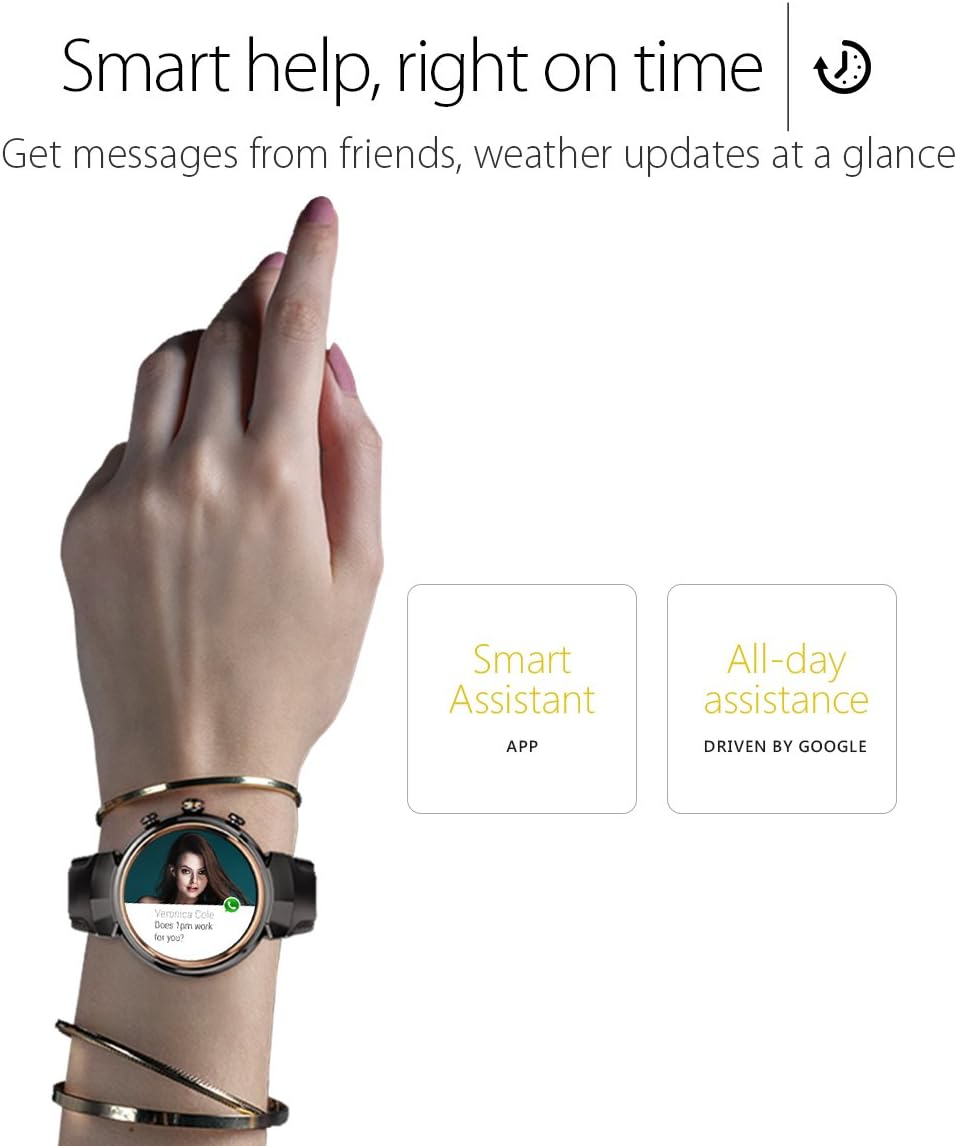
Figure 4: The ZenWatch 3 displaying a message notification, demonstrating its smart assistance features.
4.3 Traċċar tal-Fitness
The ZenWatch 3 can track your daily activity, including steps taken and calories burned. Access fitness data through the watch interface or the companion app on your smartphone.
4.4 Vidjo Uffiċjali tal-Prodott
Watch the official ASUS ZenWatch 3 product video for a visual overview of its features and design. This video highlights the craftsmanship and various functionalities of the smartwatch.
Video 1: Official ASUS ZenWatch 3 overview, wirjaasing its design, features, and user interface. (Duration: 1:26)
5. Manutenzjoni
5.1 Reżistenza għall-Ilma
The ZenWatch 3 is IP67 water resistant, protecting it against water immersion up to 1 meter for 30 minutes. This means it is suitable for everyday use and can withstand splashes or brief immersion. However, it is not recommended for swimming or showering.
5.2 Tindif
To clean your watch, gently wipe the display and casing with a soft, lint-free cloth. For the leather strap, avoid excessive moisture and harsh chemicals. Allow the strap to air dry if it gets wet.
6 Issolvi l-problemi
For common issues and their solutions, please refer to the detailed troubleshooting section in the official User Manual, specifically on paġni 15-16. If you encounter problems not covered in the manual, please contact ASUS customer support.
Tista' tniżżel il-Manwal tal-Utent sħiħ (PDF) hawn.
7. Speċifikazzjonijiet
| Karatteristika | Dettall |
|---|---|
| Isem tal-Mudell | WI503Q-GL-DB |
| Wiri | 1.39-inch circular AMOLED (400x400, 287 ppi) with Corning Gorilla Glass 3 |
| Proċessur | Qualcomm APQ 8009W, 1.2GHz |
| Memorja | 512MB DDR3 |
| Ħażna | 4GB EMMC |
| Sistema Operattiva | Android OS 6.0.1 (Android Wear); Compatible with Android 4.3+ |
| Konnettività | 802.11BGN Wi-Fi, Bluetooth 4.1 |
| Reżistenza għall-Ilma | IP67 (up to 1 meter immersion) |
| Karatteristiċi Speċjali | Customizable Buttons, HyperCharge Technology, Smart Gesture Control, Built-in Speaker |
| Dimensjonijiet | 9.4 x 1.5 x 0.4 pulzieri |
| Piż | 11.2 uqija |
| Kulur | Gunmetal casing, Dark-Brown Leather Band |
8. Garanzija u Appoġġ
Your ASUS ZenWatch 3 is covered by a manufacturer's warranty. Please refer to the included Warranty Guide for detailed information regarding coverage, terms, and conditions.
For further assistance, technical support, or service inquiries, please visit the official ASUS support website or contact their customer service. The full User Manual (PDF) is available for download hawn.
Ask a question about this manual
Ask about setup, troubleshooting, compatibility, parts, safety, or missing instructions. Manuals+ will review the question and use this page’s manual context to help answer it.