
AUTOOL X50 Plus
Manwal tal-Utent tad-Displej Head-Up tal-AUTOOL X50 Plus
Multi-Function Digital Meter for OBDII Diesel Vehicles
1. Introduzzjoni
The AUTOOL X50 Plus is an advanced Head-Up Display (HUD) and multi-function digital meter designed to provide essential vehicle information directly to the driver. This device connects to your vehicle's On-Board Diagnostics II (OBDII) port, offering real-time data such as speed, engine RPM, coolant temperature, voltage, and fuel consumption. It also includes features for reading and clearing diagnostic trouble codes (DTCs) and various safety alarms, enhancing driving safety and convenience.

Figure 1.1: The AUTOOL X50 Plus Head-Up Display, showcasing its compact design and clear digital interface displaying speed, coolant temperature, and battery voltage.
2. Prodott Aktarview
2.1 Karatteristiċi ewlenin
- Wiri b'diversi funzjonijiet: Offers various operating interface modes with LED display, including coolant temperature, fuel consumption, engine speed, and driving speed.
- Read & Clear Car Fault Codes: Provides code definitions, allowing for easy diagnosis and clearing of error codes and data streams. Supports full OBD protocols.
- Safety Alarm Functions: Includes water temperature early alarm, over-speed early alarm, shifting reminding early alarm, and vehicle fault early alarm.
- Smart Light Sensor & 2.4" HD Large Screen: Automatic brightness adjustment for optimal visibility day and night.
- Powerful Head-Up Display: Ideal for vehicles without a tachometer, engine temperature gauge, or fuel consumption display. Highly compatible with OBD standard protocols for cars manufactured after 2008.
- Accurate Original Vehicle Data: Reads data directly through the OBD interface, providing highly accurate readings for speed, RPM, coolant temp, voltage, fuel consumption, and distance.
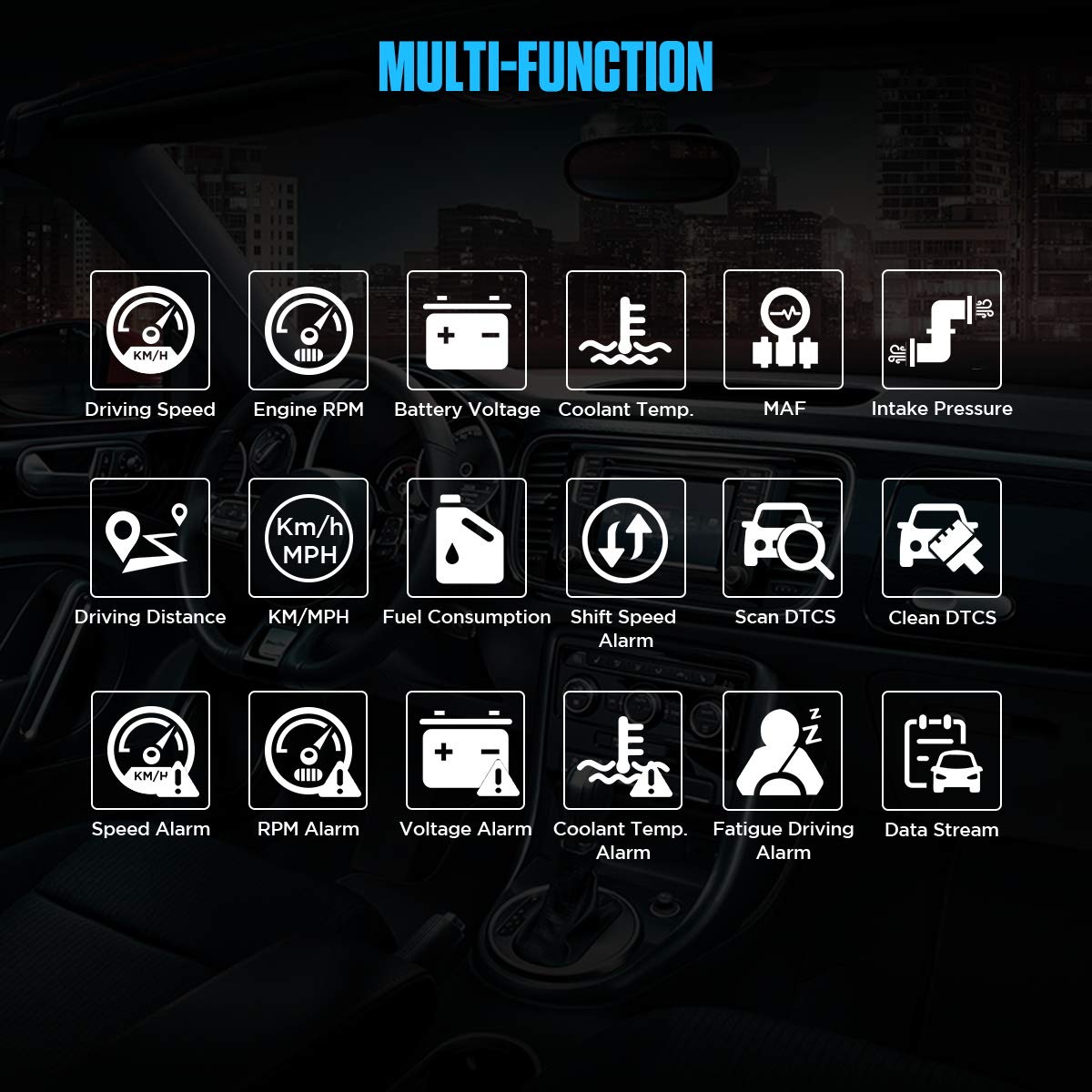
Figure 2.1: Visual representation of the multi-function capabilities, including driving speed, engine RPM, battery voltage, coolant temperature, MAF, intake pressure, driving distance, KM/MPH switching, fuel consumption, shift speed alarm, scan DTCs, clean DTCs, speed alarm, RPM alarm, voltage alarm, coolant temp alarm, fatigue driving alarm, and data stream.
2.2 X'hemm fil-Kaxxa
- 1 set X50 PLUS CAR HUD
3. Setup u Installazzjoni
3.1 Kompatibbiltà tal-Vettura
The AUTOOL X50 Plus is compatible with vehicles supporting OBD standard protocols manufactured after 2008. This includes most European, American, Japanese, Korean, and Chinese cars from 2005 or 2008 onwards, depending on the region.

Figure 3.1: A detailed list indicating supported and unsupported vehicle models and years. Please refer to this list to confirm your vehicle's compatibility.
3.2 OBD-II Connector Pinout
The device connects to your vehicle's standard 16-pin OBD-II port. Ensure the port is accessible and clean before connection.

Figure 3.2: Diagram illustrating the standard OBD-II connector pinout and their respective functions, ensuring proper connection.
3.3 Passi ta' Installazzjoni
- Pass 1: Locate your vehicle's OBD-II port, typically found under the dashboard on the driver's side. Plug the OBD adapter into the car's OBD-II port.
- Pass 2: Route the OBD line. If necessary, carefully hide the OBD line in the seam inside the car to ensure a neat and secure installation.
- Pass 3: Connect the X50 Plus. Plug the USB port of the OBD line into the X50 Plus device.

Figure 3.3: Step-by-step visual guide for easy operation and installation of the AUTOOL X50 Plus in a vehicle.
4. Istruzzjonijiet Operattivi
4.1 Power On/Off
The X50 Plus will automatically power on when the vehicle is started and power off after the vehicle is turned off (shutoff time is adjustable).
4.2 Interface Display and Navigation
The device features a 2.4-inch HD screen with various display modes. Use the function button (typically a scroll wheel or button on the device) to navigate through menus and select options.

Figura 4.1: Eżamples of different data interfaces available on the X50 Plus, including speed, water temperature, voltage, average speed, fuel consumption, average fuel consumption, travel distance, over speed settings, and OBD diagnose menu.
4.3 Unitajiet tal-Bdil (Metriċi/Imperjali)
The X50 Plus allows you to switch between metric and imperial units for various measurements. This can be done through the system settings menu.
Video 4.1: This video demonstrates how to navigate the menu on the AUTOOL X50 Plus to change the measurement units between metric and imperial, specifically showing the change from Celsius to Fahrenheit for temperature display.
4.4 Automatic Light Sensor
The device is equipped with a smart light sensor that automatically adjusts the screen brightness based on ambient light conditions, ensuring optimal readability during both daytime and nighttime driving.
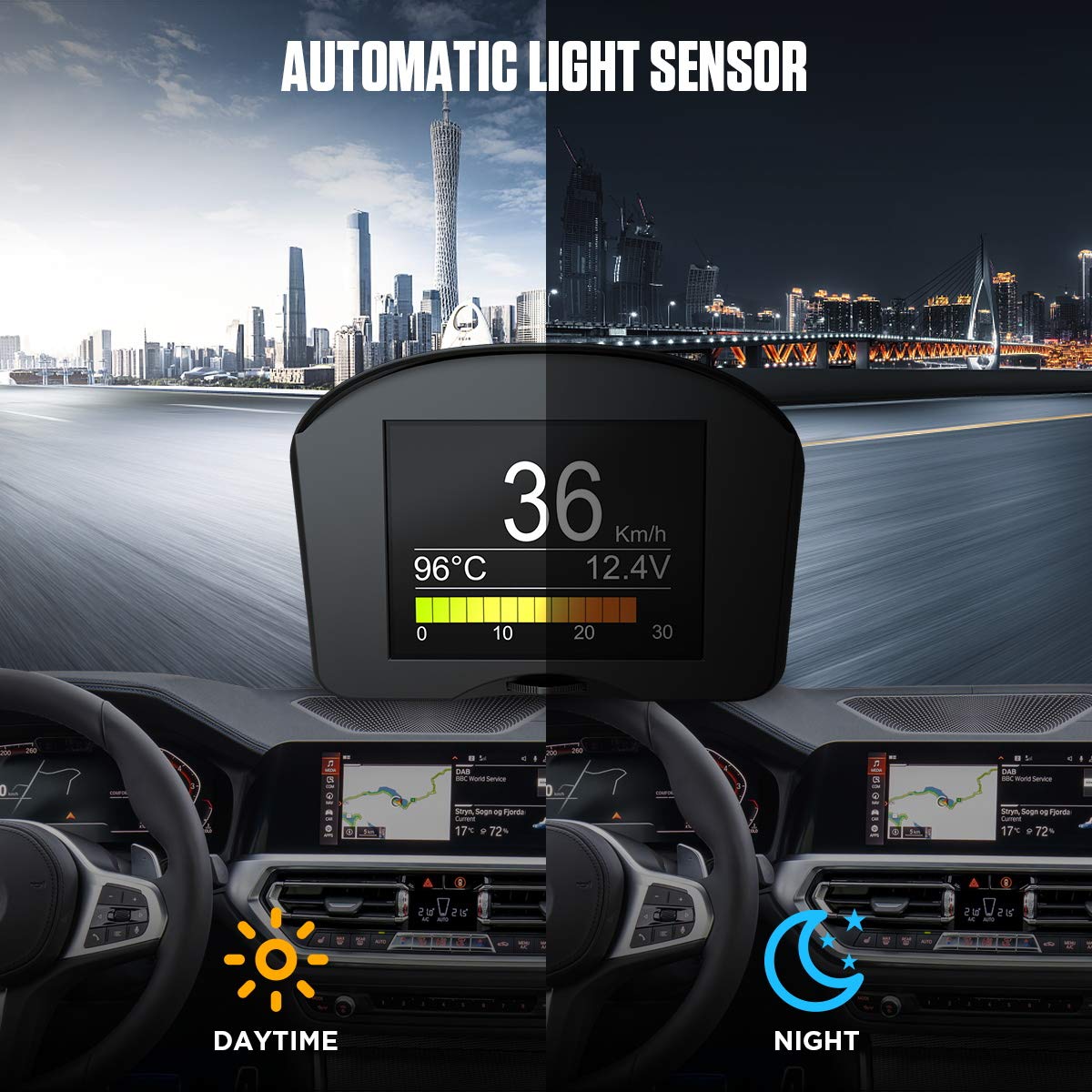
Figure 4.2: Illustration of the automatic light sensor feature, showing how the display brightness adapts for clear visibility in both bright daytime and dark nighttime conditions.
5. Manutenzjoni
The AUTOOL X50 Plus requires minimal maintenance. Keep the device and its connections clean and free from dust and debris. Use a soft, dry cloth to wipe the screen and exterior. Avoid using harsh chemicals or abrasive materials that could damage the display or casing.
Ensure the OBD-II connection remains secure to prevent intermittent data readings. If the device is not in use for an extended period, it is recommended to disconnect it from the vehicle's OBD-II port.
6 Issolvi l-problemi
6.1 Kwistjonijiet Komuni u Soluzzjonijiet
- L-apparat ma jixgħelx:
- Check if the OBD-II adapter is securely plugged into the vehicle's port.
- Ensure the USB cable is firmly connected to both the adapter and the X50 Plus.
- Verify that your vehicle's ignition is on or the engine is running.
- No data displayed or incorrect readings:
- Confirm your vehicle is OBD-II compliant and manufactured after 2008.
- Check the OBD-II connection for any loose pins or damage.
- Restart your vehicle and the X50 Plus.
- Ensure the correct unit settings (metric/imperial) are selected in the device menu.
- Alarms are too frequent or not sounding:
- Adjust the alarm thresholds (e.g., over-speed, coolant temperature) in the device's system settings.
- Refer to the operating instructions for setting specific alarm parameters.
- Screen brightness issues:
- Ensure the light sensor on the device is not obstructed.
- The brightness is automatically adjusted; manual adjustment is not available.
6.2 Qari u Tħassir tad-DTCs
The X50 Plus can scan and clear diagnostic trouble codes (DTCs). Navigate to the 'OBD Diagnose' menu on the device to access these functions. Follow the on-screen prompts to read current codes or clear stored codes. Clearing codes should only be done after addressing the underlying issue that caused the code to appear.
7. Speċifikazzjonijiet
| Karatteristika | Speċifikazzjoni |
|---|---|
| Brand | AUTOOL |
| Mudell | X50 Plus |
| Dimensjonijiet tal-Prodott | 4 x 4 x 3 pulzieri (10.16 x 10.16 x 7.62 ċm) |
| Piż tal-oġġett | 0.42 Lira (0.19 kg) |
| Daqs tal-Iskrin | 2.4 Pulzier |
| Materjal | Acrylonitrile Butadiene Styrene (ABS) |
| Lingwa | Ingliż |
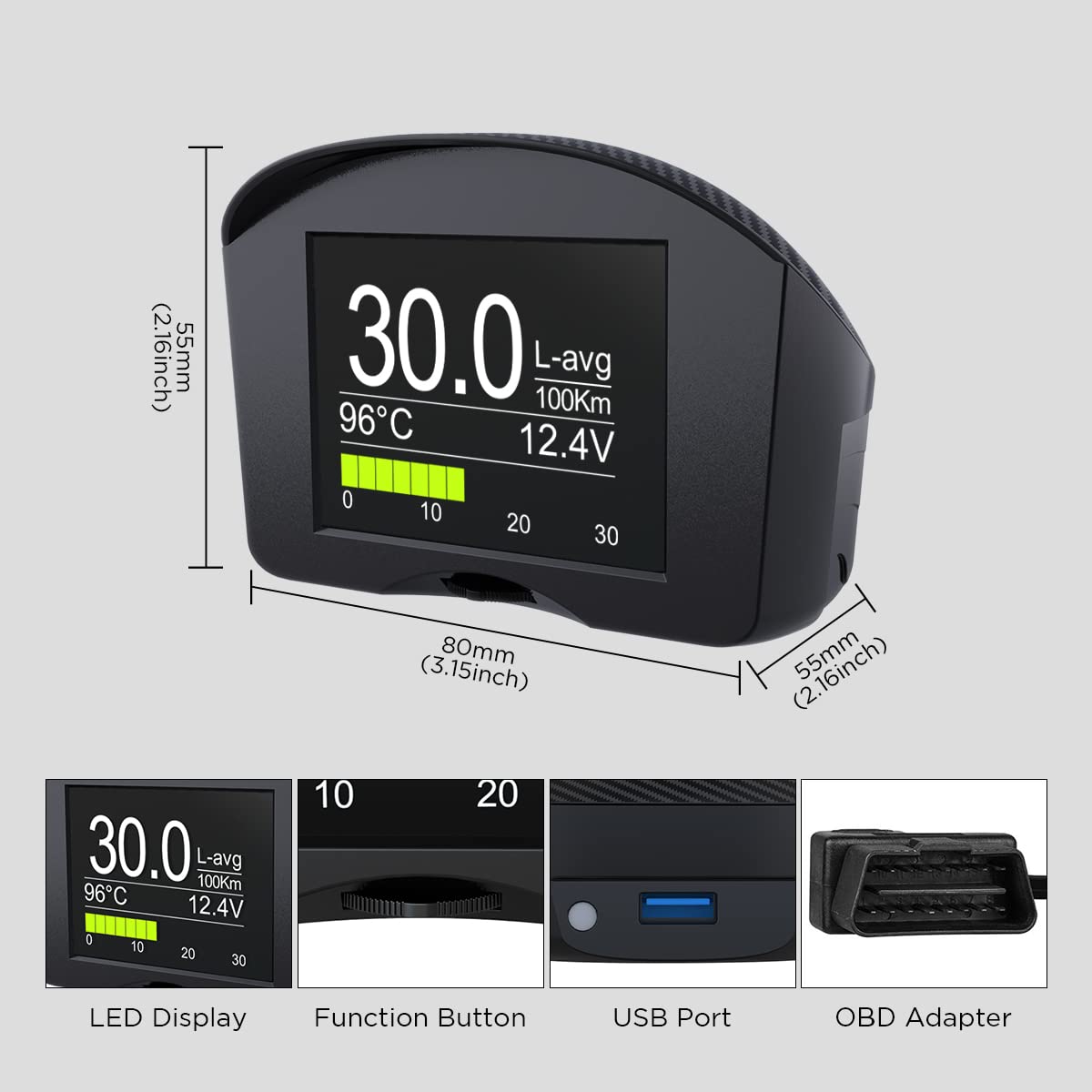
Figura 7.1: Dettaljat view of the AUTOOL X50 Plus, highlighting its dimensions and key components such as the LED display, function button, USB port, and OBD adapter.
8. Garanzija u Appoġġ
AUTOOL provides a 3-year warranty for damages caused by non-human factors. If you encounter any issues or require assistance, please contact AUTOOL customer support. They aim to respond within 24 hours.
For further support, you may visit the official AUTOOL store online: AUTOOL Official Store
Ask a question about this manual
Ask about setup, troubleshooting, compatibility, parts, safety, or missing instructions. Manuals+ will review the question and use this page’s manual context to help answer it.