
1. Prodott Aktarview
This manual provides instructions for the BTF-LIGHTING 12V 10A 120W Power Supply Adapter (Model: QZT-12010000). This device converts 100-240V AC input to 12V DC output, suitable for various low-voltage apparat elettroniku.
Karatteristiċi ewlenin:
- Input: 100V-240V AC, 50/60Hz
- Output: 12V DC, up to 10 Amps (120 Watts Max)
- Konnettur: Standard 5.5x2.1mm DC output plug
- Sigurtà: ETL Certified with automatic overload, over voltage, thermal, and short circuit protection.
- Applikazzjoni: Ideal for 12V LED strips, CCTV cameras, routers, and other compatible electronic devices.

Image 1.1: The BTF-LIGHTING 12V 10A 120W Power Supply Adapter.
2. Informazzjoni dwar is-Sigurtà
Read all safety instructions before use. Failure to follow these instructions may result in electric shock, fire, or other hazards.
- This power supply is rated IP30 for użu fuq ġewwa biss. Do not expose to water, moisture, or high humidity.
- Tiżgura l-wat totalitage tal-apparati konnessi ma jaqbiżx it-120W.
- Verify that your device requires 12V DC input and has a compatible 5.5x2.1mm DC jack.
- Do not attempt to open or modify the power supply. There are no user-serviceable parts inside.
- Żomm fejn ma jintlaħaqx mit-tfal.
- Unplug the power supply from the wall outlet when not in use for extended periods.
Ċertifikazzjonijiet:
This product is ETL Certified and holds CE, FCC, UKCA, and RoHS certifications, ensuring quality and safety standards are met.
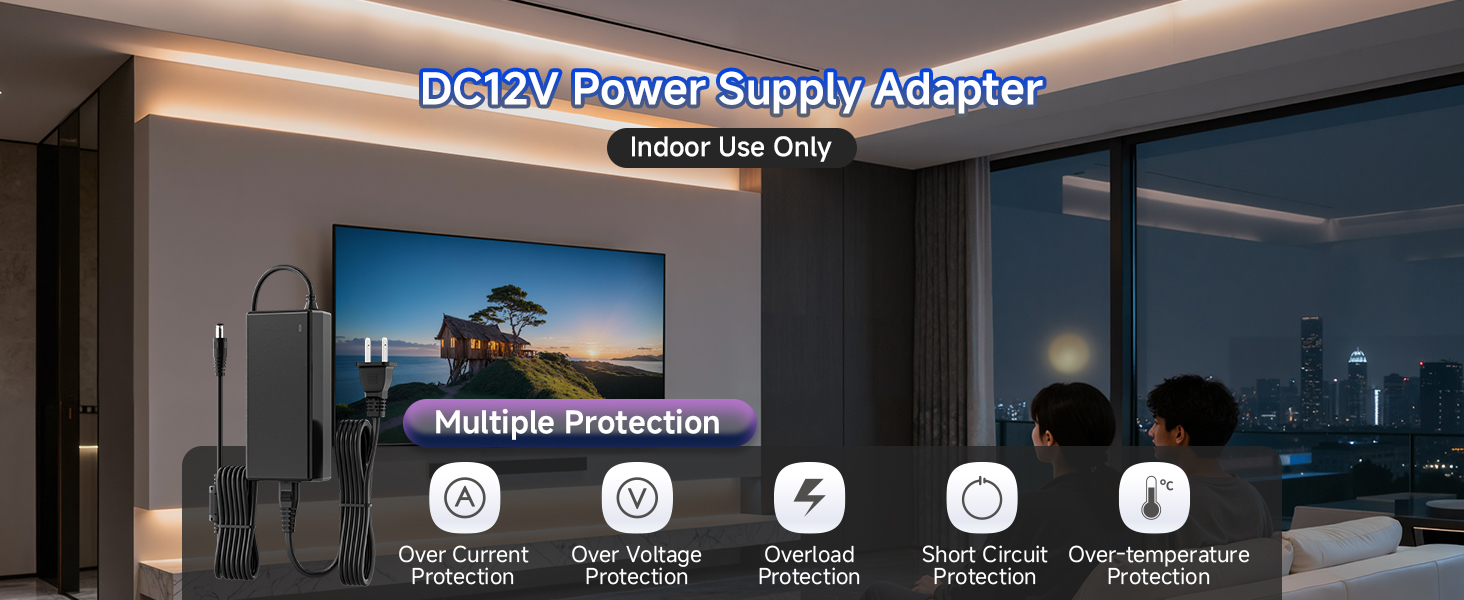
Image 2.1: The power supply features multiple safety protections including over-current, over-voltage, overload, short circuit, and over-temperature protection.
3. Kontenut tal-Pakkett
Il-pakkett tal-prodott jinkludi l-oġġetti li ġejjin:
- 1x ETL Power Supply Adapter (12V 10A 120W)
- 1x Female DC Barrel Connector (for custom wiring, if needed)
4. Istruzzjonijiet ta' Setup
The BTF-LIGHTING power supply is designed for plug-and-play operation. Follow these steps for proper setup:
- Ivverifika l-Kompatibbiltà tat-Tagħmir: Ensure your electronic device requires a 12V DC power input and has a power consumption of 120W or less. Check that the device's power input jack is compatible with the standard 5.5x2.1mm DC plug.
- Qabbad mal-Apparat: Plug the DC output connector (5.5x2.1mm) from the power supply into the corresponding input jack on your 12V electronic device.
- Qabbad mal-Power Outlet: Plug the AC input cable of the power supply into a standard 100-240V AC wall outlet.
- Qawwa Mixgħul: The power supply will automatically provide power to your connected device. An indicator light on the adapter will illuminate when power is active.
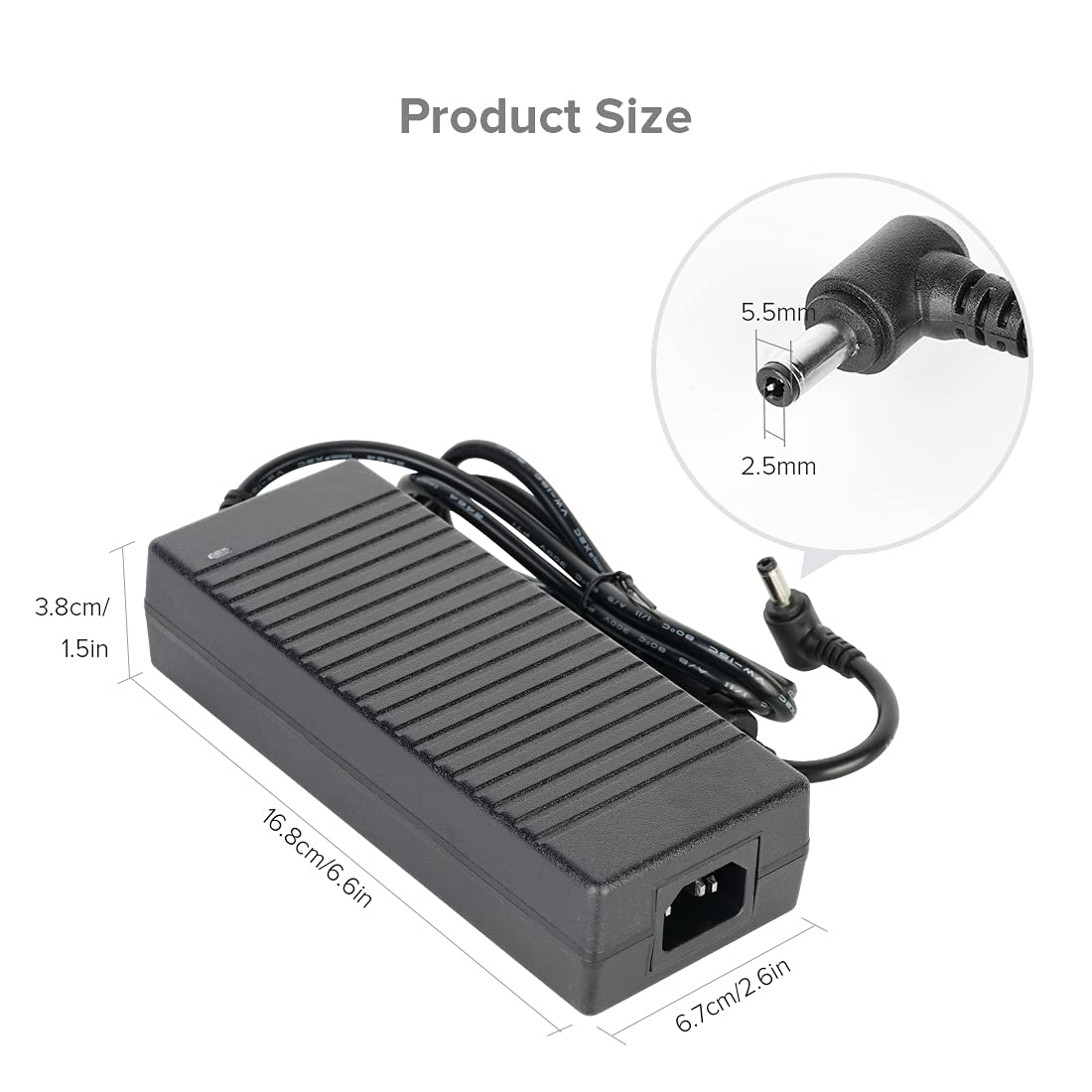
Image 4.1: Product dimensions and DC jack size (5.5x2.1mm) for compatibility verification.

Image 4.2: Illustration of two connection methods: direct plug-in and using the included female DC barrel connector for custom wiring.
5. Istruzzjonijiet Operattivi
Once properly set up, the power supply operates automatically. It is a non-dimmable power adapter.
- Kun żgur li l-provvista tal-enerġija titqiegħed f'żona b'ventilazzjoni tajba biex tevita sħana żejda.
- The indicator light on the power supply confirms it is receiving power and operating.
- To disconnect power, unplug the AC input cable from the wall outlet first, then disconnect the DC output from your device.
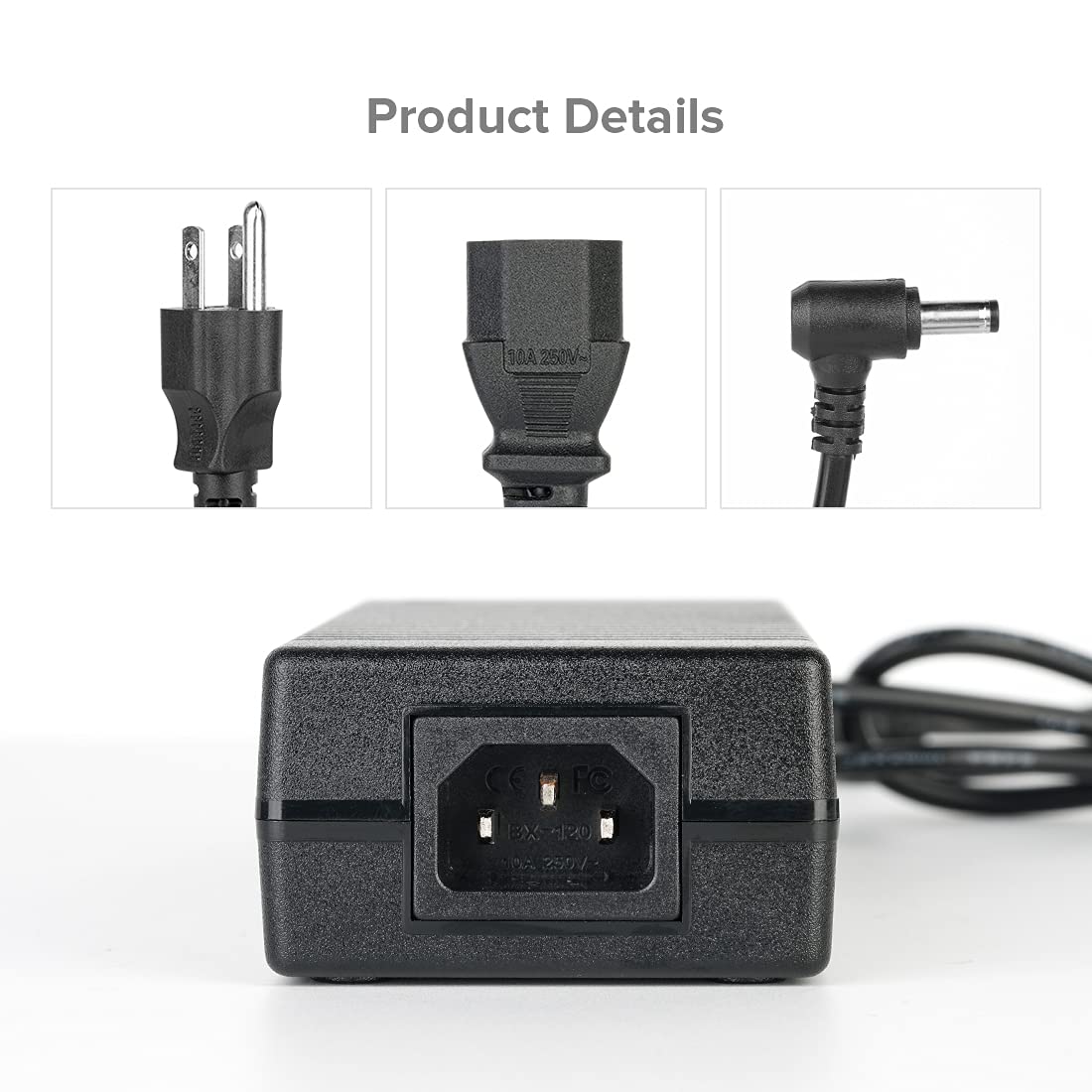
Image 5.1: The power supply connected and providing power to a device.
6. Manutenzjoni
Biex tiżgura l-lonġevità u l-prestazzjoni ottimali tal-provvista tal-enerġija tiegħek, segwi dawn il-linji gwida ta' manutenzjoni:
- Tindif: Disconnect the power supply from all power sources before cleaning. Use a soft, dry cloth to wipe the exterior. Do not use liquid cleaners or aerosols.
- Ħażna: Store the power supply in a cool, dry place away from direct sunlight and extreme temperatures when not in use.
- Spezzjoni: Periodically inspect the power cords and connectors for any signs of damage. If any damage is found, discontinue use and replace the unit.
- Ventilazzjoni: Ensure the power supply's ventilation slots are not blocked during operation to prevent overheating.
7 Issolvi l-problemi
Jekk tiltaqa' ma' problemi bil-provvista tal-enerġija tiegħek, irreferi għall-problemi u s-soluzzjonijiet komuni li ġejjin:
| Problema | Kawża Possibbli | Soluzzjoni |
|---|---|---|
| No power output / Indicator light off | Power outlet not active, loose connection, faulty unit. | Check wall outlet with another device. Ensure all cables are securely connected. If issue persists, the unit may be faulty. |
| Device not powering on or flickering | Vol inkompatibblitage/wattage, device fault, overloaded power supply. | Verify your device requires 12V DC and its wattage is ≤120W. Reduce the load if multiple devices are connected. Test with another compatible device. |
| Il-provvista tal-enerġija tħossha sħuna | Normal operation under load, poor ventilation, excessive load. | Ensure adequate ventilation around the power supply. Reduce the connected load if it consistently feels excessively hot. The unit has over-temperature protection. |
| DC plug does not fit | Incorrect DC jack size. | This power supply uses a 5.5x2.1mm DC plug. Verify your device's input jack size. |
If troubleshooting steps do not resolve the issue, please contact BTF-LIGHTING customer support.
8. Speċifikazzjonijiet
| Speċifikazzjoni | Dettall |
|---|---|
| Brand | BTF-DAWL |
| Numru tal-Mudell | QZT-12010000 |
| Input Voltage | 100-240V AC |
| Ħruġ Voltage | 12V DC |
| Ampetà | 10 Amps |
| Wattage | 120 Watt (Mass) |
| Tip ta' Konnettur | 5.5x2.1mm Barrel Connector |
| Sors tal-Enerġija | Corded Elettriku |
| Materjal | Plastik |
| Kulur | Iswed |
| Ċertifikazzjonijiet | CE, ETL, FCC, RoHS, UKCA |
| Użu fuq ġewwa/barra | Użu fuq ġewwa biss (IP30) |
9. Garanzija u Appoġġ
Informazzjoni dwar il-garanzija:
For detailed warranty information, please refer to the product packaging or contact BTF-LIGHTING customer support directly. Warranty terms may vary based on region and purchase date.
Appoġġ għall-Klijent:
If you have any questions, require assistance with product selection, setup, or encounter any issues not covered in this manual, please contact the BTF-LIGHTING support team. You can typically find contact information on the product packaging, the seller's webis-sit, jew permezz tal-pjattaforma tax-xiri tiegħek.