
Introduzzjoni
Grazzi tax-xiriasing the HORI Nintendo Switch Wireless HORIPAD (Zelda). This controller is officially licensed by Nintendo and designed to enhance your gaming experience on the Nintendo Switch. This manual provides essential information for setting up, operating, and maintaining your new controller. Please read it thoroughly before use and keep it for future reference.
Karatteristiċi tal-Prodott
- Bluetooth wireless connectivity with a 32-foot range.
- Built-in rechargeable lithium-ion battery offering up to 15 hours of playtime per charge.
- Lightweight and ergonomic design for comfortable extended play sessions.
- Equipped with accelerometer and gyroscope for full-motion control.
- Liċenzjat uffiċjalment minn Nintendo, li jiżgura kompatibilità u kwalità.
Kontenut tal-Pakkett
- HORI Nintendo Switch Wireless HORIPAD (Zelda) Controller
- Cable tal-Iċċarġjar tal-USB-C
- Manwal ta' Istruzzjoni
Layout tal-Kontrollur
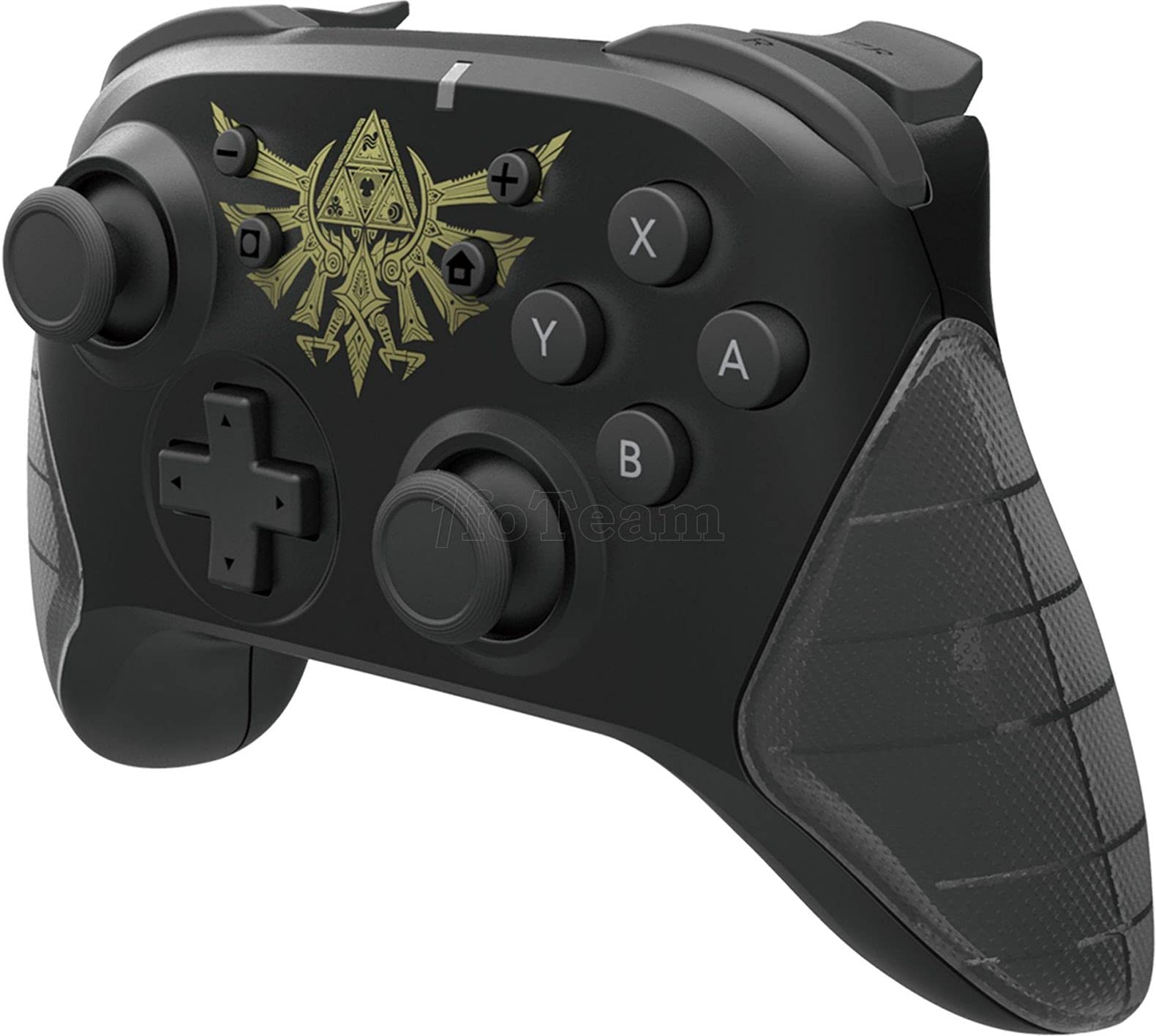
Figura 1: Quddiem view of the HORI Nintendo Switch Wireless HORIPAD (Zelda) controller, featuring the Triforce emblem.

Figura 2: Ġenb view of the HORI Nintendo Switch Wireless HORIPAD (Zelda) controller, showing shoulder buttons and ergonomic grip.
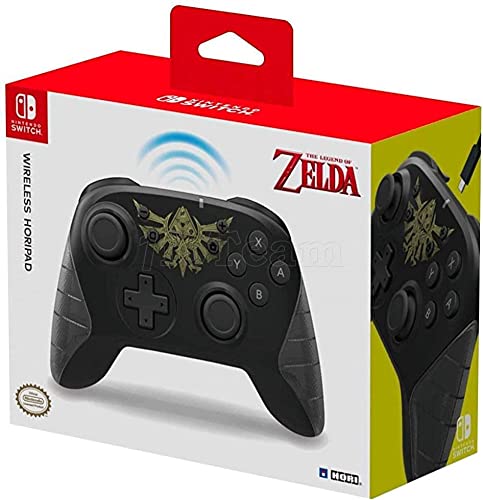
Figura 3: Lura view of the HORI Nintendo Switch Wireless HORIPAD (Zelda) controller, showing the USB-C charging port.
The controller features standard Nintendo Switch button layouts, including two analog sticks, a D-pad, A/B/X/Y buttons, L/R/ZL/ZR shoulder buttons, and Home/Capture/Plus/Minus buttons. The USB-C charging port is located on the top edge of the controller.
Setup
Pairing with Nintendo Switch
- Kun żgur li l-console tan-Nintendo Switch tiegħek hija mixgħula u aġġornata bl-aħħar softwer tas-sistema.
- Mill-Menu HOME, agħżel "Kontrolluri", imbagħad "Ibdel il-Qabda/Ordni".
- On the HORI Wireless HORIPAD, press and hold the Buttuna SYNC (located on the top edge, next to the USB-C port) for a few seconds until the Player LED lights begin to flash.
- Once the controller is successfully paired, the Player LED corresponding to its player number will remain lit.
- Agħfas il- Buttuna on the controller to confirm and exit the pairing screen.
Iċċarġjar tal-Kontrollur
The HORI Wireless HORIPAD features a built-in rechargeable battery. To charge:
- Qabbad il-kejbil tal-iċċarġjar USB-C inkluż mal-port USB-C fuq nett tal-kontrollur.
- Connect the other end of the USB-C cable to a USB power source (e.g., Nintendo Switch Dock, USB wall adapter, computer USB port).
- The charging indicator LED on the controller will illuminate during charging and turn off when fully charged. A full charge typically takes approximately 2-3 hours and provides up to 15 hours of playtime.
Istruzzjonijiet Operattivi
Kontrolli Bażiċi
- Qawwa Mixgħul: Agħfas il-buttuna Home.
- Itfi: Hold the Home button for several seconds until the controller powers down, or disconnect it from the Switch.
- Moviment: Use the Left Analog Stick or D-pad.
- Camera/Aiming: Use the Right Analog Stick.
- Buttuni ta' Azzjoni: A, B, X, Y buttons for in-game actions.
- Buttuni tal-ispalla: L, R, ZL, ZR for various in-game functions.
- Buttuni tas-Sistema: Plus (+) for options, Minus (-) for menu, Home for HOME Menu, Capture for screenshots/video clips.
Kontrolli tal-Moviment
The controller supports motion controls via its built-in accelerometer and gyroscope. These functions are automatically enabled for compatible games. Ensure the controller is held steadily for accurate motion input.
Manutenzjoni
- Tindif: Use a soft, dry cloth to clean the controller. Do not use liquid cleaners or solvents.
- Ħażna: Aħżen il-kontrollur f'post frisk u niexef 'il bogħod mix-xemx diretta u minn temperaturi estremi.
- Kura tal-batterija: To prolong battery life, avoid fully discharging the battery frequently. Charge the controller regularly, even if not in constant use.
- Evita l-Impatt: Twaqqax il-kontrollur jew tissottomettihx għal impatti qawwija, għax dan jista' jagħmel ħsara lill-komponenti interni.
Issolvi l-problemi
- Il-kontrollur mhux qed jikkonnettja:
- Kun żgur li l-kontrollur ikun iċċarġjat.
- Verify the Nintendo Switch is updated to the latest system software.
- Attempt to re-pair the controller following the 'Pairing with Nintendo Switch' steps.
- Move closer to the Nintendo Switch console to ensure you are within the 32-foot Bluetooth range.
- Iċċekkja għal xi interferenza mingħajr fili minn apparati oħra.
- Buttuni jew sticks ma jirrispondux:
- Kun żgur li l-kontrollur huwa konness u ċċarġjat kif suppost.
- Restart the Nintendo Switch console.
- Test the controller in a different game or application to determine if the issue is game-specific.
- Ħajja qasira tal-batterija:
- Ensure the controller is fully charged before use.
- Il-prestazzjoni tal-batterija tista' tiddegrada maż-żmien b'użu estensiv.
Speċifikazzjonijiet
| Brand | HORI |
| Isem tal-Mudell | HORIPAD bla fili |
| Apparati Kompatibbli | Nintendo Switch |
| Tip ta' Kontrollur | Gamepad |
| Teknoloġija tal-Konnettività | USB, Mingħajr Fili (Bluetooth) |
| Karatteristiċi Addizzjonali | Ergonomic, Wireless, Accelerometer, Gyroscope |
| Kwantità tal-Buttuni | 15 |
| Sors tal-Enerġija | Li jaħdem bil-batterija (Lithium-ion Rechargeable) |
| Piż tal-oġġett | 305 Gramm |
| Dimensjonijiet tal-oġġett | 3.15 x 7.01 x 5.71 pulzieri |
| Kulur | Black (Zelda design) |
Garanzija u Appoġġ
Għal informazzjoni dwar il-garanzija u l-appoġġ għall-klijenti, jekk jogħġbok irreferi għall-HORI uffiċjali webis-sit jew ikkuntattja lill-bejjiegħ tiegħek. Żomm il-prova tax-xiri tiegħek għal kwalunkwe talba ta' garanzija.