
1. Prodott Aktarview
The PAPAGO GoSafe 388 is a compact Full HD dash camera designed to record vehicle activity. It features 1080p video recording, a 142-degree wide-angle lens, and a 2-inch LCD display. The device supports various recording modes and includes driver assistance features to enhance road safety. An optional GPS antenna can be integrated for location and speed data.
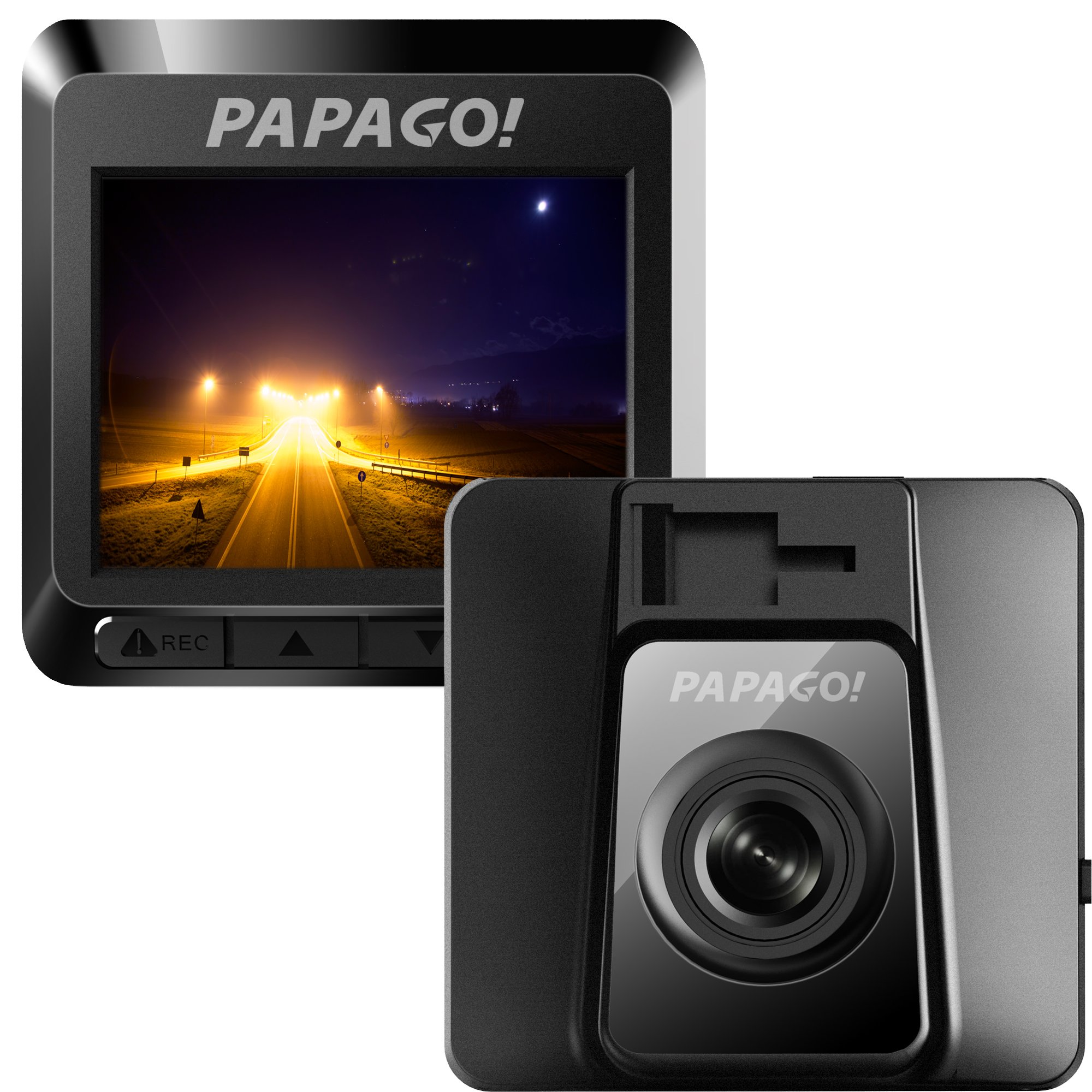
Figura 1.1: Quddiem view of the GoSafe 388 Dash Camera, showing the lens and PAPAGO logo.
2. Kontenut tal-Pakkett
Verify that all items are present in your GoSafe 388 package:
- GoSafe 388 Dash Camera
- 3M Monte Adeżiva
- Detachable USB Power Cable
- Class 10 8GB MicroSD Card with Adapter
- Gwida Rapida għall-Utent
- Karta ta' Garanzija

Figura 2.1: Contents of the GoSafe 388 package, including the camera, mount, cables, and documentation.
3. Setup u Installazzjoni
3.1 Daħħal il-Kard tal-MicroSD
- Locate the MicroSD card slot on the side of the GoSafe 388.
- Insert the provided Class 10 MicroSD card (or another compatible card up to 64GB) into the slot until it clicks into place. Ensure the card is oriented correctly.
- Biex tneħħiha, imbotta l-karta bil-mod 'il ġewwa sakemm toħroġ 'il barra.
3.2 Immuntar tal-Kamera tad-Dash
The GoSafe 388 uses an adhesive windshield mount for secure placement.
- Clean the desired area on your windshield thoroughly. Ensure it is free of dust and grease.
- Attach the 3M adhesive mount to the camera.
- Remove the protective film from the adhesive pad on the mount.
- Press the mount firmly onto the chosen windshield location, ideally behind the rearview mera biex tevita li tostakola tiegħek view. Hold for at least 30 seconds to ensure strong adhesion.
- Aġġusta l-angolu tal-kamera biex tiżgura viżjoni ċara view tat-triq 'il quddiem.

Figura 3.1: Ġenb view of the GoSafe 388 showing the adhesive mount attachment point.

Figura 3.2: The GoSafe 388 discreetly mounted behind a rearview mirror, as seen from inside the vehicle.
3.3 Qawwa tal-Konnessjoni
- Connect the detachable USB power cable to the GoSafe 388.
- Ipplaggja t-tarf l-ieħor tal-kejbil fis-sokit tal-enerġija ta' 12V tal-vettura tiegħek (sokit tal-lajter tas-sigaretti).
- The camera will typically power on and begin recording automatically when the vehicle's ignition is turned on.
3.4 Optional GPS Antenna Installation
If you have purchased the optional PAPAGO GPS Antenna (GPSA-US), connect it to the designated port on the GoSafe 388. This will enable the recording of speed and location data with your video footage.
4. Operating the Dash Camera
4.1 Operazzjoni Bażika
Once powered on, the GoSafe 388 will automatically begin continuous loop recording. The 2-inch LCD display will show the live view and recording status.
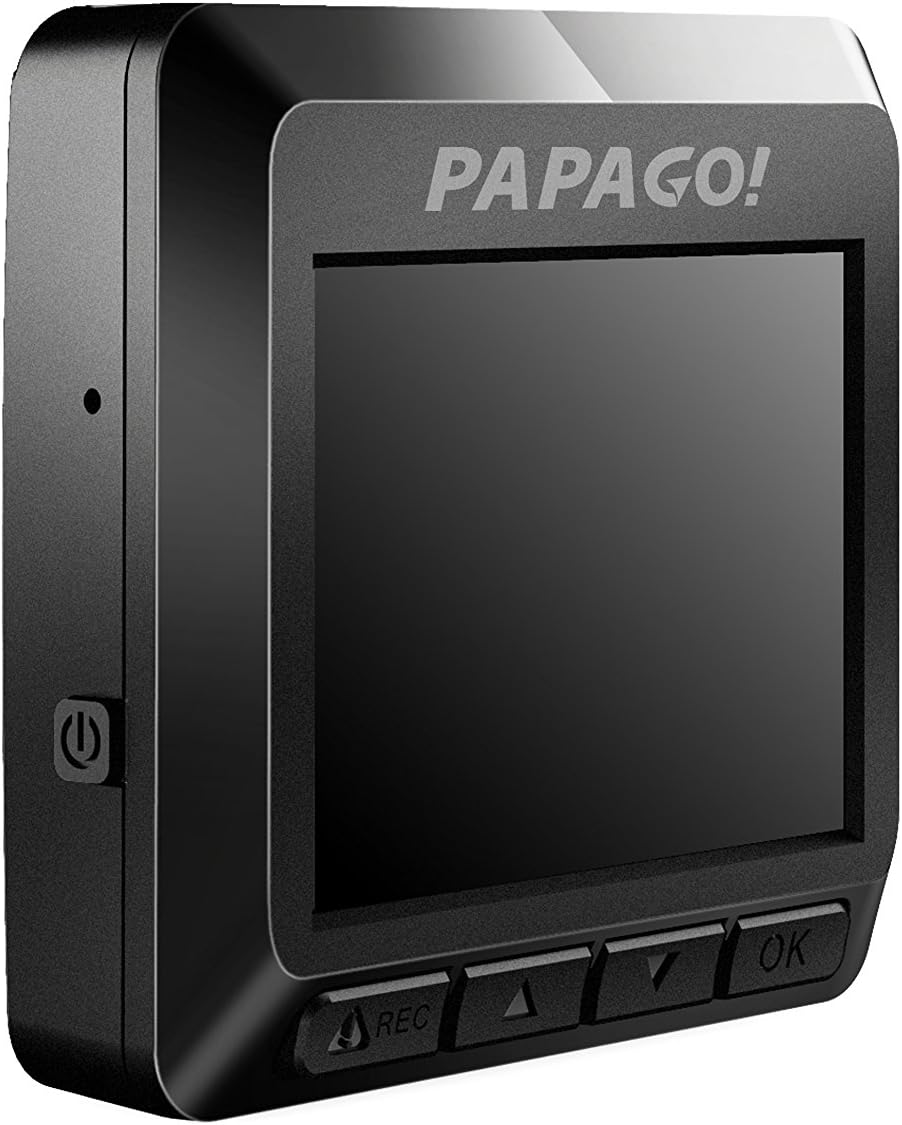
Figura 4.1: Ġenb view of the GoSafe 388, highlighting the screen and control buttons.
4.2 Modi ta' Reġistrazzjoni
The GoSafe 388 supports three primary recording modes:
- Reġistrazzjoni Awtomatika: Standard continuous loop recording when the vehicle is powered on.
- Modalità Monitor: Activates when the vehicle is parked, using motion detection to record events.
- Sejbien tal-Moviment: Records only when movement is detected in the camera's field of view, conserving storage space.
Refer to the Quick User Guide for detailed instructions on how to switch between these modes using the camera's control buttons.
4.3 Driver Assistance Features
The GoSafe 388 includes pre-installed driver assistance systems designed to promote safer driving habits:
- Stop Sign Recognition: Alerts the driver to stop signs.
- Ieqaf u Mur: Notifies the driver when traffic ahead has started moving.
- Driver Fatigue Alarm: Provides reminders for breaks during long drives.
- Light Reminder: Prompts the driver to turn on headlights in low-light conditions.
These features can be configured through the camera's menu settings.
4.4 Accessing Recorded Footage
Biex view recorded videos:
- Remove the MicroSD card from the dash camera.
- Insert the MicroSD card into a computer's card reader.
- Fittex il- files on the card to access and play the video recordings.
5. Manutenzjoni
5.1 Ġestjoni tal-Kard MicroSD
The GoSafe 388 utilizes loop recording, meaning it will automatically overwrite the oldest files when the MicroSD card is full. To ensure optimal performance and prevent data corruption, it is recommended to:
- Format the MicroSD card regularly (e.g., once a month) using the camera's menu option.
- Use a high-quality Class 10 or higher MicroSD card from a reputable brand.
5.2 Tindif tal-Apparat
The GoSafe 388 is made with ionized molecular material to help prevent bacteria build-up. To clean the camera and lens:
- Uża drapp artab, niexef u mingħajr suf biex timsaħ il-korp tal-kamera.
- Għal-lenti, uża drapp u soluzzjoni speċjalizzati għat-tindif tal-lentijiet biex tevita l-grif.
- Tużax kimiċi ħarxa jew tindif li joborxu.
6 Issolvi l-problemi
If you encounter issues with your GoSafe 388, refer to the following common solutions:
- Il-kamera ma tixgħelx: Ensure the power cable is securely connected to both the camera and the vehicle's 12V outlet. Check the vehicle's fuse for the 12V outlet.
- Il-kamera mhux qed tirrekordja: Verify that a MicroSD card is inserted correctly and is not full. Format the MicroSD card if necessary. Check recording settings in the menu.
- Kwalità fqira tal-vidjo: Clean the camera lens. Ensure the windshield area in front of the camera is clean. Check video resolution settings.
- GPS not working (if optional antenna installed): Kun żgur li l-antenna tal-GPS hija konnessa sew u għandha viżibilità ċara view tas-sema.
- Buttuni ma jirrispondux: Try resetting the device by disconnecting and reconnecting power.
Għal kwistjonijiet aktar kumplessi, ikkonsulta l-manwal sħiħ tal-utent jew ikkuntattja l-appoġġ għall-klijenti.
7. Speċifikazzjonijiet
| Isem tal-Mudell | GoSafe 388 |
| Numru tal-Mudell | GS3888G |
| Riżoluzzjoni tal-Qbid tal-Vidjo | Full HD ta '1080p |
| Angolu reali ta View | 142 Grad |
| Tip ta 'Wiri | LCD ta '2 pulzieri |
| Ħażna | Supports MicroSD card up to 64GB (Class 10 recommended) |
| Teknoloġija tal-Konnettività | USB |
| Tip ta 'Immuntar | Adhesive Windshield Mount |
| Karatteristiċi Speċjali | Night Vision, Parking Monitor, Driver Assistance Systems (Stop Sign Recognition, Stop & Go, Driver Fatigue Alarm, Light Reminder), Optional GPS |
| Manifattur | PAPAGO Inc. |
| Piż tal-oġġett | 0.1 Liri |
8. Informazzjoni dwar Garanzija
The PAPAGO GoSafe 388 Dash Camera comes with a limited warranty. Please refer to the warranty card included in your product package for specific terms, conditions, and duration of coverage. Retain your proof of purchase for warranty claims.
9. Appoġġ għall-Klijent
For technical assistance, product inquiries, or warranty support, please contact PAPAGO customer service. Contact details can typically be found on the official PAPAGO webis-sit jew fuq il-karta tal-garanzija pprovduta mal-prodott tiegħek.