
Introduzzjoni
The Rocketek FBA_RT-CR7 is a versatile USB 3.0 7-in-1 multi-memory card reader designed for efficient data transfer from various memory card types to your computer. It supports simultaneous reading and writing of up to 5 cards, offering high-speed performance and broad compatibility across multiple operating systems.
Karatteristiċi tal-Prodott
- Qarrej tal-Kard 7 f'1: Supports CF, XD, MS, SD, and Micro SD card types.
- Simultaneous Read/Write: Capable of reading and writing to 5 different memory cards concurrently.
- USB 3.0 SuperSpeed: Achieves data transfer speeds up to 5Gbps, significantly faster than USB 2.0.
- Kompatibbiltà Wiesgħa: Works with Mac OS, Linux, Chrome OS, and Windows XP/Vista/7/8/8.1/10.
- Plug & Play: L-ebda sewwieq mhu meħtieġ għall-installazzjoni.
- Disinn kompatt: Portable and easy to carry, ideal for travel.
- Protezzjoni Inkorporata: Features over-current, over-voltage, u protezzjoni ta 'ċirkwit qasir.
- Indikatur LED: A blue LED light indicates connection and data activity.
Kontenut tal-Pakkett
- 1 x Rocketek FBA_RT-CR7 USB 3.0 7-in-1 Multi Memory Card Reader
- 1 x USB 3.0 Cable (with USB-C to USB-A adapter)
Setup Istruzzjonijiet
- Qabbad il-Qarrej tal-Kards: Plug the USB 3.0 cable from the card reader into an available USB port on your computer. If your computer has a USB-C port, use the provided USB-C to USB-A adapter.
- Indikatur tal-Enerġija: The blue LED indicator on the card reader will light up when successfully connected to your computer.
- Daħħal il-Kard tal-Memorja: Carefully insert your memory card into the corresponding slot on the card reader. Ensure the card is inserted correctly according to its orientation. The LED indicator will flicker during data transfer.
- Dejta ta' Aċċess: Your computer will automatically detect the card reader and the inserted memory card. You can then access the card's contents through your file esploratur (Windows) jew Finder (Mac OS).

Figura 1: Aktarview of card reader slots and supported card types.
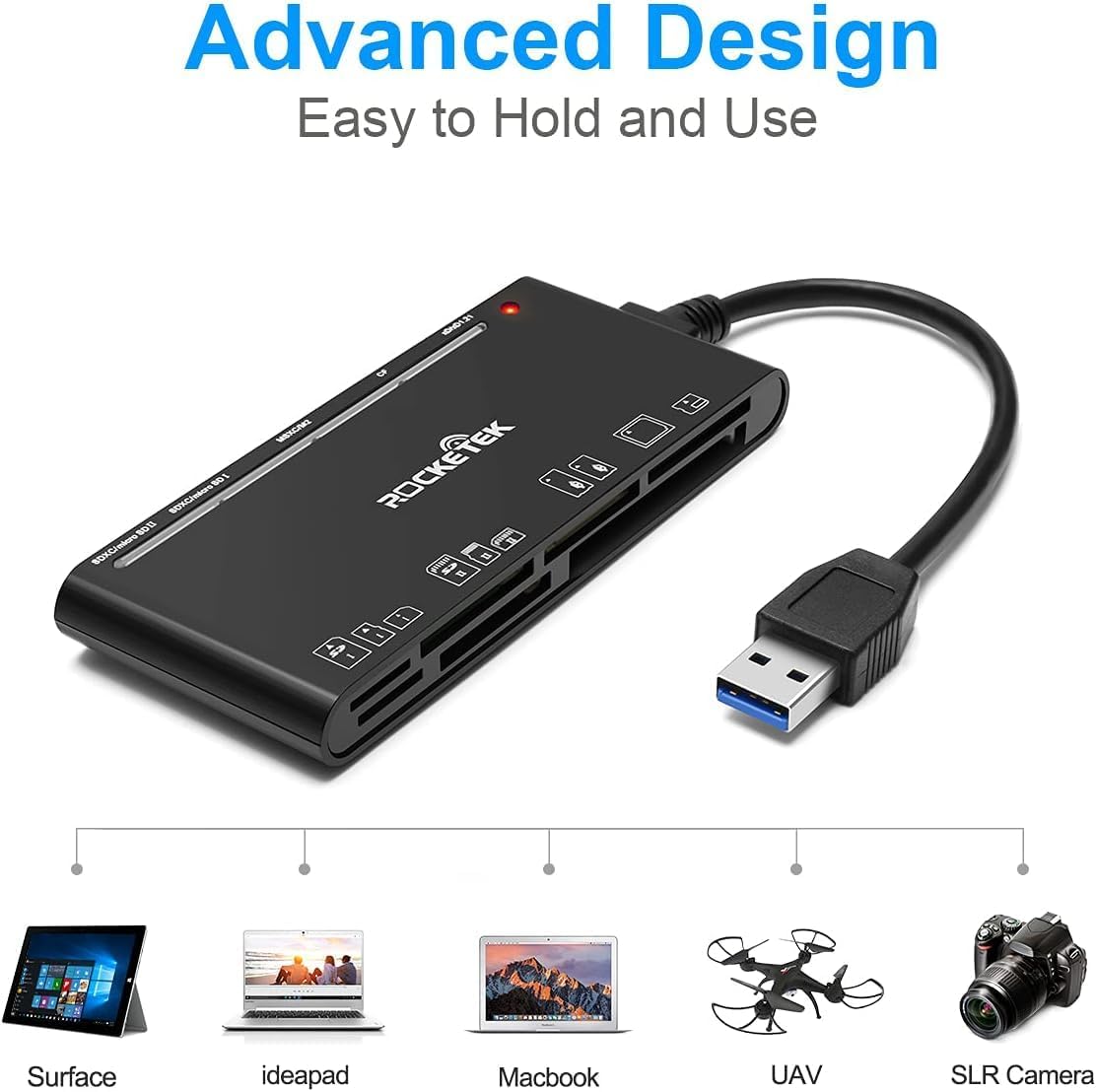
Figure 2: Card reader connected to a laptop, showing operating system compatibility.
Video 1: Demonstration of the Rocketek 7-in-1 Multi Memory Card Reader, showcasing its various card slots, USB 3.0 connectivity, and LED indicator light during operation.
Istruzzjonijiet Operattivi
- Daħħal il-Kards: Gently push the memory card into the appropriate slot until it clicks into place. Do not force the card.
- Qari/Kitba tad-Dejta: Once the card is inserted and detected, you can drag and drop files to and from the card. The blue LED indicator will blink during active data transfer.
- Użu Simultanju: The card reader supports reading and writing to multiple cards simultaneously. Ensure proper file management to avoid data conflicts.
- Ejecting Cards: Before removing a memory card, always safely eject it from your computer's operating system to prevent data corruption.

Figure 3: Multiple memory cards inserted into the reader, demonstrating simultaneous access.
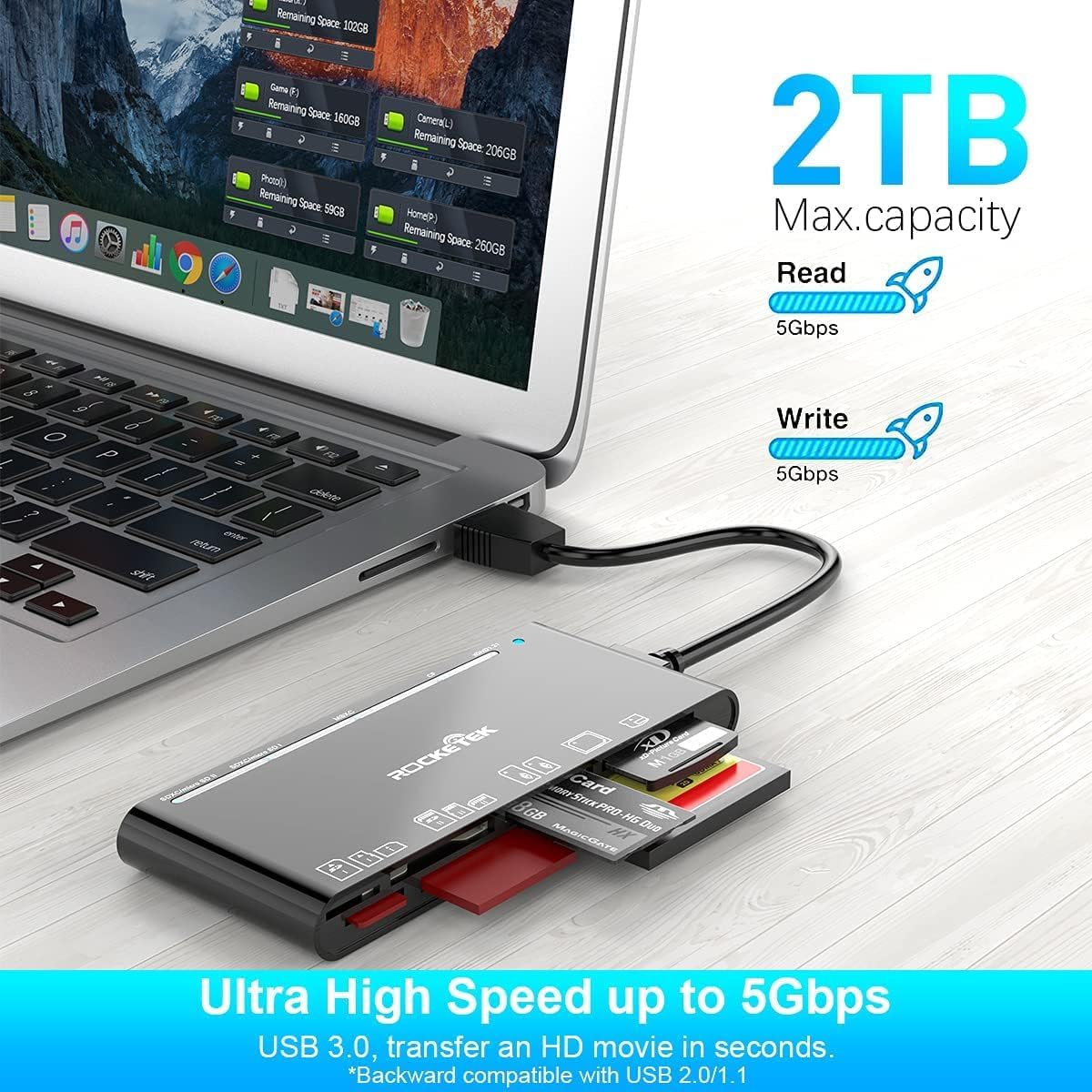
Figure 4: Highlighting the 5Gbps data transfer speed and 2TB maximum capacity.
Kompatibilità
Sistemi Operattivi Appoġġjati:
- Windows XP / Vista / 7 / 8 / 8.1 / 10
- Mac OS (including MacBook Pro/Air)
- Linux
- Chrome OS
Tipi ta' Media appoġġjati:
- CompactFlash (CF card, high-speed CF UDMA)
- SD Card (SD, SDXC up to 2TB, SDHC, RS-MMC, miniSD)
- Micro SD (Micro SD, Micro SDXC, Micro SDHC)
- Memory Stick (MS, M2, MSXC, Memory Stick PRO Duo, Memory Stick Pro)
- xD Picture Card
Speċifikazzjonijiet
| Brand | Rocketek |
| Isem tal-Mudell | FBA_RT-CR7 |
| Teknoloġija tal-Konnettività | USB Tip A |
| Interface tal-Ħardwer | USB 3.0 |
| Rata ta' Trasferiment tad-Data | 5 Gbps |
| Slot Count | 7 (supporting 5 simultaneous reads/writes) |
| Kulur | Iswed |
| Dimensjonijiet tal-oġġett (L x W x H) | 6.1" x 2.9" x 0.4" |
| Piż tal-oġġett | 9.07 g |
Manutenzjoni u Kura
- Tindif: Uża drapp artab u niexef biex tnaddaf il-barra tal-qarrej tal-kards. Evita li tuża prodotti tat-tindif likwidi jew solventi.
- Ħażna: Aħżen il-qarrej tal-kards f'post frisk u niexef 'il bogħod mix-xemx diretta u minn temperaturi estremi.
- Immaniġġjar: Avoid dropping the device or subjecting it to strong impacts. Do not bend or twist the cable excessively.
- Protezzjoni tal-Port: Żomm is-slots tal-kards ħielsa mit-trab u l-fdalijiet.
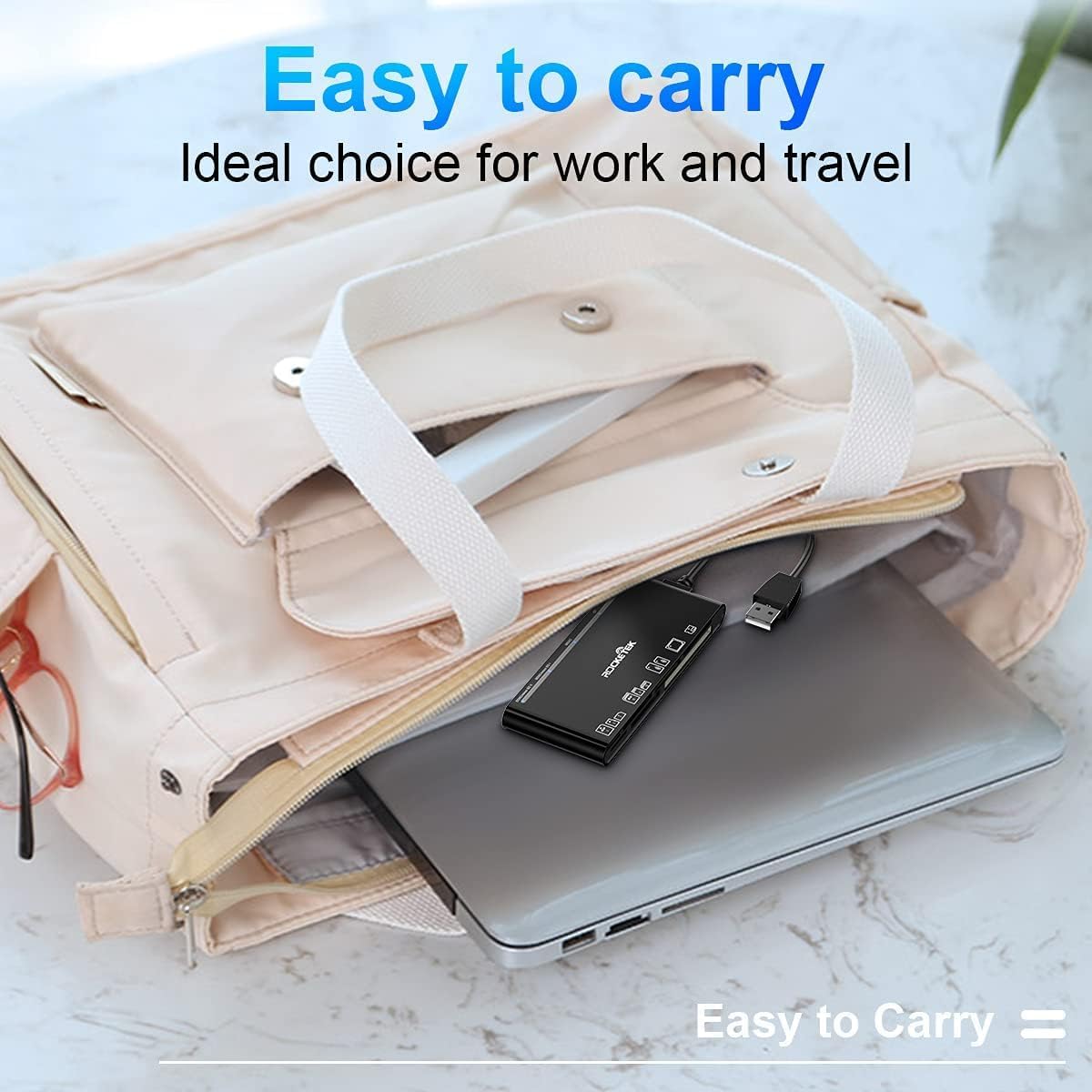
Figure 5: The card reader's compact size, suitable for portability.
Issolvi l-problemi
- Apparat Mhux Skopert:
- Ensure the USB cable is securely connected to both the card reader and your computer.
- Ipprova qabbad ma 'port USB differenti fuq il-kompjuter tiegħek.
- Ibda mill-ġdid il-kompjuter tiegħek.
- Memory Card Not Recognized:
- Verify that the memory card is fully inserted into the correct slot.
- Iċċekkja jekk il-karta tal-memorja hijiex bil-ħsara jew korrotta. Ipprovaha f'apparat ieħor jekk possibbli.
- Ensure your operating system supports the file sistema tal-karta tal-memorja.
- Trasferiment tad-Data bil-mod:
- Ensure the card reader is connected to a USB 3.0 port on your computer for optimal speed.
- Verify that your memory card itself supports high-speed data transfer.
- Evita li tħaddem diversi applikazzjonijiet impenjattivi waqt perjodi twal ta' żmien file trasferimenti.
- Indikatur LED ma jixgħelx:
- Confirm the card reader is properly connected to a powered USB port.
- If using a USB hub, ensure it is powered.
Garanzija u Appoġġ
The Rocketek FBA_RT-CR7 USB 3.0 7-in-1 Multi Memory Card Reader comes with a 2-Sena Garanzija from the date of purchase. This warranty covers manufacturing defects and ensures the product performs as described under normal use.
For technical support, warranty claims, or any inquiries regarding your product, please contact Rocketek customer service through the retailer's platform or visit the official Rocketek websit għal informazzjoni ta' kuntatt.