
1. Introduzzjoni
The KitSound Cayman 2.1 Wireless Bluetooth Speaker System combines powerful audio performance with a modern design, offering versatile connectivity options for an enhanced listening experience. This manual provides detailed instructions for setting up, operating, and maintaining your speaker system.
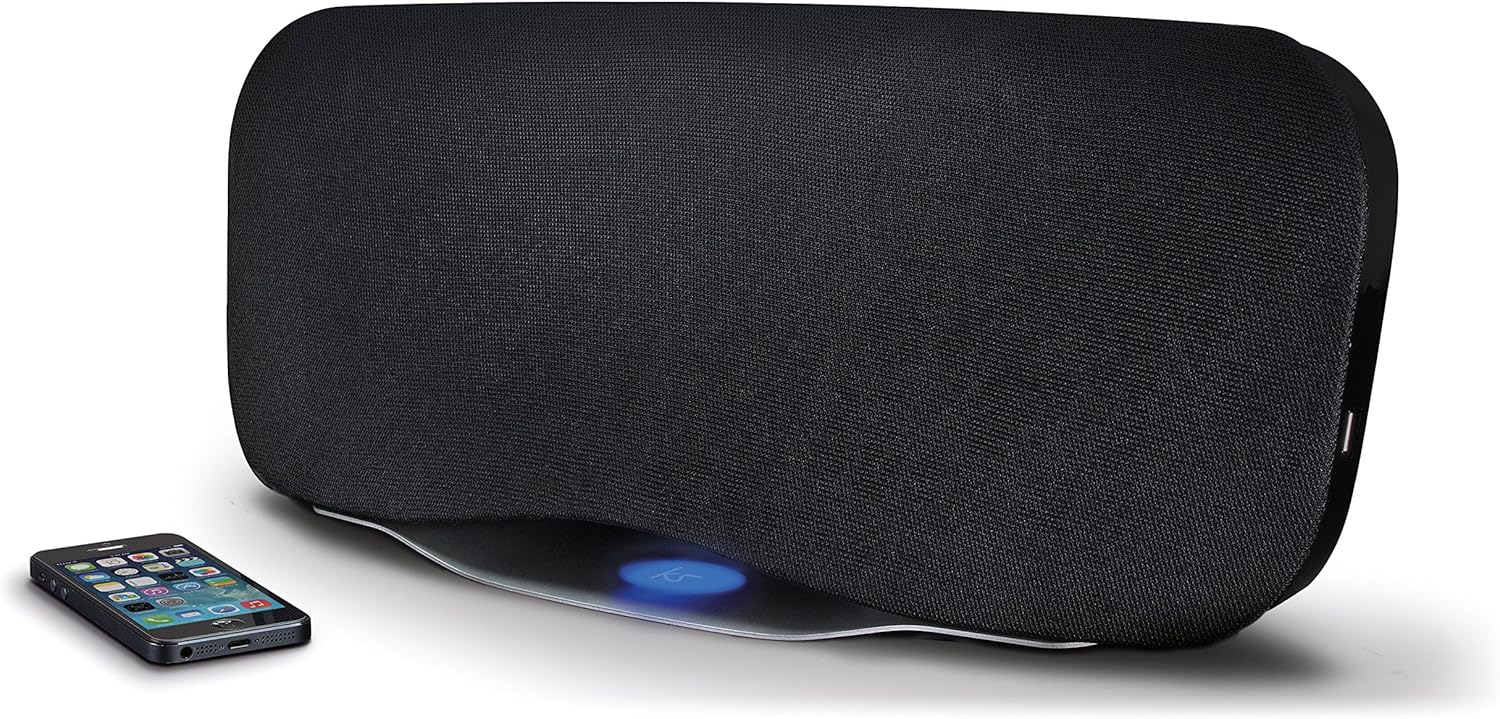
Image 1.1: The KitSound Cayman 2.1 speaker system shown with a smartphone, highlighting its sleek design and wireless connectivity.
2. Kontenut tal-Pakkett
Jekk jogħġbok immarka l-kaxxa għall-oġġetti li ġejjin:
- KS Cayman 2.1 Wireless Bluetooth Speaker with EU Plug
- Kontroll mill-bogħod
- Kejbil tal-awdjo 3.5mm
- Manwal ta' struzzjonijiet (dan id-dokument)

Image 2.1: The retail packaging for the KitSound Cayman 2.1 Wireless Bluetooth Speaker System, indicating the included components.
3. Prodott Aktarview
3.1 Quddiem u Fuq View

Stampa 3.1: Quddiem view of the KitSound Cayman 2.1 speaker, showing the speaker grille and the included remote control.
3.2 Il-Pannell ta' Wara u l-Konnessjonijiet

Stampa 3.2: Wara view of the speaker system, illustrating the various input ports and power connection.
Il-pannell ta' wara tipikament jinkludi:
- Input tal-Enerġija
- 3.5mm Audio Input (AUX)
- Port tal-Iċċarġjar tal-USB
3.3 Kontroll mill-Bogħod

Immaġni 3.3: Dettaljata view of the remote control, showing buttons for power, pairing, mode selection, volume, track control, and sound modes (Balanced/Boost).
The remote control allows you to manage power, volume, playback, and sound modes from a distance. Key buttons include:
- Buttuna tal-Qawwa: Jixgħel/jitfi l-ispiker.
- Buttuna tal-Par: Jibda l-modalità ta' tqabbil Bluetooth.
- Buttuna tal-Modalità: Switches between input sources (Bluetooth, AUX).
- Volum 'il fuq/Niżżel: Jaġġusta l-volum tal-kelliem.
- Kontroll tal-binarji: Skips tracks forward/backward (Bluetooth mode).
- Play/Pawża/Sejħa: Controls playback and manages calls (Bluetooth mode).
- Balanced/Boost: Selects between different sound profiles.
4. Setup
4.1 Konnessjoni tal-Enerġija
- Place the KitSound Cayman speaker on a stable, flat surface.
- Connect the power cable to the power input port on the rear of the speaker.
- Plug the other end of the power cable into a suitable EU power outlet.
- Press the power button on the speaker or remote control to turn it on.
4.2 Tqegħid Inizjali
For optimal sound performance, position the speaker in a central location within the room. When used as a soundbar, place it directly below your television.
5. Istruzzjonijiet Operattivi
5.1 Tqabbil tal-Bluetooth
- Kun żgur li l-kelliem ikun mixgħul.
- Agħfas il- Modalità button on the remote control or speaker until the Bluetooth indicator light flashes, indicating pairing mode.
- On your smartphone, tablet, or MP3 device, enable Bluetooth and search for available devices.
- Agħżel "KS Cayman" mil-lista ta' apparati.
- Once paired, the Bluetooth indicator light will become solid, and you will hear a confirmation tone.
- Issa tista' tixxandar l-awdjo mingħajr fili mit-tagħmir tiegħek għall-ispiker.
5.2 NFC (Near Field Communication) Pairing
Għal apparati b'kapaċità NFC:
- Ensure NFC is enabled on your device and the speaker is powered on.
- Gently tap your NFC-enabled device against the NFC logo on the top of the KitSound Cayman speaker.
- Your device will automatically connect to the speaker via Bluetooth.
- A confirmation tone will sound upon successful connection.
5.3 Konnessjoni bil-Wajer (AUX)
To connect devices without Bluetooth or NFC:
- Connect one end of the supplied 3.5mm audio cable to the KAJN IN port fuq wara tal-ispiker.
- Connect the other end of the 3.5mm audio cable to the headphone jack or audio output of your device (e.g., TV, MP3 player).
- Agħfas il- Modalità button on the remote control or speaker to select the AUX input.
- L-awdjo issa se jindaqq permezz tal-ispiker mit-tagħmir konness tiegħek.
5.4 Using as a Soundbar
The KitSound Cayman can function as a soundbar for your television:
- Place the speaker (540mm wide) directly under your TV.
- Connect your TV's audio output to the speaker's KAJN IN port using the 3.5mm audio cable.
- Select the AUX input mode on the speaker.
- Adjust the volume using the remote control or the TV's volume controls.
5.5 Port tal-Iċċarġjar tal-USB
The integrated USB port on the rear of the speaker can be used to charge compatible devices (e.g., smartphones, tablets) while the speaker is powered on.
5.6 Modi tal-Ħsejjes
The remote control features buttons to switch between different sound profiles:
- Ibbilanċjat: Provides a neutral and well-rounded audio experience.
- Spinta: Enhances bass and treble for a more dynamic sound.
6. Manutenzjoni
- Tindif: Uża drapp artab u niexef biex tnaddaf il-barra tal-ispiker. Tużax prodotti tat-tindif likwidi jew materjali li joborxu.
- Ħażna: Meta ma tkunx qed tużah għal perjodi twal, aħżen l-ispiker f'post frisk u niexef 'il bogħod mix-xemx diretta u minn temperaturi estremi.
- Evita l-umdità: Do not expose the speaker to water or excessive humidity, as it is not waterproof.
- Ventilazzjoni: Kun żgur li l-fetħiet tal-ventilazzjoni tal-ispiker mhumiex imblukkati biex tevita li jisħon iżżejjed.
7 Issolvi l-problemi
| Problema | Kawża Possibbli | Soluzzjoni |
|---|---|---|
| Ebda qawwa | Il-kejbil tal-enerġija mhux imqabbad jew is-sokit tal-enerġija mhux attiv. | Ensure the power cable is securely connected to both the speaker and a working power outlet. Check the power switch. |
| L-ebda ħoss (Bluetooth) | Speaker not paired, volume too low, or incorrect input mode. | Re-pair the Bluetooth device. Increase speaker and device volume. Ensure the speaker is in Bluetooth mode. |
| No sound (AUX) | Cable not connected properly, incorrect input mode, or device volume too low. | Check 3.5mm audio cable connections. Ensure the speaker is in AUX mode. Increase volume on both speaker and connected device. |
| Il-kontroll mill-bogħod ma jaħdimx | Batteries depleted or obstruction between remote and speaker. | Replace remote control batteries. Ensure a clear line of sight between the remote and the speaker's sensor. |
| Konnessjoni Bluetooth fqira | Device too far from speaker, interference, or obstacles. | Move the device closer to the speaker (within 10 meters). Remove any obstacles. Avoid placing near other wireless devices. |
8. Speċifikazzjonijiet
| Produzzjoni RMS | 50W |
| Rispons ta' Frekwenza | 40Hz - 15KHz |
| Verżjoni Bluetooth | V4.0 EDR |
| Medda Bluetooth | Sa 10 metri |
| Teknoloġija tal-Konnettività | Auxiliary, Bluetooth, NFC, USB |
| Metodu ta' Kontroll | Remote |
| Sors tal-Enerġija | Electric component with cord (EU Power Plug) |
| Dimensjonijiet tal-Prodott | 54.5 x 21.5 x 17.5 ċm |
| Piż tal-oġġett | 3.85 kg |
| Numru tal-Mudell | KSCAYMEU |
9. Garanzija u Appoġġ
For warranty information and technical support, please refer to the documentation provided with your purchase or visit the official KitSound websit. Żomm il-prova tax-xiri tiegħek għal kwalunkwe talba ta' garanzija.
Manufacturer: Kondor Limited