
ASUS T300CHI-F1-DB
Manwal tal-Utent tal-ASUS Transformer Book Chi T300CHI-F1-DB
Model: T300CHI-F1-DB | Brand: ASUS
Prodott Overview
The ASUS Transformer Book Chi T300CHI-F1-DB is a versatile 12.5-inch 2-in-1 detachable touchscreen laptop. It combines the power of a laptop with the portability of a tablet, featuring an ultra-thin, all-aluminum unibody construction and a revolutionary Neodymium Magnetic Hinge for easy detachment. Powered by an Intel Core M processor, it offers high performance with a cool, quiet, and fanless design.

Image: The ASUS Transformer Book Chi T300CHI-F1-DB in its laptop configuration, showcasing its sleek design and full keyboard.
X'hemm fil-Kaxxa
- ASUS Active Stylus Pen
- ASUS Transformer Book Chi T300CHI-F1-DB Laptop (Tablet and Keyboard Dock)
- Adapter AC
- Batterija (integrata)
- Documentation (User Manual, Warranty Card, etc.)
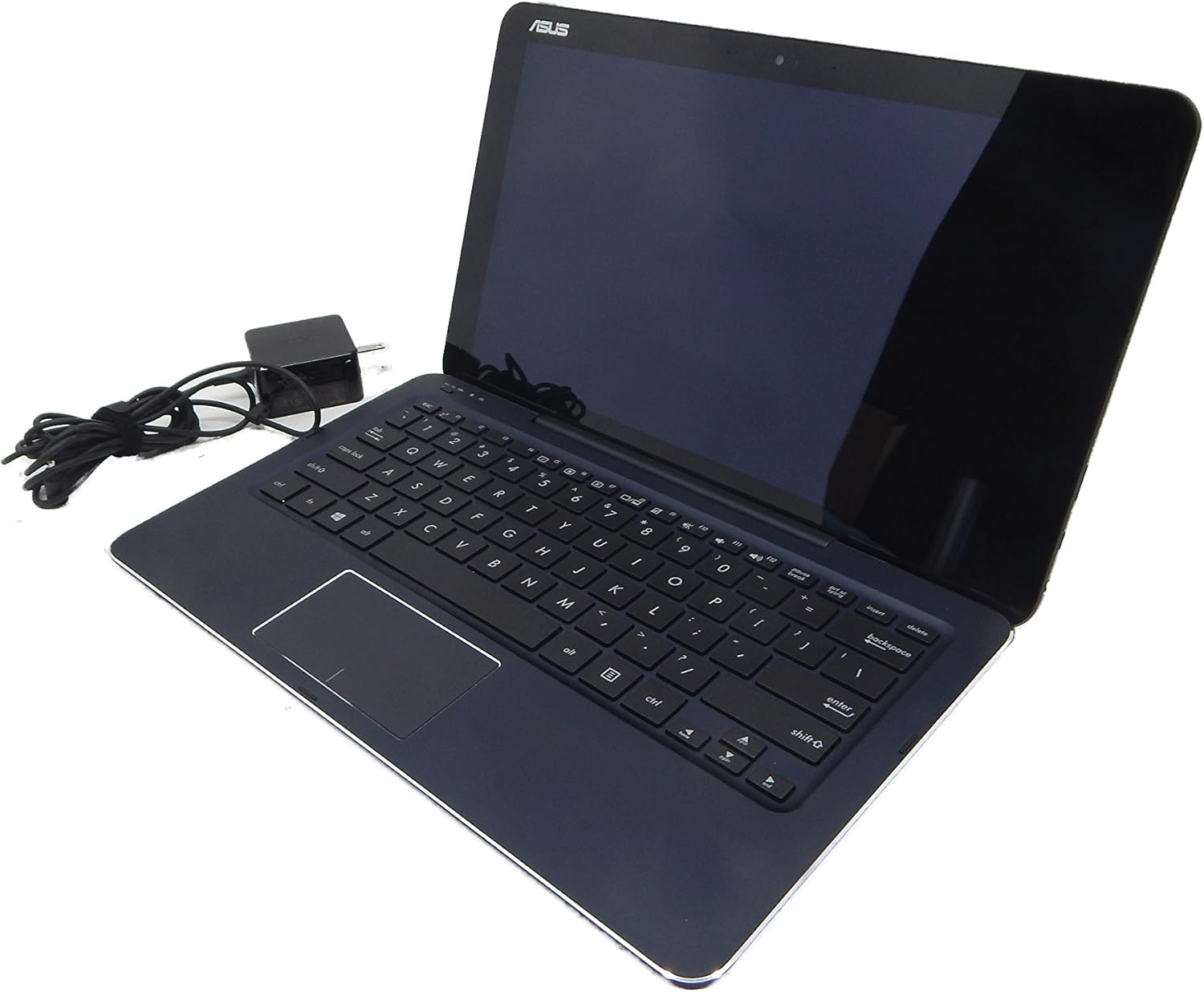
Image: The ASUS Transformer Book Chi T300CHI-F1-DB alongside its included AC adapter, ready for charging.
Setup
L-Ewwel Tixgħel u l-Iċċarġjar
- Qabbad l-AC Adapter: Plug the AC adapter into the charging port on your ASUS Transformer Book Chi and then into a power outlet.
- L-Ewwel Boot: Press the power button located on the side of the tablet. The device will power on and guide you through the initial Windows 8.1 setup process.
- Iċċarġja kompletament: For optimal battery life, it is recommended to fully charge the device before its first use.
It-twaħħil u t-twaħħil tat-Tastiera
The ASUS Transformer Book Chi features a unique Neodymium Magnetic Hinge that allows for easy attachment and detachment of the keyboard dock.
- Biex Twaħħal: Align the tablet's bottom edge with the keyboard dock's hinge. The strong magnets will automatically guide and secure the tablet into place. Ensure a firm connection.
- Biex tinqala': Gently pull the tablet upwards from the keyboard dock. The magnetic connection will release, allowing you to use the device as a standalone tablet.

Image: The ASUS Transformer Book Chi T300CHI-F1-DB in its detached tablet form, highlighting its portability.
Istruzzjonijiet Operattivi
Bl-użu tal-Touchscreen
The 12.5-inch IPS FHD (1920x1080) touchscreen with Corning Concore Glass provides a responsive and vibrant display. You can navigate Windows 8.1 and applications using touch gestures.
- Tektek: Ekwivalenti għal klikk tal-maws.
- Swipe: Mexxi subgħajk fuq l-iskrin biex tiskrollja jew tinnaviga.
- Agħfas biex Tiżżumja: Uża żewġ swaba' biex tagħmel zoom in jew zoom out.
- Edge Swipes: Swipe from the right edge for Charms bar, from the left edge to switch apps, from the top/bottom for app commands.
Keyboard and Trackpad Usage
When docked, the physical keyboard and trackpad provide a traditional laptop experience for typing and precise cursor control.
- Tastiera: Standard QWERTY layout for comfortable typing.
- Trackpad: Jappoġġja ġesti multi-touch għan-navigazzjoni, l-iscrolljar, u ż-żum.
Using the ASUS Active Stylus Pen
The device supports the ASUS Active Stylus Pen (256 pressure levels) for precise input, drawing, and note-taking. The stylus is included with your purchase.
- Kitba/Tpinġija: Use the stylus directly on the touchscreen for natural input.
- Għażla: Tap with the stylus to select items.
- Ikklikkja bil-lemin: Press and hold the stylus on an item for a right-click context menu.
Konnettività
The Transformer Book Chi offers various connectivity options:
- Wi-Fi: Dual-band 802.11N Wifi for fast wireless internet access.
- Bluetooth: Bluetooth 4.0 għall-konnessjoni ta' periferali mingħajr fili.
- Mikro USB 3.0: For connecting USB devices (requires adapter for standard USB-A).
- Mikro HDMI: Għall-konnessjoni ma' displays esterni.
- Headphone-Mic Combo Jack: Għad-dħul/ħruġ tal-awdjo.
- Micro SD Card Reader (SDXC): Għall-espansjoni tal-ħażna jew it-trasferiment files.
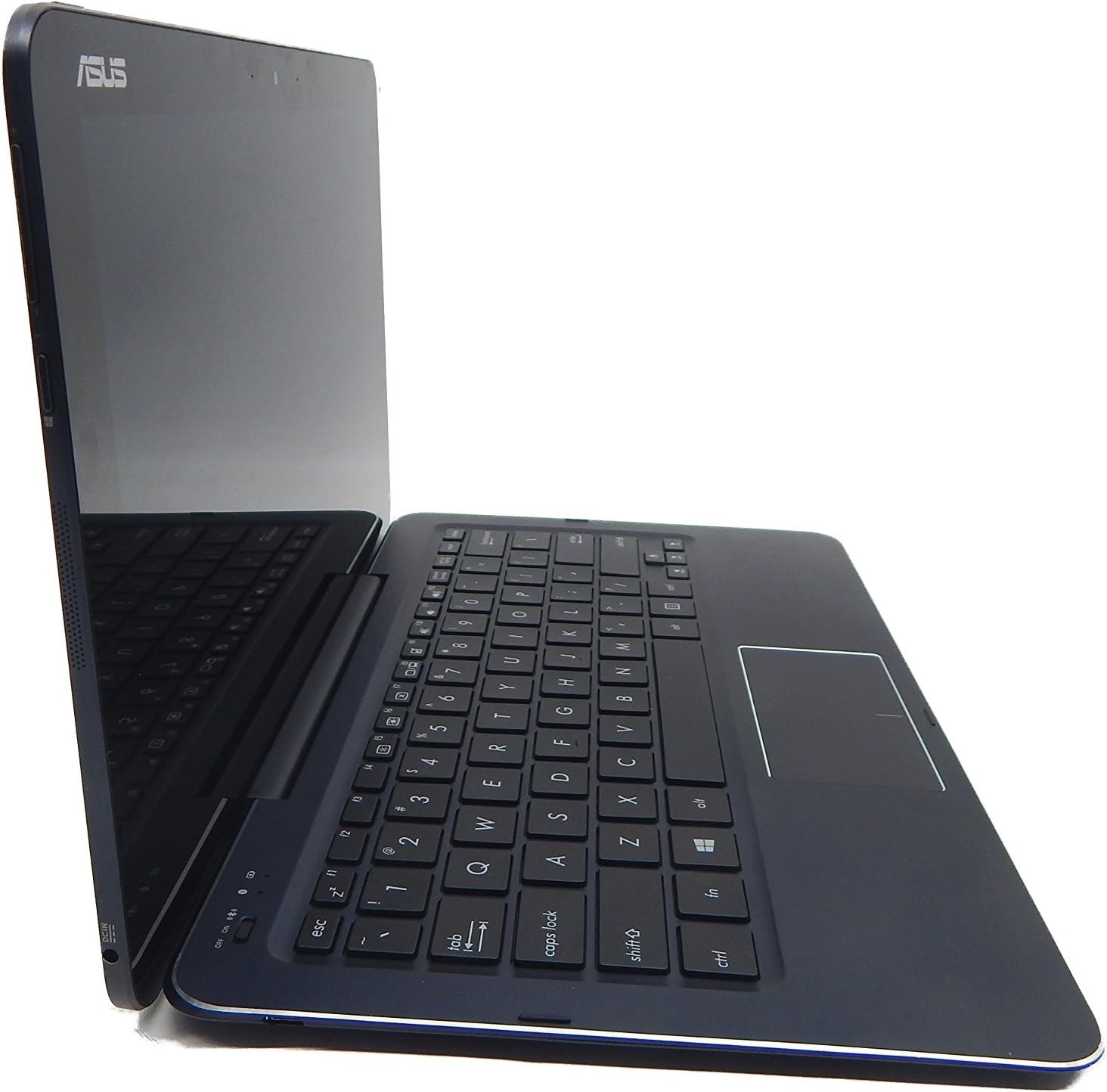
Immaġni: Side profile of the ASUS Transformer Book Chi T300CHI-F1-DB, illustrating its slim design and available ports.
Vidjo Uffiċjali tal-Prodott
Video: An official video from ASUS demonstrating the features and versatility of the ASUS Transformer Book T300, including its 2-in-1 functionality and Windows operating system.
Manutenzjoni
- Tindif: Uża drapp artab u mingħajr suf biex tnaddaf l-iskrin u l-barra. Għal tbajja' iebsa, neħħi ftitampNaddaf id-drapp bl-ilma jew b'prodott tat-tindif tal-iskrin. Evita kimiċi ħarxa.
- Kura tal-batterija: To prolong battery life, avoid extreme temperatures. It is recommended to fully discharge and recharge the battery periodically.
- Aġġornamenti tas-Software: Iċċekkja u installa regolarment aġġornamenti tal-Windows biex tiżgura prestazzjoni u sigurtà ottimali.
- Ħażna: Meta ma tkunx qed tuża, aħżen l-apparat f'post frisk u niexef 'il bogħod mix-xemx diretta.
Issolvi l-problemi
Kwistjonijiet Komuni u Soluzzjonijiet
- Apparat mhux mixgħul:
- Ensure the AC adapter is securely connected and the device is charging.
- Agħfas u żomm il-buttuna tal-qawwa għal 10-15-il sekonda biex twettaq hard reset.
- It-tastiera ma tirrispondix:
- Ensure the tablet is properly docked and the magnetic connection is secure.
- Ibda mill-ġdid l-apparat.
- Check Bluetooth settings if the keyboard connects wirelessly (though this model typically uses a physical connection).
- Problemi ta' konnettività tal-Wi-Fi:
- Toggle Wi-Fi off and on in Windows settings.
- Erġa' ibda r-router/modem tiegħek.
- Update Wi-Fi drivers through Windows Update or ASUS support websit.
- L-iskrin tattili ma jirrispondix:
- Ibda mill-ġdid l-apparat.
- Kun żgur li l-iskrin ikun nadif u ħieles mill-fdalijiet.
- Check for available Windows updates that might include touchscreen driver fixes.
Speċifikazzjonijiet
| Karatteristika | Dettall |
|---|---|
| Isem tal-Mudell | T300CHI-F1-DB |
| Wiri | 12.5" IPS FHD 1920x1080 Touchscreen, Corning Concore Glass |
| Proċessur | Intel Core M 5Y10 Processor (up to 2.00 GHz) |
| RAM | 4GB DDR3 Onboard RAM |
| Ħażna | 128GB iSSD (Integrated Solid State Drive) |
| Grafika | Grafika Intel HD (Integrata) |
| Konnettività bla fili | Dual-Band 802.11ABGN Wi-Fi, Bluetooth 4.0, Miracast Support |
| Portijiet | 1x Micro USB 3.0, 1x Micro HDMI, 1x Headphone-Mic Combo Jack, Micro SD Card Reader (SDXC) |
| Kamera | High Definition 2MP User-Facing Camera |
| Sistema Operattiva | Windows 8.1 |
| Ħajja tal-batterija | Sa 8-il Siegħa |
| Dimensjonijiet (LxWxH) | 12.05 x 7.05 x 0.5 pulzieri |
| Piż | 3.2 liri |
Garanzija u Appoġġ
This product is covered by ASUS's standard warranty. For detailed warranty terms and conditions, please refer to the documentation included in your product packaging or visit the official ASUS support websit.
For technical support, driver downloads, and service inquiries, please visit the ASUS support portal or contact their customer service. Keep your product's model number (T300CHI-F1-DB) and serial number handy when seeking support.
Ċaħda Legali: Item is used but in like new condition. This information is provided for general guidance only. Always refer to the official ASUS documentation for the most accurate and up-to-date information.
Ask a question about this manual
Ask about setup, troubleshooting, compatibility, parts, safety, or missing instructions. Manuals+ will review the question and use this page’s manual context to help answer it.